×
![Poly (Plantronics) Voyager Focus UC Headset]()
1 / 1
Poly (Plantronics) Voyager Focus UC Headset
72+ bought in past month
Price:
$350.00
Stock:
Out of Stock
24/7 Support
Same Day Dispatch
Easy Returns
Warranty 2-Years
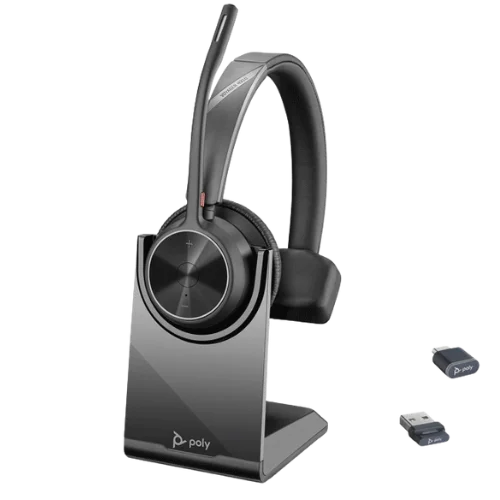
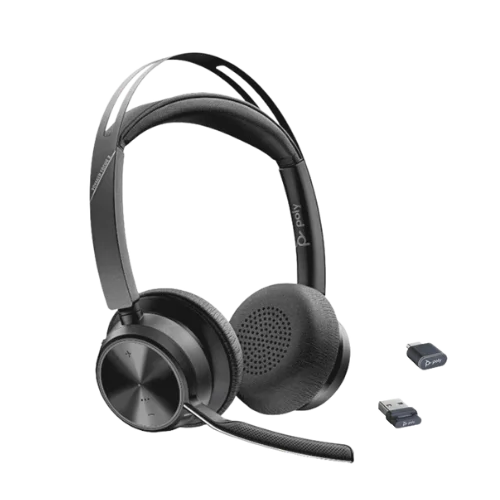
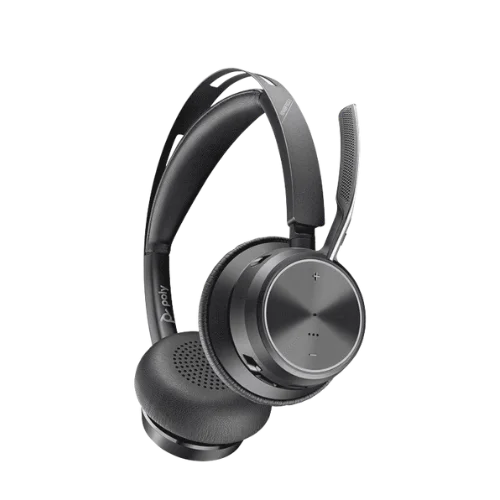
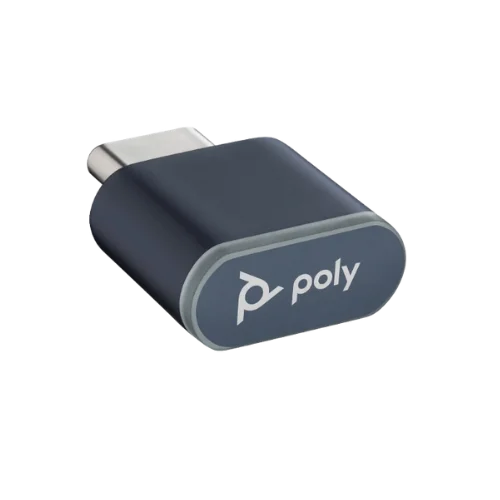
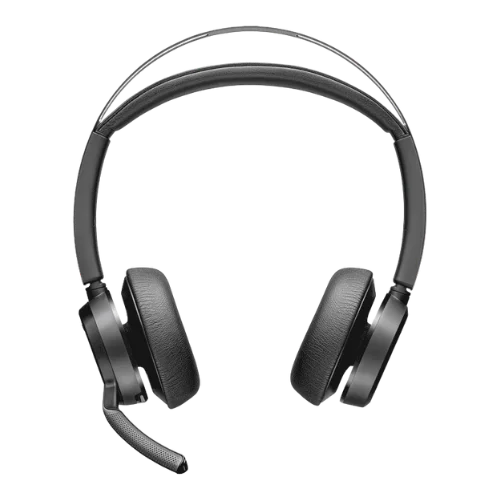
Plantronics Voyager Focus UC Headset is a wireless stereo headset for people who spend the majority of their day talking on the phone. It is plugged into a computer via the supplied BT600 USB adaptor and linked to a phone via Bluetooth. Supports two simultaneous connections. It is possible to wear the boom microphone on either side of the head. On the earcup is the ANC (active noise cancellation) button. Talk time is up to 12 hours and the weight of the headset is about 155 g.
This model is also offered in the Poly Voyager Focus UC model. Plantronics has become part of Poly, and Poly has become part of HP. The part number is the same (202652-01).
What Is the Voyager Focus UC B825?
It's a Business Headset designed for a single position. Maintaining a connection to you when you're on the go. Binaural design with stereo audio for music, meetings and calls. The headset can connect to up to 8 devices and has 2 concurrent connections. Therefore, you will be able to maintain your laptop and your cell phone concurrently. Your phone can ring while you are using the computer and you will be able to answer the phone without unpairing anything.
Key Features
Active Noise Cancellation
A consistent noise level can be heard throughout an open office. Keyboards. Nearby calls. Air conditioning. ANC is best with that kind of background noise on the B825. It will not interrupt another individual who is talking to you. It lowers the background noise in the room, allowing speech to be easier to understand. To enable or disable ANC, there is a switch on the earcup that allows you to switch between ANC and NON-ANC.
Noise-Blocking Boom Microphone
The microphone is unidirectional. It features a directional design that captures your voice better and minimizes background noise. The remainder is cleaned up by digital signal processing. The location of the boom could be more significant than you realize. The boom should not be too high or to the side or else the voice will sound thin and the room will be amplified to the caller.
Utilize Bluetooth (by using the BT600 USB Adapter)
The BT600 adapter is ready to pair with the headset when new. Plug in to your computer's USB and the headset is plugged in. The built-in laptop Bluetooth can also be used for connection. For a phone, put the headset in pairing mode and select PLT_Focus from your Bluetooth settings. The BT600 adapter can be handy if a specific connection port on the computer is needed, and the wireless range of the headset is limited.
Smart Sensors
Headset detects when it is on the head. When supported by your calling app, taking the headset off can mute an active call. While the mute is on, it can be lifted. This will depend on the particular application you are using. It isn't supported by all media players and softphones. Plantronics Hub dictates which of the sensor actions are active.
Dynamic Mute Alert
There are times in all of our lives when we have been in a situation where we have spoken on mute. When the speech input is muted and the computer headset recognizes speech, it will play a short reminder speech. It's only heard by no one else. This can save a couple of times a day for people that need to attend several meetings back-to-back.
Stereo Audio and Media Controls
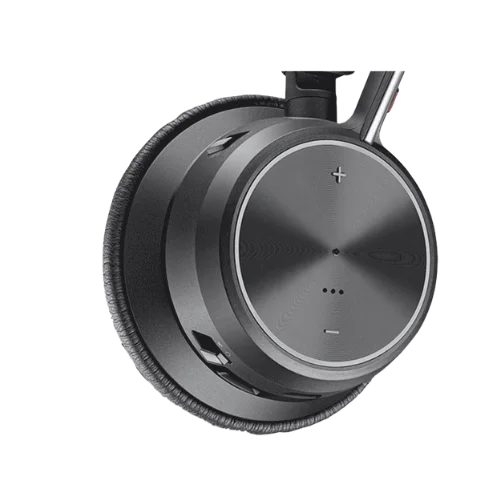
The earcups feature volume, play/pause and track skip controls. You’ll also find the call and mute buttons on the earcups. The headset is also good for listening to music between calls as it covers both ears.
Talk time
12 hours is the talk time rating. It takes about 2 hours to charge. The location of the battery is marked by voice prompts and earcup LEDs. The percentage will be shown in Plantronics Hub on the computer.
Connectivity and Compatibility
The B825 can handle two concurrent connections. Typically, it is a computer (via the BT600 adaptor) and a phone (via Bluetooth). They can be alternated between without the need for any re-pairing. Before purchasing, it is important to look for the softphone support. For supported applications, the earcup button can be used to answer and end calls. Plantronics Hub is a call control required by a few platforms.
The headset can be used for audio without the software. It's possible that you only need to receive calls from your computer or phone. Please refer to the updated Poly compatibility list to see if your selected softphone and version is supported.
Comfort and Design
The B825 weighs about 155 g. Stuffing leatherette ear cushions and padding headband.
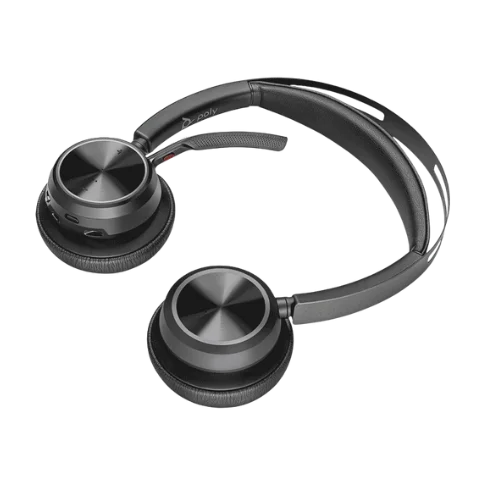
Leatherette seals well and aids with the action of ANC. The boom arm swivels around so that it can be used to the left or right. The boom can be moved from one side to the other when sitting with a colleague on one side.
Who Is It Best For?
Remote workers: Good for people who use both their computer and phone for calls.
Call Center Teams: Working long hours, talking all day long and muting often. The mute alert and the earcup controls are more significant here than any other place.
Sales Teams: Calls start on the phone and move to a computer meeting. Two live connections take care of that without the fiddling.
Outbound Customer Service Teams: It's all about the voice quality. The boom mic is the answer as to why you should go with this over earbuds.
Voyager Focus UC vs Basic Bluetooth Headsets
One of the biggest differences is the boom mic included. The microphone of a simple headset could be located at the back of the earcups, making it further away from your mouth and thus picking up more background sounds. This is okay when making personal calls, but it is important when making work or customer calls.
Most basic headsets are also only able to connect to a single device. Unlike other models, the B825 will allow you to connect your laptop and mobile device at the same time, without having to disconnect one to use the other.
The other difference is the BT600 Adapter. Built-in laptop Bluetooth can be used to connect to simple headsets. A computer and a wireless range are connected to the B825 with the included BT600 adapter.
It's the little things every day that really count! This includes the ANC button as well as sensors to prevent music playback when the headset is removed and a mute indicator. It can also offer up to 12 hours of talk time, which is far more than a basic headset can offer, at about 5-6 hours.
A few Things You Should Check Before Buying One
Your softphone: Make sure that your calling app is compatible. Also, a Plantronics Hub for call controls might be needed.
The range of 45 m is subject to the following conditions: the BT600 adapter is to be used in an open space. The range can be decreased by walls or other obstacles.
If you require two connections: If you only use your computer, a simpler USB headset may be less expensive.
How you charge: The box does not include a charging stand. A micro-USB cable is used for charging the headset. If you want to purchase a stand separately, you can.
Warranty: The coverage of the warranty varies depending on the retailer. Before ordering, inquire about the warranty time period from the seller.
Why Buy From FindHeadsets?
Choosing the right headset isn’t just about picking a model. It should also be compatible with your computer/phone and calling application. So, with FindHeadsets, we're here to help you pick the perfect headset for your setup.
We can also help you choose between headsets based on daily usage, sound quality, comfort, and connectivity. Team and office headsets are also available for larger orders. We offer fast delivery, warranty and product setup or question assistance. Don't always go for the most costly headset on the market. If you work like this, the one on the right is for you.
Final Thoughts
The Voyager Focus UC B825 is a good option, if your day consists of a lot of calls, and you switch back and forth between computer and phone. These are the things you will use every day; the boom microphone, the two live connections and the earcup controls. ANC works well in an open office, and can be turned on or off as needed.
If you are sitting at one desk and have one computer and rarely receive mobile calls you may be able to get a less complicated model and spend less. If your daily life is akin to a series of meetings, phone calls and walking around, this one is worth its money.
Technical Specifications
| Specification | Plantronics Voyager Focus UC B825 Headset |
|---|---|
| Model number | B825 |
| Part number | 202652-01 |
| Connection | Bluetooth and USB |
| USB adapter | BT600 (pre-paired) |
| Headset type | Stereo wireless |
| Wearing style | Binaural headband |
| Microphone | Directional boom, DSP |
| Active noise cancellation | Yes |
| Battery | Rechargeable lithium-ion |
| Talk time | Up to 12 hours |
| Full charge time | Up to 2 hours |
| Wireless range | Up to about 45 m |
| Paired devices | Up to 8 |
| Simultaneous connections | Up to 2 |
| Ear cushions | Leatherette |
| Weight | About 155 g |
| Bluetooth name during pairing | PLT_Focus |
| Software | Plantronics Hub |
Yes. Can hold up to 8 pairings, active 2 pairings. Usually, this is a laptop that connects to the BT600 adaptor and a phone that connects to the laptop using Bluetooth.
Can be used with most softphones as an audio device. Typically needs a Plantronics Hub to install to answer and hang up calls via the earcup button. Please refer to the list of currently compatible Polys for your softphone version.
Yes. The boom is swivelled to enable it to be worn on the left or right. The headset detects the side that the boom is on, and the stereo channels are adjusted automatically.
The 12-hour talk time, earcup mute, and mute alert and directional mic allow for long shifts and frequent calls. If your team requires a shared desk or hot desk configuration, you'll want to have additional ear cushions on hand, too.
No, but you can do it via the computer's Bluetooth. The BT600 adapter is recommended if you want to use the dedicated computer connection with the published wireless range of the headset.
Customer Reviews
Write a Review