
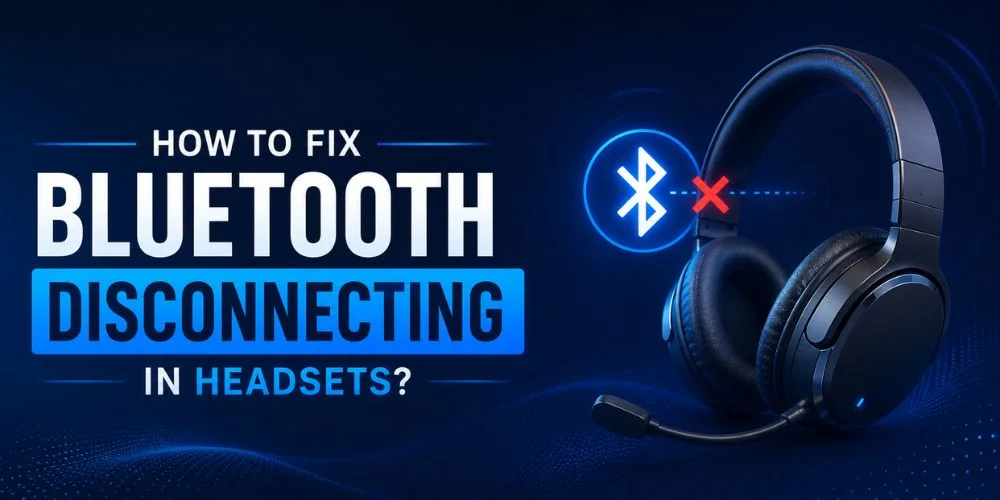
In this fast-paced era, the working style and demands of users are changing at the speed of light. Once upon a time, there were only wired headsets that kept people stuck to their desktops for staying connected.
But now the users demand freedom of mobility during tasks to increase their productivity. Here comes the Bluetooth headsets!
The Bluetooth headsets are the most convenient way to multitask without getting disconnected from the device. They give you the freedom of movement in a wireless range of 30 to 33 feet. But what’s the use of a Bluetooth headset if the Bluetooth keeps on disconnecting?
The convenience you were admiring has now turned into the biggest frustration. Are you thinking about discarding the headset? Stop! Don’t do this.
In this guide, we are going to discover the common reasons why Bluetooth on your headset keeps disconnecting.
After reading this guide, you will be able to fix the Bluetooth issues for your headset and device.
Let’s get started!
Why do my Bluetooth Headphones Keep Disconnecting?
Imagine you are walking with your favorite Bluetooth wireless headset, vibing to your favorite song.
But suddenly the beat drops, and you end up in silence. Your mood gets spoiled, and you get annoyed to the core.
Don’t worry, that’s completely normal. Many users experience frustration due to Bluetooth headphones that keep disconnecting.
Let’s learn the common reasons behind your Bluetooth headsets cutting out:
Low Battery
One of the reasons that leads your Bluetooth headset to disconnect is the low battery levels.
The battery life of each headset varies from headset to headset.
If the battery is not fully charged, your headsets will have an unstable Bluetooth connection, or they will be completely disconnected, depending on the model.
Interference from Other Devices and Bluetooth Signals
The Bluetooth signals have the same frequency range as WiFi, microphones, cordless phones, and baby monitors. When there are many devices on the same frequency spectrum, interference is a must.
Moreover, some Bluetooth headsets have multipoint connectivity, so they can be connected to multiple devices. The Bluetooth is connected to the primary device, but interference can occur.
Compatibility Issues
Not every Bluetooth headset is compatible with your device. If the headset is not compatible with the device, it’s not going to connect with the device.
If connected, it will not function properly, and you will freak out.
Outdated Firmware or Software
If the firmware or software is outdated, it will cause a connection glitch. Skipping updates causes issues that are solved only with the update of firmware and software.
Multipoint Confusion
If the headphones support multipoint connectivity, then multiple devices will tend to connect.
Some devices will steal the connection first, or the headset might disconnect when switching from one device to another.
Buggy Apps
Sometimes you experience no sound and headphones cutting out despite a wired connection.
That might be due to a buggy app. How can you know this? Try the headset for some other app; if it works fine with it, the app is faulty, not the headset.
Too Many Apps
Some apps are unintentionally running in the background, and you might not be aware.
These apps working in the background try to access Bluetooth at a time. Hence, interference occurs.
End of Wireless Range
Being too distant from the connected device can lead to dropped connections.
Sometimes you reach the end of the wireless range (more than 32 meters) that the Bluetooth headsets offer. You get disconnected instantly.
Duplicate Contacts
The contact list synchronized to the headset can sometimes cause issues.
At an initial call, the device will read all the contact numbers, and there is a chance of duplication. The duplication causes the call to drop or end.
Low-quality Headsets can be Troublesome
Sometimes investing in a low-quality headset is the major cause of troubles in Bluetooth connection. A low-quality headset lacks excellent sound quality, stable connectivity, and premium features.
How to Fix Bluetooth Issues Quickly in Headsets?
Frustrated with the Bluetooth pairing issues that waste a lot of your time and ruin your mood? It’s completely understandable.
Don’t panic, and try these tips to fix the Bluetooth issues:
Do not Exceed the Distance from the Wireless Range
When you exceed the wireless range supported by the Bluetooth headset, the headset gets disconnected.
Do not exceed the supported range (maximum 32 feet). Moreover, try to be as close as the connected device for better connectivity and sound quality.
Purchase a Model Compatible with Your Device
As you know, not every headset model is compatible with any device. Before purchasing the headset, check its specifications and compatibility. If compatible, then purchase.
Otherwise, look for any other option compatible with your device and the software you want to use.
Reduce Sources of Interference
Move away from places that contain walls, furniture, or large metal surfaces. These places can obstruct the Bluetooth signals. Moreover, avoid the places crowded with Wifi routers, microwaves, and other Bluetooth devices.
All these places interfere with the Bluetooth signals operating on the 2.4 GHz frequency spectrum.
Avoid such places and keep a clear line of sight between your devices to optimize signal strength.
Don’t Let the Battery Drain Completely
Many users keep using the headset until its battery completely drains. Each headset works on different battery life and consumption levels. Some headsets are disconnected completely when the charging is 5%.
While some headsets start dropping when the charge is low.
Anyhow, it is advised to regularly charge your headsets and stop using them before the battery dies. It will keep your Bluetooth connection stable.
Keep Firmware and Apps Up-to-Date
New updates are always on their way to keep the headset functioning properly. If you want your headset to work properly, keep it up-to-date with the recent updates.
Moreover, update the apps with which you want to use the headset.
Manage Multipoints Connection to Avoid Confusion
One of the major reasons behind the Bluetooth being disconnected is the multipoint compatibility.
If that is the reason for your Bluetooth device getting disconnected, turn off the multipoint connectivity in the settings.
If you don’t want to turn it off, then disconnect the unwanted devices manually. Bluetooth will be connected to the device.
Reset and Re-pair
Sometimes, all you need to fix Bluetooth issues is to reset and re-pair. A quick reset or a fresh pair solves all the problems you were struggling to solve.
Look for Physical Damage
Sometimes, there is no internal firmware or software issue. Some parts of the headset may be broken or damaged, which is preventing the Bluetooth from connecting with the device.
Inspect the headset thoroughly if the issue persists even after applying the above tips.
Common Bluetooth Problems and Their Solution
You have learned the reasons for Bluetooth disconnection and some tips to avoid disconnecting.
But still, some problems need attention to detail. Let’s find out solution for each problem:
Problem 1: How to Fix the Bluetooth connection on Headphones?
Solution:
If your Bluetooth headphones don’t connect with the device, follow these solutions to make your connection work:
- Turn off Bluetooth, wait for a few seconds, and turn it on again.
- If turning off and on doesn’t work for you, then restart your device. Turn on the Bluetooth again.
- Clear the Bluetooth cache to remove the unwanted list of Bluetooth connections stored.
- If the issue still persists, forget the device in the device’s Bluetooth settings and pair it again.
- Last but not the least, keep the headset up-to-date with the recent updates.
Problem 2: How to Reset Bluetooth Headphones?
Solution:
For resetting the Bluetooth headphones, follow these steps:
- Turn off the headphones completely so that they can’t be connected.
- Press the power button in combination with the volume down buttons. Or press the volume up and volume down buttons instantly.
- Hold the buttons for 10 to 30 seconds until you see a flash indicating that the device is reset.
- Now, remove the headsets from the list of previously connected devices. Your headset is completely reset.
If you want to use the headset again, turn the headphones on and pair them again the same way you pair a new headset.
Problem 3: Why do I Keep Losing Bluetooth Pairing?
Solution:
You keep losing the Bluetooth pairing due to the far distance from the supported wireless range, low battery, and multipoint confusion. To solve this problem, follow these solutions:
Losing Connection Due to Far Distance: In this case, stay in the range of 30 to 32 feet only. Otherwise, your connection will be lost. As far you are from the connected device, the more the chances of dropped signals.
Charge Before Low Battery: When your battery is low, the headsets start disconnecting again and again. That’s the time you need to charge your headsets immediately. Don’t wait until the battery dies.
Manage Multipoint Confusion: The headsets with multi-point compatibility are connected with more than one device at a time.
This creates confusion. To avoid such a situation, either turn off the multi-connection option or manually disconnect the connected devices.
Wrap Up
Bluetooth headsets are designed for hands-free convenience, but when the Bluetooth gets disconnected repeatedly converts the convenience into frustration. Not every time, the headset is faulty, which needs to be replaced.
Some technical issues and habits cause the Bluetooth to disconnect again and again. Low battery, far distance from the connected device, multipoint confusion, too many apps, and wireless signals of the same frequency range are some reasons.
In this blog, we learned what the common reasons are behind the Bluetooth disconnecting and how we can fix the issues.
Now you can solve your Bluetooth issues yourself. Stay tuned for more informational blogs!
No comments yet. Be the first to comment!
Leave a ReplyYour email address will not be published. Required fields are marked *