service@findheadsets.com 9931 Franklin AveSuite 128 Franklin Park IL 60131

Yealink UH44 USB Wired Headset

No reviews
Yealink SKU: YEA-UH44-USB
169+ bought in past month
Price: $69.99
Stock: In Stock
More info
Quantity:
Special Offer: Discounted Pricing on Bulk Orders of 20+ Units! Request Quote
24/7 Support
Same Day Dispatch
Easy Returns
Warranty 2-Years

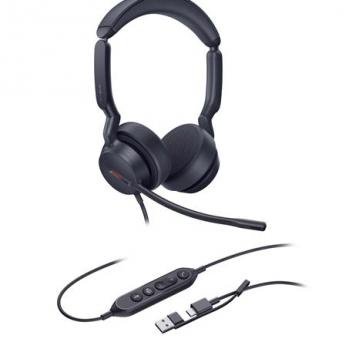
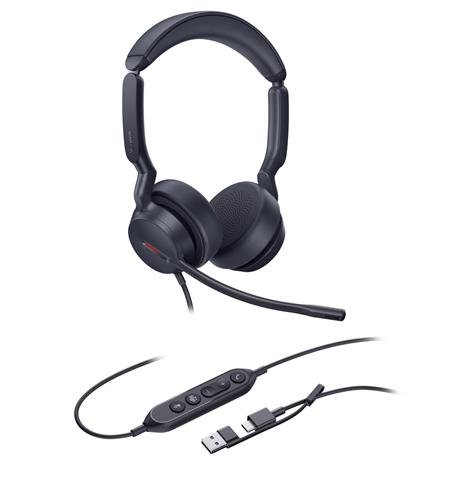
Whether for professional calls, online meetings or daily computer communications, the UH44 USB Wired Headset offers the flexibility of Mono and Dual options to meet the needs of the job. It includes two-microphone AI noise cancellation, professional-grade 35mm speakers, soft memory foam ear cushions and simple USB connectivity for seamless daily use.

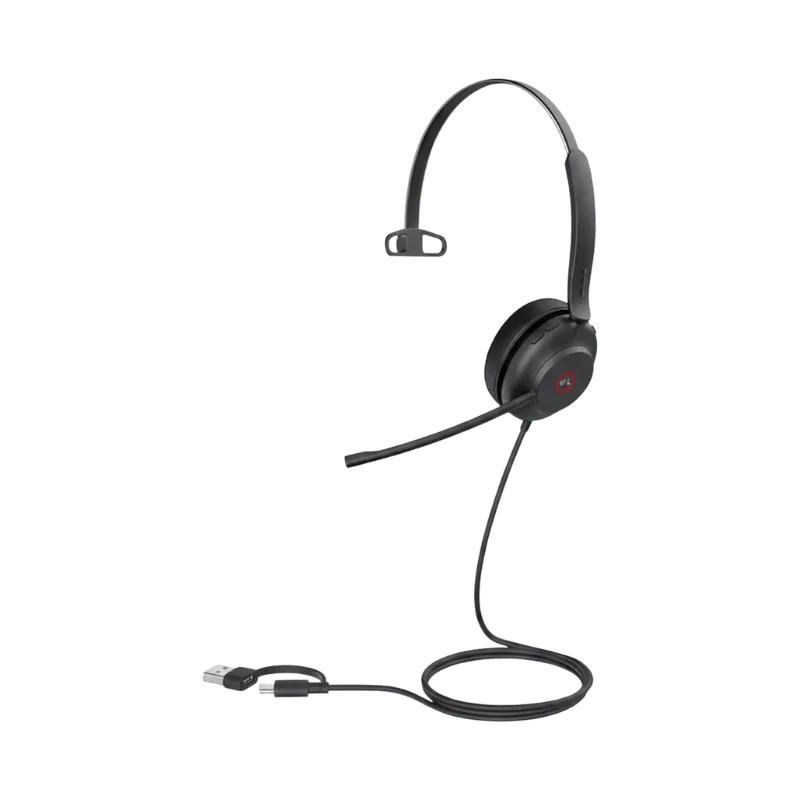
The headset is connected to compatible products with a USB-C to USB-A adapter in just one second. The in-line controller allows for easy access to call management and volume control with LED indicators.

The microphone boom can be quickly adjusted to silence the mic and the floating on-air headband and rotating earcups ensure comfort all day long.

Key Features of the Yealink UH44

2-Mic and AI Noise Cancellation With Acoustic Shield 3.0

The two microphones and Yealink Acoustic Shield 3.0 filter out background noise from all directions. The sophisticated voice isolation feature only captures your voice. Everyone in the office, including your customers, can hear you.

Microphones have a frequency range of 100Hz to 16kHz. This will ensure that your voice is always natural and clear on every call.

Professional-Grade 35mm Speakers

Custom 35mm speakers provide rich and full-bodied sound. Improved volume and wideband HD sound, so it is easy to hear everyone. The Dual version also includes stereo sound for an enhanced listening experience.

Speakers range from 20Hz to 20kHz, making them ideal for music and other computer-generated sound.

User Hearing Protection

Built-in hearing protection helps to keep sound at a safe level. It is especially important for call center agents, support staff, and those who use a headset for long periods of time.

All-Day Wearing Comfort

Yealink has created this headset for those who wear it for several hours at a time.

Ergonomic headband with curved arms and float-on-air. Distributes pressure evenly and maintains clamping force comfortably.

The soft artificial leather and large contact surface provide a comfortable fit. Breathable comfort from soft memory foam ear cushions. The oval-shaped earcups rotate, so you can find your preferred wearing position.

Flexible USB-C and USB-A Plug-and-Play

To connect the headset, it takes one step. The USB-C cord is accompanied by a USB-A adapter, allowing you to connect it to compatible devices via either USB-A or USB-C. The headset cable is 0.65m long to the call control unit. A 1.5 m USB cable then runs to the computer. The cable design provides reach and flexibility at your desk, without the risk of tearing or wear.

It is a wired USB headset; there is no battery to charge and no wireless pairing to connect. It's a good choice for situations that require a computer to be used for a long time or often.

In-Line Call Controller With LED Indicators

The in-line controller makes the most critical call functions easy to access, so you don't have to touch your computer during a call. Call management, volume control, and mute/unmute the microphone. Call status indicator LEDs will let you know at a glance.

One-Tap Instant Meeting Join

The controller will enable instant meeting join. Schedule a call in one go, rather than opening the calling app first and then tapping the call button. This is a tiny time saver for days back to back.

Lift Mic-Boom to Mute

To mute the microphone immediately, lift the boom arm up. Bring it down to get the microphone back.

Single Busylight for Fewer Interruptions

All-angle visibility busylight will let the people around you know when you are on a call. They see you are occupied from all angles and you don't get interrupted as much.

Wear on Both Sides

The headset can be worn on either side, allowing for greater versatility throughout the day.

Wide Platform Compatibility

Yealink designed this headset to work with more than 100 platforms and operating systems.

Easy Management With Yealink USB Connect and YMCS

With Yealink USB Connect (PC) and Yealink Management Cloud Service, IT teams can deploy, manage and upgrade the headset. This can facilitate its deployment in an office or contact center environment.

Mono vs. Dual: Which Version Fits Your Day?

This headset is offered by Yealink in two versions. It is a matter of personal choice which one is best for you when it comes to the amount of room that you want to hear.

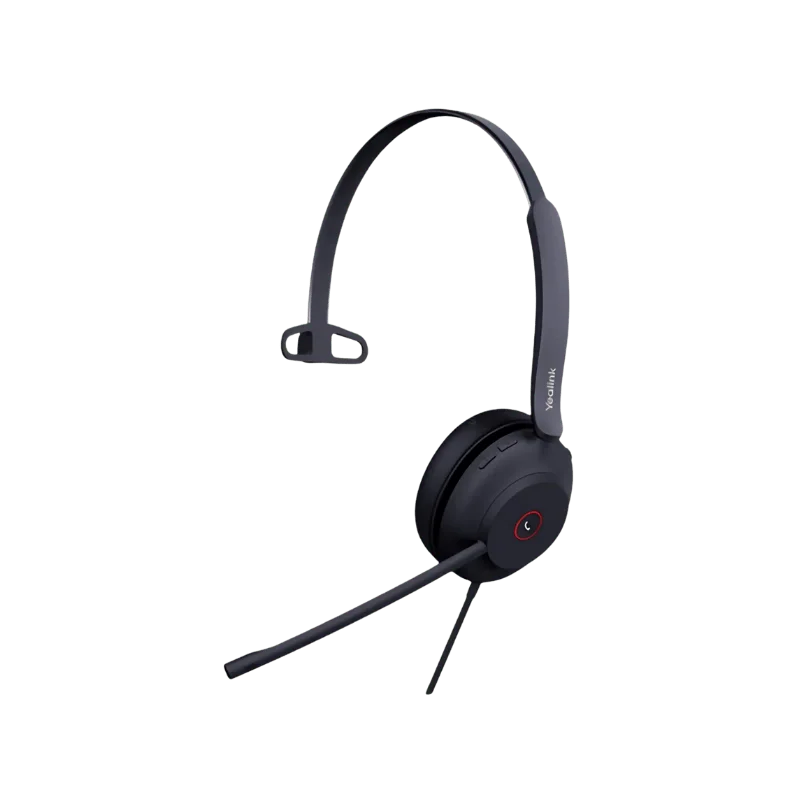
If you need one ear to listen, select Mono. It is ideal for a communal workspace, reception desk or home office where others are nearby. It is also lighter at 125 grams.

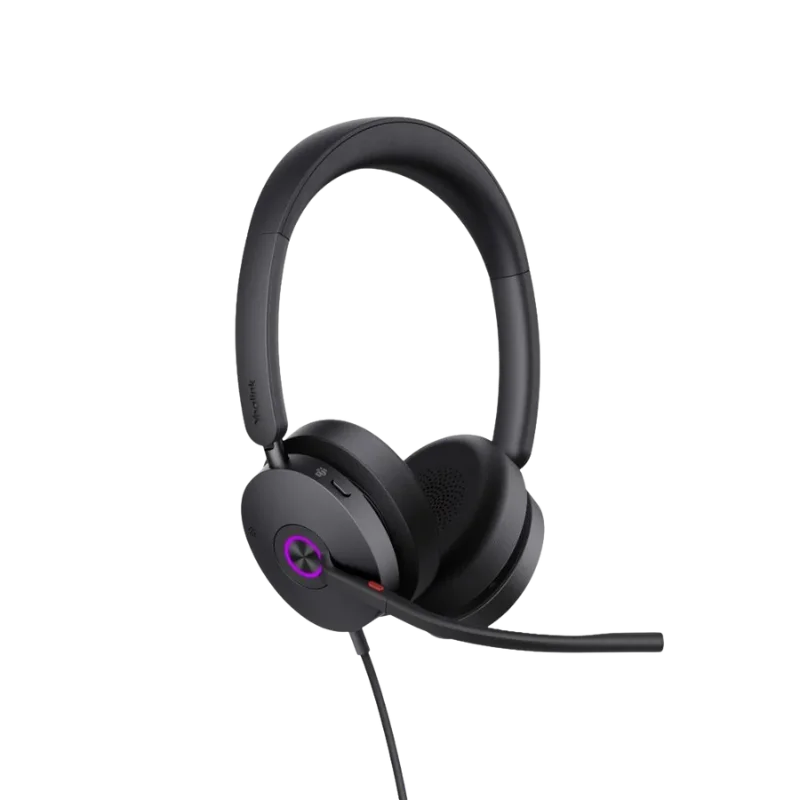
If you prefer music in both ears, more isolation from background noise and more fullness to the listening experience when you listen to music, you should select the Dual version. It remains light at 162 grams for long calls.

The same microphones, speakers and connection type are used with both versions. So, comfort and awareness rather than call quality is the choice.

Teams and UC Editions

There are two editions of the Dual version. The Dual Teams edition is designed to integrate with Microsoft Teams, while the Dual UC edition is designed to integrate with other unified communications platforms. The Mono version is offered as a stand-alone version.

For Microsoft Teams teams, select the Dual Teams version. If your team is using a different calling platform, the Dual UC or Mono version is more appropriate.

Where This Headset Works Best

In a Shared Office

You sit near the team, answering calls all day. The busylight will let them know when to wait with their question. In the meantime, noise cancellation ensures that they do not add to your call. The Mono version also allows you to hear the room around you.

On a Call Center Shift

You spend 8 hours on the telephone. Low pressure with soft headband and ear cushions. Hearing protection helps to keep sound at a safe level. Also, the in-line controller lets you answer and mute a call without touching your screen.

Working From Home

You frequently hear your telephone ringing alongside doorbells, traffic, and family voices. There are two microphones that are designed to capture your voice. When you want to mute, you lift the boom to mute in one move.

How to Choose the Right USB Wired Headset

To select the suitable headset, follow these four simple questions:

Does the Mic Handle Noise Well?

Seek multiple voice-micropicks or voice noise cancellation. This will determine how audible you are to others.

How long is the headset comfortable to wear?

Look at the weight and cushion material and clamping power. A light headset is better than a heavy one if it has even pressure.

What type of headset is the device?

Ensure that the plug is compatible with the computer. Also, see if you require an adapter.

Compatible With Your Calling App?

Please refer to the maker's compatibility list prior to purchase. This is especially important if you're ordering for an entire team.

The UH44 provides answers to all four questions. It comes with two microphones equipped with Acoustic Shield 3.0 and a float-on-air headband. It is also powered by a USB-C cable and compatible with over 100 platforms.

Tips for Clearer Calls

Test your microphone in a short call before an important meeting, to ensure the connection is working. This enables you to set the settings early. Then hold the boom close to your mouth, but not directly into your face, so it does not get into your breath. Also, to mute while typing or gone, lift the boom.

Look at the LED indicators if you are not certain about the call status. Last but not least, make frequent breaks during long calls to rest your ears.

What's Included in the Box?

Each Yealink UH44 package comes with all of the tools necessary to begin a call immediately without any additional purchases:

  • Integrated Yealink UH44 headset (mono or dual version, Teams or UC version), the USB-C cable, and the USB-A adapter.
  • Carrying bag for transporting headset between workstations or traveling
  • Quick Start Guide, Setup and Basic Call Controls

The UH44 is a wired headset, so there is no charging cable, dongle, or base station to monitor, only the headset and its cable waiting to be connected.

How to Set Up Your Headset

1.  It is easy to set up as the headset is connected via a wired USB connection.

2.  Connect the headset: Plug the USB-C connector into the computer, and the USB-A adapter into the USB-A port (if the computer has one).

3.  Connect to your computer: Use the USB connector to connect to a compatible device.

4.  Select the headset: If your computer does not select it automatically, open your sound settings and choose the headset for speaker and microphone use.

5.  Adjust the headset: Place the headset comfortably on your head, and position the microphone boom near your mouth.

6.  Test the microphone: Make a test call or use your computer's audio settings to ensure that the microphone and speakers are functioning properly.

7.  Call: Start your call. Once connected, the headset can be used for compatible calls, meetings, and computer audio.

Why Buy From Find Headsets?

If you're purchasing a professional headset, you will not want just a product. Find Headset provides you with a reliable service, a fair return window, and true support when you need it.

100% Genuine Products

Yealink is a brand we only sell. You can be sure that we distribute every headset via official channels.

2-Year Manufacturer Warranty

All headsets sold come with the standard Yealink 2-year warranty for defects in materials and workmanship.

30-Day Money-Back Guarantee

In the case of a malfunction, you can ask us to give you a return authorization within 30 days of purchase and return it.

24/7 Customer Support

We have a support team available 24/7. Pre- or post-purchase enquiries about products, orders or compatibility.

Easy Returns

We make the return process easy and explain each step to you if the headset is not suitable for you.

Compatibility Help

Not certain if the headset works with your computer or calling platform? Please share your setup with us, and we will verify with you prior to ordering.

Bulk Orders

Looking for headsets for an office, customer service, or more? Contact us, and we will help you with your bulk order and a quote.

Get the Yealink UH44 Today

Don't settle for low-volume calls and a fiddly Bluetooth connection. Clear sound, two-mic noise cancellation, plug-and-play USB connectivity, and complete call control. It connects to the power supply and you're ready to speak.

Order Yealink UH44 Today!

Yet to be determined: Mono vs. Dual or compatibility? Give us a call before you purchase, and we'll guide you to the right one.

Full Technical Specifications

SpecificationDetails
Headset TypeUSB wired headset
VersionsMono, Dual Teams, Dual UC
Wearing StyleOn-ear
Weight125g (Mono), 162g (Dual)
Part NumbersDual Teams USB-C/A: 1308186, Dual UC USB-C/A:  1308187, Mono USB-C/A: 1308241
Microphones2
Microphone Frequency Response100Hz to 16kHz
Noise Cancellation2-Mic and AI Noise Cancellation with Yealink  Acoustic Shield 3.0
User Hearing ProtectionSupported
Speaker Size35mm
Speaker Sensitivity113.8 plus or minus 3dB at 0.980V
Speaker Frequency Response20Hz to 20kHz
Speaker Bandwidth (Talking Mode)20Hz to 20kHz
BatteryNone (wired USB headset)
ConnectionUSB-C cord with USB-A adapter
Headset Cable Length0.65 m (headset to call control unit)
USB Cable Length1.5 m (call control unit to USB plug)
In-Line ControllerCall management, volume, mute and unmute, LED  indicators
Instant MeetingOne-tap join
Microphone ControlLift boom to mute
BusylightSingle busylight with all-angle visibility
Wearing SidesBoth sides
Platform Compatibility100+ platforms and operating systems
ManagementYealink USB Connect (PC), Yealink Management  Cloud Service
Package ContentsHeadset, carrying bag, Quick Start Guide 

Specifications are derived from Yealink's official product list and may be slightly different depending on the version, region, and package.

Yes. It is a USB wired headset that is used to communicate with a computer. It's plugged in via a USB-C cable with a USB-A adaptor.
Yes. It features two microphones and Yealink Acoustic Shield 3.0 AI noise cancellation. This helps to eliminate background noise and enhances voice clarity during communication.
Mono is one earpiece; Dual is two earpieces. For information on choosing between mono and dual, refer to the Mono vs. Dual section above.
Yes. The headset includes a USB-C cord and a USB-A adapter, allowing it to be connected to compatible devices via either of the two USB connections.
Yes. The microphone mute button on the in-line controller can be used to mute the microphone, and the microphone boom can be lifted to instantly mute the microphone.
Yes. There is one all-angle busylight on the headset. It displays when you're engaged in a call.
Yes. It assists users in maintaining a safe sound level.
Yes. It has rotating earcups, memory foam ear cushions and a float-on-air headband for all-day wear.
The Dual Teams version is compatible with Microsoft Teams. The other versions also support Teams and other platforms.
No. This is a wired headset with no battery, so there's nothing to charge.
Yes. The 35mm speakers provide audio for calls and music playback in the frequency range of 20Hz to 20kHz.
This package contains the headset, carrying bag, and Quick Start Guide.
The Mono version is 125 grams, while the Dual version is 162 grams.
Supports over 100 platforms and operating systems. Please verify the above compatibility details or contact our staff, and we will verify your setup prior to ordering.
Customer Reviews
5★ 0
4★ 0
3★ 0
2★ 0
1★ 0

Write a Review

Write a review form
REQUEST QUOTE
Find Headsets Logo