×
![Yealink WH62 DECT Wireless Headset]()
1 / 1
Yealink WH62 DECT Wireless Headset
152+ bought in past month
Price:
$201.50
Stock:
In Stock
24/7 Support
Same Day Dispatch
Easy Returns
Warranty 2-Years
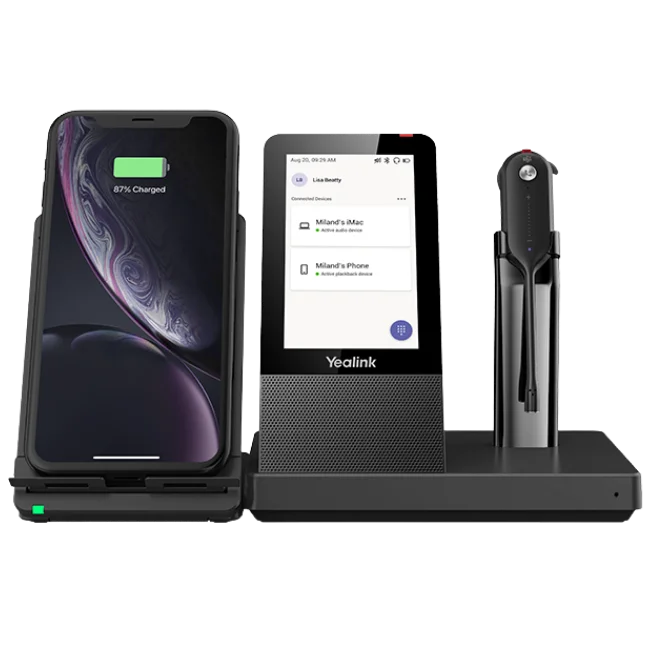
Yealink WH62 DECT Wireless Headset is designed for office users who make many phone calls during working hours. The Yealink WH62 headset is compatible with your computer and IP phone via the included base. The user can continue to use the same headset during the transition from one phone call to another.
Yealink WH62 utilizes DECT wireless technology and allows a wireless connection of up to 160 m / 525 ft under appropriate conditions. Thus, the Yealink headset will allow you to move around the office space freely without being tied to the workstation.
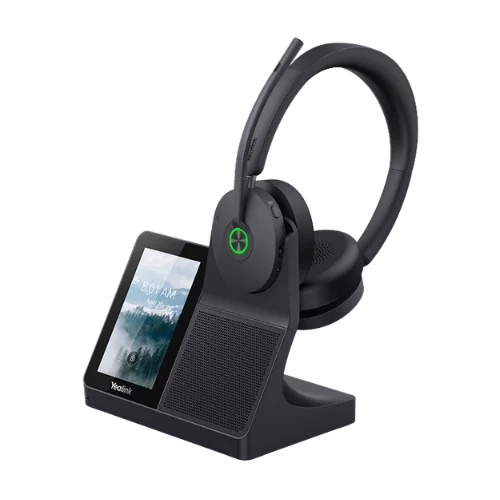
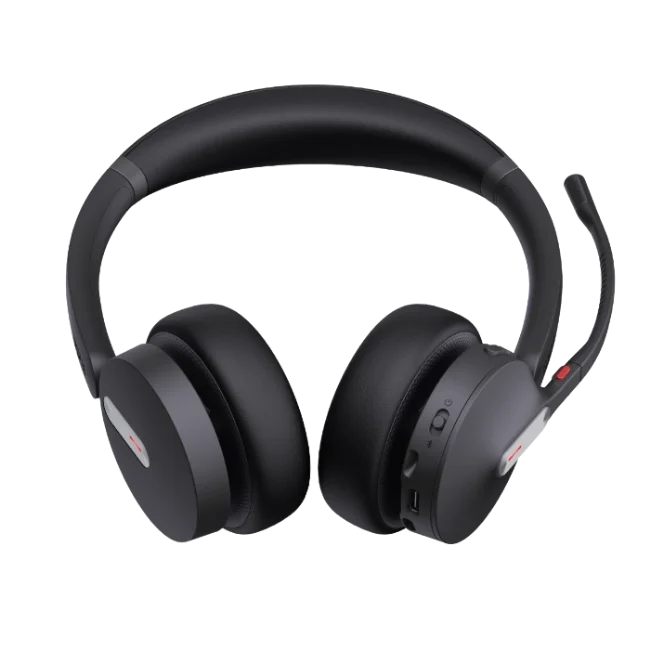
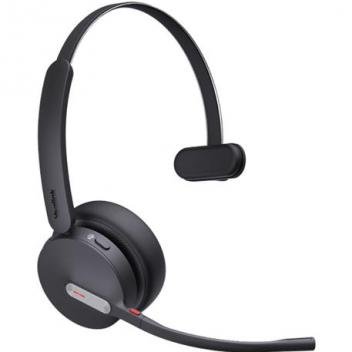
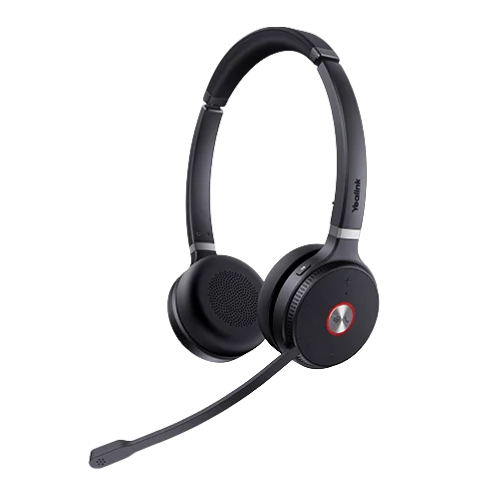
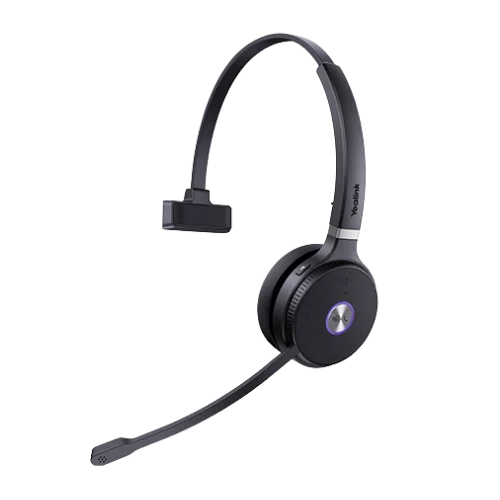
The Yealink WH62 headsets are available as mono and dual versions. Moreover, you can select either the Microsoft Teams or UC version depending on your calling platform. The mono version covers one ear while the Dual covers both.
Yealink WH62 features two microphones and Yealink Acoustic Shield Technology that filters out unnecessary noise during phone calls. A busylight will be useful in informing others about your phone activity.
One Headset for Your Computer and IP Phone
WH62 base is connected to your computer and IP phone. After setting it all up, you can use the headset for calls from these two gadgets. This feature becomes especially helpful at workplaces where employees spend their day working with a computer and a desk phone. No need to constantly switch headsets.
Also, the base serves as a charger for the headset. You just put it back on the base after you are done with it. In terms of busy workstations, this solution allows keeping the headset charged without having an extra cord on your desk.
Voice Pickup in Noisy Offices
The telephonic calls in the office environment are not always conducted from quiet surroundings. There can be a lot of noise when others are talking, typing, or even walking in the surroundings during your telephonic calls. The Yealink headset is equipped with two microphones with Acoustic Shield technology that reduces unnecessary noise captured by the microphones.
It can be beneficial to the customer service department, receptionists, salesmen, and other professionals who work in communal areas. The idea is quite clear. You should make your voice understandable without the necessity of looking for quiet places before each call.
Mono or Dual? Pick the Right Style
There are two types of the WH62: Mono and Dual. The first one is used in only one ear and it is perfect for users who have to hear their call from the headset but also listen to everything that happens nearby.
The second type uses both ears and it can be used if you want to pay attention to the conversation. Mono weighs 81 g, and Dual weighs 127 g. Both headphones are of on-ear design and have an adjustable headband and removable ear cushions.
Your working process should be your starting point. When you frequently have to talk to your colleagues wearing a headset, Mono will suit you better. But if your work consists mainly of making calls, then a dual headset gives you protection on both sides.
Move Away From Your Desk
A wireless office headset gives you more mobility than a wired one. The WH62 headphone allows you to work up to 160 m / 525 ft away from your computer within DECT wireless range under the right conditions. You can walk freely around your workplace without breaking the connection.
Actual range may vary depending on your building. It may be affected by walls, furniture, and other objects. It may be useful for reception areas, offices, and workplaces where you need to be moving around during a call.
Power for an Entire Working Day
The WH62 is designed for daily work calling needs. The Mono model delivers up to 13 hours of talk time. The Dual model offers up to 14 hours of talk time. Standby time reaches up to 90 hours for the Mono model, and up to 125 hours for the Dual.
Recharge Time Takes Around 2.5 Hours
You can put the headset aside on the stand when you are not using it. This will help to keep the headset in one place and recharge it between calls. The performance of the battery depends on usage and operating conditions.
Ergonomic Controls for Easy Daily Calling
Call controls are made easy with WH62. Answering and ending calls, as well as adjusting call volume levels, can be done with ease through the buttons on the headset. Mute is also controlled by the microphone boom. With Yealink Intelligent Mute Zone, raising the microphone boom to within 30 degrees automatically mutes the microphone. Lowering the boom unmutes it again.
Rotation of the microphone boom is possible up to 320 degrees. These controls will come in handy in times when there are lots of things happening at work, since you will not always have to turn to your computer to turn off the sound or handle a call.
A Busylight Visible To Others
The WH62 comes with a built-in busylight. The light will alert people around you about your busy status while making a call, which can be beneficial for shared office spaces. Also, the Yealink BLT60 is an external busylight available separately as an optional add-on. In addition, the base comes with a separate ringer, which will allow you to hear your incoming calls away from your computer.
Microsoft Teams and UC Compatibility
The WH62 headset is available in Teams and UC versions.
The Yealink WH62 Dual Teams DECT Wireless Headset will be useful for Microsoft Teams users with a preference for the Dual design.
The Yealink WH62 Dual UC DECT Wireless Headset will be used by those using supported Unified Communications software and preferring the Dual design.
The Yealink WH62 Mono UC DECT Wireless Headset will be suitable for those using the Mono design for UC platforms.
There is also the Mono Teams model available. Before placing the order, verify which platform is used by your workplace to make calls. The correct choice will save you from compatibility problems down the road.
Compatibility with IP Phones
The WH62 is compatible with some selected models of IP phones. The details of the connection and call control functions vary based on the phone's model. Some phones require an Electronic Hook Switch or another compatible accessory to perform call control from a distance. In other cases, a cable or adapter is used. Due to the variety of IP phone connections, check your specific phone model before purchasing. This is especially important if you plan to set up several desk stations. In case you are not sure whether your model is compatible, you can contact FindHeadsets.
Who Is the WH62 Suitable For?
The WH62 can be used in many different professional working environments.
Among others, it may suit the following categories of workers:
- Office workers
- Receptionists
- Customer services
- Sales representatives
- Call centers
- Microsoft Teams users
- UC platform users
- IP phones users
- Shared office spaces
- Workers who roam while on the call
It will be particularly helpful for those whose calls are an integral part of their working process and who require more mobility than a wired headset would allow.
Why Order the Yealink WH62 from FindHeadsets?
Picking out the right headset for your business isn’t just about looking at the technical specs. Your headset has to be compatible with your phone, computer, and calling system. The WH62 comes in several variations, making it necessary to order the correct one.
At FindHeadsets, we can assist you in testing the compatibility of the headset before purchasing. In case you are unsure which one is compatible with your computer or phone, our support can guide you through the configuration.
In addition, we can help with any issues related to the configuration after purchasing the headset. If you are purchasing multiple headsets for your workers, testing for compatibility before purchasing can also make the configuration process easier.
Box Contents
- WH62 Base
- Mono or Dual Headset
- Power Adapter
- Phone Line Cord for WH62/WH63
- 1.2 m USB 2.0 Cord
- 0.8 m USB 2.0 Cord
- Quick Setup Guide
Technical Specifications
| Specification | Detail |
|---|---|
| Brand | Yealink |
| Model | WH62 |
| Type of Headset | DECT wireless |
| Wearing Style | On-ear |
| Configuration | Mono / Dual |
| Version | UC / Microsoft Teams |
| Wireless range | Up to 160m / 525 ft |
| Wireless Technology | DECT |
| Talk time | Up to 13 hours |
| Talk time for Dual | Up to 14 hours |
| Standby time | Up to 90 hours |
| Battery Charging time | Approximately 2.5 hours |
| Mono weight | 81 g |
| Dual weight | 127 g |
| Microphone | Dual microphones |
| Microphone frequency range | 100 Hz - 10kHz |
| Speaker size | 28 mm |
| Speaker frequency range | 20 Hz - 20 kHz |
| Connectivity with Base | PC and IP phone |
| USB ports | 2 x Micro USB 2.0 |
| Call control functions | Answer, end, reject, volume and mute |
| Microphone Muting | Microphone boom |
| Boom rotation | 320 degrees |
| Management software | Yealink USB Connect |
| Busy light | Integrated |
| Busy light external | BLT60 |
| Base ringer | Yes |
| Base | Charging stand |
Yes. WH62 Base connects both PC and IP phone at once and allows making calls from both devices using one single headset.
WH62 provides up to 160 m / 525 ft of wireless range under favorable conditions. Actual range may depend on obstacles like walls, furniture and etc.
Mono model provides up to 13 hours of conversation, whereas the Dual model lasts up to 14 hours.
Yes. WH62 is available in Microsoft Teams models as well as UC models. Choose the model according to the calling system of your workplace.
While Mono version covers only one ear, Dual version covers both. Mono may be suitable for those people who want to stay aware of environment.
Yes, Yealink WH62 features dual microphones with Yealink Acoustic Shield technology and is made to filter out any extraneous noises during a call.
Yes, the microphone boom supports mute control and Intelligent Mute Zone feature. Unfolding the boom will also trigger the mute mode.
Yes, the Yealink WH62 is compatible with selected third-party IP phones, depending on the specific model. In some cases, an EHS accessory will be required.
Customer Reviews
Write a Review