×

1 / 1
Yealink YHS36 E2 QD to RJ Wired Headset
29+ bought in past month
Price:
$59.99
Stock:
In Stock
24/7 Support
Same Day Dispatch
Easy Returns
Warranty 2-Years
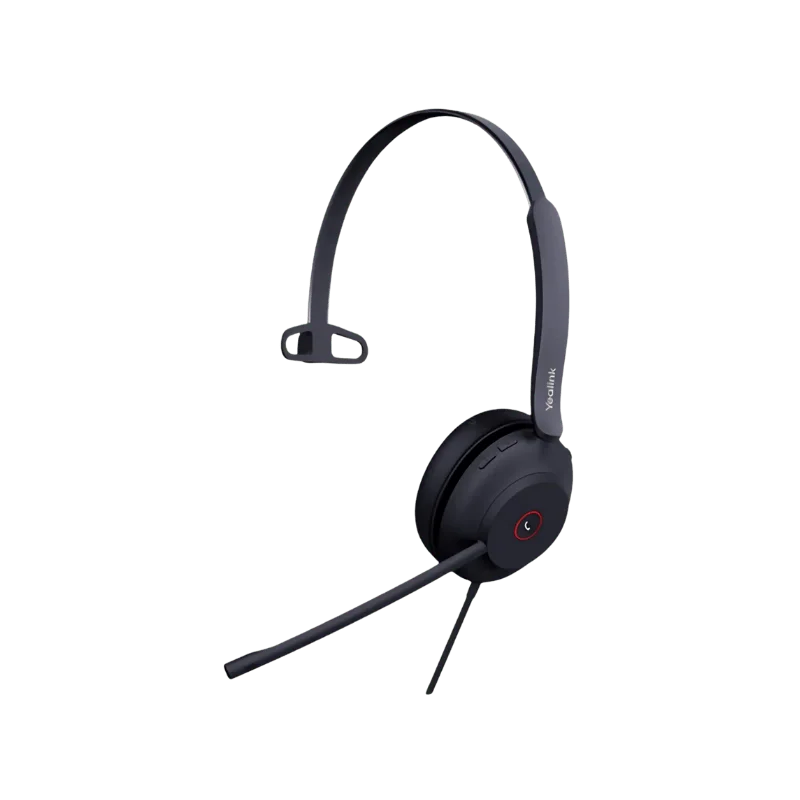
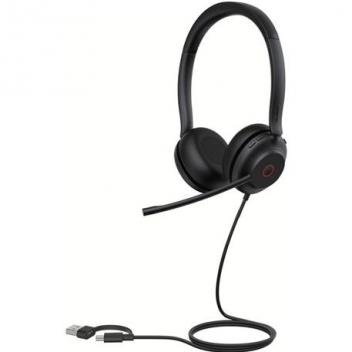
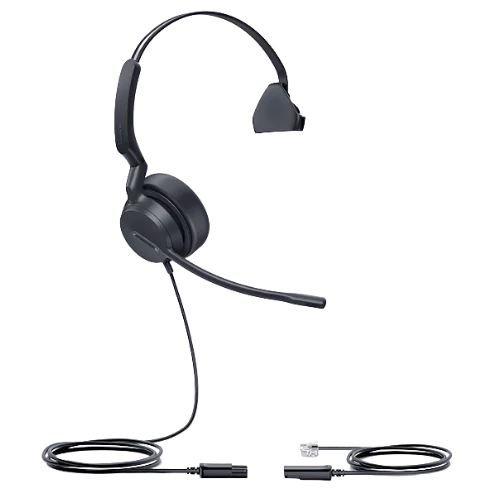
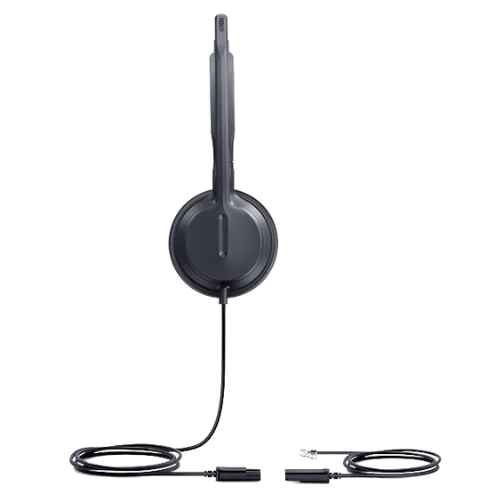
The Yealink YHS36 E2 Wired over-the-head headset is designed for professionals, remote workers, and call center operators. The Yealink YHS36 E2 Wired Over-the-head Headset can be used with compatible Yealink IP desk phones using a Quick Disconnect (QD) to RJ9 cable and does not require any software or pairing. The Mono model comes with one ear piece, and the Dual model comes with two ear pieces. Both models have a noise-canceling microphone.
Features
Plug-and-Play QD to RJ9 Connection
A special cable connecting QD and RJ9 interfaces enables the user to plug in the headset to a compatible Yealink phone that supports headsets with Quick Disconnect. One end of the cable goes to the Quick Disconnect interface of the headset. The other end of the cable is plugged into the headset connector of the phone. The headset works immediately without installing any software or pairing with the phone, according to Yealink. This means that the headset may be unplugged from the cable after the end of the work. The cable may remain connected to the Yealink phone.
Tuning Audio Settings on Yealink Phones
Yealink claims that its phones automatically optimize the acoustic parameters for the YHS36 E2. Yealink does not specify how these settings change, so you should consider this a general optimization rather than a specific improvement. FindHeadsets experts also test these features to check their performance and compatibility with different Yealink phones. This feature applies to Yealink phones, so find your phone model in the compatibility table below.
Noise-Cancelling Microphone and 300° Swing Boom
As per Yealink, the noise-cancelling microphone filters out any sound from the surroundings to ensure that the person on the other end focuses only on your voice. It also states that this feature helps preserve call privacy. The microphone arm moves at an angle of 300° and can be worn on either side of the head. It becomes convenient for left-handed and right-handed people to take notes. FindHeadsets experts also test the microphone and adjustable boom to check their performance, comfort, and compatibility with supported devices.
Wideband Audio and 35 mm Speakers
Yealink equips the headset with professional-quality 35 mm speakers and enables wideband HD audio transmission. While wideband delivers more of the voice than narrowband, HD still depends on a particular call because the HD effect can be achieved only when your phone network and the call support wideband audio.
The headphones also come with rotating ear cups that will move as per your head movement and give you a natural fit. The flexibility of the ear cups makes them capable of adjusting to your head movements and reducing pressure during lengthy calls.
Passive Noise Cancellation and Active Protection
Passive noise cancellation is different from noise cancellation in the microphone. The latter impacts the sounds that callers hear from you. Passive noise cancellation impacts the sounds that get into your ears. It uses the fit and material of the headset to block the noise from the environment, so it does not require a power source or a switch. Yealink says that the ActiveProtection feature protects the user from the harm of acoustic damage. However, Yealink does not specify the level of protection, which is why it is not mentioned here. Experts at FindHeadsets test this feature to determine its effectiveness on various devices.
Comfort for Long Shifts
Yealink mentions the use of a soft TPE headband, soft PU leather ear cushions and an optional memory foam pad. Yealink claims that the design of the headset was tested on hundreds of head shapes and in thousands of comfort tests. Yet, comfort varies among people. The decision between Mono and Dual headsets also impacts comfort during a long shift.
Cable and Build
According to Yealink, the cable is durable and tangle-resistant for everyday use. The headset cable combined with the QD to RJ9 cable allows you to lean back and grab your documents. Yealink says that the materials used to create the headset are durable and robust, but Yealink's web pages provide no drop or durability specifications.
How the Yealink YHS36 E2 Works
The headset provides a connection to a compatible Yealink telephone using a straightforward analog connection. You plug the cable into the telephone, put on the headset, and start making calls. It requires no charging and no pairing, since the specification sheet does not mention any battery or management software.
Setup takes three steps. First, connect the QD connector of the cable to the headset. Then, plug the RJ9 connector into the headset port of the phone. Finally, shape the boom.
There are no call control buttons on the Yealink headset according to the reviewed web pages. Be ready to answer, mute, and control the volume from the phone.
The microphone and speaker ranges of Yealink are 100 Hz to 14 kHz and 20 Hz to 20 kHz, respectively. In both cases, the range is wideband. The wider range does not always mean better sound in each and every call, because there are many factors that affect the sound quality, such as your phone, network, and equipment used by the other party you speak with. Volume levels of phone calls may be adjusted with the help of your phone volume control. If you work in a noisy environment, check the volume range of your phone. Other acoustic characteristics are listed in the specifications table below.
Who Is It For?
The YHS36 E2 headphones are for everyone who makes calls through a Yealink desk phone on a regular basis. Such users are office workers, home office employees, and call center operators, according to Yealink.
Choose the Mono model if you want to keep one of your ears open for your colleagues and the noise in the room. Choose the Dual model if you want to hear the sound in both ears and have less distraction.
The Dual edition is best for the call center agent who must take back-to-back calls in a crowded office space. The Mono edition is good for the receptionist who must talk to callers but also listen to people visiting her at the desk. The home-office worker who works off of a Yealink desk phone can simply plug in the headset and make calls. This headset is great for shared desks as the QD cable allows everyone to plug in their headset and leave the cable plugged into the phone.
Choose another headset if you need a headset that allows you to move away from your desk during calls because of the cable. Choose another headset if you plan to connect to a computer or a phone other than the Yealink desk phone, because Yealink lists only the QD-to-RJ9 connection and its own phones. If you would like to connect via USB, choose a USB headset. Part numbers are in the specifications table for standardized headset use.
Before purchasing
- Determine which phone you have using the compatible phones chart.
- Decide on Mono or Dual.
- Ensure that your phone has a headset port.
- Ask the retailer about the memory foam accessory option.
What Is in the Box? What Are the Supported Devices?
Each one is supplied with the headset, the wire from QD to RJ9, and the Quick Start Guide. As per Yealink packaging details, no memory foam, USB adapter, or protective pouch is provided.
As per the datasheet, the headset can work with the following Yealink phones. Be sure to identify your model since there are different models in the T3, T4, T5, T7, and T8 series. There is a Headset Compatibility Center on Yealink's support site to check further. Although the headset has an RJ9 port, it may not be compatible with other brands because Yealink does not offer support for those. Send your phone model to the store before purchase.
Why Shop with FindHeadsets?
We sell business headsets from top brands such as Jabra, Poly, Yealink, and Logitech. We give you all the information about the YHS36 E2 specs and phone compatibility in one place for easy selection before purchase.
- Phone Compatibility Assistance: Email us your phone model before buying. We will get back to you within 2 hours.
- Shipping: Delivery time is 3-4 business days. Orders placed before 3:00 PM PST ship on the same day.
- Return Policy: You have 30 days for your refund request. A return authorization code is required.
- Warranty: Warranties differ based on brand and model.
- How to Contact Us: +1 (773) 945-5233 or service@findheadsets.com.
| Phone Group | Model numbers as per Yealink |
|---|---|
| SIP-T8 Series | SIP-T88V Pro, SIP-T88W Pro, SIP-T88W, SIP-T87W, SIP-T85W |
| SIP-T7 Series | SIP-T77U, SIP-T74W, SIP-T74U, SIP-T73W, SIP-T73U, SIP-T74LTE |
| SIP-T5 Series and VP59 | VP59, SIP-T58W (Pro) with Camera, SIP-T58W (Pro), SIP-T57W, SIP-T54W, SIP-T53W, SIP-T53 |
| SIP-T4 Series | SIP-T44W, SIP-T44U, SIP-T48U, SIP-T46U, SIP-T43U, SIP-T42U |
| SIP-T3 Series | SIP-T34W, SIP-T33G, SIP-T33P, SIP-T31W, SIP-T31P, SIP-T31G, SIP-T31, SIP-T30P, SIP-T30 |
| Teams phones | MP58-WH E2 Teams, MP56 E2 Teams, MP54 E2 Teams, MP52 E2 Teams, MP50, MP45, VP59 Teams Video Phone, MP56 Teams Audio Phone, MP58 Teams Audio Phone, MP54 Teams Audio Phone, MP52 Teams Audio Phone |
| Zoom Phones | MP58-WH E2 Zoom, MP56 E2 Zoom, MP54 E2 Zoom |
Technical Specifications
| Spec | Details |
|---|---|
| Part Numbers | Dual: 1308250 / Mono: 1308251 |
| Wearing Style | On-Ear |
| Colour | Black |
| Headset cable length | 0.9 m |
| QD to RJ9 cable length | 1.2 m |
| Operating Temperature | -10 °C to +50 °C |
| Microphone Sensitivity | -44.0 dB re. 1 V/Pa |
| Speaker Sensitivity | 113.8 ±3 dB at 0.980 V |
| Speaker Impedance | 32 ±4.8 Ω at 1.0 kHz |
| Speaker Output Power | 10 mW rated, 30 mW max |
| Battery | N/A |
| Software Management | N/A |
| Retail Box Dimensions | 177 x 207 x 53 mm |
| Carton Quantity | 10 |
Yealink lists only its IP phones as compatible. Though the QD to RJ9 connector appears standard, having the same connector does not guarantee that it will work with another brand's phone. Make sure you send the store the model of your phone before ordering.
It is compatible with the Yealink Teams and Zoom desk phones mentioned in the compatibility list. It has no USB connection, meaning that you cannot connect it directly to a computer. If you mostly use your PC for making calls, it would be better for you to get a USB headset.
Yealink considers the memory foam pad an accessory item, while it is not mentioned in the Yealink package list. Check with the store if they offer it.
According to Yealink, the headset is designed for calls and music. It works only via QD to RJ9, meaning that only a device with such a connection can transmit music to the device.
Yealink provides the same data about the microphone and speaker performance in both models. The only difference between them is in the earpieces, which allow listening to mono sound in one ear and dual sound in both. Choose depending on your preferences for hearing everything in the room and comfort of use.
Yealink claims that the device filters out background noise. However, there is no information about the degree of filtering provided. Therefore, in a very noisy room, some background noise can reach the call.
Customer Reviews
Write a Review