×
![FACEPLATE, ID, 1-GANG, 4-PORT, WHITE]()
1 / 1
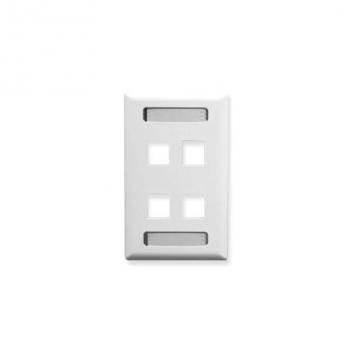
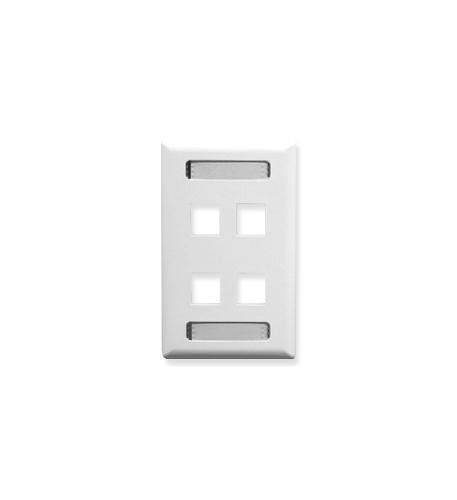
FACEPLATE, ID, 1-GANG, 4-PORT, WHITE
11+ bought in past month
Price:
$5.00
Stock:
In Stock
24/7 Support
Same Day Dispatch
Easy Returns
Warranty 2-Years
4-Port 1-Gang ID Faceplate in White for Keystone Jacks
The Faceplate, ID, 1-Gang, 4-Port, White is a professional-grade wall plate designed to mount up to four keystone jacks while providing an integrated identification window for easy labeling. This faceplate is ideal for network rooms, office cubicles, classrooms, and any installation where multiple cables need clear identification. The clean white finish blends seamlessly with most headsets, phones, and office accessories found in professional environments. It is an essential cable management accessory for structured cabling projects.
Integrated Identification Window for Easy Labeling
The standout feature of this faceplate is the built-in identification (ID) window, typically located below the ports or above them. This clear or frosted window accepts paper labels that slide in from the side or front, allowing you to label each port's purpose — such as "Phone," "Network," "Printer," or "Conference Room." This eliminates the need for external label makers or adhesive stickers that peel off over time. For IT professionals managing multiple phones and network devices, this ID window saves time during troubleshooting and moves. It is a thoughtful network accessory that improves organization.
4-Port Keystone Compatibility and 1-Gang Design
The faceplate accepts four standard keystone jacks (sold separately), which snap into the square cutouts from the front or rear. Keystone jacks are available for many applications, including:
- RJ45 Ethernet (Cat5e, Cat6, Cat6a) for computers and wireless headsets base stations
- RJ11/RJ12 phone for analog phones and fax machines
- HDMI, USB, or DisplayPort for AV equipment
- F-type coaxial for cable modems or satellite
The 1-gang (single-gang) size fits standard North American electrical boxes and low-voltage mounting brackets. The white ABS plastic construction is durable, impact-resistant, and matches standard switches and outlets. For desk phones and office accessories, this faceplate provides a clean, professional termination point.
Easy Installation and Compatibility
Installing the faceplate is straightforward: secure keystone jacks into the ports, terminate cables to the rear of the jacks, then mount the faceplate to a standard 1-gang wall box or low-voltage bracket using the included screws (or standard wall plate screws). The ID window labels are easy to replace when port assignments change. The faceplate can be mounted vertically or horizontally, depending on your preference. For installations involving wireless headsets, consider placing a dedicated network jack near the base station for power over Ethernet (PoE).
Why Choose an ID Faceplate
Standard blank faceplates require add-on label holders or adhesive labels that can fall off or become unreadable. The integrated ID window is permanent, clear, and professional. It is especially useful in multi-tenant buildings, data centers, or any location where different teams or departments use specific ports. For call centers using headsets and phones, labeled ports reduce agent confusion and IT support calls. The ID window also supports braille or large-print labels for accessibility.
Best Practices for Installation
Follow these guidelines for a clean, professional result:
- Use a label maker or hand-write on cardstock for clear, durable ID labels.
- Slide the label into the ID window before snapping the faceplate onto the box.
- Leave a 6–8 inch service loop of cable inside the wall for future re-termination.
- For high-density areas, color-code keystone jacks (e.g., yellow for phones, blue for data).
- Tighten screws gently to avoid cracking the plastic faceplate.
Complementary Products for a Complete Installation
To finish your wall plate setup, pair this faceplate with keystone jacks, a punch-down tool, and pre-terminated patch cables. For surface mount applications where recessed boxes are not available, consider a surface mount box such as our 4-port white version. Explore our full range of faceplates, cable management accessories, and network accessories on Find Headsets to support all your headsets, phones, and office technology needs.
4 Keystone Ports: Accepts standard keystone jacks for network, phone, AV, and USB applications.
Integrated Identification Window: Slide-in label holder for clear, permanent port labeling.
1-Gang Size: Fits standard North American electrical boxes and low-voltage mounting brackets.
White ABS Plastic Construction: Durable, impact-resistant, and matches office decor.
Vertical or Horizontal Mounting: Flexible orientation to suit your installation needs.
Easy Installation: Includes mounting screws; compatible with existing wall boxes.
Customer Reviews
Write a Review