×
![GDS37XX RFID USB Card Reader]()
1 / 1
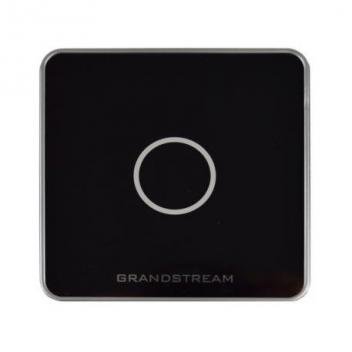
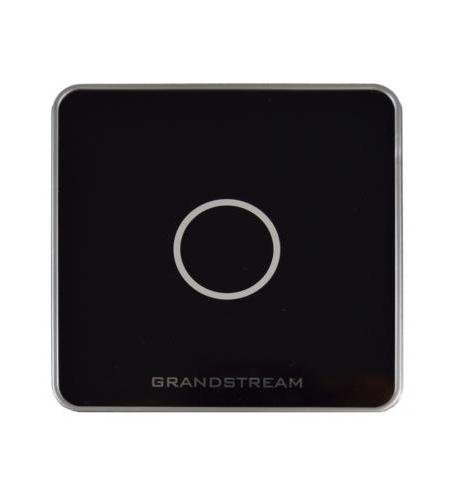
GDS37XX RFID USB Card Reader
23+ bought in past month
Price:
$63.00
Stock:
In Stock
24/7 Support
Same Day Dispatch
Easy Returns
Warranty 2-Years
Professional Management Hub for Facility Access
The Grandstream GDS USB RFID Card Reader is a high-quality peripheral designed to streamline the administration of proximity cards and fobs for the GDS series of IP Door Systems. This device acts as a centralized gateway for security personnel, allowing them to directly enroll and manage user credentials from a single computer station. The compact, professional design matches modern office reception desks and security hubs, making this reader an essential cable management accessory for home theaters, conference rooms, classrooms, and commercial installations that support headsets, phones, and other office accessories.
Seamless RFID Enrollment and Technical Precision
The RFID interface, also known as a proximity reader, is the industry standard for managing 125KHz frequency access credentials. This module provides a fast and reliable link for programming RFID Cards and Fobs, typically used to grant access to secure wings or main entrances. The unit features a plug-and-play USB connection that serves as a significant advantage over manual entry: you simply tap the card on the reader to populate the ID number into the GDS Manager software. No soldering, no crimping, and no special drivers are required. This makes field administration fast, reliable, and professional.
Compact Form Factor and Durable Design
This reader is manufactured to standard enterprise specifications, ensuring it occupies minimal space on any desk or mounting device. The rectangular, slim-profile shape fits securely in tight workspaces or can be kept in a drawer when not in use. The rugged black housing provides a clean, uniform appearance that matches modern black computer peripherals, electrical devices, and office decor. Unlike generic readers with bulky designs, this official Grandstream unit disappears into the workstation infrastructure, putting the focus on your security management rather than the hardware. This subtlety is appreciated in high-end residential installations, corporate boardrooms, and professional studios.
Common Applications and Usage
USB RFID readers are used in a wide variety of security and administrative installations. They terminate the credentialing process for employees in large office complexes and distributed residential systems. They provide a consistent way to issue temporary visitor badges for older systems or modern gated communities. They extend the efficiency of security teams by eliminating data entry errors and creating a clean installation. In conference rooms, they can be used to manage restricted access to AV equipment or display systems. In classrooms, they provide a fast way to assign access cards for laptops and equipment. The USB connectivity is especially valuable for custom installers who need to provision many cards quickly and consistently without carrying multiple types of card readers.
Easy Plug-and-Play Enrollment Process
Operating this module requires only a standard USB port and takes about a minute to set up. Begin by connecting the GDS USB RFID Reader to your computer running the GDS Manager software. For the enrollment process, simply select the user field in the software and tap the RFID card or fob on the reader's surface. The connection is vibration resistant and provides excellent data transfer. After the card ID is captured, you can instantly assign permissions and push the update to your GDS3710 or GDS3705 door stations. This makes field termination of the enrollment process fast and ensures a professional result every time.
Why Choose Official Readers Over Manual Entry
Many security administrators use manual typing to enter long RFID card numbers, but this has limitations. Manual entry is prone to typos, and the process is fixed at a slow pace, leading to administrative delays or access issues. The GDS USB RFID Reader solves both problems: you run your management through the USB cable and achieve 100% accuracy in credential entry. This results in a cleaner installation with no excess manual steps and no unsightly errors protruding from your security database. Digital reads are also more secure than manual logs, maintaining data integrity for years of use. For professional installers, stocking official readers reduces support calls and increases installation speed.
Best Practices for Installation
Follow these guidelines for optimal performance from your GDS USB RFID Reader. Use high-quality USB extension cables if the reader needs to be positioned away from the PC. Consistent placement on a flat surface will make card tapping easier; use a dedicated spot on the reception desk rather than loose placement. For large facilities, use multiple readers at different administrative stations to ensure every entry point has a local provisioning hub. Label each reader with its station name for future reference during security audits. Test the reader with several fobs before starting a large-scale deployment. Leave a small service loop of headsets behind the computer to allow for movement. Use cable management clips to support the cord and prevent stress on the USB port.
125KHz RFID Support: Fully compatible with GDS37xx series cards and fobs.
USB Plug-and-Play: Instant connectivity with GDS Manager; no driver installation required.
Accurate Data Entry: Automatically populates ID numbers to prevent manual typing errors on site.
Durable Black Housing: Clean, professional appearance matching modern office hardware.
Compact Footprint: Lightweight and portable design for easy storage and movement.
LED Status Indicator: Provides clear visual feedback during the card reading process.
Customer Reviews
Write a Review