×
![Jabra Evolve 20 Stereo Wired Headset]()
1 / 1
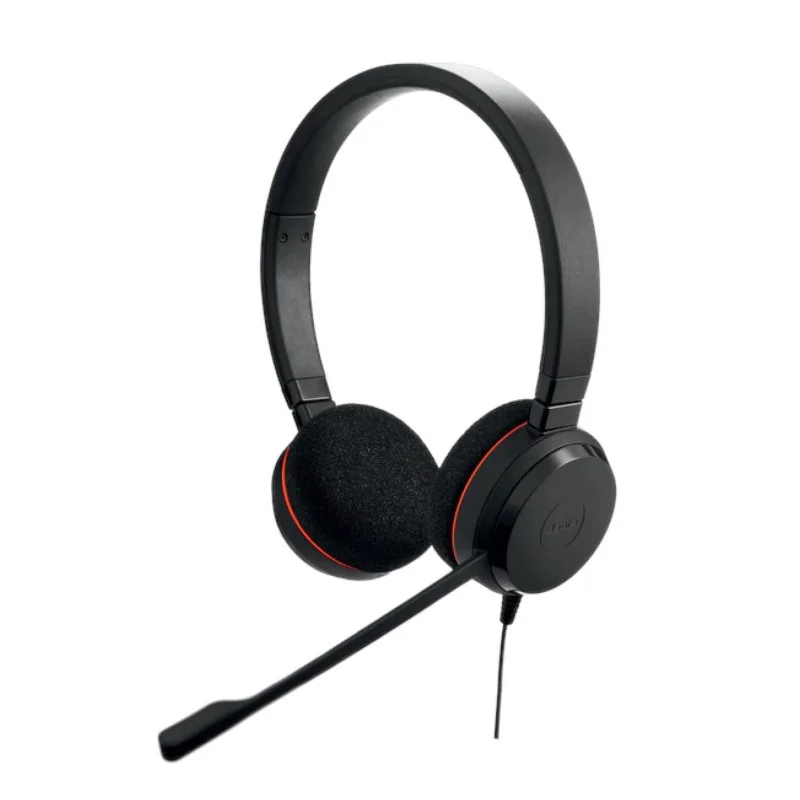
Jabra Evolve 20 Stereo Wired Headset
35+ bought in past month
Price:
$64.00
Stock:
In Stock
24/7 Support
Same Day Dispatch
Easy Returns
Warranty 2-Years
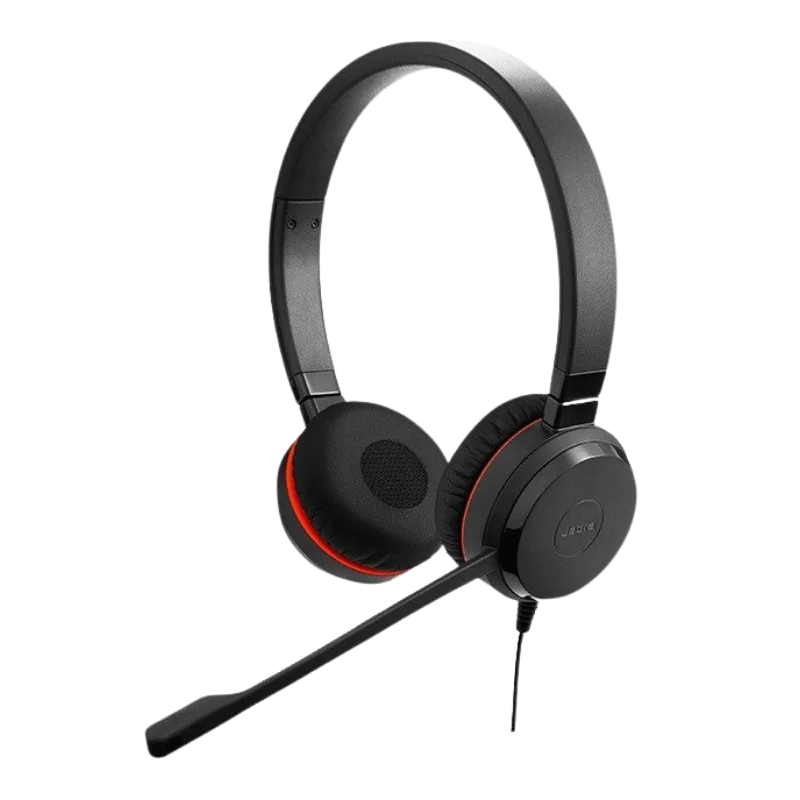
Jabra Evolve 20 MS Stereo Headset is an everyday-use wired headset. A great addition to the office or home. With 28mm speakers, you can hear the sound clearly, and noise canceling is available to reduce background noise so that others won't hear you. It has a light weight design and soft ear cushions to ensure a comfortable ride during long meetings and calls.
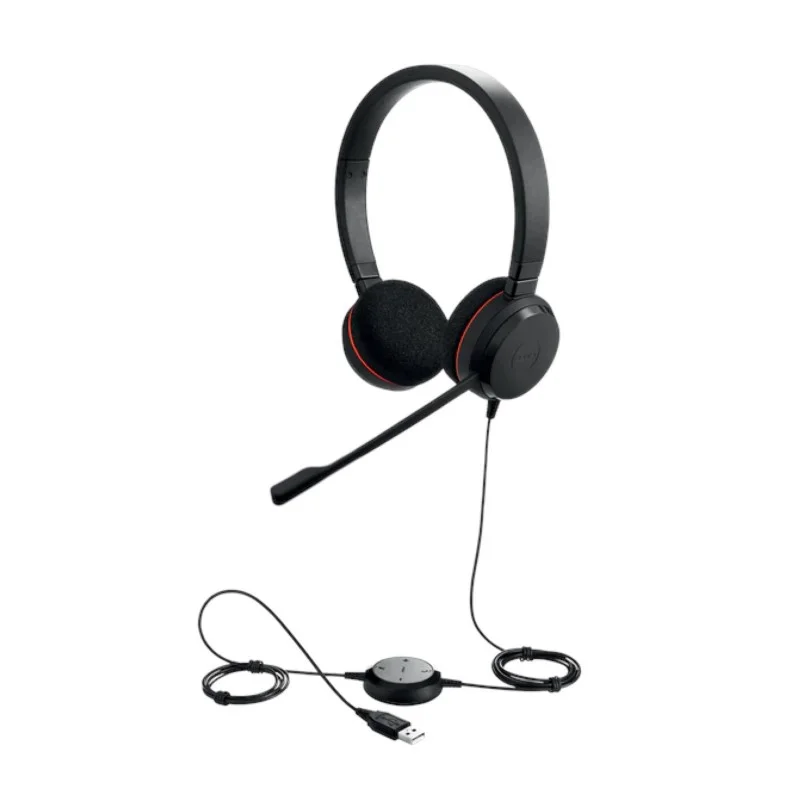
The headset is plug-and-play with a USB connection and simple to use. Just connect it to your computer and begin to work no additional software required. Quickly and easily answer/end calls, volume up/down and mute microphone calls with the inline controller. It's certified to run with Microsoft Teams, so it is capable of running in Teams and is a great choice for regular business communication.
Key Specifications
Crystal Clear Audio
With 28mm wideband speakers, the Jabra Evolve 20 MS Stereo guarantees clear and natural-sounding calls and music. All conversations will come across as crisp and clear and customers and colleagues will be heard better. During breaks, the stereo speakers deliver an enjoyable listening experience as well. Don't worry about audio quality during the day, either when in a meeting or recording your audio live.
Noise-Canceling Microphone
The microphone has an inbuilt ECM noise canceling feature which helps to reduce background noise so that the conversations are clearer. It will record the sound of your voice and make sure you don't hear anything unintentional in the background. Perfect for busy and bustling offices and home work stations. Callers will be able to hear you more clearly—even in noisy surroundings.
Plug-and-Play USB Connectivity
Easy to get started, the plug and play USB port. Simply connect the headset to your computer, and it's ready to use without additional software. Available on USB-A and USB-C port for easy accessibility to all types of devices. This straightforward solution is time-saving and allows you to concentrate on your tasks.
Easy Inline Call Controls
The essential call functions are easily accessed with the inline controller. Answer calls, adjust volume and mute the microphone with a single tap. This will help you to be more productive without having to switch between windows when talking to others. All the controls are easy, responsive and user-friendly throughout the day.
Passive Noise Isolation
Passive noise isolation with soft foam ear cushions on-ear design. Does not feature active noise cancelation - it simply helps to minimize noise around you naturally. Useful when talking on the phone or listening to audio. The comfortable fit also extends the headset's usability for long periods of time.
Comfortable Stereo Design
The stereo is lightweight, for all day comfort. The soft foam ear cushion provides a more comfortable pressure relief and pressure for your ears. The headband has the ability to adjust itself to a perfect fit for long working sessions. The headset is comfortable all day long, whether you're in a meeting or receiving customer calls.
MS Version
The MS version is certified with Microsoft Teams and ideal for organisations where Teams are heavily used for their daily communication. It has dedicated teams with Team call controls, and can be used instantly without hassle for seamless calling and meeting.
UC Version
The UC version is designed to be used by users of multiple communication platforms. Supports Zoom, Google Meet, Cisco's Webex, RingCentral and various other UC applications, offering versatility for hybrid working environments.
Product Variations
Speaker: Mono
Optimized For: Microsoft Teams (MS)
Ear Cushion Type: Foam Ear Cushions
Connectivity: USB-A
What's in the Box?
USB controller for easy and instant call and volume control, along with the Jabra Evolve 20 Headset. You will also find a Quick Start Guide for quick set up, a Warranty Leaflet with product coverage information and a Warning Leaflet with important safety information. All products are well protected and will be delivered to you in brand new condition.
Why purchase from FindHeadsets?
Find Headsets has a selection of the best Jabra headsets at affordable prices, allowing you to easily find the perfect headset for your needs. Encourage confidence when shopping from start to finish with fast shipping, rapid order processing and secure online checkout.
Our team is available before and after sales to help and guide you to the right type of solution you're looking for and we offer reliable Customer Support services. Whether it is for personal use or setup for an entire office, FindHeadsets ensures that all the products, service and shopping experience are guaranteed.
Technical Specifications
| Feature | Specification |
|---|---|
| Product Type | Wired Business Headset |
| Wearing Style | On-Ear Stereo |
| Speaker Size | 28 mm |
| Speaker Bandwidth | Wideband |
| Microphone Type | ECM Noise-Canceling |
| Microphone Bandwidth | Wideband |
| Connectivity | USB |
| USB Options | USB-A or USB-C |
| Plug & Play | Yes |
| Bluetooth | No |
| Inline Controller | Yes |
| Call Controls | Answer, End, Mute, Volume |
| Passive Noise Isolation | Yes |
| Ear Cushions | Foam |
| Cable Length | 2 meters (95 cm control cable + 120 cm headset cable |
| Power Source | USB Powered |
| Warranty | 2 Years |
General Specifications
| Feature | Details |
|---|---|
| Optimized For | Teams from Microsoft or Unified Communications |
| Certifications | Microsoft Teams, Skype for Business, Avaya, Cisco |
| Weight (Stereo) | 171.1 g |
| Weight (Mono) | 142.5 g |
| Battery Required | No |
Yes. The MS version is officially supported to be executed in the Microsoft Teams and has specific call controls for optimizing and stabilizing the meeting experience.
If you are primarily using MS Teams in your organization, you should choose MS version. The UC version is the better option for users who frequently use different video conferencing platforms such as Zoom, Google Meet, Cisco Webex, or other services.
Yes. The built-in noise-canceling microphone helps minimize background noise, making your voice clearer during calls and online meetings.
No. Simply plug the headset into your computer's USB port, and it's ready to use. No other software is required and no complicated thing is necessary to make it work.
Yes. With the inline controller, you can answer or hang up calls, increase or decrease the volume and mute your microphone without using the on-screen controls.
Yes. These ear cushions are adjustable, soft and lightweight and perfect for long meetings and all-day use in the office.
Customer Reviews
Write a Review