
×
![Logitech H151 Stereo Wired Headset]()
1 / 1
Logitech H151 Stereo Wired Headset
75+ bought in past month
Price:
$22.00
Stock:
In Stock
24/7 Support
Same Day Dispatch
Easy Returns
Warranty 2-Years
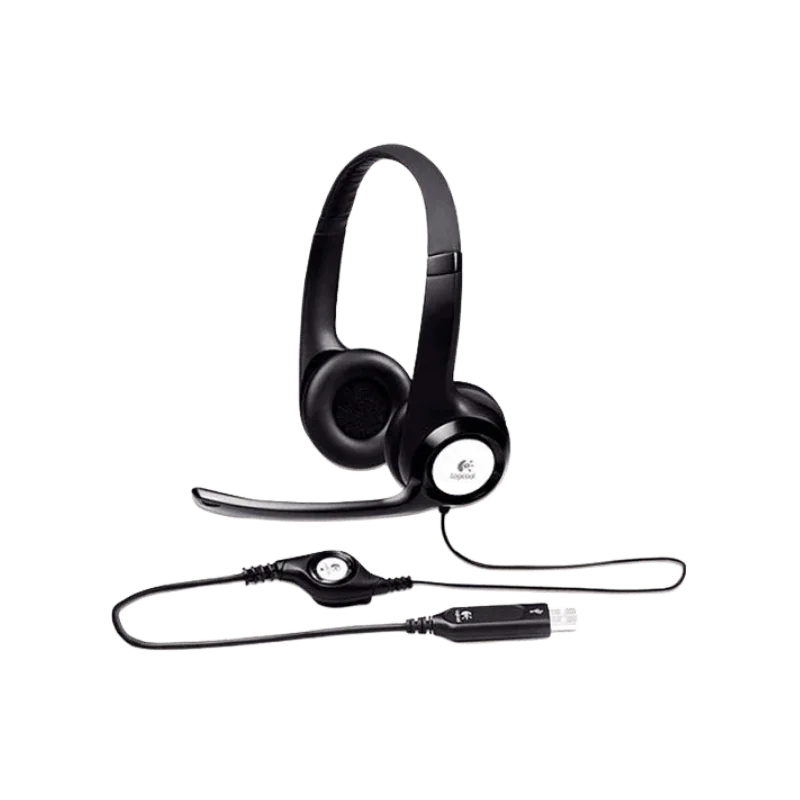
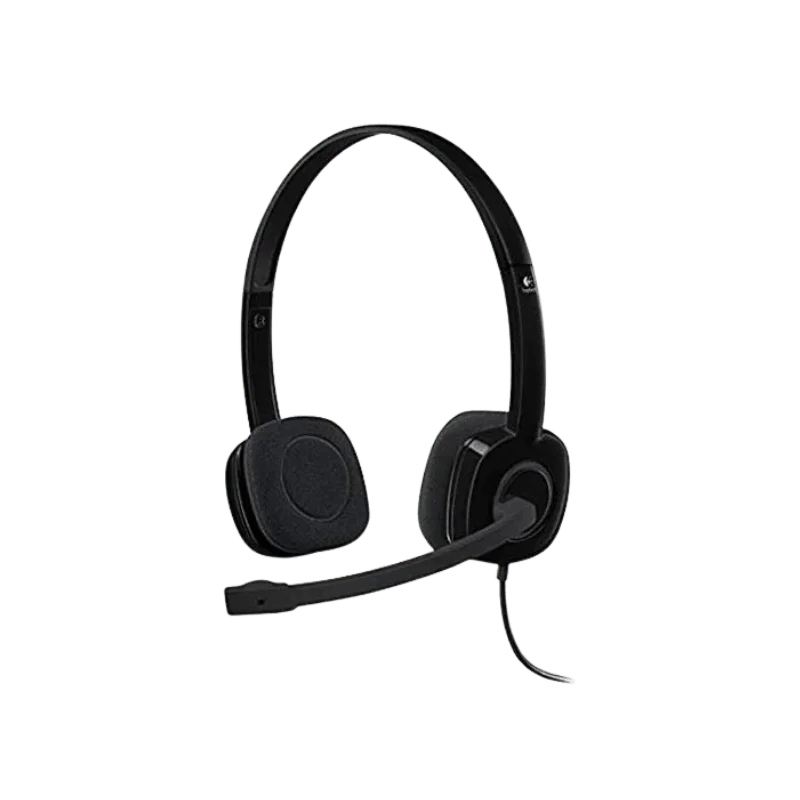
Logitech H151 is a wired stereo headset for calls, online meetings, music and videos, gaming and everyday computing use. Easy to set up and has a 3.5mm connection (no Bluetooth pairing & no batteries required). Just insert it into a compatible device and you're off and running!
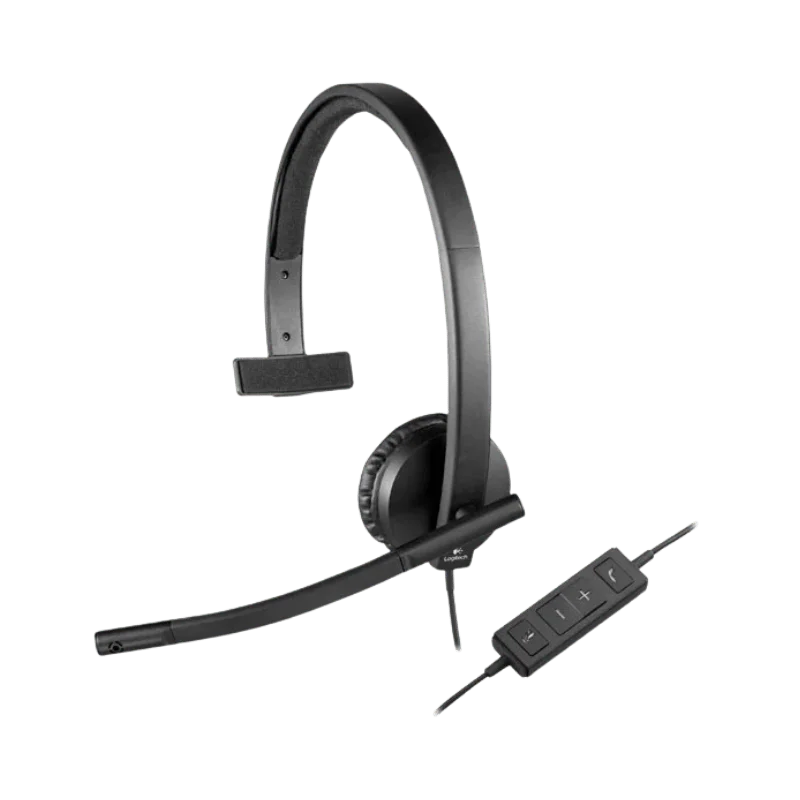
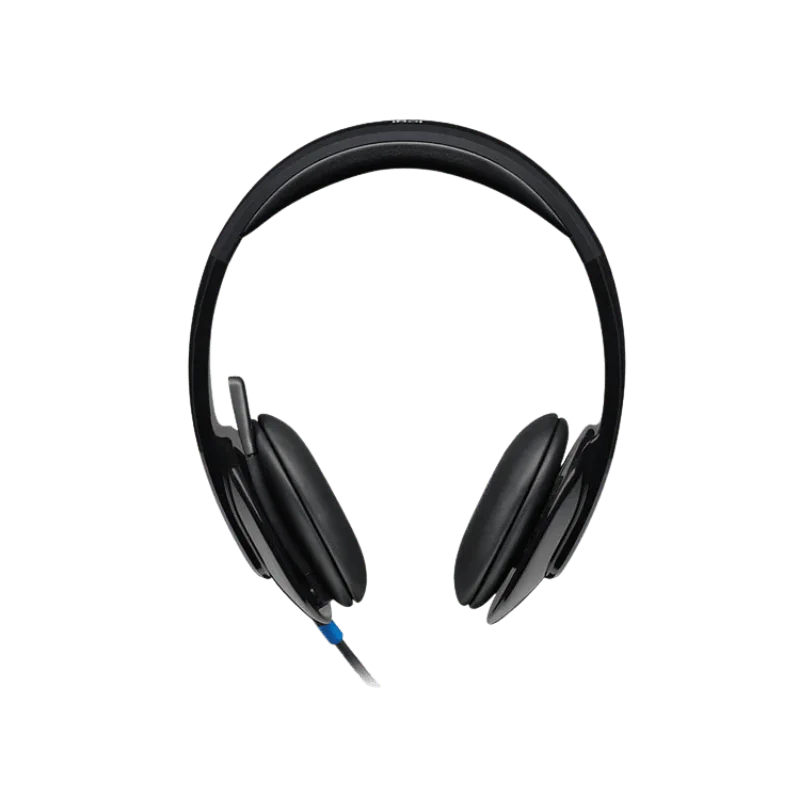
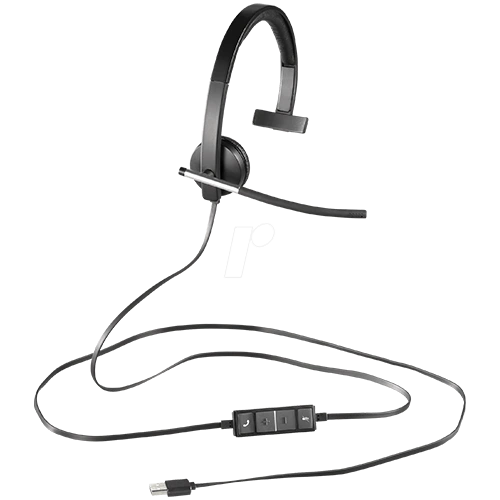
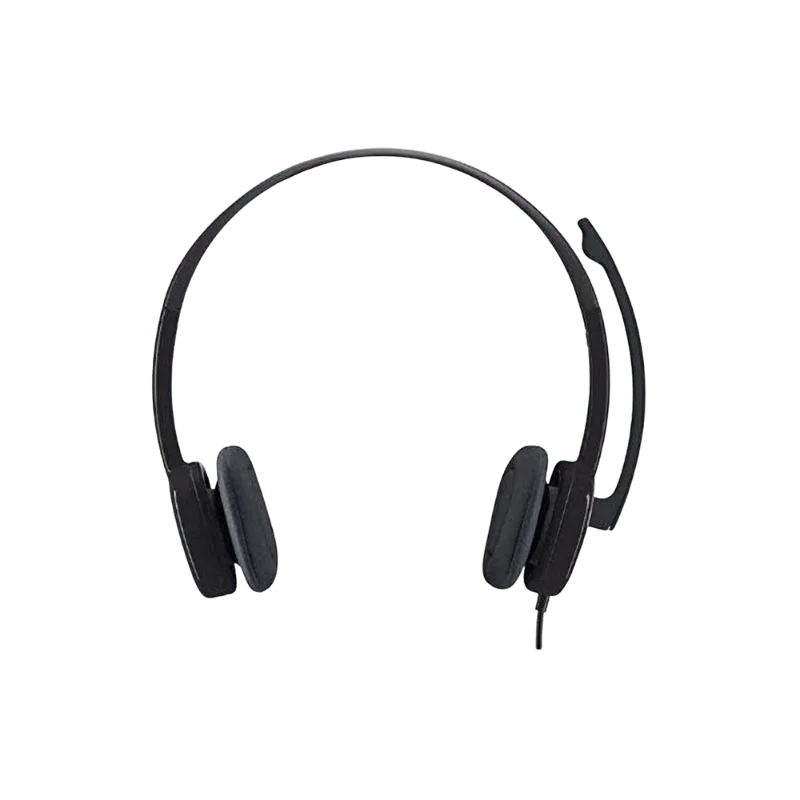
It comes with a stereo headset and swivel boom mic. The microphone can be placed on either side and can be placed closer to the speaker when necessary to speak. Inline controls allow you to adjust the volume and mute/unmute the microphone without going into computer settings.
Perfectly adequate for the simple person that wants a simple headset, the H151 is just that. Takes no effort to connect, lightweight, and it can be connected to multiple same compatible computers and mobile devices. In addition, it may be used at home, school or work as the headband and soft foam ear cushions are adjustable.
Clear Stereo Sound for Everyday Listening
The headset will have stereo sound for general use. Can be used for calling, virtual meeting, taking classes, playing music, viewing videos and doing fun games. At normal operation, a stereo design assures clear acoustics, without obscuring voices and other sounds. It's not a business studio headset. It's more on the features, which for most is most important when communicating or for just general listening.
The frequency response of Logitech headphones is 20Hz – 20KHz while its sensitivity is 122 dB +/- 3 dB. Input Impedance: 22 ohms. The specification is compatible with standard computers as well as compatible devices that have a 3.5mm headset jack. The headset provides a straight through, wired audio experience with no setup ideal for work meetings or video viewing.
A Microphone Made for Calls
Communication is the key to any technology, whether you're working or learning online with a headset. Fitted with a rotating boom microphone, this mic can be turned to a comfortable position when speaking.
The microphone is 180 degree swivelable, which means that the microphone can be attached to either side of the headset. This will give you more flexibility if you wish to wear your mic on a certain side. The Logitech H151 Stereo Headset with Noise Cancelling Mic features a noise-canceling microphone for clearer calls. This can help to minimize any background noise and to improve voice clarity on calls.
Logitech says that the microphone frequency response is 100 Hz to 6,500 Hz, while the microphone sensitivity is -44 dBV/Pa ±2.5 dB. Once a call is made, the boom can be removed from the face. If the microphone on the headset is not used, it is not required to disconnect the headset.
Easy Controls Within Reach
It should not be necessary to interrupt working with whatever you're doing to switch your audio.
The Logitech H151 stereo headset is equipped with wired and easy-to-use controls. They can be used to add or remove volume to a call, or to mute a microphone.
This may come in handy when you want to mute yourself during online meetings. It also comes in handy if listening to music or watching a video and need to adjust the volume at the last minute. Basic functions can be easily reached by the controls. These are controls that are used on a regular basis and do not need software.
Comfortable for Daily Use
The H151 has a swivel headband, which is adjustable to fit. This will assist you in finding a way of positioning your head that is comfortable for you to sleep in. Extra-soft earcups with ear foam pads for comfort. The headset's weight is approximately 80 grams, and is ideal for long conversations and listening sessions.
Its lightweight design can work to the advantage of individuals who spend hours sitting down before their computer. Can be easily brought to meetings, live classes, client calls and even casual use - without the weight of a bigger headset. The size of the headset is approximately 60 mm x 145 mm x 200 mm.
Simple 3.5mm Connection
H151 has a single 3.5mm audio input. This enables the setup to be quick and easy. You don't need to manage any Bluetooth pairing. Furthermore, the battery doesn't have to be charged prior to use with the headset. It can be used just after being connected to a compatible device via the 3.5mm plug.
The 1.8 m cable will give enough cable length for a normal desktop environment. It measures about 5.9 ft. and will allow you to walk around easily while still connected to your computer.
In a shared environment, workplace or classroom, a wired connection is also useful if a plug-and-play connection is desired.
Constructed for Calls and More
It isn't an office phone for the H151. It has stereo sound output and can be used for many daily tasks. For telemarketing work and virtual meetings if your microphone is needed. Can be used by students in online lessons and video classes. This makes it perfect for music and movies, watching YouTube videos, and speaking with others or playing casual games at home.
The wired design further eliminates the problem of having to check the battery percentage prior to an important meeting. The headset will be compatible with all devices with a 3.5 mm jack.
This is ideal for people who are not looking to have tons of wireless features.
Who Is the Logitech H151 Stereo Wired Headset For?
For those looking for a simple headset with no frills, the H151 is a sensible option. Ideal for remote workers who are on the phone a lot, or participate in virtual meetings. Can be used by students for virtual classes and study sessions. It's also helpful for client support representatives, house users and anybody who requires a microphone for each day to day voice dialogue.
The Logitech H151 headset can also have its merits if you don't want a headset that needs to be charged to operate. If you want a headset with a particular function, such as Bluetooth, active noise control, mobility or an entire headset software program package, the headset might not be the greatest choice. They can be seen only in some of the higher-priced Logitech models.
Compatibility
Logitech H151 is compatible with devices that can accommodate its 3.5mm connection. The manufacturer says it's compatible with macOS and Windows platforms as well as Chrome OS, Linux, iOS and Android. Specific device compatibility may vary based on the type of device and 3.5mm headset port(s) available. Our team has also checked the Logitech H151 with different devices to help ensure compatibility in real-world setups.
Older computers/laptops with a standard 3.5mm port (also called an audio port) will connect directly into each other. The new smartphone, tablet and computers might not feature a headphone slot. If you do, you will require a suitable adapter. The wired headset doesn't require any special software to use it for audio and microphone.
What's in the box
- Headset
- User documentation
Why Buy from FindHeadsets?
Having the right choice of headset will be quite easy if you have the right information with your decision and support of it. FindHeadsets helps you to learn about good trustworthy brands and models, and study up on the different types of headsets in your arsenal (or pocket) that you are considering and that can operate on your device, connection, characteristics and everyday requirements.
We provide quick and safe delivery with detail information about delivery during the ordering process. Shopping orders placed prior to each closing time may also be same day shipping.
Customer Support is additionally at your service 24/7, if you're in need of aid before and after your purchase. We have staff members on hand to assist you in checking compatibility and selecting a headset that is compatible with your computer, phone, desk set-up or communication platform.
FindHeadsets have products from brands like Logitech, Jabra, Poly, Yealink, Sennheiser and SteelSeries. We will stress the provision of genuine product and if there are specifications and warranties on the product we will provide them to you.
When you discover that Logitech H151 is yours, in addition the actual headset. They also do everything possible to make the payment as secure and easy returns, product knowledge, competitive prices, customer service, and reduce the purchasing process.
Final Words
If simplicity is key to you and you want to have an inbuilt mic and wired audio, the H151 is an easy to use headset that you can go with. Avoids unwarranted elaboration. Instead, it centres on those components which are relevant to communicative functions and listening.
Not to mention that it's stereo, has a rotating mic and a line switch mute/volume knob, is adjustable with a headband, and is light. It also works with any other device that has a 3.5mm plug. The H151 offers an easy to use solution for work calls, online classes, home use, music, videos and casual gaming. It's a headset for people that don't need wireless or other cool features.
Technical Specifications
| Specification | Details |
|---|---|
| Brand | Logitech |
| Model | H151 |
| Product Type | Stereo wired headset |
| Connection | Single 3.5mm jack |
| Cable Length | 1.8 m / 5.9 ft |
| Weight | 80 g / 2.82 oz |
| Headphone Frequency Response | 20 Hz–20 kHz |
| Headphone Sensitivity | 122 dB ±3 dB |
| Input Impedance | 22 ohms |
| Microphone | 180° |
| Microphone Frequency Response | 100 Hz–6,500 Hz |
| Microphone Sensitivity | -44 dBV/Pa ±2.5 dB |
| Microphone Noise Cancellation | Yes |
| Inline Controls | Volume and mute |
| Headband | Adjustable |
| Ear Cushion Material | Foam |
| Connection Type | Wired |
No. It's a wired stereo headset that plugs into the 3.5mm audio jack. No extra wireless receiver or pairing with Bluetooth is required.
No. Do not have a rechargeable battery. Just plug in to the appropriate compatible device, and it can be used.
Yes. The boom microphone with call reduction reduces on-camera background noise. This will assist you in sounding better while conversing with someone or participating in a meeting.
Yes. The microphone boom swivels 180°. If you're looking for a more comfortable playing position, you can take advantage of this for both Left and right hands.
Yes. In-line controls allow you to adjust the volume and mute the microphone. These are all easily accessible (through a direct connection from the headset cable).
The length of the cable is 1.8 m or about 5.9 ft. This is an appropriate length for the majority of computer workstation setups.
The weight is about 80grams/2.82oz. Ideal for use in daily life, for calls, classes and meetings due to its lightweight design.
Yes, if the device is able to support a headset jack. If it doesn't have a head phone port, you'll need a compatible audio adaptor that is compatible for both audio input and microphone input.
Customer Reviews
Write a Review