
×
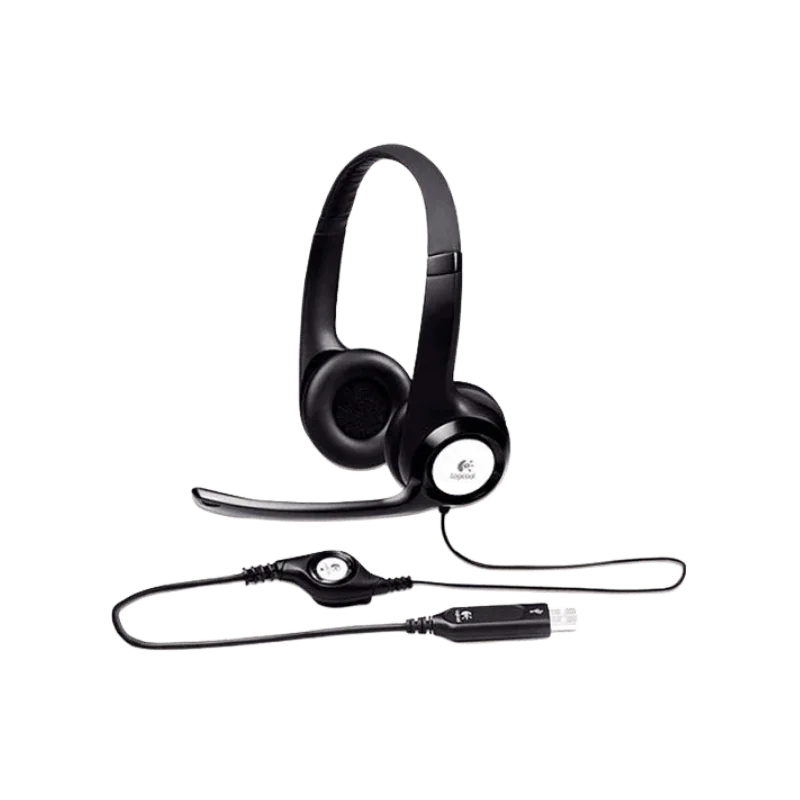
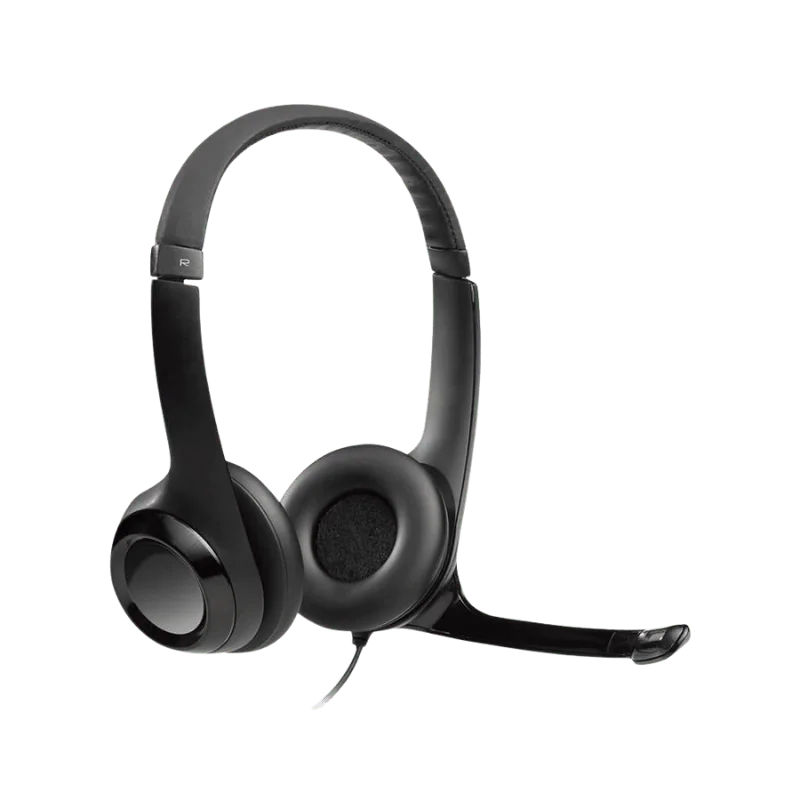
![Logitech H390 USB Stereo Headset]()
1 / 1
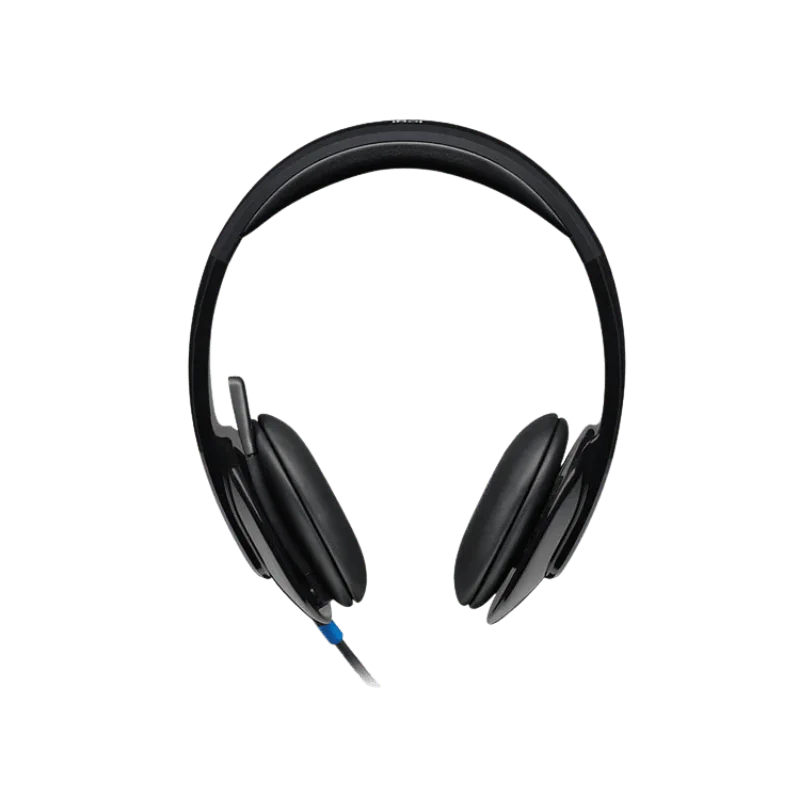
Logitech H390 USB Stereo Headset
122+ bought in past month
Price:
$35.00
Stock:
In Stock
24/7 Support
Same Day Dispatch
Easy Returns
Warranty 2-Years
Logitech H390 USB Headset is a good-quality wired headset, recommended for general computer use. Provides clear, stereo sound quality for calls, meetings, online classes, music and video. It has 30 mm drivers to provide well-balanced sound and a noise-canceling microphone for clearer calls. Adjustable headband and leatherette ear cushions for a comfortable fit.
The H390 is directly plugged into your computer via the USB port. Does not need to be charged or paired over Bluetooth. Volume and mute controls are set in-line for when playing and need to control mic volume and mute. They come in two different types: USB-A and USB-C. Choose the appropriate option for your computer's port.
So Why Option for the Logitech H390?
If you're not looking to get an in-depth wireless headset, the H390 Logitech wired headset will be an excellent option. No need to make any connection settings. It is also not equipped to be charged from a battery. After connecting the USB cable to the PC, you're good to go.
Thus, it makes the headset work well for an office in your home, apart from a standard work place. This also renders it beneficial for web classes and customer calls. The wired connection can connect you in a stable manner. Longer headset use has been found to have no battery problems. It can also be easily operated during the day, thanks to its inline controls. Single button mute & volume control for the microphone.
Enhances the Sound Clarity of Voice and Music
A pair of 30 mm drivers is responsible for the H390's stereo output. Frequency response for music is 20Hz - 20KHz. Talk Frequency Response is 100 Hz- 10 kHz. This is the range of Web conferences.
The headset can be used for other than work calls. Can also be used musically. Can be used in creation of videos. It's additionally great for webinars and online lessons. The H390 is not intended as a studio mic for professionals. It is geared towards the audio requirements for general computer users.
Noise-Canceling Microphone
This long boom noise canceling microphone used in the logitech h390 headset ensures ease of use. The Microphone reduces background noise while speaking. This will improve the ability of others (the caller or other meeting attendees) to hear you. The microphone's Frequency range is from 100Hz to 10KHz. The boom can be set close to your mouth so that it is easier to communicate. This can be beneficial for those offices that are busy. Great for home offices too where background noise is a common occurrence.
Easy Mute & Volume Controls
The logitech h390 features simple controls, built into the cable for easy use. You don't need to make any changes in Windows settings; there is no such setting to make changes. The microphone can be muted during a call, as well.
The controller is provided with a mute indicator. This will allow you to easily get a glimpse of whether your microphone is muted or not. A set of controls will be made available at meetings. Basic audio settings can be controlled while in the call.
Easy-to-Use Design
The logitech usb headset h390 weighs 197 g. It is light, so can be run on standard computers. Easy headband adjustment for a comfortable fit. Leatherette ear cushions offer soft ear cushions. There is also the ability to rotate the ear cushions. This is because the headset has to be easily adjustable and storable when finished. The H390 caters to users of the computer. May be used to call jobs. Also works well with virtual classrooms and conferences.
Easy-Reel Desk Cable 1.9 Meters Long
The h390 usb logitech comes with a 1.9 m cable. The additional length offers greater flexibility related to the desks. A few simple changes will help to alleviate strain when pulling the computer screen: Shift the computer screen slightly closer to the computer.
This being a wired headset, there is no Battery restriction. Can be utilized when connected to the computer. It has USB-A + USB-C Ports. The H390 comes with both a USB-A and USB-C port. This is because you'll find it easier to find one that will fit your computer. Look at your computer to find out which USB model you have purchased. If you don't want an additional adaptor, then pick the corresponding version.
Compatibility
You can use Logitech H390 with Windows. Also comes for Mac and Chrome OS. The headset will also work with Chromebook, Logitech says. It can be utilized for phone calling and is also supported by a lot of computers. A wonderful tool for meetings, as well! Computer audio in general and online classes are other popular applications. It's connected to the computer via USB with the h390 logitech headphones . Does not allow use of a 3.5 audio jack.
Plug-and-Play Setup
The installation of the logitech h390 wired headset is simple. Plug in via USB to any of the compatible computers. The headset works and connects! No need to go through a lengthy set-up procedure. There's no need to even deal with pairing the headset with Bluetooth. This makes the logitech usb stereo headset h390 a good choice for use in home offices. It also can make good use of otherwise high-end workstations that are frequently in use.
Who Should Use the Logitech H390?
The H390's are ideal for everyday use.
Helpful for:
- Remote workers
- Office employees
- Customer support teams
- Students
- Online teachers
- Home computer users
This is particularly convenient if you're looking for a wired headset with straightforward functions. However, if the charging factor is not at the top of your priorities then the H390 may come in handy for you.
Sustainability
100% post-consumer recycled plastic from Logitech is being used in the mix with H390. This can vary from model to model and colour. Logitech claims it is using at least 42% post-consumer recycled plastic in some of the plastic components of H390 products. FSC-certified material is also used for the packaging. The carbon footprint of the product listed is 4,78kg CO2e.
What's in the Box?
- This box includes a Logitech USB computer headset and user's guide.
- The one you want to use will depend on your USB connection.
Product check: NO product to sell! Check the connector to be sure it fits your computer.
Why Should you Buy from FindHeadsets?
With the product information, it is easier to choose the headset of your choice. If you're looking for more in-depth headsets explanations, visit FindHeadsets. This way, you can make a comparison between the type of connection and the various features that they offer prior to buying.
They have a vast collection of headsets, which includes popular brands. Office-eclípshontes disponibles USB. There's also a chance to work remotely, as well as for computer phone calls. Logitech H390 will be listed on the FindHeadsets web page. The available USB versions, and product information can be verified prior to ordering. FindHeadsets also assists customers in picking headsets to suit them. This is helpful if you're not certain about which model or linkage you should buy. Also, they have speedy shipping. Estimated delivery time takes about 3-4 business days.
Additionally, if you have some issues with your order, then you can reach out to the customer support as well and obtain help. So, if you need a no-nonsense wired headset to experience computer activities and enjoyment in the office, you'll need to visit FindHeadsets to get the Logitech H390.
Final Verdict
Logitech H390 USB Headset is a handy headset for your computer. The noise-canceling microphone makes it possible for people to hear you in your calls. Easy to set up with the USB connection. No pairing or Battery charging via Bluetooth.
It also has a headband that can be adjusted and leather ear cushions, as it can be used regularly. Volume and mute (inline controls). The H390 is suitable for work that needs to be done remotely. It can be utilized with office telephones as well. It can be used for students and home users, online classes and for computer sound usage in everyday life. The Logitech H390 is a basic wired headset that is worth considering if you simply need to get a wired headset for your computer.
Buy the Logitech H390 from FindHeadsets, and select the Logitech H390 USB Headset, which is compatible with your computer.
Technical Specifications
| Specification | Details |
|---|---|
| Brand | Logitech |
| Model | H390 |
| Headset Type | Wired USB Headset |
| Audio Type | Stereo |
| Driver Size | 30 mm |
| Music Frequency Response | 20 Hz – 20 kHz |
| Talk Frequency Response | 100 Hz – 10 kHz |
| Impedance | 32 Ω |
| Sensitivity | 94 dB ±3 dB @ 1 kHz |
| Microphone | Noise-canceling |
| Microphone Frequency Response | 100 Hz – 10 kHz |
| Cable Length | 1.9 m |
| Connection | USB-A or USB-C |
| Weight | 197 g |
| Height | 151 mm |
| Width | 171 mm |
| Depth | 68 mm |
| Compatibility | Awesome-brand Chromebooks and Macs (with Windows Operating System) |
| Warranty | 2-year hardware warranty (limited) |
No. A wired headset with a USB connection. Does not include Bluetooth or rechargeable batteries.
Yes. The microphone helps minimize background noise while talking. This may help your voice to be heard.
Yes. It's compatible with laptops having the desired USB port. Select the right one – choose the appropriate version (USB-A or USB-C) according to the type of laptop.
Yes. It is compatible with ChromeOS and is compatible with Chromebook certification.
The cable is 1.9 m long. This should be ample for the majority of desks.
Yes. The inline controller enables you to control volume and mute the mic. Microphone Mute will show if the microphone is muted.
No, the headset cannot be recharged. It is powered via USB.
Customer Reviews
Write a Review