×
![Logitech H570E Mono Wired Headset]()
1 / 1
Logitech H570E Mono Wired Headset
141+ bought in past month
Price:
$46.00
Stock:
In Stock
24/7 Support
Same Day Dispatch
Easy Returns
Warranty 2-Years
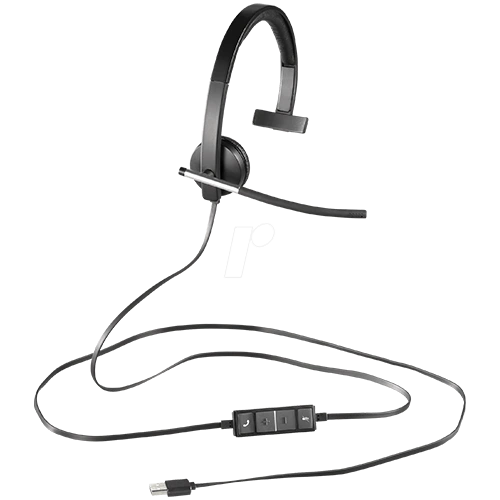
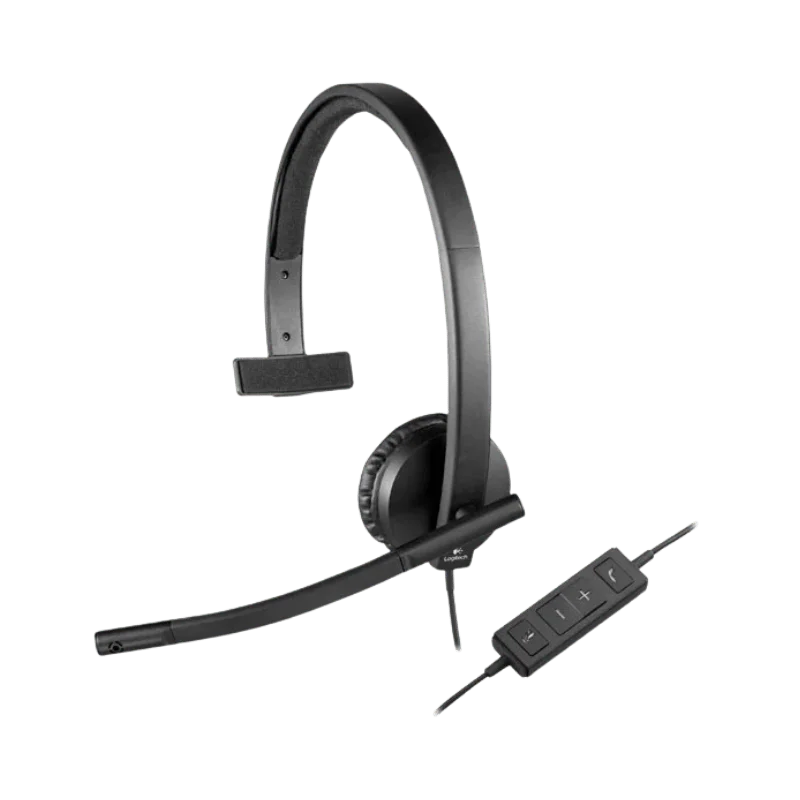
The Logitech H570e is a no frills wired headset for business. Includes clear call audio with USB connectivity, and has a noise cancelling microphone for greater audio clarity when working in a noisy work environment. It is wired and doesn't require any charging or pairing via Bluetooth.
Available in UC and Microsoft Teams versions, the 2 H570e variants (Mono and Stereo) form the H570e family. Depending on configuration, they are also available with a combination of USB-A or USB-C port, or both. The headset will work with PCs operating Windows, macOS and ChromeOS, Logitech says.
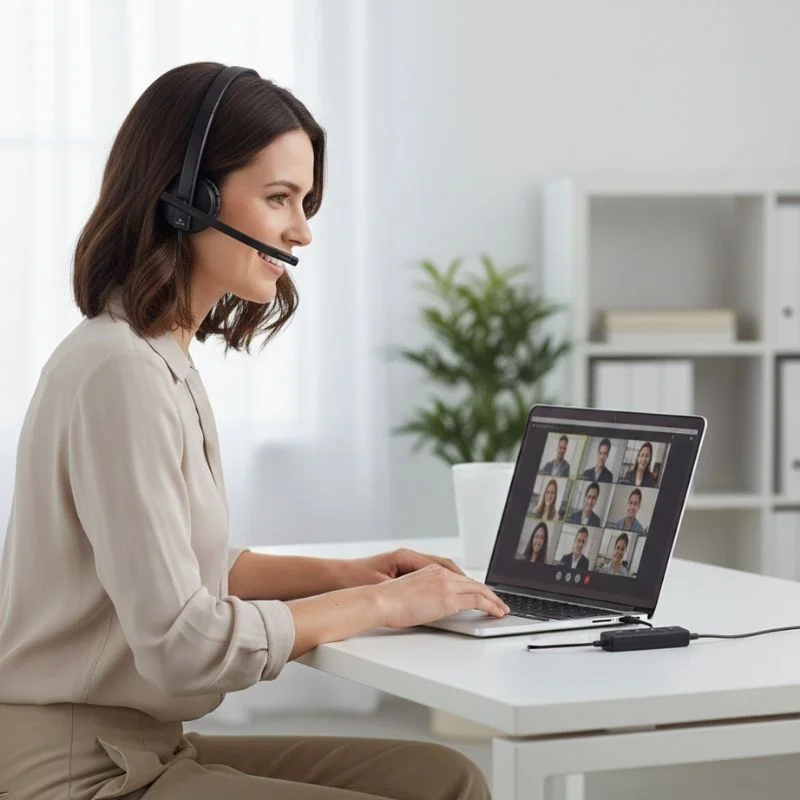
The H570e is designed to be easily set up by any user, particularly those who need to dial out or engage in other online conferences or communicate with customers during the work day. Easy to use in the office and out thanks to the lightweight design, inline controls and plug-and-play USB connection.
On a Daily Basis Use Clear Audio for Your Business Calls
If you're looking for high quality sound for daily work phone calls, then Clear Audio is for you.
It's essential to have clear sound while communicating with clients, colleagues or customers. The H570e features a 30 mm audio driver, which delivers crystal-clear sound over the phone, in meetings and computer audio.
It also features digital signal processing and acoustic echo canceller headset. These technologies allow unwanted audio phenomena to be controlled, and promote easier understanding of conversations produced, especially when there are more than one person working in the same area.
The differences between the UC and Teams versions are in the microphone (audio) system. In the UC model, there is an ECM Microphone, which is bi-directional, with the frequency response range of 100Hz-8KHz. The Teams model has 2 different Microphones: 1 Unidirectional and 1 omnidirectional microphone. It all results in the voice-first H570e that's ideal for pro-level communications. This is useful for those that call for hours a day, whether it be virtual meetings or their customers.
Noise-Canceling Microphone
It can be hard to control calls when they happen due to background noise such as chatter, office noise and much more. Plus, the H570e also has a noise canceling microphone, which can be beneficial when recording to help reduce background noise. A flexible microphone boom to give more control over the operating position of the microphone. Can be rolled up or down and swivelled side to side, to allow the microphone to be placed closer to the speaker's mouth if needed.
It's also possible to have the microphone on the side of the headset, left or right. This will allow users to fit the headset as they desire to get the right fit. In shared offices, reception areas and customer service desks, and other workstations, the position of the microphone can make a difference between success and failure. The days of having to rely on just software-assisted call quality on the H570e are over, as it's still your voice that will be heard in every call.
A Comfortable Fit that is Ideal for a Long Working Day
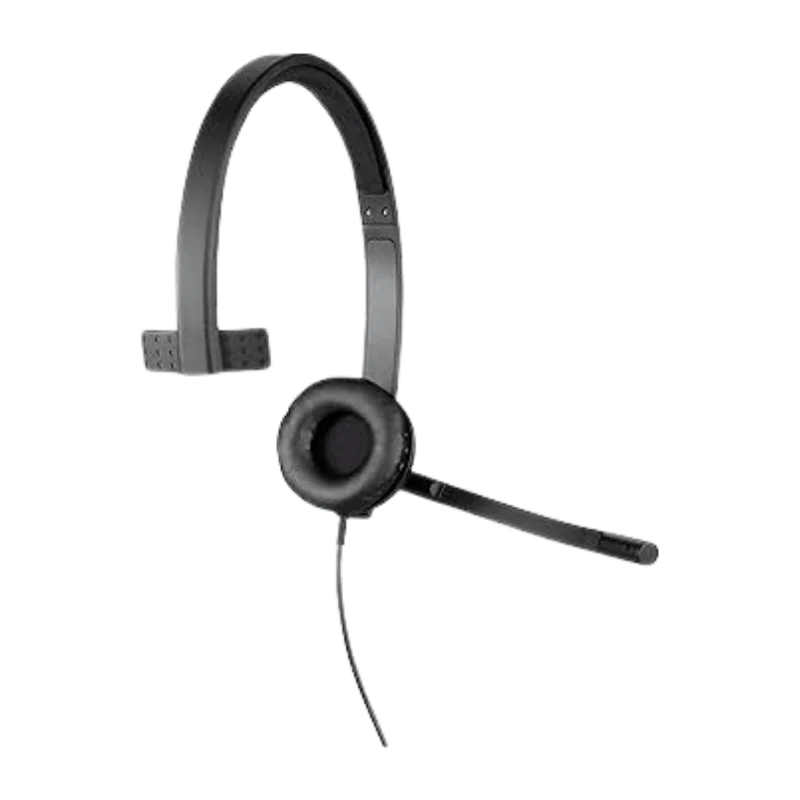
The most important thing you must think of when choosing your company headset should be the comfort of wearing the headset throughout the day. With an on-ear design to ensure the wearer sufficient weight reduction and space saving without losing out on the on-ear structure that is necessary for everyday use in the office.
Mono UC is approximately 85g while the Mono Teams is approximately 89g. Both of the stereo models are identical in size and just a bit heavier (111 g, UC Stereo and 113 g, Teams Stereo). The headband is fully padded and reinforced with metal, and is completely durable and flexible. Leatherette ear pads with removable ear pads to change during wear.
The mono configuration only makes use of one ear. Useful for employees that need to remain informed about any discussion, colleagues or actions surrounding them while performing their task. The Stereo model is ideal for someone who would like it to be a bit more contained, and who would like to hear the music more directly both at the ear.
Controls that Can be Operated without a Hassle
Duties are available to you at any time and not an interruption of your work. The H570e's built-in controller allows easy access to commonly-used controls. Has volume and mute for Microphone on controller. This will allow the user to fine-tune the basic audio controls in the headset cable and avoid the hassle of trawling the computer's options.
Several Teams features will be available via the new dedicated Teams button and can be found in the Teams version. Some of the call and mute actions are also reflected on the visual (status) indicators. These are of great value when sharing work stations for all to work at these controls when they move from call to call and/or meeting to meeting and then back to their station to compute.
It's also simple to use; the user can easily access the various functions of the headset. You don't have to do a lot of training so that the employees are aware of the main volume and mute functions.
USB Plug-and-Play Connection
The H570e is wired (USB), so it's a reliable solution for workstations in which reliable connectivity is important. Can call without charging/pairing of wireless headset. This can be done by plugging the headset into a compatible computer and you're off. Indeed, Logitech assures that no one should be concerned about anything or install any drivers with the H570e.
With this the next connector is computed as:
UC models: USB-A
Team choice: USB-A / USB-C.
The all-important flexibility for a normal desk environment from the 1.9 m cable. It is undoubtedly a little more free for the user, but also maintains the same battery-free problems as wireless headsets. Logitech says that the H570e works on computers running Windows, macOS and ChromeOS operating systems.
Therefore, do note before ordering – is it USB-A or USB-C? It is good for business that may be looking into using more than one workstation and/or station that have headsets, eliminating the need for an adapter and/or compatibility issues.
Choose the correct Right H570e Version
The H570e product family has several configurations, so you must ensure that you're ordering the one you want. The main differences are in the communication platform, style of wear and USB connector.
UC Version
The UC version is for unified communications environments. Logitech's website indicates it is compatible with Chromebooks and Audio has been supported by Cisco. UC models come in a USB-A format, and are available for a Mono system as well as a Stereo system. The variant could be used as a general business headset for other businesses that may not require specific functions to interact with Microsoft Teams.
Microsoft Teams Version
Microsoft Teams version is Microsoft Teams certified and is a full fledged Teams. It also features an exclusive Teams button to easily access all of the activity from supported teams.
Furthermore, both the Teams models come in two different forms (Mono, Stereo). This option comes in the following connectors: USB-A or USB-C. If Teams is a major part of your business, then the Teams model will come with functions geared towards Teams.
Mono or Stereo?
This should be centered on your work place. For listening, the version “Mono” enables you to hear around you if you wish. They can be applied to various areas, including reception, customer service or an office. Choose Stereo if you prefer to listen to audio in both ears, and you'd like to hear audio more clearly during meetings and when placing calls.
USB-A or USB-C?
Look at your computer prior to ordering. Today USB-A is used on the majority of stationary computers in the office and USB-C is used on new laptops and workstations. The installation site can use various connectors and will be conducive to the installation process, reducing the installation adapter.
Hearing Protection
There's also the ability to help with level control when using the headset as normal, by means of the H570e headphone. The headset meets the norm EN 50332-2 which is a norm concerning the sound pressure level (SPL) of personal music players and headphones.
Logitech's headset should block out above 100 dBA, the manufacturer says. Particularly for those who use the headset for extended periods of time, whether talking over the phone or during a meeting. Logi Tune is likewise accessible to avoid startle on the Microsoft Groups edition. It is a technique which has been proven to be helpful in the control of sudden sounds. These features are ideal for workplaces that employ people who use the headsets regularly, and will complement the Headsets' professional appearance.
It's Easy to Manage IT Teams
Managing single headsets is easy. Managing dozens, or hundreds of them can be another story. Logitech's platform for monitoring and management of its supported collaboration devices, Logitech Sync, is available for the Microsoft Teams version of the H570e headphone.
IT teams can monitor all devices and manage some settings and updates via supported Sync functions. Logitech also offers tools to control device administration and firmware via its collaboration ecosystem. Logi Tune for Windows and Mac (available to individual users in the Teams version) offers expanded options for Teams features supported.
Ear Pads that Can be Replaced and Sustainable Materials
A second factor to be taken into account is durability as well as product life with the H570e. If the ear cups are worn, the entire headset doesn't need to be replaced as the ear pads are leatherette and can be replaced. This may help the company prolong the equipment's lifespan and delay equipment replacement to a minimum.
As with the Microsoft Teams version, the plastic parts too are constructed from recycled plastic from post-consumer bottles. According to Logitech, the Mono is made up of 45 per cent recycled plastic, and the Stereo, 54 per cent recycled plastic.
Another aspect of sustainability that companies look at when assessing the packaging of office materials is FSC-certified paper used for the product packaging. These functions will not impact the basic communication feature of the headset; however, they should be considered for providing businesses peace of mind on the durability, maintenance and environmental aspects, as well as the cost and performance of the headset.
H570e Part Numbers
The logitech h570e usb headset can be ordered with various part numbers. Make sure to check the part number prior to ordering, as this will ensure the correct platform, wearing style and connector.
981-000570 — UC Mono USB-A
981-000574 — UC Stereo USB-A
981-001424 — Teams Mono USB-A
981-001425 — Teams Mono USB-C
981-001428 — Teams Stereo USB-A
981-001429 — Teams Stereo USB-C
These part numbers are shown for the US version of the H570e. Before ordering, please be sure to double-check the configuration listed on the product page.
Who is Logitech H570e For?
We've designed the H570e to help individuals who don't want to operate a wireless system, but who want to know that a wired system will operate. It offers a range of positions and there are lots of professions for which it can be employed.
Appropriate for:
- Customer service teams
- Call center employees
- Remote workers
- Office employees
- Sales teams
- Support teams
- Online meeting users
- Microsoft Teams users
Why Buy from FindHeadsets?
For those of you who have a few varieties that appear the same, it might be quite difficult for you to choose the proper business headset. FindHeadsets specializes in business communication hardware, and aims to give information about the products so that they can compare enterprise headsets.
There are several configurations of the logitech usb headset h570e, and it's best to have product information when placing your order. The platform, wear style and connector can be seen prior to purchase. With FindHeadsets, you can enjoy quick delivery, secure payments, easy returns and 24/7 customer service as well. Any orders received before 3:00 PM PST are Same Day UPS, USPS, DHL and FedEx.
They even have a 30-day money back guarantee for qualifying purchases. If you're using the equipment for a business, it's even more crucial when purchasing multi equipment to select the right configuration. FindHeadsets will assist you in identifying your selections and picking the headset that's best for your working conditions. Having a product-focused support, the order is processed in a timely manner, making it easier and time-saving to purchase a professional headset, without having to deal with complicated setups.
Technical Specifications
| Specification | Logitech H570e |
|---|---|
| Headset Type | Wired on-ear |
| Audio Options | Mono and Stereo |
| Driver | 30 mm |
| UC Microphone | Bidirectional ECM |
| Teams Microphones | 1 unidirectional + 1 omnidirectional |
| UC Mic Response | 100 Hz–8 kHz |
| Teams Mic Response | 100 Hz–8 kHz |
| Teams Speaker Response | 31.5 Hz–20 kHz |
| Cable | 1.9 m |
| UC Mono Weight | 85 g |
| UC Stereo Weight | 111 g |
| Teams Mono Weight | 89 g |
| Teams Stereo Weight | 113 g |
| Connection | USB-A or USB-C |
| Hearing Standard | EN 50332-2 |
| Warranty | 2 years |
Yes. It will connect through USB, and will come with 1.9m USB cable. Can be used with USB-A or USB-C.
Yes. Once certified, the Teams version is fully functional, featuring a Teams specific button.
Yes. The microphone also has noise-cancelling capabilities, which helps to minimize background noise during video calls. UC models and Teams models have differing microphone configurations.
Yes. Logitech says it supports Windows, Mac and Chrome OS (OS X / OS X Server) computers. USB 2.0/3.0 ports can be obtained according to the type.
New Logitech headset (2 year limited hardware warranty).
Customer Reviews
Write a Review