×
![Poly (Plantronics) ENCOREPRO HW530 Corded Headset]()
1 / 1
Poly (Plantronics) ENCOREPRO HW530 Corded Headset
Special Order
195+ bought in past month
Price:
$105.00
Stock:
In Stock
24/7 Support
Same Day Dispatch
Easy Returns
Warranty 2-Years
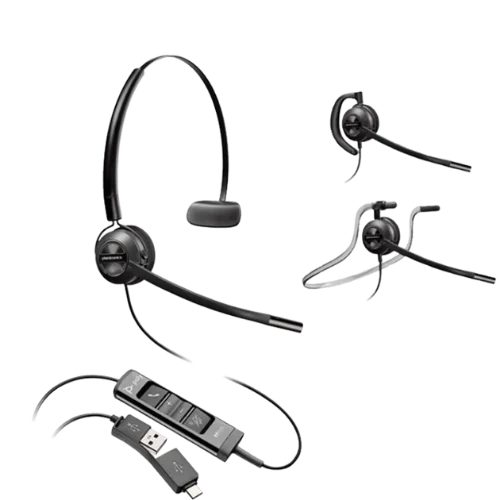
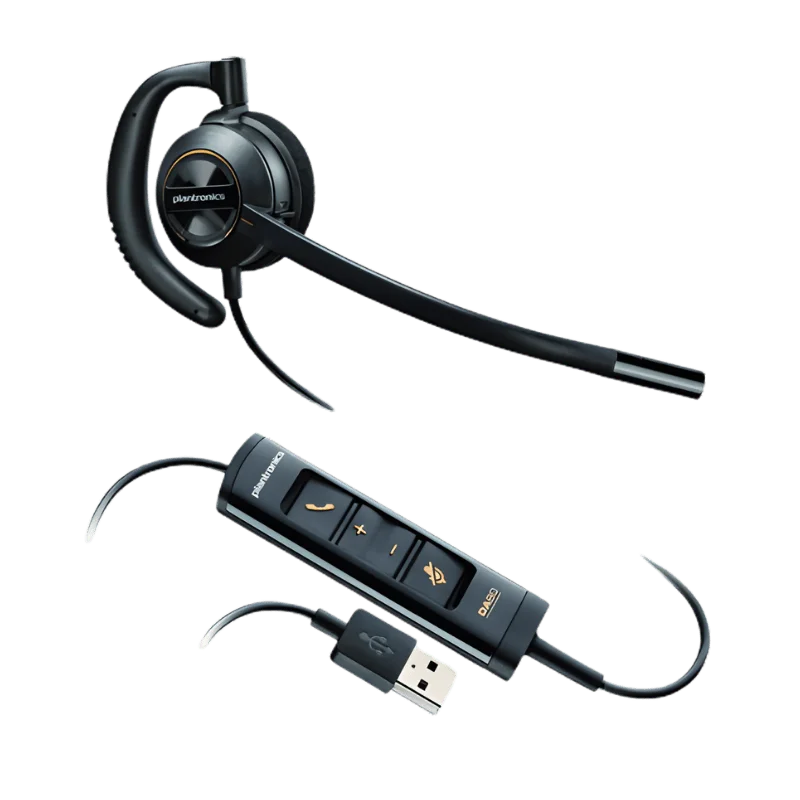
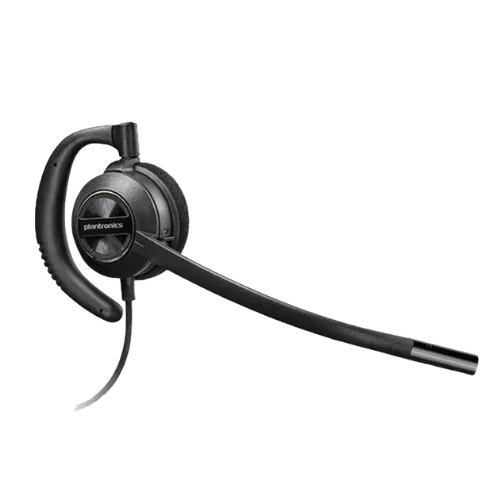
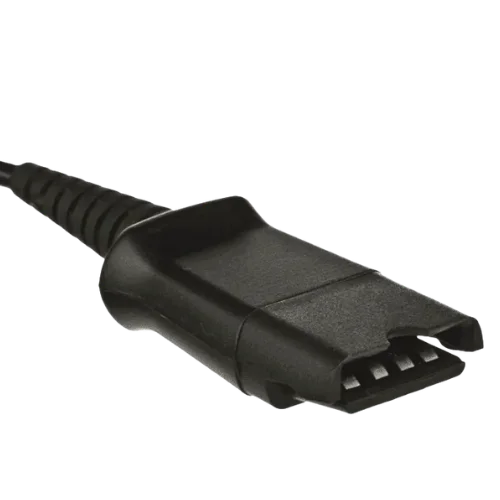
This lightweight mono Poly headset, called the Poly EncorePro HW530 headset, is designed for everyday business calls. It is not a headband, but is placed over the ear. This headset simply weighs about 22 grams. It is designed to fit over one ear leaving the other ear uncovered. It is suitable for individuals that want to remain conscious of the people nearby when making phone calls. The HW530 headphone has a Quick Disconnect (QD) connection. It is possible to plug it into an appropriate table phone or computer using the proper cable or adapter.
Alternatively, this model could be known as Plantronics EncorePro HW530 or Plantronics HW530 EncorePro. Plantronics is now incorporated into the Poly and Poly is now incorporated into HP. When ordering please verify the part number as you are ordering the correct model.
Key Features
Over The Ear Design
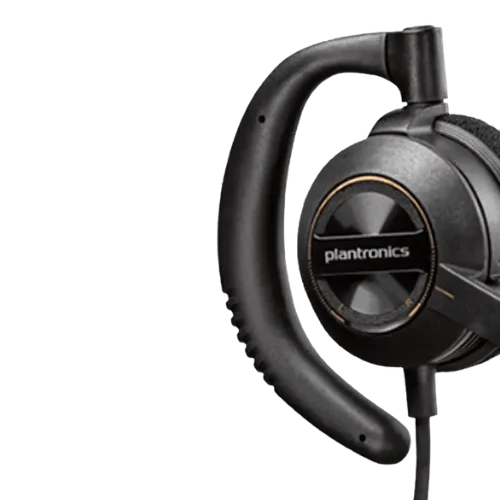
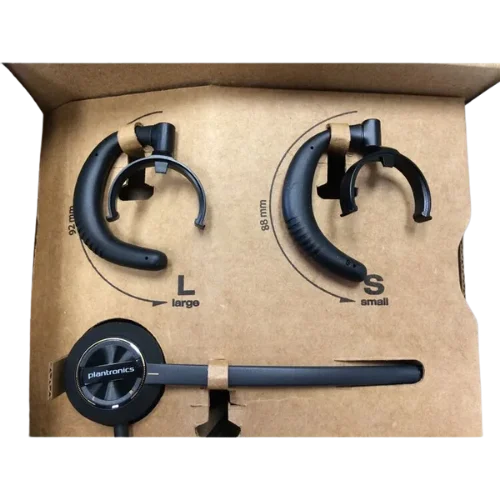
Simple over the ear design (the HW530 does not have a headband). A soft ear loop that wraps around the ear. Fitted with 2 loop sizes for a better fit. The headset can be played either to the left or right ear. This makes it a bit more flexible in the workplace.
Single-eared: is it allowed to have one ear open? other people can be heard around you while you're on a phone call.
For Daily Calls Lightweight!
The Poly EncorePro HW530 headset is a light-weight solution for business which weighs in at only about 22 grams. Small in size so as to be easily worn in daily work periods. A secure fit without a large headband is provided by the ear cushion and the earloop. However, for those who don't want a headset on the upper part of their head, the HW530 headset is a better choice.
Noise Canceling Microphone
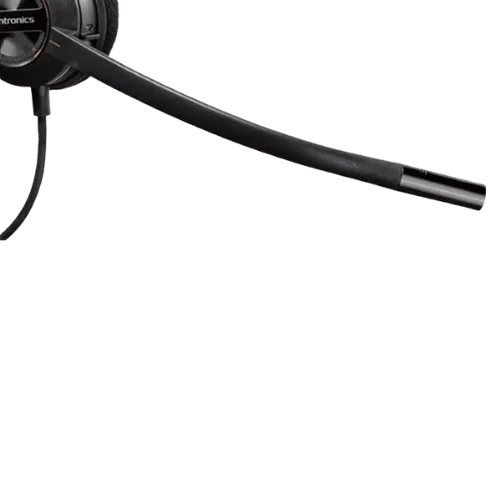
There's also a noise canceling microphone that helps keep background noise from interfering with the HW530 headphone. This can be helpful in offices and contact centers, where other conversations take place (and can potentially interfere with the call). The microphone boom is adjustable to move the microphone towards the user's mouth. The boom additionally offers positioning guides to make it easier to locate the ideal mic positioning. A microphone that is positioned correctly can help make your voice clearer to the other end of the call.
Wideband Audio
Poly EncorePro HW530 headphone offers wideband audio, suitable for business voice communications. The speaker is used for voice transmissions. According to the quoted HW530 spec, one can transmit up to 6,800 Hz. Therefore, the headset can be utilized in typical business calling scenarios, such as customer service, sales, support and reception.
SoundGuard Hearing Protection
HW530 is equipped with SoundGuard acoustic protection. SoundGuard will safeguard hearing by way of a sudden loud noise that can happen while on a call. This is a great option for those that use a headset for a lot of time of their day. When purchasing headsets for a large company, be sure to review your company's hearing protection policy prior to making a headset selection.
Quick Disconnect Connection
Poly EncorePro HW530 features a Quick Disconnect style connection, rather than a standard USB connector. QD connection allows the headset to be removed from the cable without taking off from the ear. Helpful when you need to get away from the desk during a call, or go around the workspace. The QD cable or adaptor will stay connected to the phone or PC, but take the headset apart.
HW530 Comes without the USB Adaptor
Keep in mind that the HW530 is not a wireless USB headset prior to ordering. Is equipped with a Quick Disconnect plug. Requires a Cable/Adapter to connect to your device. The normal requirements for a desk phone are the use of a compatible QD telephone cable. Use it with a computer - there is a compatible QD to USB adapter. So it is where you have to understand your phone model and type of cable connections to choose the appropriate cable. Please include your phone model when ordering, if you are not sure you need a particular cable.
Built For Business Use
The EncorePro 500 series are crafted for professional communication scenarios. The HW530 is perfect for an office setting where many people are on the phone on a regular basis. The lightweight that comes along with its mono audio, noise canceling microphone and Quick Disconnect connection are all ideal for frequent use in the workplace. Additionally, these can be adjusted according to the requirements, including the ear loops and ear cushion. This means that you can clean the headset without having to purchase a new one.
Who is the Poly EncorePro HW530 for?
HW530 could be beneficial for:
- Call centers
- BPO teams
- Customer service
- Help desks
- Reception desks
- Telesales teams
- Support teams
- Office phone users
It's particularly helpful for folks that prefer a single earbud setup as opposed to a headband.
The open ear design is also good for people who want to be able to hear people around them whilst talking on the phone.
HW530 vs HW510 vs HW520
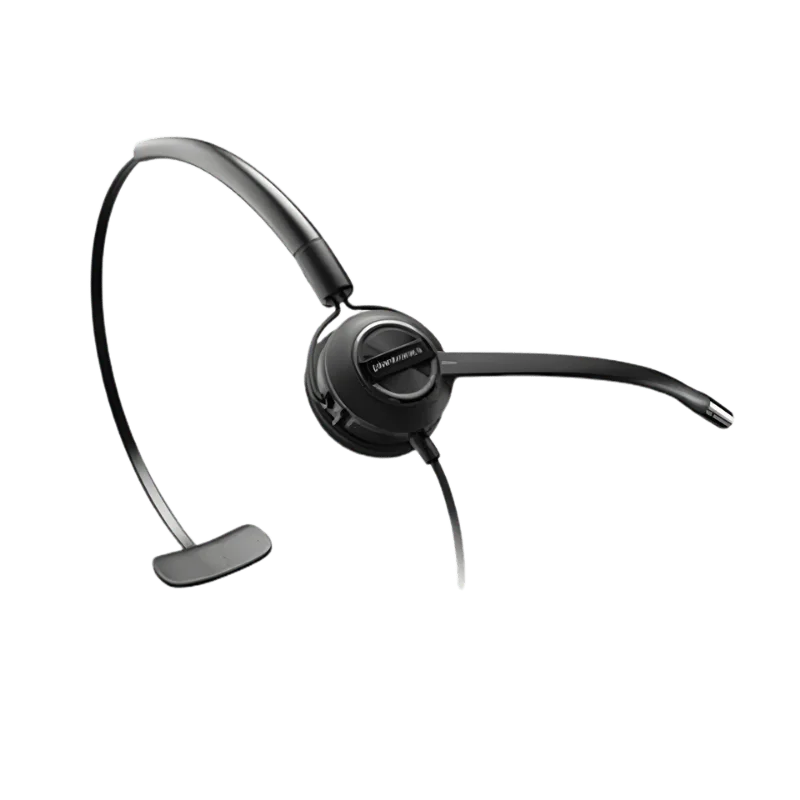
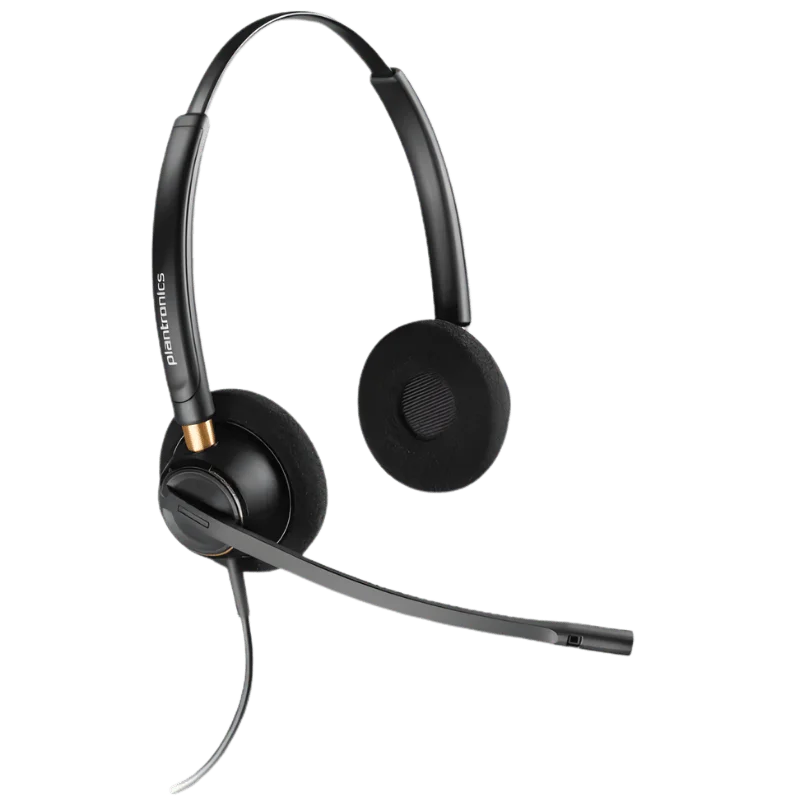
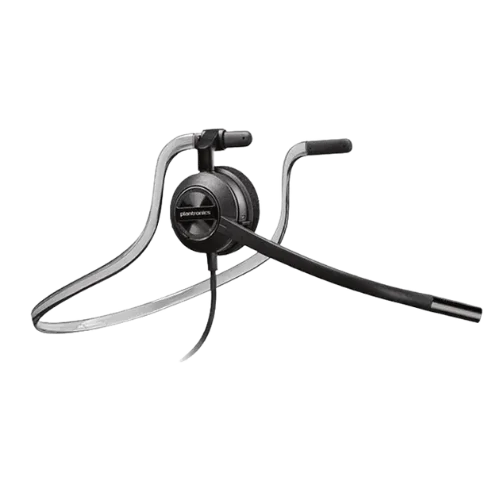
The EncorePro 500 series comes in a variety of wearing styles. HW530 is an ‘over the ear’ (OTE) system, which fits over one ear and no traditional headband is worn. Headband (for HW510) to wear on top of one ear. The HW520 is a headband that encompasses both ears.
All three models have a Quick Disconnect connection. The main difference is the size of the headset and if it will fit over both ears or over one. When you don't know which model to choose for your workplace, check out the wearing style first. As far as the style is concerned, HW530 is certainly the style to go with, if you're not looking for any kind of headband style.
What will be Inside the Box?
The Poly EncorePro HW530 comes with the headset and earloop options.
There are two sizes of ear loops - large and small - to choose from!
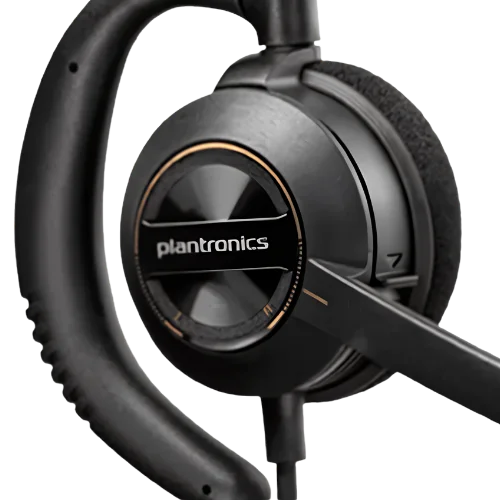
It also provides a foam ear cushion and information on how to set up.
The headset does not come with a telephone cable or USB adapter. The correct cable/adapter should be purchased separately, according to the type of phone/computer used.
How To Set Up The HW530
Firstly, select the size of the ear loop that fits you the best. Put the headset on your ear, and adjust the speaker to a comfortable position. Move the boom towards the mic closer to your mouth. Hold your microphone close enough, but not against your face, to clearly hear your voice. Then, plug the Quick Disconnect plug into the compatible phone cable or USB adapter. Plug at the other end to your desk telephone or computer and try a test call. If the person you are talking to can't hear you clearly, ensure you have your Mic in the correct position.
Instructions for Care of Your HW530
Use a soft dry cloth to clean the headset. Pay special attention to the ear cushion, which comes in regular contact with the skin, and the earlobe. If using ear cups, they can be swapped out instead of having to replace the entire earpiece. When pulling the headset off, make sure to pull off the Quick Disconnect connection, never the cable. Keep the headset stored in a safe place when it is not in use.
Why Choose FindHeadsets?
FindHeadsets filters all the headset options to help you pick the best option for you. They have a group to help you verify compatibility with the computer or phone prior to ordering. This is great with the Poly EncorePro HW530v Headset which includes Quick Disconnect connection and calls for a suitable cable or adapter. Business Headsets by Poly, Jabra, Yealink, Logitech and Sennheiser are available at FindHeadsets.
One headset can be purchased or assistance with purchasing in bulk for businesses is available. FindHeadsets is also known for their quick order processing for items in stock and 30-day money back guarantee. Some Plantronics products may enjoy an extended return period. Before ordering please consult the FindHeadsets team if you are not certain of your headset, cable or adapter needs.
Technical specifications HW530 Poly EncorePro
| Specification | Details |
|---|---|
| Brand | Poly |
| Former Brand | Plantronics |
| Model | EncorePro HW530 |
| Part Numbers | 201500-01 / 783P2AAABA |
| Headset Type | Wired business headset |
| Wearing StyleSpeaker Style | Over the earMono |
| Number of Ears | Single ear |
| Weight | Approximately 22 g |
| Microphone | Noise canceling |
| Microphone Boom | Adjustable |
| Connection | Quick Disconnect |
| Audio | Wideband |
| Voice Transmit | Up to 6,800 Hz |
| Hearing Protection | SoundGuard |
| Ear Cushion | Foam |
| Earloops | Large and small |
| Color | Black |
| Warranty | 2 years |
Yes. This model may feature as both the Plantronics and Poly model. Please check the part number when ordering, so that the order is placed for the correct model.
No. Wired headset (Quick Disconnect (QD) plug. It requires a compatible cable or adapter to be connected to your phone/computer.
No. There is no inbuilt USB in it. A compatible QD-to-USB adapter is required if you need to use it with a computer.
No. It is a single headset which can only be placed on one ear, leaving the other ear uncovered. This will make you mindful of your environment while you're talking on the phone.
Yes. This design has an earlobe to wear in either ear. It comes in 2 different sets of ear loops for a comfortable fit.
Yes. The microphone is designed to help minimize background noise and ensure your voice is clear during calls.
Yes. Ideal for call center, BPO, Customer service and Business applications, due to Single Ear Design, Lightness, noise canceling microphone and Quick Disconnect.
This means employing the correct cable, that'll vary based on the phone model. You need to have a compatible QD Telephone cable to use the headset. If you're not certain about the product to purchase, then specify the make and the model of your phone before you make the order.
The Poly EncorePro HW530 is a lightweight mono headset for people who prefer an "over-the-ear" type that does not use a traditional headband. It comes with a noise canceling microphone, wideband sound, protection for SoundGuard as well as a Quick Disconnect. For assistance in picking the right cable or adaptor that will match your phone and computer, be sure to call FindHeadsets prior to making a purchase.
The Poly EncorePro HW530 is a lightweight mono headset for people who prefer an "over-the-ear" type that does not use a traditional headband. It comes with a noise canceling microphone, wideband sound, protection for SoundGuard as well as a Quick Disconnect. For assistance in picking the right cable or adaptor that will match your phone and computer, be sure to call FindHeadsets prior to making a purchase.
Customer Reviews
Write a Review