service@findheadsets.com 9931 Franklin AveSuite 128 Franklin Park IL 60131

Yealink UH35 USB Wired Headset

No reviews
Yealink SKU: YEA-UH35-USB
137+ bought in past month
Price: $59.00
Stock: In Stock
More info
Quantity:
Special Offer: Discounted Pricing on Bulk Orders of 20+ Units! Request Quote
24/7 Support
Same Day Dispatch
Easy Returns
Warranty 2-Years

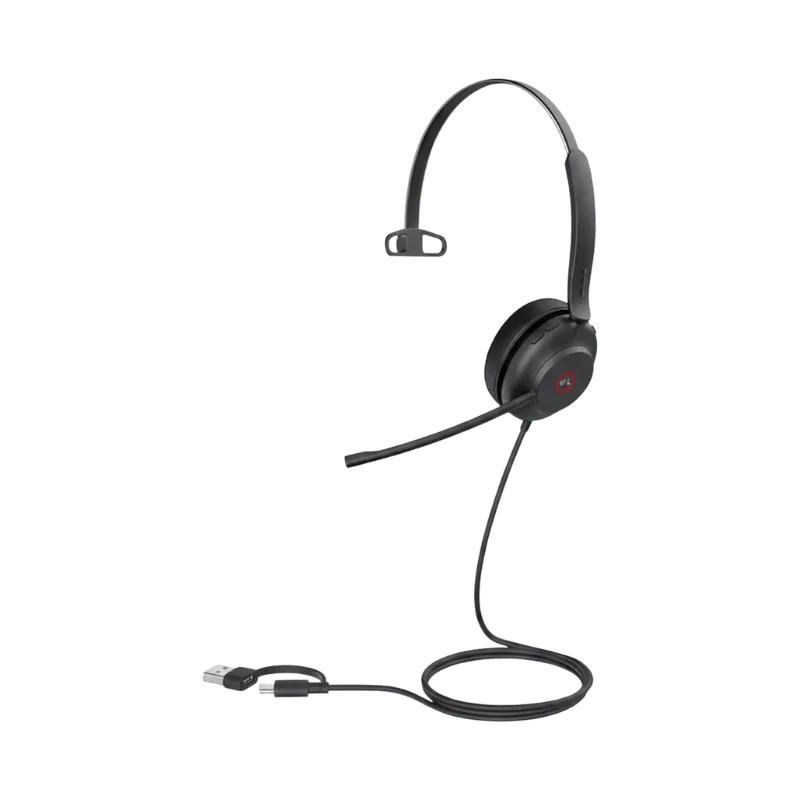
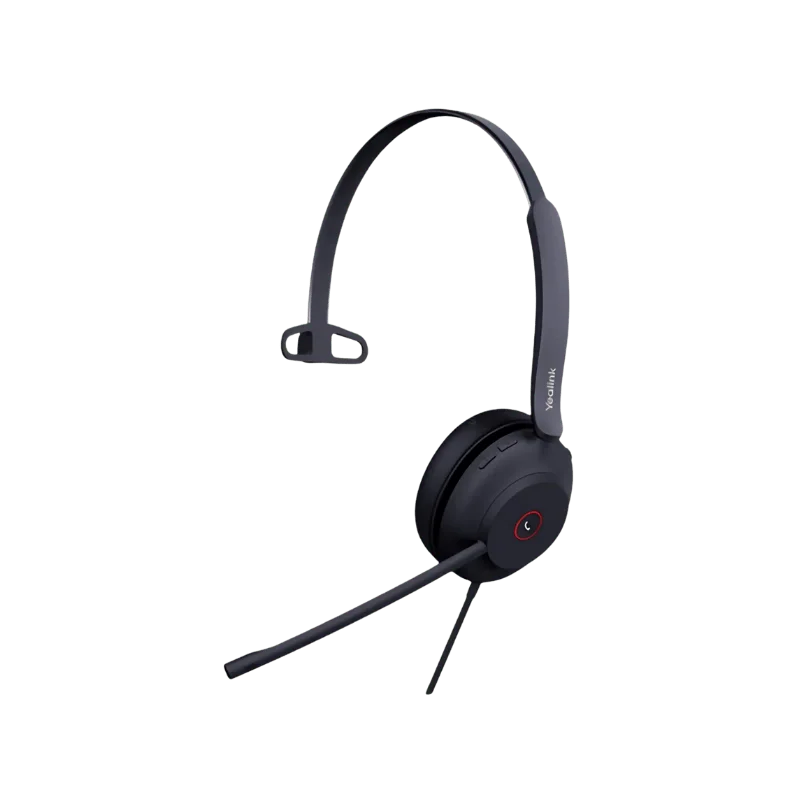
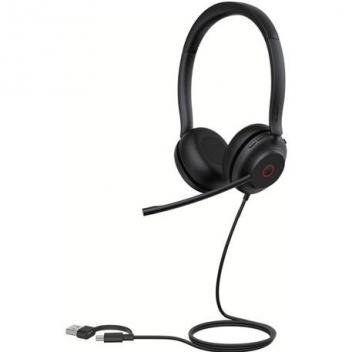
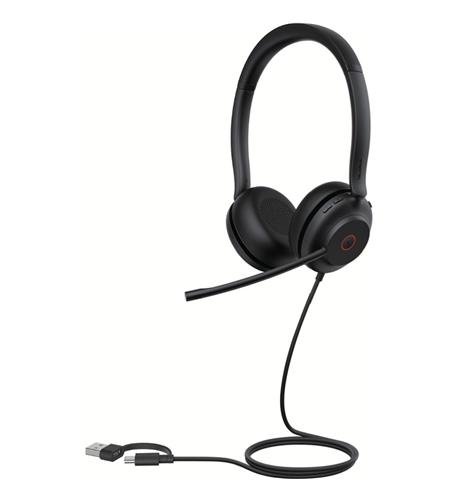
The Yealink UH35 Wired Headset is designed for individuals that have to be engaged in phone calls, video conferences, and computer work for long periods of time. The headset features two microphones and Yealink Acoustic Shield Technology to minimize the noise collected during conversation. The 35 mm speaker provides wideband audio for calls and music.

There are Mono and Dual options of the Yealink UH35 headset available. One can also pick between Microsoft Teams and UC editions. All the USB-C editions feature a USB-A adapter for easy connection to various computers.

Due to its lightweight design, adjustable boom, busylight, and built-in call control buttons, the headset is a good fit for office workers, telecommuters, customer service employees, and many other professionals.

Key Features

Two Microphones with Acoustic Shield Technology

Yealink has used two microphones for voice pick-up while on a call in its UH35 model. Yealink pairs the two microphones with Acoustic Shield Technology to lower the background noise detected by the microphones.

It could be useful if one is working in an environment where there are other voices and noises around like conversation or office activities. Acoustic Shield Technology only concentrates on reducing noise detected through the microphones. It does not mean that the headset will block out all the sounds around you.

This could be particularly helpful for people who use their headphones in many calls as it will make conversations clearer both for you and the other side.

35 mm Speakers for Calls and Music

The Yealink UH35 has 35 mm speakers that offer a 20 Hz-20kHz frequency response. Yealink has also used Dynamic EQ to modify the audio profile for call and music modes separately. Call mode has a profile focused on voice for communication purposes.

This makes the headphones functional in ways other than telephonic calls only. The headphones can be used for all types of audio communication and entertainment that are done via computers.

Options for Mono and Dual Use

Two physical forms of the Yealink UH35 are provided by Yealink. The Mono form has one ear cup and weighs 96.5 g. This model is good for people who wish to have one ear available for listening to the surroundings.

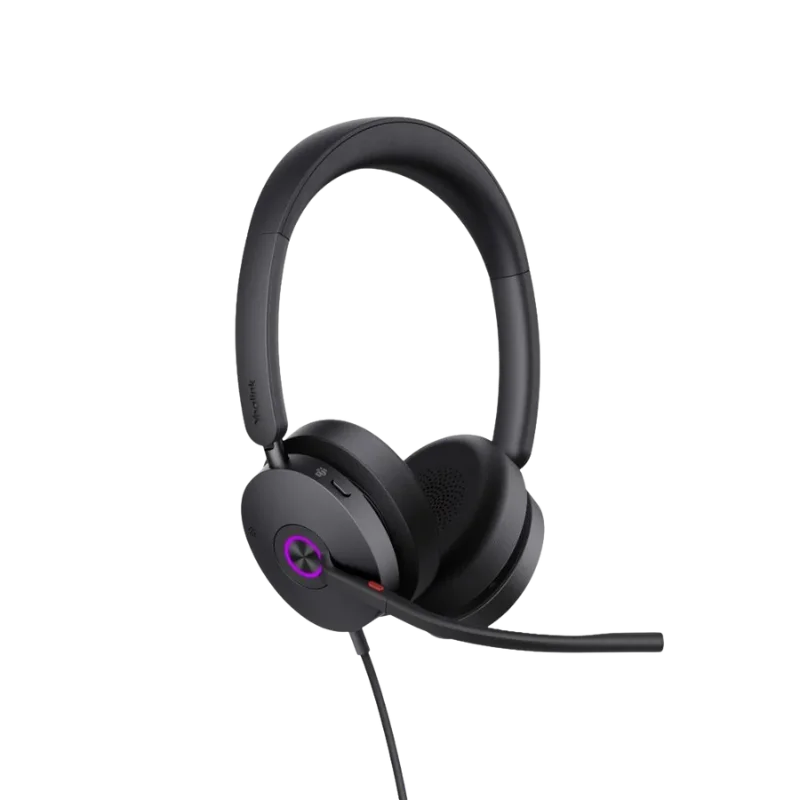
The Dual model has two ear cups and weighs 139.5 g. This is for people who would like to have audio input in both ears and more physical isolation from the environment. Both models have the on-ear earphone type. You can select the style depending on your working environment and the awareness level you need around you.

300° Rotation Mic Boom

Another cool feature of the UH35 is a 300° adjustable microphone boom. The boom allows you to find the most convenient position for the microphone. The mic boom can be adjusted to enable the lift-to-mute functionality. If you raise the microphone boom, your microphone will be muted. Alternatively, you can use a physical mute button whenever you wish to do so. You have two options to mute during meetings or calls.

Integrated Busy Light

The integrated busylight enables you to let other people know when you are busy. The light automatically switches on whenever you are on a call or in a meeting. However, you can switch it on manually whenever you wish to signal that you do not want any interruptions. Such a useful feature may be especially beneficial for a shared office or a home workspace.

Lightweight Design for Daily Usage

UH35 incorporates a lightweight design using metal reinforcement, a leather headband, and memory foam ear cushions. In addition, Yealink has an ergonomic oval-shaped ear cushion design that helps reduce noise passively.

The headset remains lightweight when compared to many other headsets. The Mono model has a weight of 96.5 g while the Dual model is 139.5 g. This feature allows the headset to become ideal for users who need to wear the headset for prolonged periods during their work.

USB-C and USB-A Connection

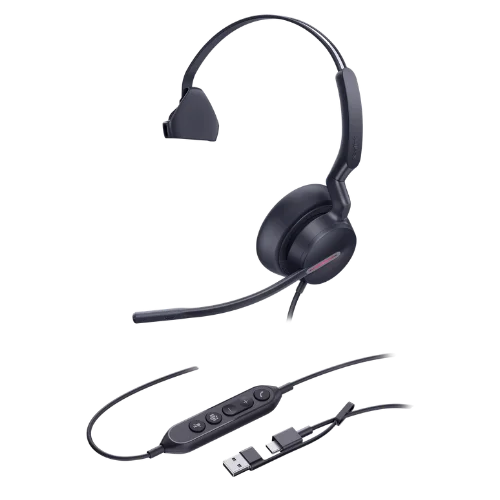
UH35 utilizes a wired USB connection. Thus, there is no need for a Bluetooth connection or charging of the headset. Currently, UH35 is available in a USB-C configuration which includes a USB-C cable with a USB-A adapter. It has a length of 1.7 m. This design allows users to have more flexibility in connecting the headset to new and old computers.

In addition, the headset works with Windows and Mac OS. Yealink has listed compatibility of the headset with major UC platforms and Yealink IP phones. It is recommended to verify the exact UH35 model to ensure you purchase the desired connector and platform version.

Easy Call Controls

UH35 enables convenient access to basic call functions. You can answer, terminate, reject or put the call on hold. You can also change the volume level, mute the microphone, and redial the previous outgoing call.

With these controls, you will be able to handle calls without frequent switching from your PC. UH35 also features an LED status indicator and an alarm tone. ActiveProtection from Yealink is designed to protect from potentially hazardous acoustic events.

Microsoft Teams and UC Versions

There are versions of UH35 compatible with Microsoft Teams and UC environments. This option allows organizations to choose a model depending on their communication platform requirements.

Teams models are designed for use in a Microsoft Teams environment. UC models enable usage in various UC applications. Compatibility of UH35 with popular UC platforms is provided by Yealink, as well as native support with Yealink IP phones. There are Mono and Dual configurations available. There are USB-C models with a USB-A adapter available.

Regarding the purchase, ensure that you choose the correct model depending on your requirements. The UH35 has several models, with each having unique specifications.

How the UH35 Works

The UH35 is plugged directly into the computer and Yealink IP phone using the USB connection. After being plugged, the headphones will take care of both the microphone input and output.

The two microphones are combined with the Acoustic Shield Technology in an effort to lower the background noise captured around your voice. The microphone boom allows for adjustment of the microphones according to your voice.

The headsets also apply a passive noise reduction technique through the oval-shaped foam ear cushions that block some of the noise surrounding you from reaching your ears. For the audio output, the 35 mm speakers allow for communication and music listening. Dynamic EQ changes the audio settings from talk and music.

Due to the use of a wired connection, there is no need to worry about the battery life of the headphones during working hours.

Yealink USB Connect and Device Management

The UH35 has Yealink USB Connect available as an option for device management from a PC. The Yealink website also lists Yealink Management Cloud Service for device management and configurations.

While USB Connect will be useful for managing the headsets by individual users from their computers, cloud-based device management would be easier for organizations that have multiple Yealink devices to manage. This becomes relevant because of the need to manage headsets in various workstations by the organization.

Who is Yealink UH35 For?

Office Employees: For office employees who spend most of their working time talking and participating in online meetings, the UH35 will be useful.

Telecommuters: Telecommuters can use it in meetings, phone calls, training sessions and computer audio.

Customer Service Teams: Dual microphones and call controls will be ideal for employees who deal with many customers throughout the day. Furthermore, with the wired design, charging the device is not needed.

Call Centers: Mono and Dual editions offer options to select the wearing option depending on the user’s work environment. Busylight will indicate when the agent is busy visually.

Microsoft Teams Users: There is also a Microsoft Teams version of the UH35 available. Businesses utilizing other unified communication platforms can opt for the UC version.

Yealink IP Phone Users: Users of the Yealink IP Phones will be able to connect the headset with certain models. There is a list of the supported models by Yealink, along with the required firmware.

Who Might Want a Different Headset?

It is a wired headset, so if Bluetooth is required, then a different headset will be necessary.

This device also doesn’t employ active noise cancellation on the listening side. It utilizes a combination of microphone-side noise reduction and passive noise reduction through the ear cushions. For wireless headsets or extended wireless range, look at our Yealink wireless headset series.

Why Buy from FindHeadsets?

If you purchase the Yealink UH35 from FindHeadsets, we will assist you in choosing which version fits better in your working configuration. You can get assistance regarding the comparison of the Mono/Dual models and UC/Microsoft Teams versions. We will also help you determine the compatibility of your headset with your phone, PC, and calling platform before ordering to exclude buying the wrong configuration for your purposes.

You may also receive customer support if you have difficulties during setup and troubleshooting of the headset. If you want to buy Yealink UH35 headsets for several employees, you can count on our help when determining compatible devices and accessories. It will be easier to set up your headsets and start working.

With FindHeadsets, your headset comes along with support, which gives you additional benefits when purchasing. The 30-day money-back guarantee is offered on eligible products. All orders made before 3:00 PM PST can get same-day shipping through UPS, USPS, DHL, or FedEx.

Technical Specifications

SpecificationYealink UH35
ModelUH35
Product TypeUSB wired headset
Wearing StyleOn-ear
VersionsMono / Dual
Platform VersionsMicrosoft Teams / UC
Microphones2
Microphone TypeECM
Microphone Frequency Response100 Hz–10 kHz
Microphone BandwidthWideband
Acoustic ShieldYes
User Hearing ProtectionActiveProtection
Speaker Size35 mm
Speaker Frequency Response20 Hz–20 kHz
Music Mode20 Hz–20 kHz
Talk Mode100 Hz–20 kHz
Speaker Impedance32 ± 4.8 Ω @ 1 kHz
Speaker Input Power10 mW normal / 30 mW max
Cable Length1.7 m
ConnectionUSB-C + USB-A Adapter on applicable models
Boom Rotation300°
BusylightYes
Operating Systems SupportedMicrosoft Windows / Apple Mac OS
UH35 Mono weight96.5 g
UH35 Dual weight139.5 g
ColorBlack
Warranty2 years
Packaging ContentsHeadset, carrying pouch, Quick Start Guide
Yes, Yealink provides Microsoft Teams versions of the UH35 headphones. In addition to that, UC versions for unified communication systems are available.
No. The UH35 is connected via a USB cable. This model does not support Bluetooth connectivity or battery charging. Connection via USB-C or USB-A is available based on the version.
UH35 utilizes acoustic shield technology using two microphones and oval-shaped foam ear cushions to minimize external noise while making calls.
Yes. The microphone boom of the UH35 is 360-degree rotatable and can be used on both sides. In addition to that, the boom of the microphone can be lifted to mute the microphone.
Mono features one earcup and has a weight of 96.5 g. Dual has two earcups and has a weight of 139.5 g. Mono should be used if you need to hear what’s going on around you. Dual option works better for users who like listening to audio with both ears.
Yes. UH35 is compatible with both Windows and Mac computers. You can easily connect the headset to a compatible computer using a USB connector.
Yes. UH35 allows managing call functions including answering and ending calls, call rejection, putting on hold, changing volume and microphone mute.
UH35 is supplied with a 1.7-meter USB cable which will provide enough cable length for a typical office setup. At the same time the headset will remain connected to your computer.
Customer Reviews
5★ 0
4★ 0
3★ 0
2★ 0
1★ 0

Write a Review

Write a review form
REQUEST QUOTE
Find Headsets Logo