×

1 / 1
Yealink UH46 USB Wired Headset
140+ bought in past month
Price:
$79.00
Stock:
In Stock
24/7 Support
Same Day Dispatch
Easy Returns
Warranty 2-Years
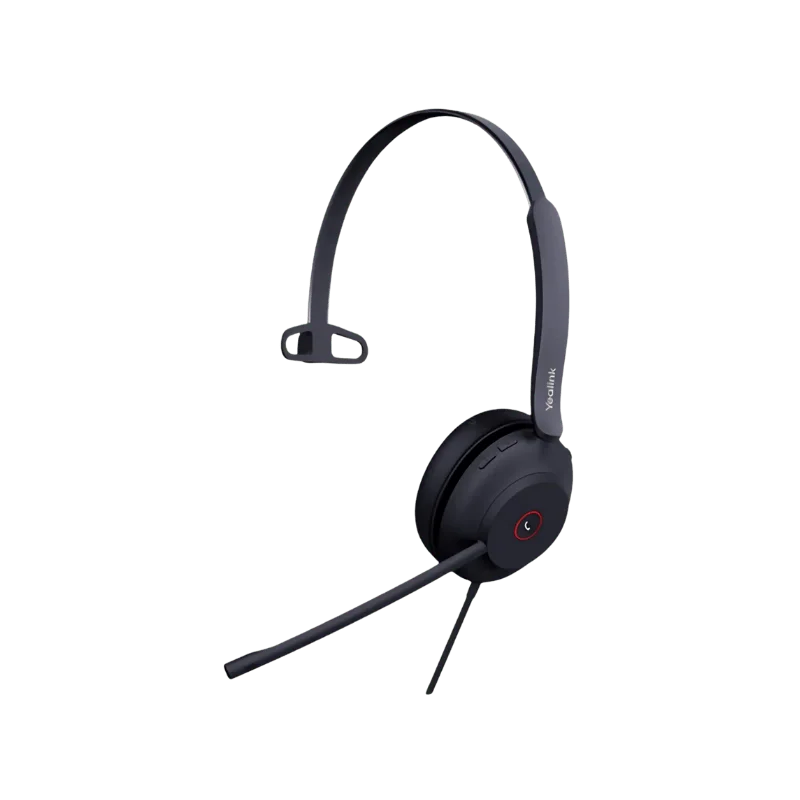
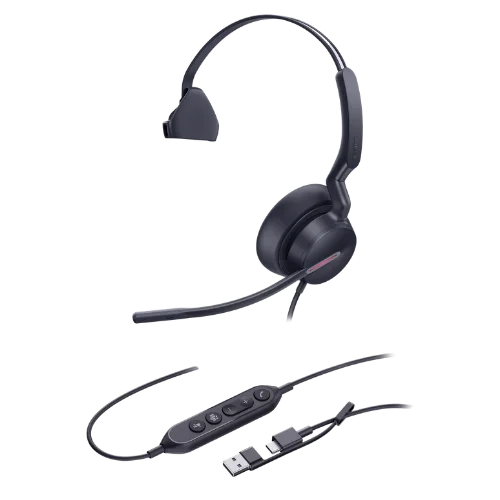
Yealink UH46 USB Wired Headset is an enterprise on-ear headset used for work calls, video conferences, customer support services, and general computer communication. The UH46 model employs three microphones with Yealink Acoustic Shield Technology 3.0 that aims to reduce background noise detected during calls. The 35 mm speaker operates in talk mode and music mode.
The connection between the computer and the Yealink UH46 USB Wired Headset is made via wired USB using the USB-C cable and USB-A connector. No battery charging is required since the UH46 does not have a battery; there is no need to use Bluetooth technology.
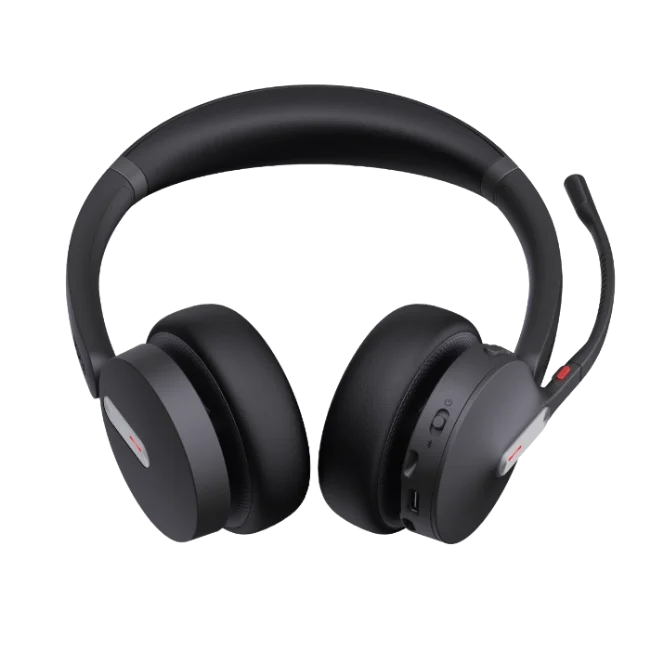
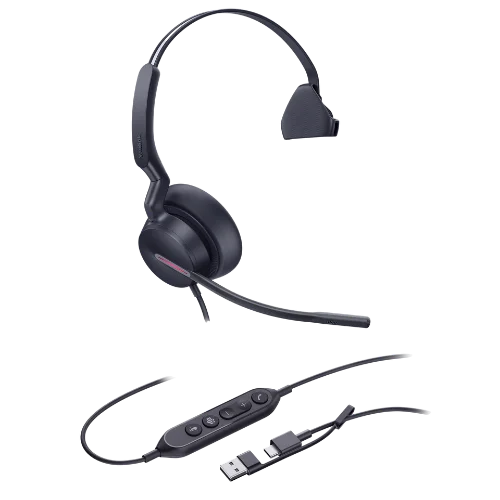
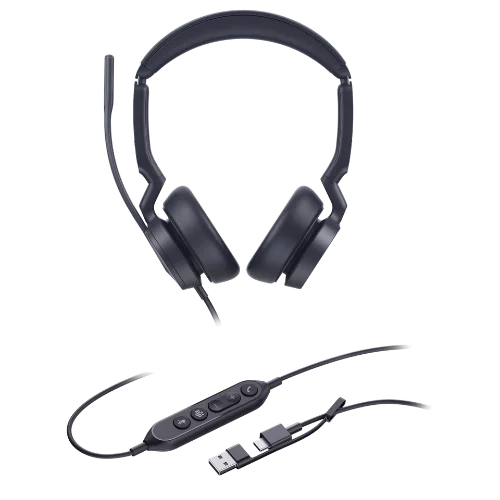
There are Mono and Dual models of the Yealink UH46 USB Wired Headset, as well as Microsoft Teams-certified and UC models.
Key Features
Acoustic Shield Technology with Three Microphones
The UH46 has three microphones and Yealink Acoustic Shield Technology 3.0 with a voice isolation feature. It helps eliminate the background noise captured by the microphones while calling, which is very helpful in shared and home offices.
Acoustic Shield 3.0 is used on the side of the microphones. It helps minimize the background noise that gets transmitted to the other person. It doesn’t limit or reduce any noise in your surroundings.
35 mm Speaker With Dynamic EQ
The headsets have a 35 mm speaker with a frequency range of 20 Hz-20 kHz. It comes with two different settings: talk and music settings. The talk setting is 100 Hz-20 kHz, and the music setting is 20 Hz-20 kHz. The Dynamic EQ function changes between the settings according to the type of sound you will use.
It means that the headset can be used not only for making calls but also for participating in video conferences, for talking with someone, listening to music and playing computer games.
Comfortable On-Ear Design
The UH46 has a curved headband and pressure distribution design. It also features memory foam ear cushions. You can wear the headset on either side. You can also change the ear cushions; this may be useful if you use the headset constantly. The Mono headset weighs 127 g, and the Dual headset weighs 166 g.
With USB-C & USB-A Adapter
The UH46 utilizes USB-C connectivity with a USB-A adapter. It can be plugged into a compatible USB-C port or connected via the USB-A adapter into a USB-A port. A wired connection is used, which means there is no need to pair the device via Bluetooth or charge its battery. The headset will be suitable for users working mostly from a desktop computer. The cable configuration includes the following cable lengths: 0.65 m headset cable and 1.5 m USB cable.
In-Line Call Controller
The UH46 includes an in-line call controller with LED indicators. It gives you quick access to common call functions without reaching for your computer.
You can use the controller to:
- Answer calls
- End calls
- Reject calls
- Adjust volume
- Mute or unmute the microphone
The Microsoft Teams version also provides supported Teams controls through the headset.
Lift to Mute Microphone
It has an easily accessible lift-to-mute microphone boom. Just lift the boom for the microphone to be muted and drop it to unmute the microphone. This helps when in a meeting and you have to mute quickly without having to open your calling app.
Dual Busylights
There are dual busylights that help identify whether you are on a call. It is placed strategically to make sure it is visible from all sides. For call centers and shared offices, it is useful since it makes it easy for colleagues to know if you are busy.
Hearing Protection
The headset has peak block protection, Australian G616 protection, and daily noise exposure protection. This ensures any excessive audio levels are managed.
How the Yealink UH46 Works
The Yealink UH46 transfers sound information between your computer and headset via its USB port. It plugs directly into an available USB-C port or with the help of an additional USB-A adapter.
During calls, the triple microphone setup cooperates with the Acoustic Shield Technology 3.0, which helps to eliminate the impact of background sounds picked up by the microphones.
In case of playing music, the built-in 35mm speaker operates in two modes: talking and listening. The transition is provided by Dynamic EQ depending on audio type.
There is also an in-line controller featuring buttons for controlling calls, volume, and microphones. There is no battery in the UH46 headset, so you will never need to pause its use of it to charge it.
Microsoft Teams and UC Capabilities
Yealink provides the UH46 as a Microsoft Teams certified version and UC model. The Microsoft Teams certified model is meant for people who prefer Microsoft Teams to conduct their calls and meetings. UC capabilities allow for use of the headset in wider UC applications.
Yealink claims that the UH46 is compatible with more than 100 operating systems and platforms. This model is compatible with other platforms like Zoom. Compatibility depends on the specific platform, software, device, and headset version. It is advisable to verify compatibility before purchasing.
Headset Management
Yealink USB Connect and Yealink Management Cloud Service allow for headset management.
This will offer organizations different means of managing settings and configurations of the headset. It can be useful for organizations using many Yealink headsets in their operation.
For Whom Is the Yealink UH46?
Office Workers
The UH46 is designed for office workers who need to spend all their time on computer calls and video conferencing sessions. The wired USB connection is very appropriate for use in one particular place.
Call Centers Employees
Call center employees can make use of microphone noise reduction, button controls for calls, busy lights, and wired connections. Additionally, Mono and Dual options allow for choosing the wearing style for businesses.
Home Office Workers
The UH46 can also be used by home office workers who want to have a simple wired headset. USB-C and USB-A connection options allow for better connectivity to compatible computers.
Microsoft Teams
Microsoft Teams-certified headset will be useful for users who communicate through this app every day. Additionally, in-line controls provide supported Teams buttons.
Calls & Music Users
The Yealink UH46 is not limited to calls only. The 35 mm speaker and music mode allow you to use it for everyday computer audio.
People Who Might Want Another Type of Headset
UH46 is a wired headset, which doesn't have Bluetooth or a rechargeable battery.
It is better to use Bluetooth or DECT headsets if you need to walk away from your computer during a call. The UH46 is also USB-powered instead of using the standard RJ9 desk phone connector.
Why Buy from FindHeadsets?
FindHeadsets is a vendor selling professional communication headsets and helping customers select suitable products depending on their device, connector, platform, and working environment.
If you are not sure about the compatibility of a particular headset with your system, we will provide technical support regarding compatibility, configuration, installation, and troubleshooting.
Purchases made in FindHeadsets are eligible for a 30-day money-back guarantee. You have to get return authorization before you can return your order. Customers are expected to adhere to FindHeadsets' return policies and procedures.
Shipping is possible for qualifying orders before 3 pm PST using UPS, USPS, DHL, or FedEx delivery services. Whether an order qualifies for shipping depends on certain factors. This service can help both companies and individuals make an appropriate selection before purchasing and receive support while installing.
Technical Specifications
| Specification | Yealink UH46 |
|---|---|
| Brand | Yealink |
| Model | UH46 |
| Product Type | USB wired headset |
| Wearing Style | On-ear |
| Configuration Available | Mono and Dual |
| Variant Available | Microsoft Teams and UC |
| Number of Microphones | 3 |
| Microphone Frequency Response | 100 Hz to 14 kHz |
| Noise Cancellation Technology | Acoustic Shield Technology 3.0 |
| Hearing Protection | Peak Block, Australian G616, Daily Noise Exposure Protection |
| Speaker Size | 35 mm |
| Speaker Sensitivity | 113.8 ±3 dB at 0.980 V |
| Speaker Frequency Response | 113.8 ±3 dB at 0.980 V |
| Music Mode | 20 Hz to 20 kHz |
| Talk Mode | 100 Hz to 20 kHz |
| Connection Type | USB-C with USB-A adapter |
| Headset Cable Length | 0.65 m |
| USB Cable Length | 1.5 m |
| Operating System Supported | Microsoft Windows, Apple Mac OS |
| Battery | None |
| Mono Weight | 127 g |
| Dual Weight | 166 g |
| Mono Size | 153 × 184 × 69 mm |
| Dual Size | 196 × 180 × 69 mm |
| Management | Yealink USB Connect, Yealink Management Cloud Service |
| Call Control | Answer, end, reject, volume, mute/unmute |
| Microphone Mute | Lift microphone boom |
| Busylight | Dual |
| Ear Cushions | Replaceable |
| In Package Contents | Headset, carrying bag, quick start guide |
No. The UH46 is a wired USB headset that connects via the USB-C port and has a USB-A adapter included. This headset does not have Bluetooth capabilities or a rechargeable battery.
Yes. Yealink provides Microsoft Teams-certified and UC models of this headset. UH46 is also compatible with Zoom and over 100 platforms and operating systems.
Yes. The headset features a USB-C cable and USB-A adapter and can be connected to any compatible computer via USB-C and USB-A ports.
The microphone of the UH46 can be muted via the in-line controller. It can also be muted by lifting the microphone boom and activated by lowering it.
UH46 comes with an ergonomic headband, pressure dispersion, memory foam ear cushions, and an on-ear design. All these elements ensure comfortable usage. However, comfort can depend on the size of the user’s head and individual preferences.
Yes. In the UH46, Yealink Acoustic Shield Technology 3.0 is used to decrease the background noise captured by the microphones during calls. This feature reduces the background noise sent to the other end of the call.
Yes. In the UH46, the microphone boom has a 300° adjustable angle. Thus, the user can adjust the microphone closer to his/her mouth to conduct calls and place it elsewhere when it is unnecessary.
In-line controls provide convenient access to the most popular calling features such as adjusting the volume level, muting the microphone, answering or terminating calls, as well as checking the status of the headset.
Customer Reviews
Write a Review