
service@findheadsets.com 9931 Franklin AveSuite 128 Franklin Park IL 60131

Yealink UH37 USB Wired Headset

No reviews
Yealink SKU: YEA-UH37-USB
130+ bought in past month
Price: $71.32
Stock: In Stock
More info
Quantity:
Special Offer: Discounted Pricing on Bulk Orders of 20+ Units! Request Quote
24/7 Support
Same Day Dispatch
Easy Returns
Warranty 2-Years

This headsets allows you to deal with calls, conferences, and computer sounds distraction-free. The headset is based on two noise-canceling microphones with Yealink Acoustic Shield Technology. There is also a 35 mm speaker that provides audio transmission for both calls and music.

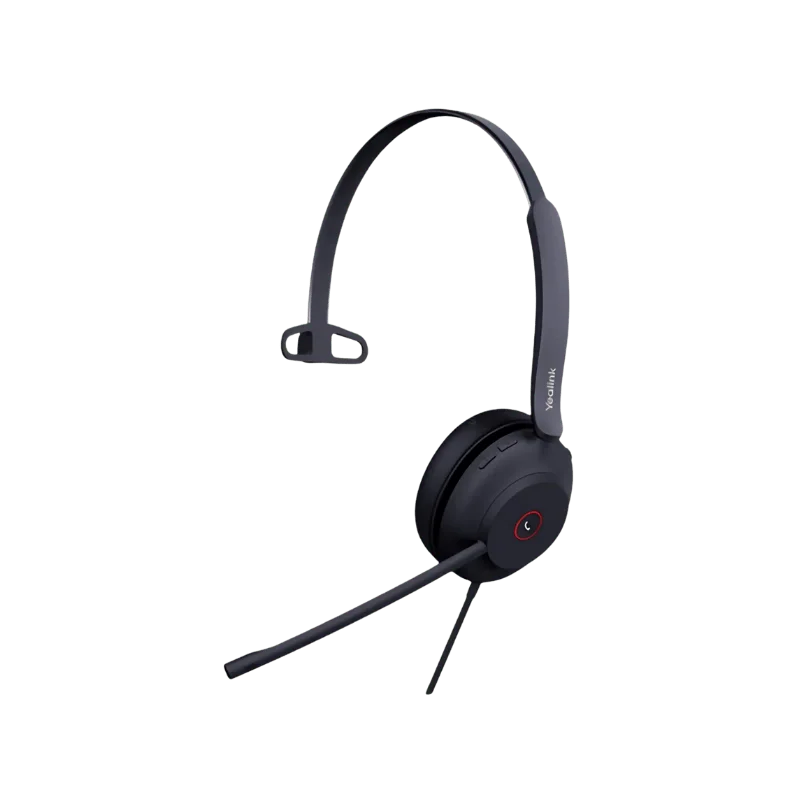
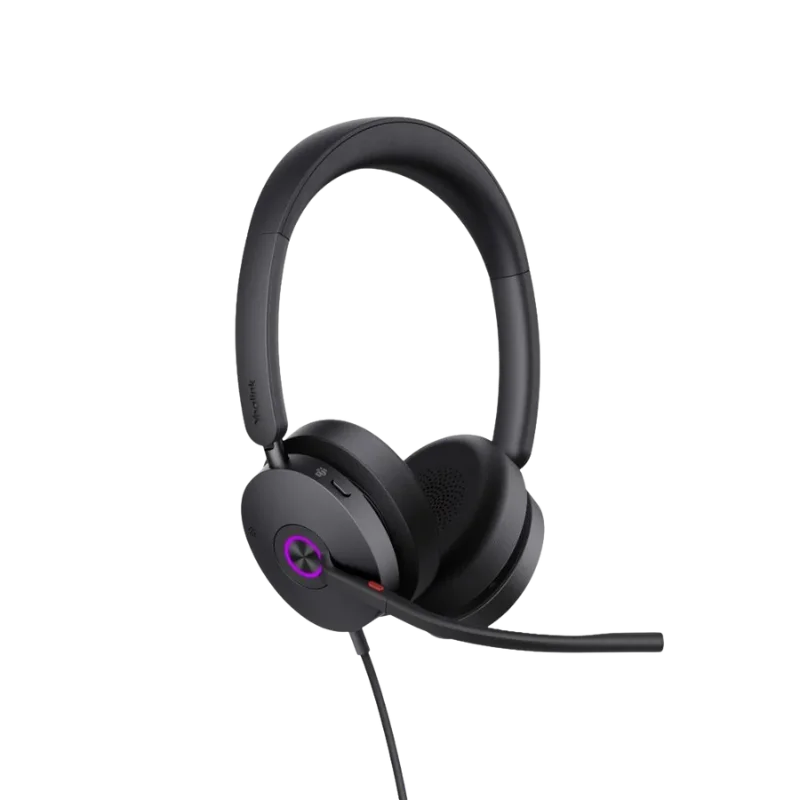
Yealink produces UH37 headphones in Mono and Dual editions. The first edition keeps one ear free so that you can still hear your surroundings. With the second model, you can cover both your ears and listen to stereo sound.

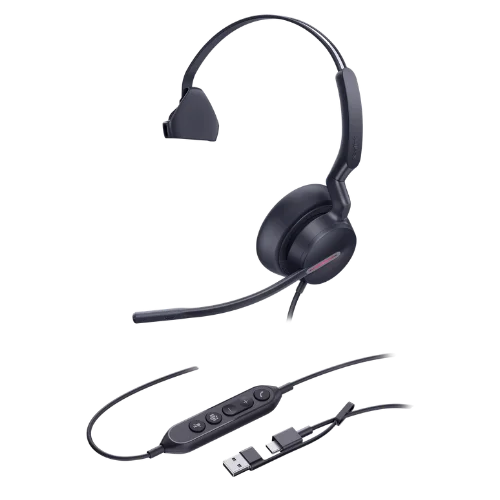
Also, the user has a chance to use this headset in more ways because of the flexibility of its USB connection. Different models offer either USB-A or USB-C connectors. Yealink provides UC and Microsoft Teams variants for business.

Key Features

Dual Noise Cancelling Microphones

Dual ECM microphones pick up your voice in the UH37 headset. Yealink merges this technology with Acoustic Shield Technology to reduce unwanted background noise during calls. This feature ensures that your voice is heard loud and clear. The UH37 may be a useful choice when you need to concentrate while talking to other colleagues in the same room. The system of microphones can produce wideband audio with a 100 Hz – 10 kHz response range. Such features result in clear voice ranges for business phone calls.

35 mm Speaker with Dynamic EQ

UH37 utilizes a 35 mm speaker for both calls and music playback. Dynamic EQ changes its mode to either call or music mode. Call mode delivers clear voice audio. Music mode ensures a fuller sound profile. The 20 Hz – 20 kHz response range allows using this headset both for calls and for daily computer use.

Yealink Acoustic Shield Technology

The UH37 incorporates Yealink’s Acoustic Shield Technology together with its double microphone technology that aids in minimizing any background noise during calls. The technology ensures that your voice remains clear during business discussions. You may find the feature beneficial during meetings and calls as background noise causes distraction sometimes.

Yealink ActiveProtection Technology

The Yealink ActiveProtection technology offers an alerting sound and LED light to notify users of dangerous sound levels. Although they enable users to detect the presence of high-volume sounds, they cannot protect them from hearing loss.

Mono and Dual Wearing Styles

You get two wearing modes with Yealink headsets. The UH37 Mono has only one earpiece that enables you to hear the conversation while leaving one ear open to listen to surrounding noises.

It is perfect for call centers and reception desks, as you remain aware of all the activities going around you. UH37 Duo has two earpieces and stereo sound, and it can be helpful for focusing on your call and meetings. Mono's weight is 96.5 grams and Duo's is 139.5 grams.

300° Adjustable Microphone Arm

The microphone arm helps you change its position easily as needed. There is a 300° bendable microphone boom provided by Yealink. It allows you to change the position of the microphone and place it comfortably. You can also mute the microphone by raising its boom.

USB-C Connection with USB-A Adapter

The Yealink UH37 has a USB port that enables it to work with computers and Yealink IP phones. The USB-C port may be used together with a USB-A adapter; however, there are also USB-C ports that come separately. Please ensure that you know which SKU and model number the UH37 has before buying to know which port it has. The USB port doesn’t require Bluetooth pairing.

Integrated Busylight

This busylight provides a quick visual cue for those around you. The busylight activates automatically when you are in a call or a meeting. The busylight also allows you to activate it manually. This could help reduce disruptions in open office spaces.

Call Control

The UH37 gives you the ability to control all your common call activities directly. You can accept and hang up your call as well as reject or hold your calls. You will also be able to control volume and mute your microphone. There is a redial function to allow you to dial the last outgoing call. The UC and Teams models may offer distinct platform controls. Consult the specific model if you need the controls for Microsoft Teams.

Active Protection

Active Protection is the feature present in the UH37 made by Yealink. It assists in protecting users against acoustic injuries. In addition to the acoustic protection technology, Yealink incorporates the LED light and alert tones in the headset protection system.

Microsoft Teams and UC Versions

Yealink provides the UH37 in both Microsoft Teams and UC versions. The Teams version comes with support for integration into Microsoft Teams and control of the calls. These controls include making or accepting calls, rejecting or putting calls on hold, setting the volume, microphone on and off controls and redialing the last call made. These controls offer management of supported calls but do not include access to all the features of Microsoft Teams.

The UC version includes support for use within the unified communications platforms that are supported by Yealink. Set up the headset through the Yealink USB Connect software.

Yealink IP Phone Compatibility

The Yealink UH37 is compatible with USB connectivity of the Yealink IP phones such as T41S, T42S, T46S, T48S, T42U, T43U, T46U, T48U, T53, T53W, T54W, T57W, T58A, and VP59.

For the T41S, T42S, T46S, and T48S models, firmware version 82 or greater is required. Availability of call control functions and other features may depend upon the exact phone model and firmware version. Make sure to check the phone model, firmware version, and available features before purchase.

Performance/How it Works

The UH37 features a USB connection used for making calls and listening to audio. Connect the headset to your computer or supported Yealink IP phone. Both microphones pick up your voice. The Acoustic Shield Technology and microphone noise reduction system allow for reducing ambient noise.

The 35 mm speaker takes care of output audio. Dynamic EQ adjusts the audio profile between call mode and music mode. Thus, you can use the same headset for conferences and for listening to any computer audio. Passive noise isolation via ear cushions also reduces ambient sound. The wired USB connection makes setup easy. You won’t have to pair the headset via Bluetooth and charge its battery.

Who Is the Yealink UH37 For?

Office Workers

The UH37 is good for individuals spending most of the time on calls and virtual meetings. The Dual version allows focusing on conversations. The Mono version keeps one ear free for listening to the surrounding conversation.

Remote and Hybrid Workers

The UH37 is compatible with Microsoft Windows and Apple Mac OS. You can connect it to a suitable computer for meetings and calls. The wired connection also eliminates the need to worry about the battery charge during work.

Contact Center Teams

The noise-cancellation microphone system will allow employees to communicate in a shared workspace. The lightweight design will be helpful for individuals who have to wear the headset for many hours. The busy light will also be useful for supervisors and co-workers to know when the employee is busy with a call.

Microsoft Teams Users

The Microsoft Teams version will provide the Teams users with dedicated headset controls. This version will be suitable for workplaces using Teams for regular meetings and calls.

Yealink IP Phone Users

The UH37 can work with the supported Yealink IP phones. This will make the headset suitable for businesses using Yealink communication devices.

Who Would Prefer a Different Headset?

The UH37 features a wired headset. If you have to move about your office while making calls, then a wireless headset would be preferable. The UH37 is also not an active noise-cancellation headset for the listener. Rather, it features passive noise cancellation for your ears and noise cancellation from its microphones.

Why Buy From FindHeadsets?

FindHeadsets is known for helping customers purchase headsets that are compatible with their computer, phone, and communication software. They can also help with the compatibility, configuration, and setup of the device.

We currently sell the UH37 as part of our range of Yealink wired headsets. We sell the UH37 in various configurations, such as the Mono Teams USB-C/A model. We also offer a 30-day return policy. You require return authorization before returning any item.

Orders that have been placed before 3:00 PM PST are eligible for the same-day delivery using UPS, USPS, DHL, or FedEx. The listing of UH37 Mono Teams USB-C/A currently offers 24/7 support, same-day shipping, convenient returns, and a two-year warranty. The best way to learn about all the terms associated with the particular item would be by checking the listing.

Technical Specifications

SpecificationDetails
BrandYealink
ModelUH37
Product TypeUSB Wired Headset
Wearing StyleMono / Dual
ColorBlack
ConnectivityUSB-A / USB-C
Speaker Size35 mm
Speaker Frequency Range20 Hz–20 kHz
Speaker Sensitivity109 dB SPL @ 1 kHz, 179 mV
Speaker Impedance32 ± 4.8 Ω @ 1 kHz
Speaker Power Input10 mW normal / 30 mW maximum
Microphones2 ECM
Microphone Frequency Range100 Hz–10 kHz
Microphone Sensitivity-44.0 dB re. 1 V/Pa
Microphone BandwidthWideband
Speaker BandwidthWideband
Noise ReductionMicrophone noise cancellation and passive noise reduction
Acoustic TechnologyYealink Acoustic Shield Technology
Boom Arm300° bendable
Mono Weight96.5 g
Dual Weight139.5 g
Operating SystemMicrosoft Windows / Apple Mac OS
Operating Temperature-10°C to +50°C
BusylightBuilt-in LED indicator
Call ControlsAnswer, end, reject, hold, volume, mute, redial
ProtectionActiveProtection
ManagementYealink USB Connect and Yealink management software
VersionsUC / Microsoft Teams
Yes. The Yealink UH37 is compatible with Microsoft Windows and Apple Mac OS. Plug the headset into an appropriate computer via a USB port and use it for making and receiving calls, conducting meetings, listening to music, and performing other audio tasks. USB connection makes the configuration straightforward without the need for Bluetooth pairing and charging the headset battery.
Yes. Yealink provides the UH37 in a Microsoft Teams edition. It has dedicated buttons for controlling various functions of Microsoft Teams. This headset will be perfect for those users who make regular calls and participate in Teams meetings. Please make sure you purchase the Microsoft Teams edition of the headset if you want to have Teams controls.
Yes. The Yealink UH37 is compatible with some Yealink IP phones through a USB connection. Compatible models include selected phones of the T4, T5, and VP families. Some older Yealink phones may require a certain version of firmware.
The only distinction here concerns the number of earpieces. Mono version comes with one earpiece and weighs 96.5 g. This version allows you to hear your environment during conversations. The Dual version comes with two earpieces and weighs 139.5 g. Moreover, the Dual version delivers audio in stereo and helps you concentrate better during calls and meetings.
It doesn't. Yealink UH37 features a wired USB connection, not a wireless one such as Bluetooth. No battery or wireless charging is required. Therefore, it becomes a suitable option for office desks, call centers, and workstations where you will plug the headset directly into a computer or phone.
Yes, Yealink UH37 uses two ECM microphones with the Yealink Acoustic Shield Technology. The microphone system minimizes background sounds during conversations and enables the clearest sound of voice of the user. Additionally, the headset features passive noise cancellation with memory foam ear cushions while listening.
Yes. In the Yealink UH37, you are presented with more than one option to mute your microphone. You will be able to press the mute button on the headset to turn off the microphone immediately. You may also choose to lift the microphone to switch it off. This is done for your convenience during calls and online meetings.
With the Yealink UH37 headset, you get a carrying case, as well as a quick start guide. However, depending on the configuration that you choose, the USB cable configuration will vary.
Customer Reviews
5★ 0
4★ 0
3★ 0
2★ 0
1★ 0

Write a Review

Write a review form
REQUEST QUOTE
Find Headsets Logo