×

1 / 1
Yealink ZenOffice32 Bluetooth Wireless Headset
Special Order
51+ bought in past month
Price:
$98.00
Stock:
In Stock
24/7 Support
Same Day Dispatch
Easy Returns
Warranty 2-Years
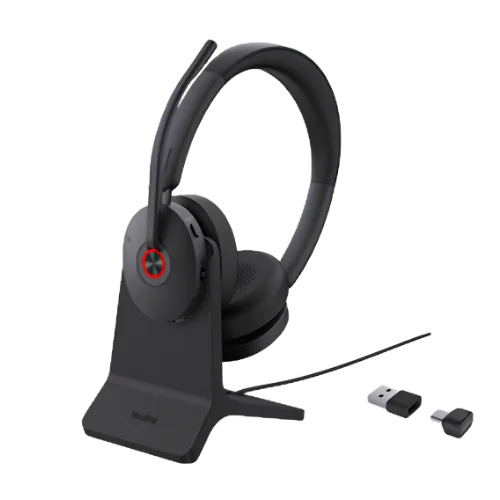
The Yealink ZenOffice32 Bluetooth Wireless Headset is an original Yealink headset that guarantees clear communication in your business, as well as comfort during all-day use.
This Bluetooth headset has a two-microphone system with artificial intelligence noise cancellation and 35 mm speakers for providing clear sound during communication, meetings, and music listening.
The headset has Bluetooth 6.1 technology, 50 meters distance, dual Bluetooth connections, as well as more than 100 platforms. The headset comes in dual and mono variants.
AI Noise Cancellation for Clear Business Calls
In case your work involves attending meetings and conferences often, having good voice communication will be necessary. This headset has two microphones, which are manufactured using Yealink's 3rd Generation AI Intelligent Microphone Noise Cancellation Technology.
The system helps to isolate your voice from noise and Yealink Acoustic Shield 3.0 provides additional voice isolation. This can help to prevent others from hearing the conversation and other noises around them while they are on a business call.
The sensitivity of the microphones is rated at -44dBV with a frequency range of 100Hz to 8kHz which is appropriate for voice frequencies used for business communication purposes.
If you are in a shared workspace or at home in your workspace, the noise-cancellation system is there to make your voice more audible to people.
Comfortable On-Ear Design for Long Work Sessions
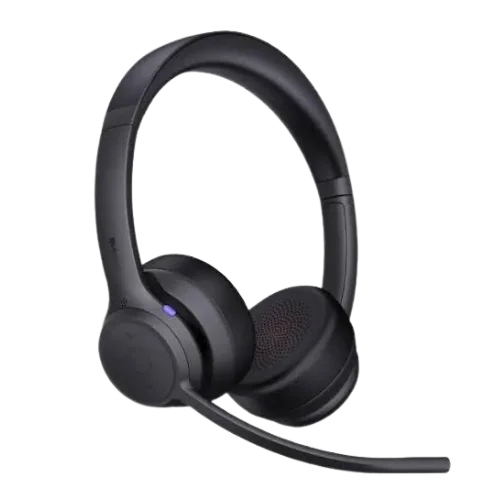
A headset that is used throughout the day should fit well. Design features of the headset include an on-ear fit, a padded headband as well as ergonomically designed leatherette ear cups with memory foam.
The soft materials contribute to a more comfortable fit for longer calls and meetings. This lightweight design also ensures that it is easier to wear for extended durations.
The two versions are different in weight:
- Dual: 160g
- Mono: 105g
The ear cushions are also replaceable, providing a practical solution for businesses to have the headset maintained over the years.
Which Wearing Style Is Best?
However, the headset comes in both “Dual” and “Mono” versions.
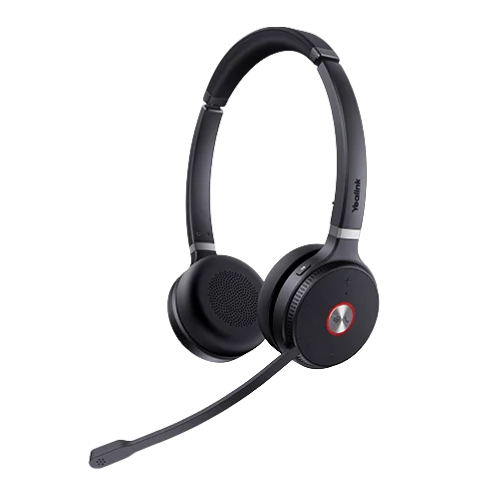
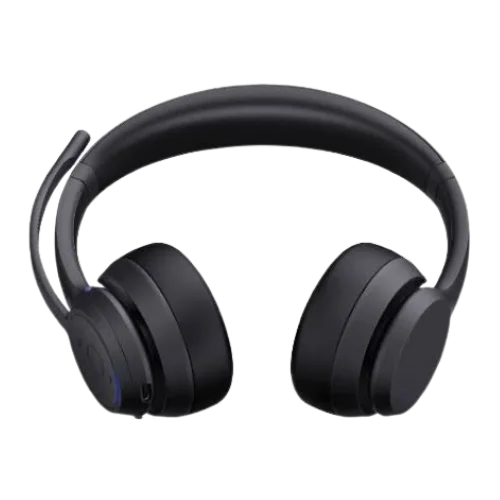
The Dual version is intended to be worn in both ears and can be employed to filter out calls, meetings and other sounds. It can allow workers to concentrate on their linked device in the environment they wish to work in.
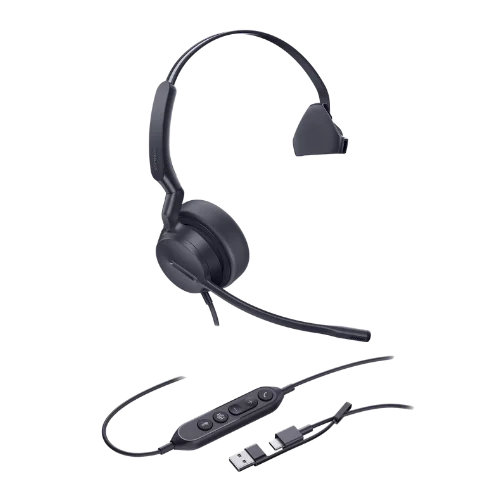
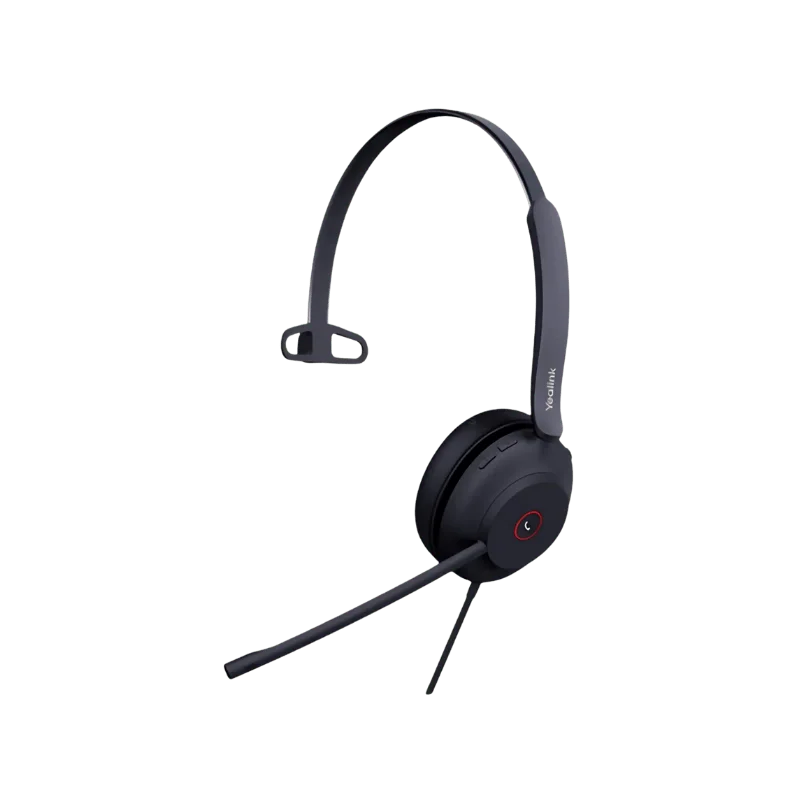
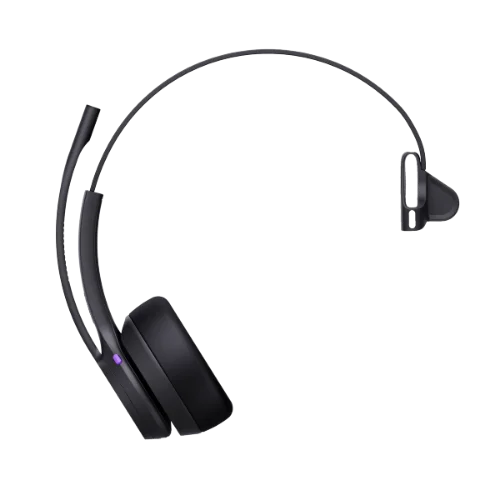
The Mono version features one ear, with the exposure of the other one. This could be helpful if one wanted to know what is going on or what the other person was saying or what the other person was doing.
The core business functionalities are exactly the same in both models, complete with Bluetooth, dual microphones with noise reduction and a long-lasting battery.
The main difference between the two is how much awareness of your surroundings you need during the working day.
280° Rotating Microphone for Flexible Wearing
The microphone arm can be rotated 280°, allowing you to put it on either the left or right ear.
It has a flexible design, making it easy to adjust the headset position to the user's preference.
This does not necessitate having a model with a left- or right-ear design, which would help make it simpler to choose the headset depending on the preference.
35mm Speakers for Calls and Everyday Audio
The built-in 35mm speakers allow you to use them for work or in your daily life.
The frequency range is 20 Hz to 20 kHz and the talk bandwidth is 50 Hz to 12 kHz (USB) and 50 Hz to 8 kHz (Bluetooth). Depending on how the headset is connected, it provides different ranges of audibility.
The speaker specs are:
- Speaker size: 35mm
- Sensitivity: 112 ± 3dB (0.179V)
- Impedance: 32Ω
- Maximum input: 30mW
- Frequency response: 20Hz–20kHz
- Music bandwidth: 20Hz–20kHz
- Talk frequency: 50Hz-12kHz USB / 50Hz-8kHz Bluetooth
This makes it appropriate for telephone conversations, online meetings, music, and other daily activities that take place on the computer.
Bluetooth 6.1 With Up to 50m Wireless Freedom
Since Bluetooth 6.1 brings an advanced wireless pairing experience between compatible devices such as computers and phones, and more, Bluetooth devices become easier to pair.
The distance of use may go up to 50 meters (164 feet). This enables users greater freedom of movement around their workspace without being in direct contact with the device they are connected to.
When connected to a computer, the built-in BT51C dongle can be used with the USB-C/A adapter. There is also a USB cable for connecting to the computer.
Connect Two Bluetooth Devices at the Same Time
Bluetooth headphones that support dual connection.
They could be used simultaneously with a work computer and the cell phone. This could help workers who often need to alternate between computer conferences and cell phone conversations.
The headset can connect up to eight devices so that the headset does not have to connect with each device when using it on a compatible device. .
Battery Life for Full Workdays
Long battery life can cut down on disruptions on hectic work days. It has an inbuilt 420mAh battery which will provide longer music and play time.
Battery specifications:
- Talk time: Max 35 hours (when the busylight is off)
- The battery's busylight plays for a maximum of 43 hours without music.
- Back-up time: Up to 20 days
- Charging time: Up to 120 minutes
The duration of the battery life will depend on usage, connection method and other operating conditions.
With up to 35 hours of talk time, it's perfect for people who make a lot of calls and do a lot of online meetings.
Enhanced Busylight Shows Your Status
The Enhanced Busylight lights up to let you know you are busy.
This can be helpful when working in a shared office or workspace to see when another user is on a call and won't interrupt them. It can be useful for employees requiring to visit the client or attend a lot of meetings.
Please note: The talk and music level ratings are based on Yealink's busylight being turned off, which could affect battery life when using the busylight on.
Simple Controls for Everyday Use
The headset features a fresh, unified button design for daily control.
New consistent button design for easy everyday operation.
Minimalist styling means that all controls are easily accessible and do not clutter the headset.
This enables users to control supported call and audio functions without being distracted from their work.
The physical controls are also an easily accessible and practical way to manage simple headset controls, aside from software solutions.
Flexible Connectivity for Different Work Setups
This wireless office headset can be connected to a number of different options, giving businesses flexibility when setting up employees' desks.
You can use:
- Bluetooth
- USB cable
- BT51C Bluetooth dongle
- USB-C/A adapter
This will simplify the hookup of the headset with other PCs and mobile devices. The adapter and dongle included are also convenient when you need to have your own wireless connection to a computer.
Compatibility With 100+ Platforms and Operating Systems
According to Yealink, the headset supports more than 100 platforms and operating systems.
Broad compatibility may help businesses with different teams that use various communication applications, computers, and operating systems.
It can also help in headset selection if an organization desires a single headset for multiple users.
If a major deployment is planned, businesses need to make sure that the devices and communication platform are compatible with the deployment.
Software and Device Management
Through the use of Yealink software and management tools, the management of supported functions is possible.
Supported options include:
- Yealink USB Connect: PC based headset management software.
- Yealink Connect App is accessible for Android and iOS.Yealink Connect App has been developed for Android devices and iOS devices.
- Yealink Device Management Platform: Device management in one place.
These are the tools that organizations can use to control supported headset settings and devices, specifically where more than one person needs the same communication devices.
Suitable for Office, Remote, and Hybrid Work
Every work environment is unique and requires a unique headset. A shared work employee may need to have background noises reduced, and a visible 'busy' status.
Some of the key factors for a remote worker are wireless freedom, battery life and comfort. Flexible connections between laptop and mobile may be required for hybrid workers
This headset fits the bill with features such as long battery life, wireless range of 50m, AI noise cancelling and even Dual or Mono wearing.
This model is also sold by Yealink to larger organizations, especially those that are looking to implement it on a wide scale and consider cost and communication a top priority.
What's Included in the Box?
The package includes all of the necessary materials for starting:
- Headset
- Drawstring bag
- USB charging cable
- Quick Start Guide
- BT51C dongle
- USB-C/A adapter
It contains the dongle and adapter which can be plugged into compatible computers to connect it wirelessly without needing to purchase an extra adaptor.
Which Version Should You Choose?
The set up will vary according to the person, as will their daily working situations.
If you need both your ears covered when communicating with somebody over the telephone or meetings, then Dual will be the best option for you.
Dual is equipped with a 160g frame and offers you the experience of two ears. If you need to keep one ear open when working use the Mono version. It's the lighter one as well, weighing 105g.
The two setups offer the same basic Bluetooth functionality, such as dual Bluetooth connections and pairing with up to eight devices for employees who will switch between devices.
Ready to Choose the Right Headset for Your Team?
It depends on your devices, calling platform, wearability and working environment what kind of headset you'll need will be the answer. Choose either Dual or Mono and have long battery life for all your business communication needs.
FindHeadsets can help you choose the right headset for you. We can confirm the compatibility, connections and configuration of the device before you place your order.
From a headset for the office, remote work, hybrid or a larger team deployment we can help you find the right headset for you.
Why is FindHeadsets a great place to purchase headsets?
- Comprehensive compatibility information from headset experts
- High-quality products from trusted brands
- Fast shipping
- Easy returns
- Adding support to orders and team orders.
Not sure what to choose? FindHeadsets can provide you with information about compatibility and/or pricing for your business headsets.
Technical Specifications
| Specification | Details |
|---|---|
| Wearing Style | On-ear |
| Available Versions | Dual and Mono |
| Weight | Dual: 160g; Mono: 105g |
| Microphones | 2 |
| Microphone Sensitivity | -44dBV |
| Microphone Frequency Response | 100Hz–8kHz |
| Noise Cancellation | 2-Mic AI Noise Cancellation |
| Acoustic Shield | Supported — Yealink Acoustic Shield 3.0 |
| Speaker Size | 35mm |
| Speaker Sensitivity | 112 ± 3dB (0.179V) |
| Speaker Impedance | 32Ω |
| Maximum Input | 30mW |
| Speaker Frequency Response | 20Hz–20kHz |
| Music Bandwidth | 20Hz–20kHz |
| Talk Bandwidth | 50Hz–12kHz USB; 50Hz–8kHz Bluetooth |
| Audio Codecs | SBC, mSBC, CVSD |
| Battery Capacity | 420mAh |
| Talk Time | Up to 35 hours, busylight off |
| Music Time | Up to 43 hours, busylight off |
| Standby Time | Up to 20 days |
| Charging Time | Up to 120 minutes |
| Bluetooth Version | Bluetooth 6.1 |
| Wireless Range | Up to 50m / 164ft |
| Simultaneous Bluetooth Connections | 2 |
| Multiple Device Pairing | Up to 8 devices |
| Microphone Rotation | 280° |
| Management Tools | Yealink USB Connect, Yealink Connect App, Yealink Device Management Platform |
| Compatibility | 100+ platforms and operating systems |
Yes. It supports Bluetooth 6.1 and provides 50m (164ft) wireless range (under optimal conditions). There's also the included BT51C dongle and USB connection.
With the busylight off, the battery will last up to 43 hours of music playback and up to 35 hours of talk time. Up to 20 days standby time rating.
Yes. Two Bluetooth devices can be connected simultaneously. It can also hold up to 8 paired gadgets.
Yes. The 280° rotating microphone arm can be used to adjust the headset for the left or right ear.
Yes. This two-microphone setup includes the AI noise canceller, and Yealink Acoustic Shield 3.0 enables you to concentrate on the person you are talking to during calls.
Yes. It has range, battery life, comfort on the ear and noise cancellation, making it perfect for remote, office and hybrid working environments.
Dual version weighs 160 g and is for both ears. The Mono version has a weight of 105g and one ear is open. The main ruling factor will be the type of clothing that you like to wear, and how much awareness you need to have of what is going on around you.
Connect to compatible devices via Bluetooth, USB or the included BT51C dongle and USB-C/A adaptor. It can be used on computers, smart phones and other devices.
Yes. There are several management options supported: Yealink USB Connect, Yealink Connect App (Android and iOS), Yealink Device Management Platform.
The box comes with the headset, drawstring bag, USB charging cable, Quick Start Guide, BT51C dongle and USB-C/A adapter.
The headset can pair with up to 8 devices and has the ability to have 2 active Bluetooth connections.
The charging time shown is 120 minutes or less. The actual charging time can vary with the charging setup and operating conditions.
Customer Reviews
Write a Review