
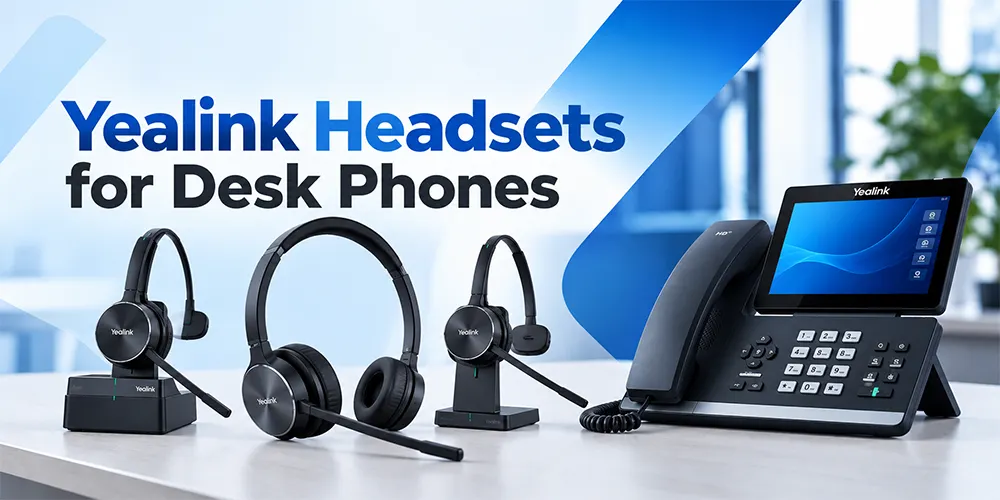
If you are looking for the best Yealink headset that works with your desk phone, then you are on the right platform. We here at Findheadset did all the homework for you. Our team has reviewed the available options to support different workplace requirements. Yealink’s lineup includes wired and wireless headsets designed for workplace setups. They also offer DECT and Bluetooth ones for various purposes. Compatibility depends on your exact desk phone model or connection method, required adapters and firmware version.
Overview of Compatible Yealink Headset Categories
Yealink designs its hardware ecosystem to offer tight integration across its device families but compatibility varies. It depends on whether you are using wired analog or Bluetooth pairings. Let us have a look at each major category in the section below:
Yealink Wired Headsets
Wired headsets remain a pillar for fixed position office workers, receptionists and high volume call center agents. They offer reliable, plug-and-play performance without batteries to charge or wireless interference to worry about. Key tested models in the Yealink ecosystem include.
YHS33 (Mono)
A classic and lightweight over the head style headset that utilizes standard Quick Disconnect (QD) capability. These features make it a reliable workhorse for traditional IP desk phones.
YHS34 / YHS34 Lite (Both Mono & Dual)
Budget friendly and ultra-lightweight options designed for whole-day comfort. They feature foam or leatherette ear cushions and noise-cancelling microphones to cut down background chatter.
YHS36 / YHS36 E2 (Mono & Stereo)
They are available in both stereo and mono options with enhanced acoustic protection. The integration is seamless with Yealink desktop phones.
These headsets can be connected through RJ9 or Quick Disconnect (QD) for simple integration. They plug into the dedicated headset port located on the back of IP desk phones.
Yealink USB Headsets
USB desk phones have become popular as the office system shifts toward digital processing and unified communications. The USB Wired headset of the Yealink family provides crystal-clear wideband audio and inline call controls with digital signal processing. Popular models include.
UH34 / UH34 Lite (Mono & Dual)
Simple and durable USB headsets are available in both mono and dual-ear configurations.
UH36 (Mono & Dual)
A professional USB wired headset designed to integrate with Yealink IP phones that offer a dual connection option (USB and 3.5mm jack) for multi device flexibility.
UH38 (Mono & Dual)
A premium USB headset that features dual USB-A/USB-C connectivity and acoustic shield technology.
Keep in mind that the usage of USB is dependent on whether your specific desk phone has a built in port. It runs a firmware version capable of recognizing USB audio peripherals.
Yealink DECT Wireless Headsets
If your daily workflow requires you to walk across the office and pull files while you remain on an active call then a DECT wireless headset is essential. The WH family of Yealink delivers impressive wireless range and office deployment support.
WH62 & WH63 (Both Mono & Dual)
WH62 Mono (Single Ear) is designed for users who need to keep one ear open to hear.
WH62 Dual (Dual / Stereo) for Those Who Want Highly Focused Environments
WH63 (Convertible) is a versatile headset that comes with multiple wearing styles like earhook, headband and neckband. You can choose the physical fit according to your preference.
WH64 (Mono & Dual) & WH66 (Mono & Dual) & WH67 (Convertible)
Advanced workstation models featuring intuitive touchscreens with speakerphone capabilities and multi device connectivity. These workhorses let you switch between desk phone, PC and mobile.
WH68 (Dual)
A modern wireless solution made for enterprise environments that demand maximum range and ultra secure audio transfer.
These headsets connect to desk phones through various pathways with dedicated base-station hookups. This audio gear also connects through USB connections, specialized EHS cables or standard telephone cables.
Yealink Bluetooth Headsets
Modern hybrid workers love Bluetooth models like the BH70, BH71 series and BH76. Keep in mind that Bluetooth headset compatibility is never as simple as the phone having Bluetooth, even when a phone supports it.
The Yealink manuals define whether a phone needs native Bluetooth support or an active Bluetooth profile. It also specifies the need for a dedicated USB Bluetooth dongle. It helps to establish stable connectivity and unlock remote call answering capabilities.
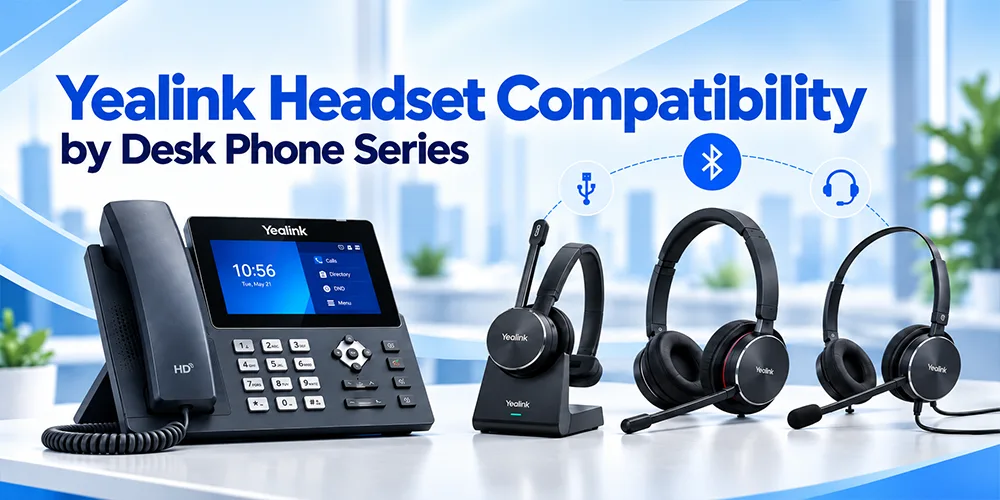
Yealink Headset Compatibility by Desk Phone Series
Each generation of Yealink desk phones can handle the hardware components in a different manner. If you understand how compatibility breaks down across the T3X and T4X series, it will prevent you from making overpriced purchase mistakes.
Yealink T3X Series (T30 or T31, T33 or T34W)
The T3 series represents entry level to mid range IP phone lineup of Yealink. These phones are built for affordable corporate and small business work. Their connectivity options are different from high end units because these are entry level devices
Wired Connections
Models like the T30 and T33 support YHS series wired headsets via standard RJ9 connections for clean and good audio.
Wireless and EHS Requirements
If you want to connect a wireless DECT headset like the WH62 or WH63 to a T3X phone, then you can not simply plug it in and expect remote call control. You need an EHS35 adapter to bridge the phone and the headset base that enables remote answering and ending calls.
USB Support
The new hardware revisions within the T3 family offer broader USB headset support. It allows compatible headsets to connect to the port of the phone.
| Yealink Phone Model | Compatible Headset Family | Connection Type | Required Adapter | Remote Call Control |
|---|---|---|---|---|
| T31 / T31G / T33G | WH62 / WH63 DECT | RJ9 / EHS | EHS35 | Yes (with EHS35) |
| T34W | Compatible USB Headsets | USB | None | Yes |
| T3X Models | YHS Series Wired | RJ9 | None | Audio only |
Yealink T4X Series (T41 or T42, T43 or T46 and U / S / W Variants)
The T4 series is one of the most used IP phone families in corporate offices in the whole world. Your phone’s generation determines the right connection method. This includes older and newer hardware refreshes like T4XU or T4XW models.
Generational Differences
Old version baseline T4 models feature limited USB integration. The newer 'U' and 'W' series refreshes incorporate dedicated USB ports that expand your choice of compatible USB and wireless headsets.
Dongles and Adapters
The T4 series provides standard wired headsets as well as USB audio devices. They can also be connected to headsets through EHS adapters. These include EHS40 and EHS62 or even Bluetooth dongles. It depends on what submodel you use.
Yealink T5X Series (T53 or T53W, T54W or T57W and T58A)
As Yealink's premier business media and smart IP phone line, the T5 series offers robust and native connectivity right out of the box.
Built-in Capabilities
Various T5X models have integrated USB ports and built in Bluetooth modules. That makes it easy to pair wireless headsets, speakerphones or USB peripherals without needing external interface boxes.
Advanced Support
They support a broad range of WH wireless DECT headsets and Bluetooth devices, provided the phone is running an updated firmware version.
Yealink Headset Integration Chart
To make this guide a powerful and high value asset for our readers, this reference chart outlines how different headset categories map across popular Yealink desk phone series. This comparison also includes connection types and accessory requirements.
| Yealink Desk Phone Series | Wired Headsets (YHS Series) | USB Headsets (UH Series) | DECT Wireless (WH Series) | Bluetooth Headsets | Required Adapters & Key Notes |
|---|---|---|---|---|---|
| T3X Series (e.g., T32, T33) | Yes (RJ9 QD connection) | Limited (Select models with USB support) | Yes (WH62, WH63) | Model-dependent (Requires dongle) | EHS35 required for full DECT remote call control. |
| T4X Series (e.g., T41, T46, T48) | Yes (Standard RJ9) | Yes (Fully supported on “U” and “W” series) | Yes (WH Series) | Yes (Supported via built-in or USB dongle) | Varies by hardware revision: EHS40 or EHS61/62 adapters may apply. |
| T5X Series (e.g., T53W, T54W, T58W) | Yes | Yes (UH34, UH36, UH38) | Yes (WH62 through WH68) | Native Support (Built-in Bluetooth) | Broadest native compatibility across USB, DECT & Bluetooth. |
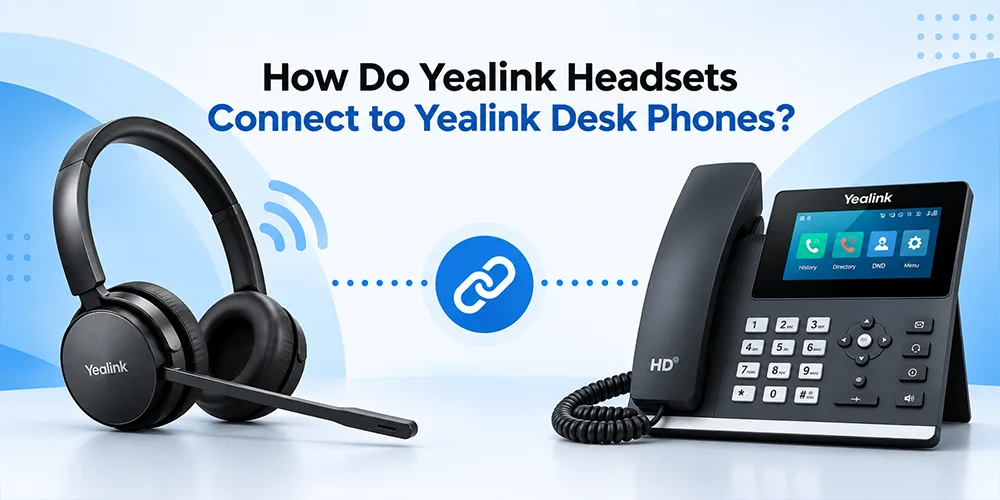
How Do Yealink Headsets Connect to Yealink Desk Phones?
If you understand the physical and wireless connection methods then it will save you from ordering unsuitable hardware. Let's see the four primary ways Yealink headsets interface with desk phones.
RJ9 / QD Connection
The RJ9 port is the small and square modular jack located on the back of all traditional IP desk phones. This port is specifically designated for handsets and headsets.
What QD Means
The term stands for Quick Disconnect and is a specialized connector built into a headset cable. It lets you disconnect the headset from the lower adapter cord without removing it from your head. This makes it convenient when you need to step away from your desk for a short period of time.
Plug and Play Ease of Use
The wired models of Yealink (like the YHS34 and YHS36) use QD-to-RJ9 cables, making them immediate plug and play for basic audio.
Limitations
Audio is clean but remote call control (answer or hang up calls away from the phone) is unavailable unless routed through an EHS amplifier or specialized interface.
USB Connection
USB-A or USB-C ports are part of modern business IP phones.
Digital Signal Treatment
USB headsets (like the UH36 and UH38) transfer digital audio directly. It bypasses the internal analog to digital converters of the phone for superior vocal clarity.
Better Integration
You get various features like inline volume adjustment and microphone muting synchronization with the USB connection. It also provides call control features from the headset cord.
Model Compatibility
Not every desk phone supports a USB audio device. It is better to check your specific phone before choosing the gadget. This is important because some old baseline models do not have the software support needed to process USB headset inputs.
Bluetooth Connection
You can connect your headset without wires to phones with Bluetooth technology. You can use a dedicated USB dongle like BT40 or BT51 as well.
It is convenient for hybrid workers who transition between mobile phones and desk phones. Bluetooth performance depends on the internal Bluetooth profile stack and firmware support of the phone.
EHS (Electronic Hook Switch) Connection
An EHS cable is the secret weapon for wireless office setups.
What EHS Does
Electronic Hook Switch technology links your wireless headset base station to the dedicated extra port of your phone. When you press the call button on your wireless headset then the EHS cable signals the desk phone to pick up or hang up the line remotely. Even if you are across the room.
Specific Compatibility
Different desk phone series require specific EHS cables. Yealink designs the EHS35 for WH62/WH63 integration with T3X phones. The EHS40 handles USB-based desk phone connections.
Do Yealink Headsets Work With Older Yealink Phones?
The straight answer to this question is that it does work sometimes. However, compatibility should be confirmed using the exact phone model and firmware version.
Older and discontinued phones like T4X models or discontinued units may have limited processing capabilities. This can prevent them from supporting fro various new features of the headset.
An advanced touchscreen DECT headset like the WH68 may not achieve full multi device call control on an older T41P desk phone.
Reliable wired workhorses like the YHS34 maintain broad backward compatibility with older RJ9-equipped hardware.
If you manage an office upgrade where you plan to reuse current desk phones with new headsets or vice versa. Always verify firmware dependencies and audio resistance.
Which Yealink Headset Should You Choose for Your Desk Phone?
There is no “one size fits all” solution when you want to know which is the best headset. Try to find the right match that depends on specific office roles and the right hardware.
For a Simple Wired Setup
Top Recommendations
- YHS33, YHS34 or YHS36.
Best for
Stationary office workers and receptionists where users remain in their seats at their desks all day and do not need wireless movement.
For Wireless Freedom and Movement
Top Recommendations
Best for
Active supervisors and professionals who move around the office while they are on active calls.
For Multi-Device Connectivity (Desk Phone + Computer)
Top Recommendations
- UH36/UH38 (wired) or WH66 / WH67 / WH68 workstations (wireless).
Best for
Hybrid workers and call handling personnel who need to switch between physical desk phone calls. For those who want computer based softphone apps like Microsoft Teams or Zoom with a single headset base.
For Open-Plan and Busy Offices
Top Recommendations
- Dual ear (binaural) models with advanced noise canceling microphone booms and acoustic shield technology.
Best for
It minimizes ambient background chatter and office noise. Helps you reduce distractions in crowded work environments.
Can You Use a Non-Yealink Headset With a Yealink Desk Phone?
Many businesses ask whether they can reuse current third party headset with new Yealink desk phones.
The answer is yes. Many third party headsets are tested and supported and it depends on the connection type and phone model.
The official documentation of Yealink includes testing for enterprise products from major brands like Poly/Plantronics (such as Blackwire and Voyager series) and Jabra (such as Evolve and Engage series).
The Caution
Compatibility refers to reliable two-way audio between the headset and phone. Features like remote call answering and ending calls may require specialized EHS cables. Vendor-certified USB configurations is also required for these features. Always check cross brand testing sheets before you try the hardware from different manufacturers.
Can Any Bluetooth Headset Work With a Yealink Desk Phone?
No. It is a common misbelief that because a desk phone features Bluetooth then any wireless earbuds or headphones will connect and work right.
Bluetooth version and device profile stacks matter a lot.
Some IP desk phones require a dedicated Yealink USB Bluetooth dongle (like the BT41 or BT51) to process the right audio.
Call control support can vary when you pair third party consumer Bluetooth devices. To make sure a stable connection without dropping audio packets, then stick to the tested usage list of Yealink.
How to Check Your Yealink Phone's Headset Compatibility
Before you purchase a new headset for your office, follow this simple 6 step verification process.
Find Your Exact Phone Model
Look at the sticker on the back of your phone (e.g., a SIP-T46U has different internal capabilities than a standard SIP-T46).
Check Available Ports
You should observe the back of the unit to see if you have an RJ9 port or a dedicated EHS auxiliary port.
Identify Your Headset Choice
Know whether you are looking at a wired (YHS), DECT wireless (WH) or Bluetooth (BH) model.
Accessories Check
You need to decide if your layout needs an EHS adapter like the EHS35 or EHS4. Or a Bluetooth dongle is what it requires.
Verify Firmware
Know what firmware version your desk phone is running.
Verify Call-Control Features
If the feature of remote call answering is important for your daily work, then make sure your combination supports it.
Frequently Asked Questions
Which Yealink headsets work with Yealink desk phones?
Yealink offers several compatible options, including the YHS series for wired setups, the UH series for USB connections, and the WH or BH series for wireless DECT and Bluetooth freedom, depending on your phone model.
Does the Yealink WH62 work with Yealink desk phones?
Yes, the WH62 DECT wireless headset works across many Yealink desk phones, though models like the T3 series require an EHS35 adapter for full remote call control.
Does WH63 work with Yealink T31/T33 phones?
Yes, the WH63 works with T31 and T33 phones when paired with the EHS35 adapter to enable remote answering and ending of calls.
Does Yealink WH64 work with Yealink desk phones?
Yes, WH64 models integrate across supported T4U, T4S, and T5 series IP phones when running compatible firmware versions.
Does Yealink WH68 work with Yealink desk phones?
Yes, the WH68 works with supported enterprise IP desk phones, offering secure DECT wireless transmission and multi-device connectivity.
Does Yealink UH36 work with Yealink IP phones?
Yes, the UH36 is a certified USB headset designed specifically to integrate cleanly with Yealink IP phones that feature USB ports.
Do Yealink headsets use RJ9 or USB?
Yealink offers both wired models, which typically use RJ9 or Quick Disconnect (QD) cables, while modern office models increasingly utilize digital USB-A or USB-C connections.
Do I need an EHS adapter for a Yealink wireless headset?
It depends on the phone model. Entry-level phones like the T3 series often require an EHS adapter (like the EHS35) for remote call control, while many T5 series phones handle connections natively via USB.
Can I use a Bluetooth headset with a Yealink desk phone?
Yes, provided your phone has built-in Bluetooth support or you use a compatible Yealink USB Bluetooth dongle.
Can I use a Jabra or Poly headset with a Yealink phone?
Yes, many third-party headsets from Jabra and Poly are tested and supported for basic audio and select call-control features on Yealink desk phones.
Will my headset support answering calls remotely?
Remote call control depends entirely on whether your specific phone and headset combination supports an EHS connection or direct USB signaling.
Does headset compatibility depend on Yealink firmware?
Yes, running the latest official firmware version on your desk phone is critical to ensuring compatibility with newer headset models and features.
Why does my headset have audio but no call-control functions?
This typically happens when a wireless headset is connected for basic audio without the necessary EHS adapter or when phone firmware lacks the required signaling profile.
How do I know which headset works with my Yealink phone?
Always verify your exact phone model number, check your available ports (RJ9, USB or EHS) and consult Yealink’s official compatibility guidelines before you purchase.
Can one Yealink headset connect to both my desk phone and computer?
Yes. Advanced multi connectivity models (such as the WH66 or dual connection UH38) allow you to bridge your desk phone and computer at the same time.
Final Verdict
Yealink headset alignment depends on matching your exact desk phone model with the right connection method and accessories. Verify whether you need basic audio or full remote call control and check the firmware and adapter requirements of your phone. You can build a reliable and crystal clear communication setup for your office.
Not sure which headset works with your specific phone? Check your exact phone model and headset fusion before you purchase to ensure seamless plug and play performance. Contact Us!
No comments yet. Be the first to comment!
Leave a ReplyYour email address will not be published. Required fields are marked *