
 By
By Since the Oculus Rift Development Kit was launched a decade ago, many VR headsets have stepped into the market. I have tested the major VR headsets for years, which include both AR devices, such as Google Glass and Microsoft HoloLens. Nowadays, with the increasing craze of virtual reality, there are many headsets available in the market in every shape, size, and price. I have tested all of the VR headset models thoroughly, from the wire-free Meta Quest 3S to the class-leading Apple Vision Pro.
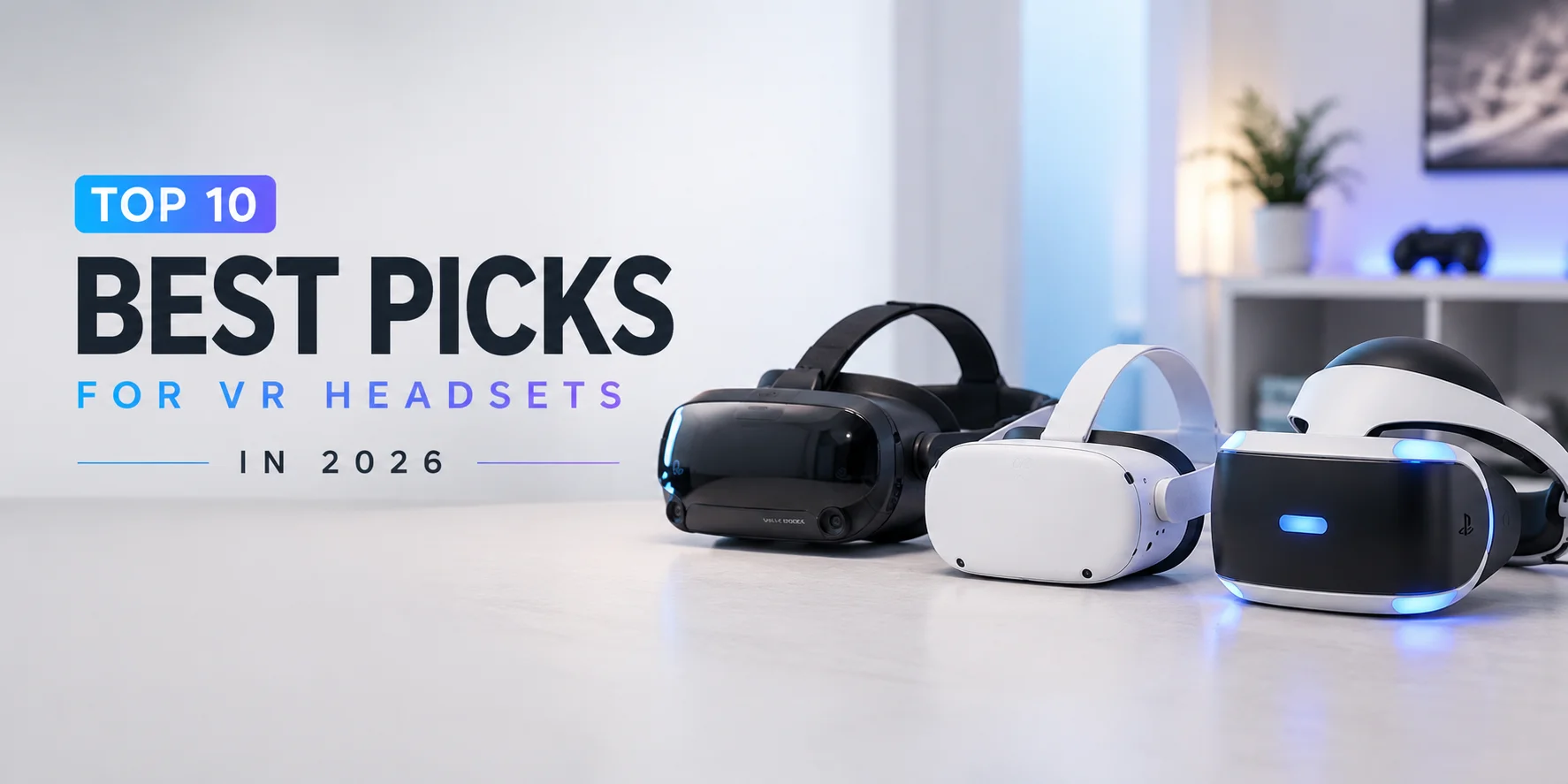
In this blog, we are going to shortlist the top picks for VR headsets in 2026 that can take your virtual reality experience to the next level. Let’s get started!
What is a VR Headset?
A VR headset, also known as a virtual reality headset, is a head-mounted device (HMD). This lets you dive into a virtual or digital world by covering your eyes to display 3D and computer-generated environments. This device uses lenses, screens, and sensors to create computer-generated environments. This tricks the human mind into believing that you are lost in the digital world.
These headsets immerse you fully in the 3D environments for entertainment, gaming, education, and professional training. This lets you feel like a real character who is present in the game, videos, virtual travel, training, and professional simulation.
Why Should You Invest in a VR Headset?
If you want to enjoy a fully immersive and interactive experience with virtual reality, you need to invest in a good-quality VR headset. Whether you want to fully immerse yourself in gaming, education, and training, or movies, the traditional screens will fail. The traditional screens cannot match the experience that a VR headset would provide you. For the following reasons, you need to invest in a VR headset:
Realistic Immersive Experience: These headsets provide you with a realistic immersive experience that makes you the central character of the environment. In short, you feel like a main character and interact with the environment that feels more intense.
Powerful Tool for Education and Training: With these headsets, you can support 3D simulation for education and training in different fields such as Aerospace, military, medical, and more.
Virtual Tourism or Travel: You can visit the world virtually, including museums, tours, or different places from your home.
Virtual Presence: Social VR apps allow you to connect with friends and family worldwide in a shared or 3D space. This communication feels deeper than video calls.
Virtual Cinema and Media: You can immerse yourself in movies, YouTube videos, and live concerts privately without any external intervention.
Improved Productivity: VR headsets can also be used for official virtual meetings and collaborating environments to improve collaboration and productivity.
How I Tested the Top Picked VR Headsets?
I tested several VR headsets for different parameters such as comfort, performance, visual clarity, motion tracking, and durability.
I tested several VR headsets for different parameters such as comfort, performance, visual clarity, motion tracking, and durability. Based on these factors or parameters, I shortlisted the top 6 VR headsets in 2026.
Our top picks include Oculus Quest 2, Meta Quest 3, Meta Quest 3S, Sony PlayStation VR2, Apple Vision Pro, and HTC Vive Pro 2.
Moreover, I also tested the latest VR headsets released in 2025, from which I also recommend the Samsung Galaxy XR and Steam Frame by Valve.
Testing Parameters
Comfort
Evaluated weight distribution, padding quality, and long-term wearability during extended sessions.
Performance
Tested processing power, frame rates, and overall system responsiveness during gaming and applications.
Visual Clarity
Assessed display resolution, refresh rate, and overall image sharpness in various environments.
Motion Tracking
Evaluated accuracy, latency, and responsiveness of head and controller tracking.
Durability
Assessed build quality, material strength, and long-term reliability under regular use.
Top 6 VR Headsets 2026
Oculus Quest 2, Meta Quest 3, Meta Quest 3S, Sony PlayStation VR2, Apple Vision Pro, HTC Vive Pro 2
Latest 2025 VR Headsets
I also tested the latest VR headsets released in 2025, from which I also recommend the Samsung Galaxy XR and Steam Frame by Valve.
The Best Picks for VR Headsets 2026
There are several VR headsets available in the market that you can try. I tried to give you a list of the best VR headsets for 2026 so that you don't have to try each. After testing, I recommend the following best picks for VR headsets in 2026:
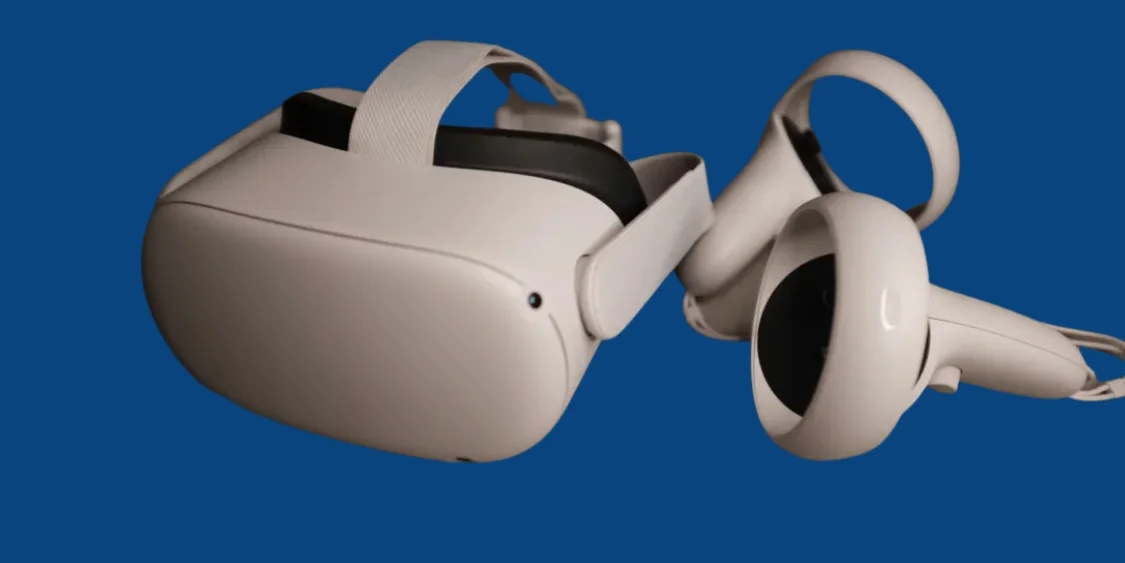
Oculus Quest 2
This Meta VR headset is a popular standalone VR headset that lets you experience total immersion with 3D positional audio. This headset is compatible with 500+ games, workouts, and social apps, and lets you enjoy a realistic experience.
Key Features
Standalone VR
No PC or console needed for full immersive experience.
500+ Games & Apps
Compatible with a vast library of games, workouts, and social platforms.
360° Tracking
Full 360-degree tracking through four built-in cameras.
✓ Pros
- Standalone virtual reality headset
- Excellent immersive experience with fast-switch LCD Display
- Compatibility with various games and social platforms
- Comfortable weight and affordable
- Powerful hardware and wide field of view
- Adjustable knob at the back strap
- Full 360-degree tracking through four cameras
- Non-slip grip at the bottom to prevent slipping
✗ Cons
- Short battery life, i.e., 2 to 3 hours only
- No 90Hz refresh rate at launch
- Can cause motion sickness to some users
- The Quest 2 lenses fog up
Why I Picked and Recommended this Headset?
I picked this headset because, at the entry level, it is compatible with 500+ gaming platforms and social apps. It's affordable in such a way that I don't need any additional gaming PC because of its standalone functionalities. In fact, it is designed for wireless freedom while experiencing games, social apps, and other 3D environments.
Who Should Use this Headset?
This headset can be used by gamers, fitness enthusiasts, and those interested in social platforms for a fully immersive experience. The beginners and seasoned VR users aged 13 years or older can also use it.
Technical Specifications
Standalone
1832 x 1920
360 degree
90 Hz
6DoF (Six degrees of freedom)
Touchpad Control
Meta
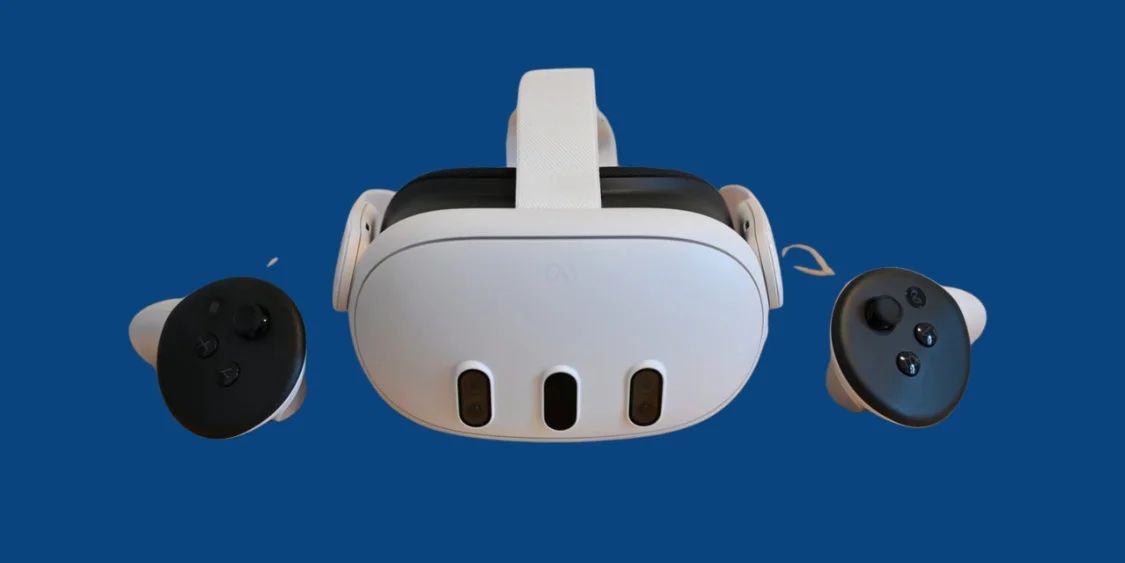
Meta Quest 3
Meta Quest 3 was the first mixed-reality headset in the global market. It's a standalone mixed reality headset with 4K+ resolution, high-fidelity color pass-through, and a Snapdragon XR2 Gen2 chipset. It features a slim and wireless design with controls for gaming, entertainment, and productivity.
Key Features
Color Pass-Through Cameras
Clear vision to observe surroundings through high-fidelity color pass-through technology.
4K+ Resolution
Crisp and high-resolution display for stunning visual clarity.
Snapdragon XR2 Gen 2
Improved powerful processor for smooth performance and multitasking.
✓ Pros
- Clear vision to observe surroundings through color pass-through cameras
- Crisp and high-resolution display
- Comfortable design with small controllers
- Improved powerful processor
- Better color cameras for mixed reality experience
✗ Cons
- 2-3 hours of battery life only
- More costly as compared to the Quest 2 headset
- Fewer game options and unique apps at launch
- Does not have eye-tracking technology
Why I Picked and Recommended this Headset?
This headset is even more expensive than the Quest 2, but its specifications justify the price. The higher resolution it offers, the wider field of view, color pass-through cameras, and powerful processor make it worth choosing. I liked this headset because it cost much less than Apple's Vision Pro and Samsung Galaxy XR.
Who Should Use this Headset?
VR enthusiasts and VRChat players should use this headset. If you are a person who uses VR regularly for work and play, Meta Quest 3 is recommended for you. It is even better than its less expensive sibling, Oculus Quest 2, and the improvements are worth the expense. The VRChat players who want to immerse themselves in the virtual worlds and communities must give this headset a try.
Technical Specifications
Standalone
2064x2208 pixels
120 Hz
6DoF
Meta Quest Touch Controls
Meta
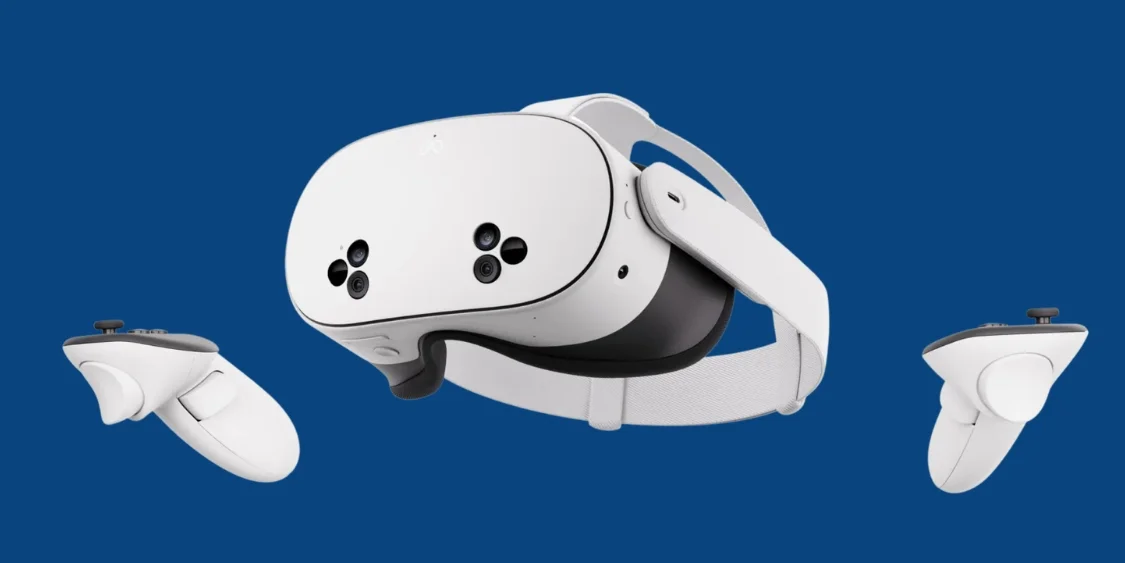
Meta Quest 3S
Meta Quest 3S is an affordable alternative to the Meta Quest 2 headset. It has improved graphics, color pass-through cameras, and upgraded processors without lowering the lens quality and display. The hand tracking feature distinguishes it from Meta Quest 3.
Key Features
Affordable Headset
Best budget-friendly option for new VR users at only $299.
Color Pass-Through Cameras
Better colored pass-through cameras than Quest 3 for mixed reality.
Improved Hand Tracking
Better hand tracking capabilities than previous models.
✓ Pros
- Affordable headset
- Works in both modes, standalone and tethered
- Better colored pass-through cameras than Quest 3
- Faster processor and updated graphics
- Better hand tracking capabilities
✗ Cons
- Sometimes the display becomes grainy
- Controllers not in view of the headset
- Battery life is limited to 2-3 hours only
Why I Picked and Recommended this Headset?
I picked it as one of the most recommended VR headsets because it is best for newbies. This standalone headset gives them the experience of VR without making major compromises at a lower price. Although this headset has a narrower field of view and is less sharp compared to Quest 3, it is best at its price.
Who Should Use this Headset?
The newbies who are going to experience virtual reality for the first time, and the budget-conscious VR users. This headset is best to try if you want to explore virtual reality without investing in an expensive headset. It is even less expensive than the Quest 3.
Technical Specifications
Standalone
1832 x 1920 pixels per eye
120 Hz
6DoF
Meta Quest Touch Controls
Meta
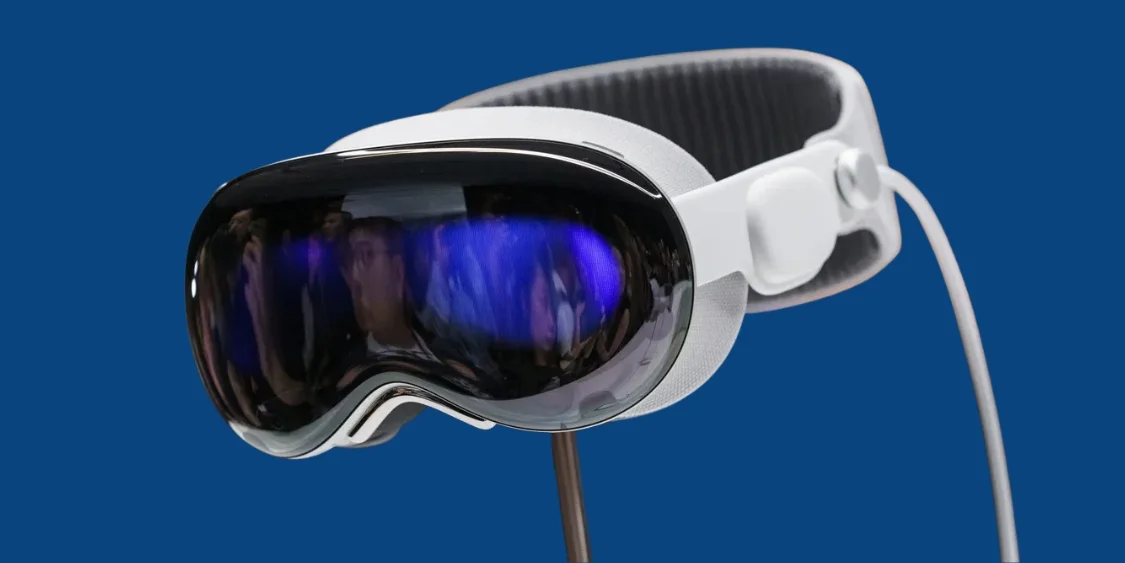
Apple Vision Pro
Apple Vision Pro is the result of an experiment combining AR with VR. This headset is a high-end mixed reality headset that can run iOS and thousands of iPad apps. It does not need any physical controls because of the eye and hand tracking controls. Its design is like ski goggles with a curved glass exterior. They have an aluminum frame and a light seal for blocking light.
Key Features
Best AR/VR Interface
Seamless integration of augmented and virtual reality experiences.
Eye & Hand Tracking Controls
Business-class eye and hand tracking for intuitive interaction.
Super Fast M5 Processor
Powerful Apple Silicon for smooth performance.
✓ Pros
- Best AR/VR interface
- Business class eye and hand tracking controls
- Compatible with various visionOS apps and features
- No physical controls needed
- Super fast M5 Processor
- Sharp display with colors
- Comfortable fit with a better head strap
- Class-leading audio and video quality
✗ Cons
- Costly headset
- Gaps in the app compatibility for iPad
- Battery life is short
- Due to the heavy front, uncomfortable for long VR sessions
- Not compatible with all Apple devices
Why I Picked and Recommended this Headset?
The Vision Pro is the first experimental product to integrate AR into VR. The company named it a spatial computer instead of a headset. But I would call it a headset good for work and play. I recommended this because of its amazing eye and hand tracking controls for an intuitive experience.
Who Should Use this Headset?
The early adopters must use this headset because even the newer version released with a faster M5 chip are unable to beat it. In fact, it is a direct competitor to the Samsung Galaxy XR. Moreover, the mixed reality enthusiasts looking for headsets with more polished, intuitive controls must choose this headset. Virtual office users must try to customize virtual offices only visible to them.
Technical Specifications
Standalone
23 million pixels
100 Hz
6DoF
Eye and Hand tracking
Apple M2
Apple Vision OS
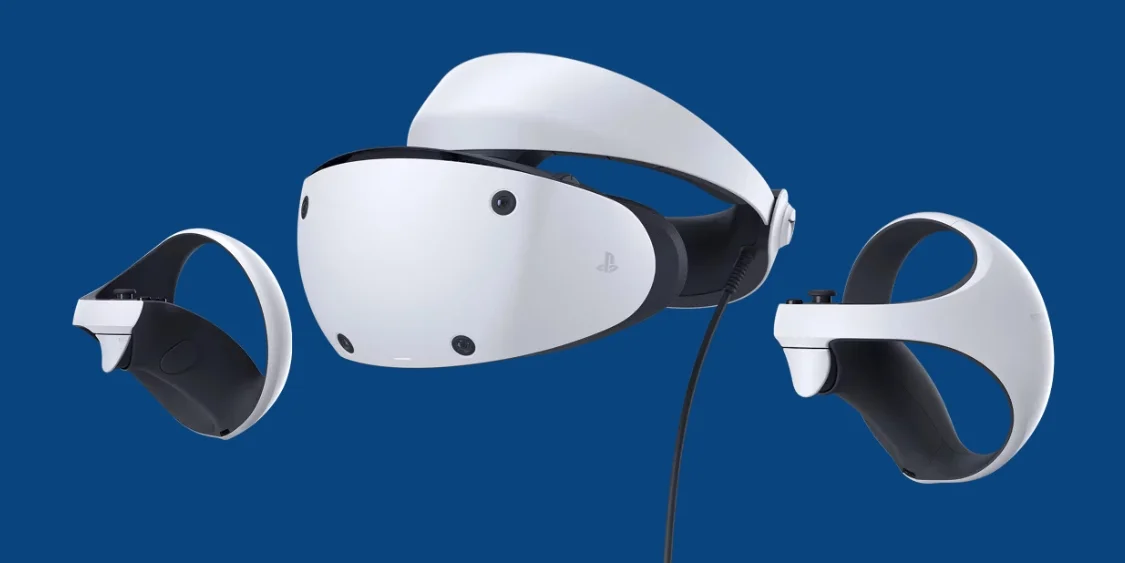
Sony PlayStation VR2
Sony PlayStation VR2 is a tethered headset that works with the PlayStation 5. It features a 4K OLED display screen, a 110-degree field of view, and advanced features. The advanced features include eye-tracking, 3D audio, and headset feedback that ensures a fully immersive experience.
Key Features
4K OLED Display
High-resolution OLED display with excellent graphics and sound.
Eye-Tracking Technology
Advanced eye-tracking for immersive gameplay experiences.
Headset Feedback
Realistic vibrations for an immersive gaming experience.
✓ Pros
- High-resolution OLED display with excellent graphics and sound
- Lightweight and easy to set up headset
- Outstanding controllers
- Eye-tracking technology
- Realistic vibrations for an immersive experience
✗ Cons
- Incompatible with PlayStation VR games
- Doesn't work with old PSVR games
- Limited game library that lacks exclusives
- The included earbuds are of mediocre quality
Why I Picked and Recommended this Headset?
The Sony PlayStation VR2 has improved significantly compared to the original model. I liked this headset for PS5 gamers because it integrated the power of PS5 with the eye-tracking and motion-control technology. It makes the VR games more immersive while the headset is light. This includes a sharp OLED display with a resolution of 2,000-by-2,040-pixels.
Who Should Use this Headset?
I recommend this headset for PS5 gamers only. This headset will work perfectly with PlayStation 5, specifically for experiencing virtual reality.
Technical Specifications
Tethered
2000 x 2040 per eye
120 Hz
6DoF
PlayStation VR2 Sense
PlayStation 5
PlayStation 5
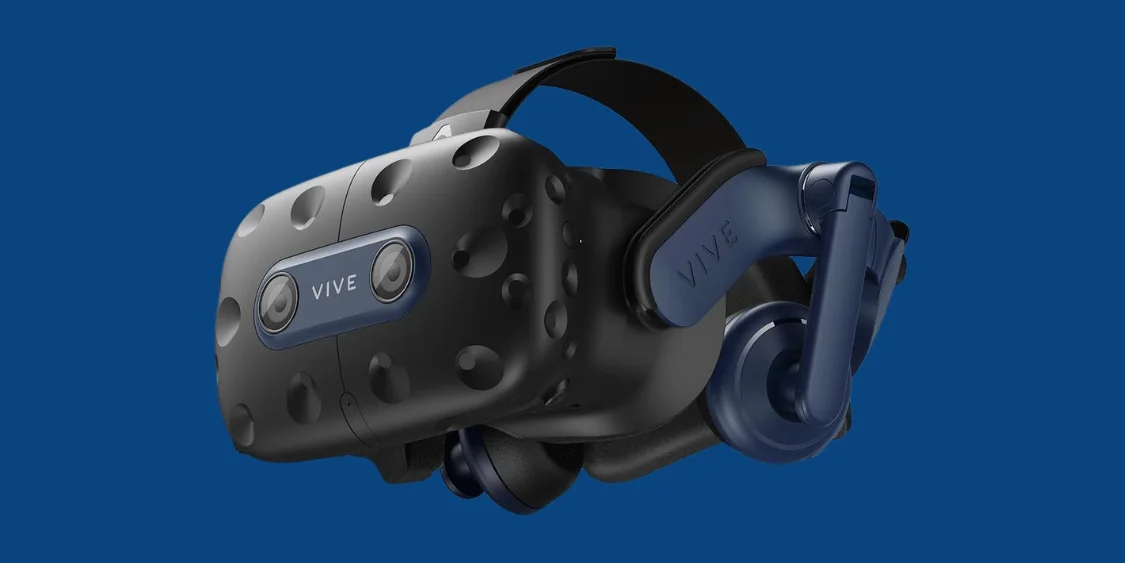
HTC Vive Pro 2
HTC Vive Pro 2 is a high-quality PC powered and tethered headset that delivers a 5K resolution. This headset is designed for immersive gaming, training simulation, and other professional use cases involving virtual reality. This is the best choice for those looking to upgrade their VR setup with state-of-the-art visuals and audio.
Key Features
5K Resolution Display
2448 by 2448 per eye for ultra-sharp picture quality.
Compatible with Valve Index
Works seamlessly with Valve Index Controllers.
Smooth Motion Tracking
Precise and responsive tracking for immersive gameplay.
✓ Pros
- Compatible with Valve Index Controllers
- 5K resolution display
- Motion tracking is smooth
✗ Cons
- Costly as compared to other VR headsets
- Lacks necessary base stations or controllers
Why I Picked and Recommended this Headset?
I picked this headset for its sharpest display that delivers a resolution of 2448 by 2448 per eye. I would recommend it for enthusiasts and professionals who need sharper picture quality. It is compatible with SteamVR and also has its own software store for VR. By visiting the store, you can enjoy unlimited access to VR experiences through the subscription-based Viveport Infinity service.
Who Should Use this Headset?
I recommend the high-end pc gamers or racing and fight sim fans to give this headset a try. High-end PC gamers can try them with Valve Index controllers to enjoy a PC-powered experience. The best thing is that they will not have to invest thousands. It is best for racing and fight sim fans because they need the sharpest picture possible. You can easily integrate this headset into the PC Sim setup, and you will not need any additional motion controllers. These have purpose-built controls with a wheel or flight yoke, pedals, levers, and knobs.
Technical Specifications
Tethered
2440 x 2440 per eye
120 Hz
6DoF
None included
PC
SteamVR
VR Headset Comparison Chart: The Best Picks 2026
| Specs / Headset | Oculus Quest 2 | Meta Quest 3 | Meta Quest 3S | Apple Vision Pro | Sony PlayStation VR2 | HTC Vive Pro 2 |
|---|---|---|---|---|---|---|
| Type | Standalone | Standalone | Standalone | Standalone | Tethered | Tethered |
| Resolution | 1832 x 1920 per eye | 2064x2208 pixels | 1832 x 1920 pixels per eye | 23 million pixels | 2000 x 2040 per eye | 2440 x 2440 per eye |
| Field of View | 360 degree | 110-degree vertical | 96-degree horizontal | 100 to 110 degrees | 110 degree (diagonal) | 120 degree (diagonal) |
| Refresh Rate | 90 Hz | 120 Hz | 120 Hz | 100 Hz | 120 Hz | 120 Hz |
| Motion Detection | 6DoF | 6DoF | 6DoF | 6DoF | 6DoF | 6DoF |
| Controls | Touchpad Control | Meta Quest Touch Controls | Meta Quest Touch Controls | Eye and hand tracking controls | PlayStation VR2 Sense | None included |
The Latest Released Headsets in 2025 Worth Trying in 2026
In addition to the above VR headsets, there are some of the latest VR headsets released in the year 2025. These headsets are also good for immersive experiences, and I suggest that these headsets are also worth trying in the year 2026.
Samsung Galaxy XR
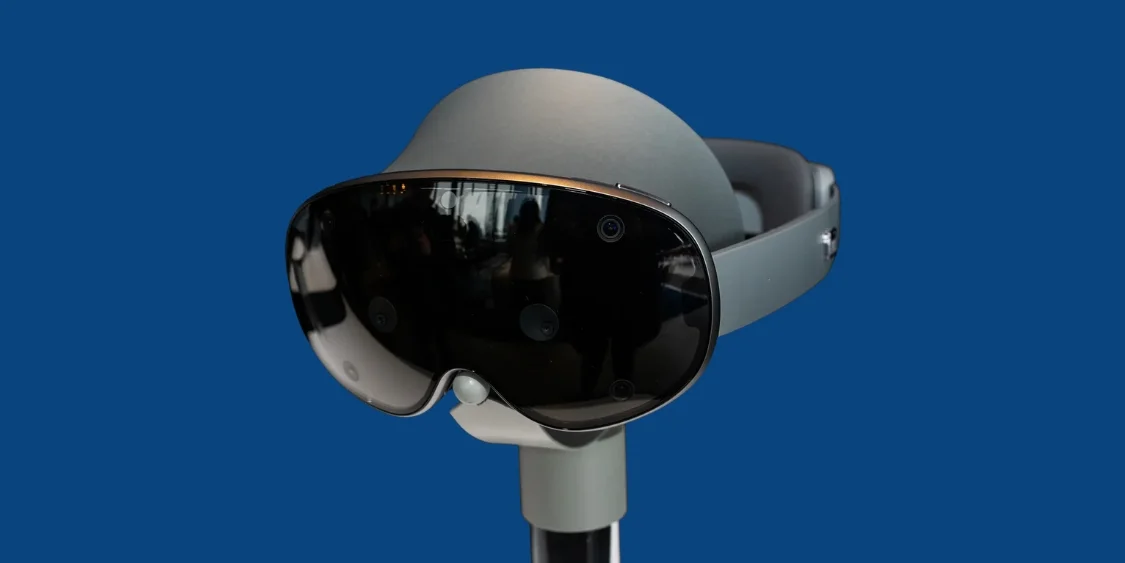
The Galaxy XR is the first mixed reality headset introduced by Samsung. This headset was released on October 21, 2025, which is a direct competitor to the Vision Pro. It has similar features to the Vision Pro and is the first headset to use the Google XR platform. Instead of physical controls, this headset has eye and hand tracking for motion control.
This headset is best for immersive media and gaming, productivity, creative work, and AI-enhanced experiences. The users who prefer comfort must try this headset.
Steam Frame by Valve
Steam Frame is a standalone VR headset you must try in 2026. It was announced by Valve in early 2026 as a follow-up to their Index VR headset. It features lightweight designs, inside-out tracking, and pancake lenses. It offers a resolution of 2160x2160 per eye.
This headset is designed to facilitate playing your entire Steam library without the need for a PC.
Key Features to Look for in Virtual Reality Headsets
Before you choose a virtual reality headset, you must note down the key features of the VR headsets. These features are crucial to know; otherwise, you will not be able to ensure immersion, long-term comfort, and prevent motion sickness. Understand the following features to choose the perfect Virtual Reality headset for your needs:
Displays & Lenses
You must pay attention to the display and the lenses used in the VR headset because they directly impact the immersion. The screen is just a cm away from your eyes; a small technical defect can make the experience frustrating.
Motion Tracking
The motion tracking technology in the headset can be either inside-out tracking or external tracking. You have to choose according to your needs.
Field of View (FoV)
Field of view means the angle of the virtual world visible to the user at any given moment. FOV is measured in degrees. A wider FOV offers better immersion as compared to a slim FOV.
Ergonomics
The VR headset must have an ergonomic design that does not cause fatigue or discomfort to the user during long sessions. The headset must have adjustable straps, a lightweight build, good weight distribution, and padding.
High Refresh Rates & Low Latency
The refresh rate is measured in Hertz, which tells the number of times the monitor loads the image on screen per second. The higher refresh rate reduces eye strain and prevents motion sickness. It must be at least 90Hz.
Standalone vs Tethered
If you want a wireless immersive experience free of cables, you will have to choose the standalone headset. If you are okay with cables, then you can go for tethered options as well.
What can You do With a VR Headset?
A VR headset is not limited to just immersive gaming and movie experiences. It has various applications and use cases such as:
- Gaming
- Fitness & Health
- Virtual Workspaces
- Education & Training
- Entertainment (Movies, Concerts)
- Business & Enterprise VR
How to Choose the Right VR Headset?
When you are new to purchasing the VR headset, it might not be simple for you to purchase a VR headset. You might be confused about how to choose the right VR headset from a variety of options available in the market. Before you purchase a headset, you must educate yourself about the standalone vs tethered headsets, specifications, and the immersion levels.
In this section of the blog, we are going to learn about these factors that will help you make a better and more informed choice:
Choose between a Standalone or a Tethered VR Headset
If you are going to purchase a modern VR, there are two options available: the standalone or tethered VR headsets. You must know the difference to make an informed decision.
Standalone VR Headset
If you want to enjoy a virtual reality experience without tangling in cables, you must go for standalone VR headsets. These are self-contained virtual reality devices that don’t need any PC or other screen. The key examples include Meta Quest 3 and 3S. A more advanced standalone headset is the Apple Vision Pro.
Tethered VR Headset
Tethered headsets keep you physically connected to the PC or console through wires. Its benefit is that you don’t have to burden your face because everything for video processing is packed in the box. The only troublesome experience for you can be the tangled cables and the hassle of base station management in the room. The examples include HTC Vive Pro 2 and Valve Index.
The type of VR headset you purchase depends on your preferences. But standalone is always better because they don’t require any additional gear.
| Our RecommendationPurchase Meta headsets over the HTC Vive Pro 2 and Valve Index because Meta’s tethered options are less expensive than these options. Another reason we don’t recommend considering the Valve Index is that it is constantly out of stock, with no new model announced. |
|---|
Immersive Or Less Immersive: XR Headsets vs Smart Glasses
All virtual headsets are now considered mixed reality headsets because they display information in a similar setting. For this, they use color pass-through cameras and other sensors. Based on immersion, you can have two options: XR headsets or smart glasses.
XR Headsets
The XR headsets combine the physical and virtual world by supporting virtual reality, mixed reality, and augmented reality. If you want to enjoy a full immersive experience, XR headsets are for you. These headsets include intuitive controls, eye tracking, and head tracking that let you enjoy virtual reality while sitting on your couch.
The XR headsets include Apple Vision Pro and the Samsung Galaxy XR that match each other in terms of features.
Smart Glasses
If you want a comfortable alternative to XR headsets with less immersion, smart glasses are for you. They are basically display-based glasses that use tiny projectors to display images on the lenses. The best thing is that they are as lightweight as regular glasses. The smart glasses have a smaller field of view, and they are not considered mixed reality headsets.
They come in the category of Augmented Reality, which is evolving to polish the Virtual experience as compared to Vision Pro. The example includes the Meta Ray-Ban display and Rokid Glasses that can overlay information about whatever you are looking at.
If you want a fully immersive gaming and movie experience, you must purchase an XR headset. If you want a comfortable wearable device and don’t have an issue with a less immersive experience, choose smart glasses.
Consider the Specifications of VR Headsets
Before you make a purchase, you must take into account the specifications of the VR headset. They help you choose the right VR headset according to your needs. Consider the following specifications at the time of making a purchase:
Resolution
The image resolution is measured in pixels, which determines the image quality of the VR headset. The higher the resolution, the higher the image quality.
Refresh Rate
The refresh rate means how smoothly the images are displayed, and it is measured in Hertz. The low refresh rate creates broken or choppy images as compared to the high refresh rate.
| Expert Suggestion: Choose a VR headset with a high refresh rate to enjoy smooth visuals. |
|---|
Tracking Method
The tracking method refers to how you can track your VR headset in space. The tracking methods can be either inside-out tracking or external tracking. The VR headsets are tracked with the built-in cameras in the inside-out tracking method. While the external tracking involves external tracking sensors named base stations or lighthouses.
By taking into account these factors, you can make an informed decision about your VR headset without wasting a single penny.
Common Problems and Solutions Related to VR Headsets
No doubt, Virtual reality headsets let you dive into immersive gaming, movies, and virtual experiences, but they can be problematic sometimes. How? Like any other headset, they can have problems or issues that can ruin your exciting experience. Don’t worry! Usually, these problems are solved by small fixes. Let’s have a look at the common problems and find out the quick fixes to solve them:
Blurry Screen
Sometimes when you wear the headset, the picture is not clear. It has a limited sweet spot, and the picture is hard to focus because it is blurred. This problem is not the one that can’t be solved.
Solution: How To Fix?
The blurry screen problem can be solved by a few adjustments:
Adjust the Headset Fit over Your Head: Ensure the headset fits your head perfectly. For a perfect fit, tighten or loosen the straps as long as you feel it is comfortable and secure.
Clean the Lenses: Use a soft and clean microfibre cloth to gently wipe the dust or smudges on the lenses.
Lens Alignment: Some VR headsets give you the option to match the distance between your eyes (IPD) via lens adjustment. The lens can be adjusted using a slider or knob until the image is fixed.
The Headset doesn’t Turn On.
Sometimes your headset does not turn on, which means there is an issue to be considered. This issue might be due to battery drain or broken cables.
Solution: How To Fix?
The headset will be turned on after using the quick fixes:
Check the Battery: If your headset is working on the batteries, you must check that the headset is properly charged. If the battery is not working, replace it.
Check for Broken Cables: Inspect your wired headset for any broken cables. Also, check if the wires are properly plugged in or not. Ensure wires are properly plugged in.
Restart the Device: If neither of the above is the case, it’s time to restart your VR headset. A quick restart can solve the problem.
Losing Connection
The connection for the headset is sometimes not stable. The connection is not stable, especially in the case of wireless headsets. This problem can be solved by checking the Wifi or Bluetooth connection, ports, and cable inspection.
Solution: How To Fix?
The unstable connection might be due to an unstable Bluetooth or Wifi connection, and malfunctioning ports or cables. Try the following fixes:
Check the Wifi or Bluetooth Connection: The unstable connection is often due to unstable Bluetooth or Wifi. Ensure both connections are stable so there is no latency.
Ports and Cable Inspection: If you are using a wired headset, check the ports and cables. The ports must be dust-free, and the cables must not be broken. Replace the impaired ports and cables.
Roam Within the Range: If you are at a far distance from the router or out of Bluetooth wireless range, you may lose the connection. Move close to the router or within the wireless range to avoid connection loss.
All the above fixes will solve the lost connection problem when you are enjoying virtual reality.
Discomfort While Wearing
Although the VR headsets immerse you in the virtual world, at the same time, they do not separate you from the real world. You can still feel the discomfort of wearing the headset that might ruin your experience.
Solution: How To Fix?
You can adjust the headset according to your comfort. Apply the following fixes to make it a comfortable fit for you:
Adjust the Straps: Loosen or tighten the straps (adjustable) of your headset until it fits your head perfectly.
Add Padding: If you feel that the headset is hard for your face, you can soften it by adding padding. You can either add a foam cover or padding to make it soft for your face.
Take Breaks: Do not wear the headset continuously. Instead, take regular breaks so that you do not experience any burden or discomfort while enjoying the VR effects.
Motion Sickness or Dizziness
When you wear a VR headset, you feel a difference between the virtual and physical world. This creates a temporary imbalance, which leads to dizziness, nausea, or motion sickness.
Solution: How To Fix?
To prevent motion sickness or dizziness, you can try the following solutions:
Start Slow: Don’t start using the VR headsets for long sessions from the very start. Start experiencing the short VR sessions and then increase the time gradually when you start feeling comfortable.
Adjust Comfort Settings: You can try options such as reduced motion and teleport-style movement to ease your discomfort.
Stay Idle: If you are new to trying VR, then it’s better for you to stay idle instead of moving quickly. Just stick to the game experiences, and hopefully, it will not cause you motion sickness.
All the above solutions are possible things you can do to prevent motion sickness or dizziness while enjoying VR.
The Last Fix When Nothing Above Works: Power Flush or Factory Reset
You have tried every possible solution given above for the technical problems, but nothing has worked. The final and last but not the least option you can try is a power flush or a factory reset.
Power Flush
Power flush means manually forcing the electronics to shut down fully to fix the glitches, pairing problems, and headset not turning on.
- Turn off your VR headset, unplug the cables, or remove the battery if wireless.
- Wait for a few minutes, then plug everything back in.
Factory Reset
Factory reset deletes all the data from the headset and reverts it to its out-of-box condition. To factory reset, go to the Settings Menu of your headset and select the Factory Reset option.
These options will solve the problems related to your VR headset. Try them and enjoy the unreal and immersive world.
Final Thoughts
To enjoy a fully immersive virtual world experience during gaming, movies, social apps, or educational training, VR headsets are crucial. A good VR headset has a high refresh rate, lower latency, and wider FOV. After testing, I can recommend Meta Quest 2/3/3S, Apple Vision Pro, HTC Vive Pro 2, and Sony PlayStation VR 2 to use in 2026. If you want to try the latest VR headsets, you can try the Samsung Galaxy XR and the Steam Frame, released in 2025 and early 2026. If you want a wireless experience, go for a standalone headset, while tethered if you are okay with cables.
Frequently Asked Questions
Everything you need to know about VR headsets
There is no single answer to this question because for different users, different VR headsets can be the best. For budget-conscious customers, Meta Quest 3 and 3S are the best. For PlayStation 5, PlayStation VR2 is the best. If you want balance in price, performance, and visual quality, Meta Quest 3 is the best.
Yes, a cheap VR headset can be worth it, especially for the newbies and budget-conscious customers. They can help you experience virtual reality in use cases where you don't need a sharper resolution or display.
If you want to invest in a VR headset in 2026, you will have to spend $299 to $499 for a reasonable VR headset. The users who have high-end PCs and can afford a good budget can spend between $600 to $1300.
You should look for the field of view, display, lenses, refresh rate, resolution, ergonomic design, and the tracking method. All these factors are essential to look for to prevent motion sickness and ensure comfort even during long sessions.
The above given VR headsets are modern, which means they are either standalone or tethered. This means they cannot work with phones properly like the old VR headsets used to work. Standalone means they don't need any additional screen, while the tethered headsets are directly plugged into the PC/console.
The cheapest but best VR headset is currently the Meta Quest 3S, which costs only $299. This is the best option for budget-conscious customers and newbies who want to experience virtual reality without breaking their bank.
VR headsets require a PC or not depends on the type. The modern standalone VR headsets don't require a PC as they are a complete VR machine. If you are using a tethered VR headset, you will need a PC to plug into.
When you are wearing the VR headset, especially for the newbies, you can face motion sickness, physical injury, or dizziness. The VR headsets are designed keeping in mind the ergonomics so that the users enjoy the immersive experience without any health or safety risks.
No comments yet. Be the first to comment!
Leave a ReplyYour email address will not be published. Required fields are marked *