
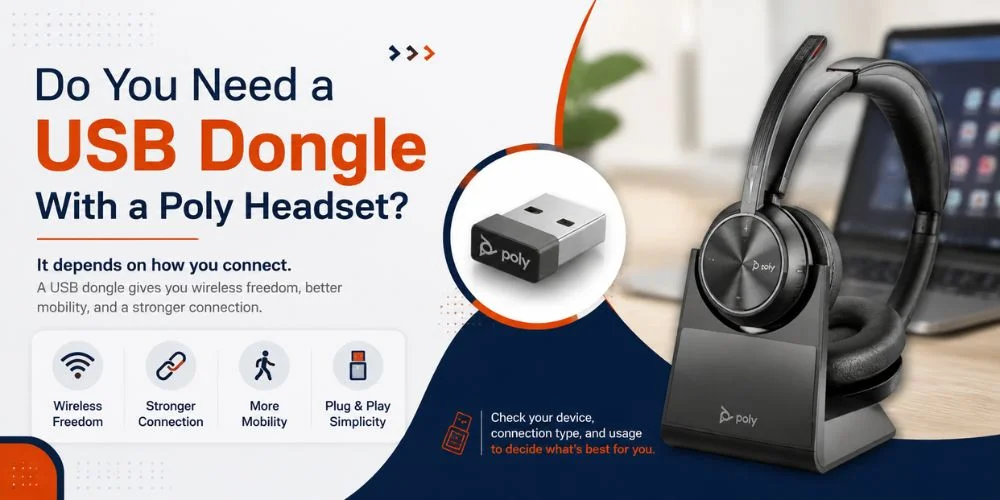
If you're wondering, “Do I need a USB dongle for a Poly headset?” the answer is not necessarily. If your Poly headset has Bluetooth on it and your computer has compatible Bluetooth, you can connect the headset to your computer without needing to use a USB dongle. Other Poly headsets, however, do need and/or recommend the use of a USB adapter to manage calls, play music, or enable features on the computer.
This will depend on the type of headset you have, your computer, how you are connecting your computer to the headset, and what features you need. Some models come with a USB adapter, and others are Bluetooth. This guide will explain when to use a USB dongle, when Bluetooth can get the job done, what the dongle adapter does, and what setup is best for your Poly headset.
What Is a USB Dongle for a Poly Headset?
A small device that fits into the USB port of your computer that will allow your computer to communicate wirelessly with a compatible headset.
The adapter isn't only capable of providing audio to some Poly headsets. May contain the following functionalities (model dependent):
- Call answer and end controls.
- Microphone mute
- Volume controls
- Supported application integration
- Headset management
- Wireless computer connectivity
Depending on the headset and adapter, a variety of features can be used. Do not use a USB dongle as a “universal” add-on that is going to perform the same functions on each and every Poly headset.
Do I Need a USB Dongle for a Poly Headset?
No, it is not mandatory all the time. If your Poly headset features built-in Bluetooth, and you have a computer equipped with Bluetooth audio that is compatible with your Poly headset, it's often a simple process to pair directly.
A USB dongle might be required or beneficial in the following cases:
- You don't have Bluetooth configured on your device.
- Your headset will only function with a particular USB adapter.
- Your call control must be supported.
- Features are available via the manufacturer's adapter!
- You are using Microsoft Teams (or another calling app) as your work environment.
- You wish to utilize the connection advised for your specific model
Make sure you know exactly which Poly headset you have before buying a headset dongle separately and find out what kind of connectors and accessories it's compatible with.
Can I Use My Poly Headset Without a USB Dongle?
Yes, there are a number of Poly Bluetooth headsets that do not require a USB dongle as long as the computer and/or phone are compatible with the required Bluetooth connection.
If you primarily use:
1. Speaker audio
2. Microphone audio
3. Basic computer calls
4. Music or any other sound.
If you are forced to use specific headset controls or other features through the recommended adaptor, you may want to try using a USB adaptor.
This is why it isn't always easy to answer the question of “is headset Bluetooth compatible?”. Also, make sure to verify if the features are available via Bluetooth or with the supported USB connection.
USB Dongle vs Bluetooth Adapter: What’s the Difference?
A USB dongle and a Bluetooth adapter can be similar since both are inserted into a computer's USB port, but they can be used for different purposes.
The main use of a Bluetooth adapter is to add bluetooth functionality to a computer that didn't have Bluetooth built-in. Be able to pair (some Poly) Bluetooth accessory devices.
The Poly USB dongle, however, is created particularly to make sure that you get a great wireless connection between a compatible Poly headset and your computer. Depending on the model, it can also provide additional options such as improved headset integration, call controls, audio optimization, as well as support for UC applications such as Microsoft Teams.
The only difference is in terms of compatibility and functionality. A standard Bluetooth adaptor provides basic Bluetooth capabilities and a Poly USB dongle is intended for use with Poly-compatible headsets, and could potentially offer a more natural feel.
Normally, it is best to use the dongle recommended by the manufacturer if your Poly headset requires one to be plugged into a USB port. A generic Bluetooth adapter could be used to connect the headset for basic audio functions, but certain features or controls on the headset may not function as intended.
Native Bluetooth vs. a Poly USB Adapter
A wireless Poly headset will attach to a computer in two ways.
Using Built-In Bluetooth
It is a headset with Bluetooth technology so that you can connect it directly to your computer.
This is usually the simplest as there is no other accessory required. This is a great solution for anyone who needs basic functionality and has audio and microphone needs.
The key for you to verify is if your specific Poly model has any features you require that are available directly via Bluetooth.
Using a Poly USB Adapter
It's plugged into your computer via a supported Poly USB adapter that makes a dedicated connection for the headset.
Depending on the model, it may also be able to provide features not enabled by a typical Bluetooth connection, like application integration or supported call controls.
This can make the adapter a convenient piece of equipment for those who have a headset primarily for work-related calls.
What Does a Poly USB Dongle Do?
A USB dongle's primary function is to plug a compatible wireless headset into your computer.
It can also support features such as (These features require a headset and an adapter):
- Call controls: Answering and hanging up calls using the headset.
- Mute controls: Supported applications have mute controls in the headset.
- Application integration: Interoperability to call or meet with supported applications.
If the computer doesn't have the appropriate built-in Bluetooth, provide a computer connection that is compatible with the device.
Not all features are compatible with all connections. Before assuming that a feature is available for your unit of study, please check the specifications of your model of the Poly.
When Is a Poly USB Dongle Worth Using?
A few times, a USB dongle may be helpful.
Your Computer Does Not Have Bluetooth
Not all desktop computers come with Bluetooth built-in. Using a supported headset may require a wireless adapter that is compatible.
You Need Headset Call Controls
You can ensure that you can make and end calls, mute controls from the headset by checking your model with the recommended adapter.
All of the call-control features don't necessarily work with basic Bluetooth audio.
You Use Microsoft Teams
Team’s users might require additional speaker and microphone support.
For headsets that are compatible with the Teams features through a particular USB adapter, the recommended connection will be available to ensure that you are using a model of headset that supports the features available in Teams.
You Want a Simple Computer Setup
It will also simplify the connection process on a work computer, particularly for those that are connected to the headset via an adapter.
Does a USB Dongle Improve Range or Stability?
A USB dongle doesn't work with all Poly headsets to boost their range.
The sound quality is dependent on the headset, the wireless adapter, Bluetooth technology, the computer, the air, walls and others.
Manufacturer-backed adapters might be superior and more consistent when it comes to a particular headset configuration, so check the wireless range of the headset and not the dongle's range.
Before buying an adapter, look at the specifications of the headset for the greatest wireless range.
Does Every Poly Headset Come With a USB Dongle?
There may even be one model that comes with a USB adaptor and another that doesn't.
Please review the product's What's in the Box or Package Contents prior to ordering. This can prevent you from purchasing an adapter that you already have or find out after you buy one that you need one.
When comparing the Poly headsets, also take into account:
- If the USB adapter is included or not
- What is the name of the adapter supported?
- Whether Bluetooth is built in
- Which devices are compatible?
- What are some features that work with each connection
Can You Use Any Bluetooth USB Dongle With a Poly Headset?
Not necessarily. A standard Bluetooth USB adaptor may provide the essential Bluetooth audio capabilities, but not necessarily the same capabilities as a manufacturer's adapter.
For example, you can have basic audibility from the speaker and microphone, and not be able to have the same from:
- Call controls
- Mute synchronization
- Application integration
- Headset management
- Other model-specific functions
If you use the headset for work, it's best to find a headset adapter that is recommended for the headset, rather than just because it is USB or Bluetooth compatible
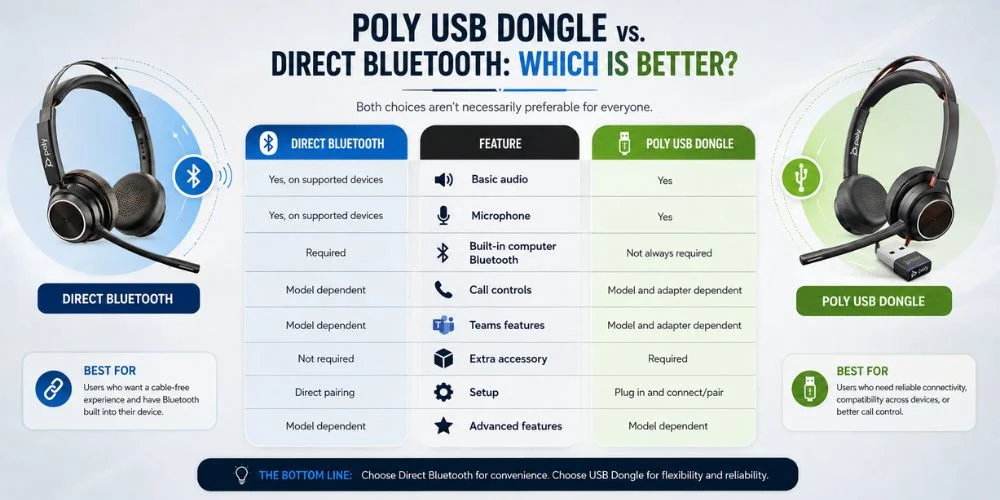
Poly USB Dongle vs. Direct Bluetooth: Which Is Better?
Both choices aren't necessarily preferable for everyone.
| Feature | Direct Bluetooth | USB Adapter |
|---|---|---|
| Basic audio | Yes, on supported devices | Yes |
| Microphone | Yes, on supported devices | Yes |
| Built-in computer Bluetooth | Required | Not always required |
| Call controls | Model dependent | Model and adapter dependent |
| Teams features | Model dependent | Model and adapter dependent |
| Extra accessory | Not required | Required |
| Setup | Direct pairing | Plug in and connect/pair |
| Advanced features | Model dependent | Model dependent |
Direct Bluetooth (or similar) might be sufficient if you primarily use audio.
A recommended USB adapter may be more appropriate if you need the controls or features in the application you use to make business calls or if you must use your headset frequently for business calls.
Which Poly Headsets Use a USB Adapter?
Each and every Poly headset has its own unique solution. There are specific package models and versions that are important.
The models of Find Headsets include the Poly Voyager 5200, the Poly Voyager Focus 2, the Poly Voyager 4310 and the Poly Voyager 4320. The various models may offer different connection choices and package options, so it's crucial to look at each product's specifications.
The Poly Voyager 4310, for instance, is advertised as a wireless USB-A adapter and the Voyager 5200 comes in both Bluetooth and the Office UC models, which features a USB-A base.
When selecting a Voyager models, you will want to look into:
- Included USB adapter
- Supported Bluetooth connection
- Recommended accessories
- Compatible computers
- Supported calling platforms
- Available call controls
Check out Poly Voyager headsets to find models and connecting options available.
How to Connect a Poly Headset With a USB Dongle
When this is the case, the installation is usually simple with the correct adapter.
1. Plug In the USB Adapter
Attach the supported Poly adapter to your computer.
If your computer only has USB-C ports and the adapter requires USB-A, ensure that you have something that is compatible.
2. Turn On the Headset
Make sure that the headset is charged and turned on.
3. Pair the Headset
There are some Poly adapters that are already matched with headsets. Some others might require manually pairing.
Follow instructions for your particular model.
4. Select the Headset
Now open your computer's sound settings, and choose the Poly headset as the microphone, and as the speaker.
5. Test Your Calling App
Open up the Microsoft Teams, Zoom or other calling application.
Test the microphone and speaker, mute and call controls prior to a large meeting.
How to Know if Your Poly Headset Is Using the USB Dongle
After connection, check the computer Sound options, and determine whether there are any sound gadgets, including the adapter.
The Poly headset or attached adapter should be listed as an audio device. You can then call for a brief test call:
- Speaker audio
- Microphone
- Mute
- Volume
- Call controls
If audio works but a particular control does not, see if it is compatible with your headset, adapter and calling application.
Common Poly USB Dongle Problems
The Computer Does Not Detect the Dongle
Power down the computer and try to use another supported USB port.
In addition, you need to see if you have to update your adapter's software or firmware.
The Dongle Is Detected but the Headset Does Not Connect
The headset cannot be connected to the adapter. Use pairing instructions for your specific headset/adapter.
Audio Works but Call Controls Do Not
Even if there are no controls for an application, basic audio functions. Check the headset and adapter specifications to confirm whether the controls you need are supported.
The Microphone Does Not Work
There may be another microphone in use on your computer or calling application. Open the audio settings and choose the Poly headset as the Sound In.
The Dongle Worked Before but Has Stopped Working
Try the USB connection, reboot your computer and see if there are headset and/or adapter updates available.If the issue persists, make sure that the adapter is compatible with your headset.
Do You Need a USB Dongle for Poly on Microsoft Teams?
Not always. You can use a compatible Poly headset directly via Bluetooth with Teams, but it is dependent on the headset and connection.
For Teams-specific controls and/or integration, verify if the headset is designed or certified for Teams and if the controls/integration need a supported USB adaptor.
That's why the basic support of Bluetooth audio does not always mean the full Teams support.
If you're looking for a headset for Teams, you can also check out our guide to Poly headsets for Microsoft Teams.
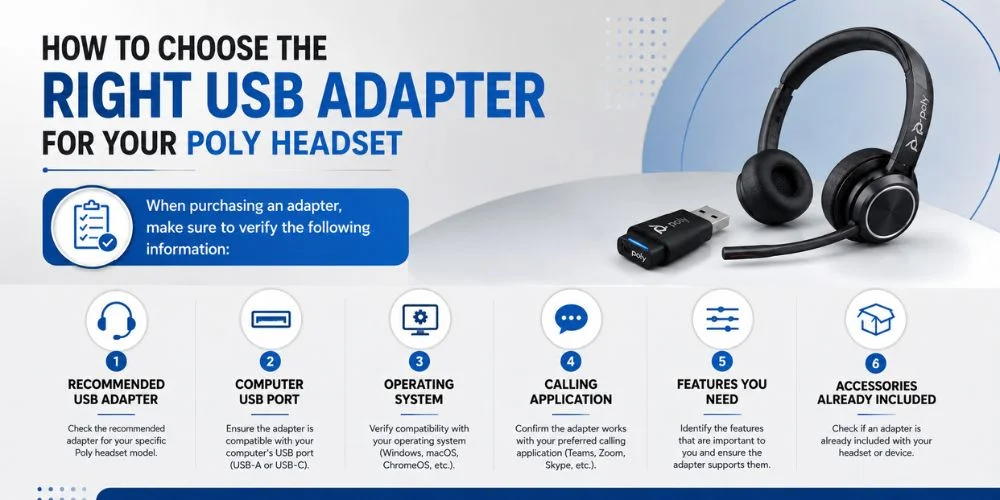
How to Choose the Right USB Adapter
When purchasing an adapter, make sure to verify the following information:
The exact model of the headset used is:
1. Recommended USB adapter
2. Computer USB port
3. Operating system
4. Calling application
5. Features you need
6. Accessories already included
Avoid adapters that are a low-cost or esthetically correct USB connector. The adapter should be compatible with the headset and offer the required functions.
If the headset has been included in the package with a USB adapter, it is recommended to connect to the one provided for that headset unless instructed otherwise by the manufacturer.
If there's still no clarity on which connection you require, refer to our Poly compatibility guide when deciding on a headset or USB adapter.
What If You Lose Your Poly USB Dongle?
To begin with, be sure to find out exactly what model of headset it is.
Next check to see if the replacement adapter will work with that model.
May not get another Poly headset's USB adapter to work. Each of them comes with a variety of models, which can be distinguished by their compatibility with various adapters, pairings and features.
In case you should require a replacement, use the headset model number in finding the proper headset accessory.
Poly USB Dongle Compatibility Checklist
Before buying a USB dongle, check:
| Check | What to Confirm |
|---|---|
| Headset | Exact Poly model |
| Bluetooth | Whether direct Bluetooth is supported |
| Adapter | Recommended USB dongle |
| Computer | Windows or Mac compatibility |
| USB port | USB-A or USB-C |
| Platform | Teams, Zoom, UC, or softphone |
| Controls | Mute, calls, volume, and other required functions |
| Package | Whether the adapter is already included |
| Software | Required headset software or updates |
This quick check can help you avoid buying an adapter that is unnecessary or unsupported.
Final Thoughts
The headset to be used with Poly does not need to have a USB dongle fitted. Simple scenarios may be possible where you are able to pair your headset with your computer for calls and playback only, provided your headset supports Bluetooth and your computer supports Bluetooth.
Do I need a USB dongle for Poly headset? This will depend on the headset model, computer and features you are using. In some cases it may be useful to connect to your computer via an external Bluetooth adapter or if certain functionality is available for your headset with the recommended USB adaptor.
Prior to buying a dongle you must check various factors including the model of dongle, supported adapter, computer connection, calling platform and features you need to use. This is an easy test to avoid buying something that you don't require to ensure that your Poly headset works as you would expect.
Need Help Choosing the Right Poly Headset?
Don't assume that you need a USB dongle with your headset because you have a connector if you aren't sure. It's all essential: the name of the headset, the accessories, the computer and the features that are needed.
Find Headsets is a comparison of Poly headsets that can be used in the office, remote, team communications, and other professional communications. We have a variety of Poly wired and wireless headsets, including Voyager, Blackwire, and other business headsets.
Also, you can have the assistance of experts when you have no idea about a headset, connection, or accessory to any device 24/7. When buying professional headset equipment, the same-day dispatch and easy returns, together with a two-year warranty on applicable equipment, are additional amenities offered by Find Headsets.
Contact our team before ordering if you require any help connecting a Poly headset to your computer, phone or calling platform.
Frequently Asked Questions
Do I need a USB dongle for a Poly headset?
Not always. If your Poly has support for Bluetooth and your computer does as well, you might be able to connect directly. A particular USB adaptor may be required or be more suitable for some models.
Can I use a Poly headset with Bluetooth without a dongle?
Yes, if both the headset and computer are able to connect with the necessary Bluetooth.
Is a Poly USB dongle better than Bluetooth?
That depends on the set up. For simple audio, a Direct Bluetooth will suffice, and if there are any additional features included in some models, then a supported USB adapter can provide them.
Can I use any Bluetooth dongle with a Poly headset?
Not necessarily. A generic adapter can offer rudimentary audio capabilities but may not be compatible with all headset capabilities. For your specific model, please use the recommended adapter.
Does every Poly headset include a USB dongle?
No. The accessories included are dependent on model and product version. Please check the package contents prior to ordering.
Does a USB dongle increase the range of a Poly headset?
Not automatically. Wireless range is dependent on the headset, adapter, environment and more. Check manufacturer's specifications for a specific model.
Do I need a USB dongle for Poly on Microsoft Teams?
Not always. Headsets may be supported and/or required with a supported USB adapter, or may work with Direct Bluetooth.
What should I do if I lose my Poly USB dongle?
Identify the exact model of headset, and see which replacement headset adapter is supported. Don't take any heads for granted that another Poly adapter will work with your headset.
Can I use a USB-C adapter with a Poly headset?
This will vary depending on the headset/adapter. Ensure that connection is capable of audio/headset capability.
No comments yet. Be the first to comment!
Leave a ReplyYour email address will not be published. Required fields are marked *