
Follow our easy guide How to clean headset. Properly clean ear pads, microphone and speaker grills. Applies to all types of headsets.
Do you use your headset every day? Most people do. But when was the last time you cleaned it? You wear your headset on your ears and head for hours. Sweat, sebum (oil), dirt and dead skin accumulate on it. This can be unpleasant. It can ruin your headset and give you an ear infection.
Fortunately, cleaning your headset is very simple. You don't need special equipment or cleaning products.
Here, we'll show you how to clean headset. Such as gaming headsets, Bluetooth headsets for work, or even ear buds.
Looking for a new headset? Take a look at FindHeadsets for a wide range of options at all prices.
Why You Should Clean Your Headset
Keeping your headset clean is important. You're wearing them all day and the ear pads go in your ears. This is a warm and damp place for bacteria to grow.
This can lead to itchy ears, odours and infections. Keeping your headset clean helps keep your ears safe.
Dirt and dust also affect how your headset sounds. Clogged speaker grills can make sound worse. You may hear your sound is muffled.
Cleaning them will solve that issue. Sweat and oils also wear out the foam and leather of your ear pads.
What You Need Before You Start
To get started, collect your materials. You don't need anything special or fancy. A microfiber cloth is gentle on surfaces. Cotton swabs (Q-tips) clean hard-to-reach places.
A 70% solution of isopropyl alcohol is safe for most surfaces and is an effective disinfectant. Foam pads can be washed with a tiny bit of dish soap and warm water. A toothbrush with soft bristles removes dust from the speaker grills and vents.
But there are also things you shouldn't use on your headset. Bleach and other strong cleaners can eat away at plastic and foam.
Paper towels are soft but abrasive. Never immerse any part of your headset in water. Water and electronics are not friends.
How to Clean Headset Properly: Step By Step Guide
Step 1: Turn It Off and Unplug It
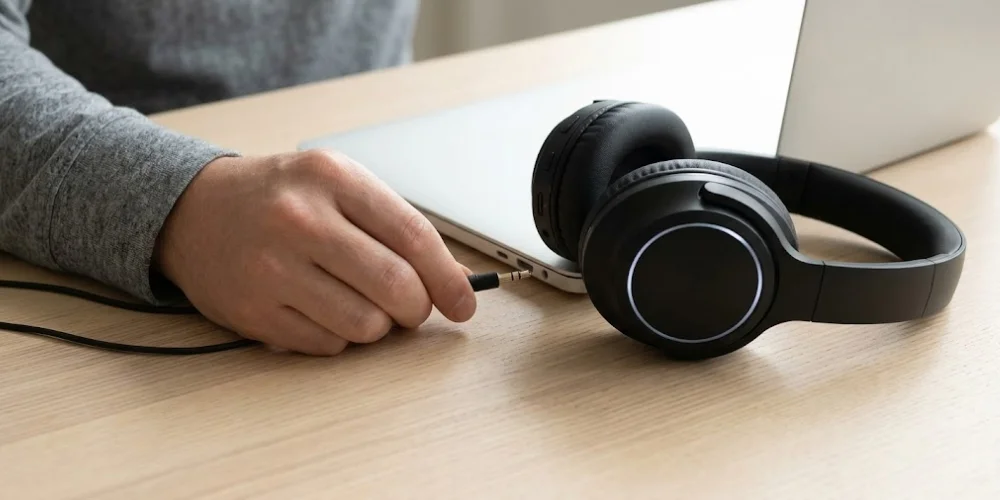
First, you need to switch off your headset. If it is wired, disconnect it from your device. If it is wireless, turn it off. Don't clean any device while it is plugged in or turned on. This will protect you and your headset.
Step 2: Remove the Ear Cushions If You Can
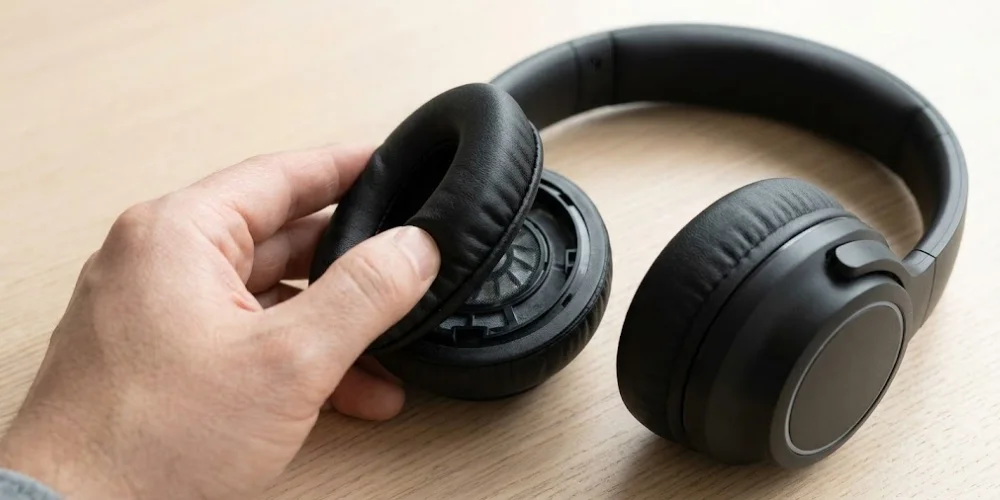
Some headsets have removable ear pads. To find out, try to twist or pull the ear pad. If it comes off, that is great. Ear pads are easier to clean if they are removed.
You can clean them without getting water into the speakers. If your ear pads are not removable, do not try to remove them. You can clean them in place. Just use less moisture.
Step 3: Clean the Ear Pads
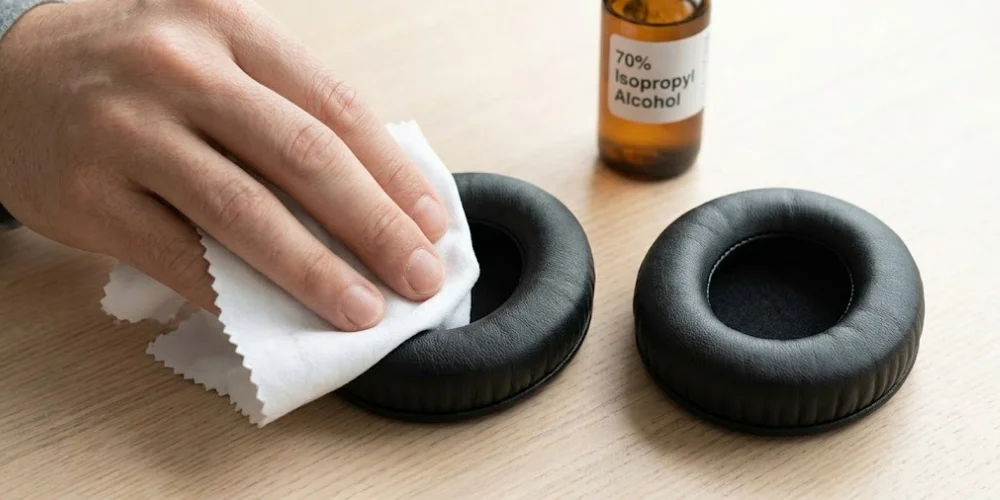
Ear pads need to be cleaned. They are in contact with your skin all day long. If you have removable foam or cloth ear pads, add one drop of dish soap to warm water. Soak your cloth in the soapy water, then squeeze it out so it is damp, not wet.
Wipe the entire ear pad. Then wipe it with a dry cloth to get rid of soap. Allow them to dry completely before reusing. This takes about one to two hours.
If you have leather or faux leather ear pads, you can clean them a bit differently. Soak a cloth in 70% isopropyl alcohol. Gently rub the surface in a circular motion.
Wipe again with a dry cloth. Allow the ear pads to dry before using again. Leather is not waterproof. Excess water can damage the leather and cause it to split. Keep moisture to a minimum when cleaning leather pads.
Step 4: Clean the Headband
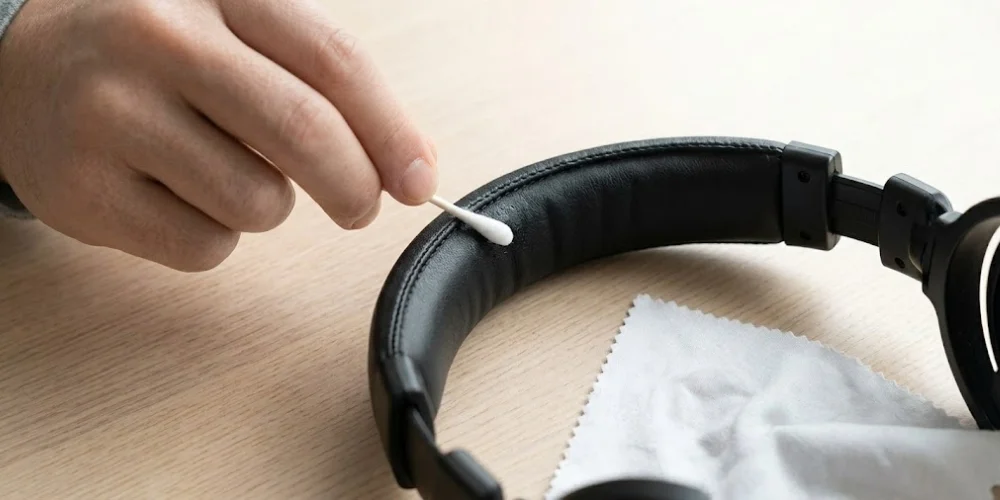
The headband sits on your head. It absorbs sweat, hair products and oils from your scalp. It's easy to clean. Soak your cloth in some isopropyl alcohol.
Clean the headband from end to end. Wipe the top, the sides and the padded underside. Use a cotton swab to clean grooves and stitching. Make sure the headband is dry before you wear the headset again.
Step 5: Clean the Microphone
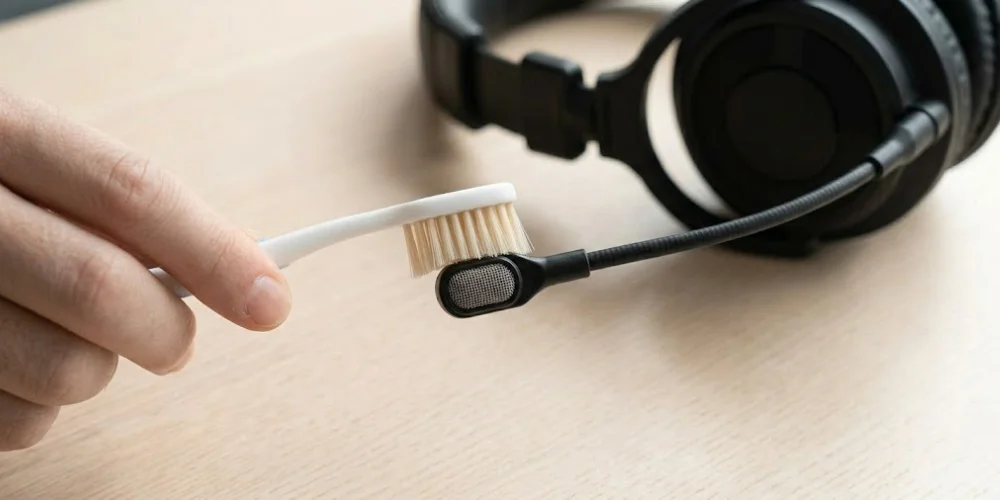
People often overlook cleaning the microphone. This is a common mistake. The microphone is in front of your mouth.
It catches saliva, dust and other debris when you talk. A dirty mic makes your voice sound muffled. It can also transmit germs if you share the headset.
If possible, take the microphone off. Clean the outside with a damp cloth. Wipe the end with a dry cotton swab. This is where you talk into the mic.
Never insert anything into the mic. If you have a built-in mic, use a dry toothbrush to brush the mesh in one direction. Then use a dry cotton swab to remove the debris. Do not apply liquids to or near the microphone.
Step 6: Clean the Speaker Grills and Vents
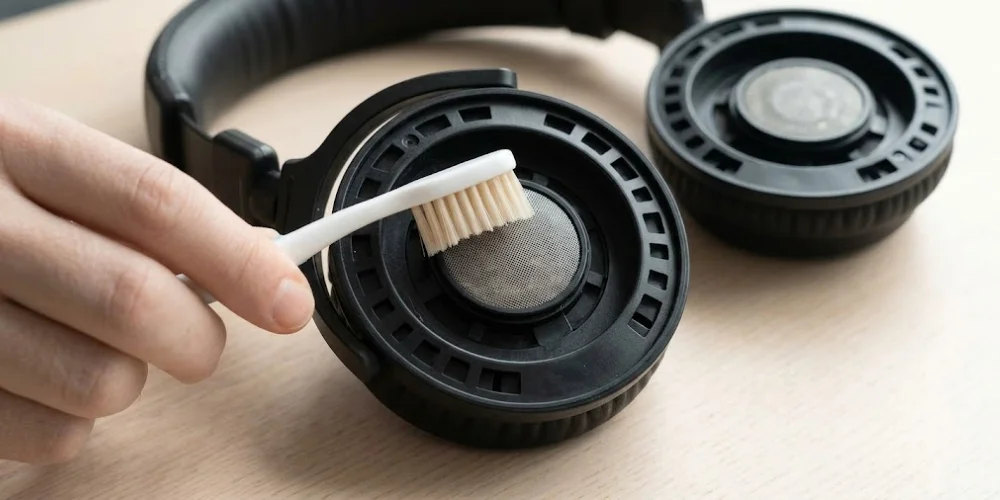
The speaker grills are the mesh covers on the headset speakers. They get dusty quickly and affect sound. You can clean it with a soft toothbrush, brushing in one direction.
Don't rub back and forth, as this will embed dust. Once you have brushed, remove the dust with a dry cloth. Use a cotton swab for the deeper vents. Make sure to do this in a well-lit area.
Step 7: Wipe Down the Whole Headset
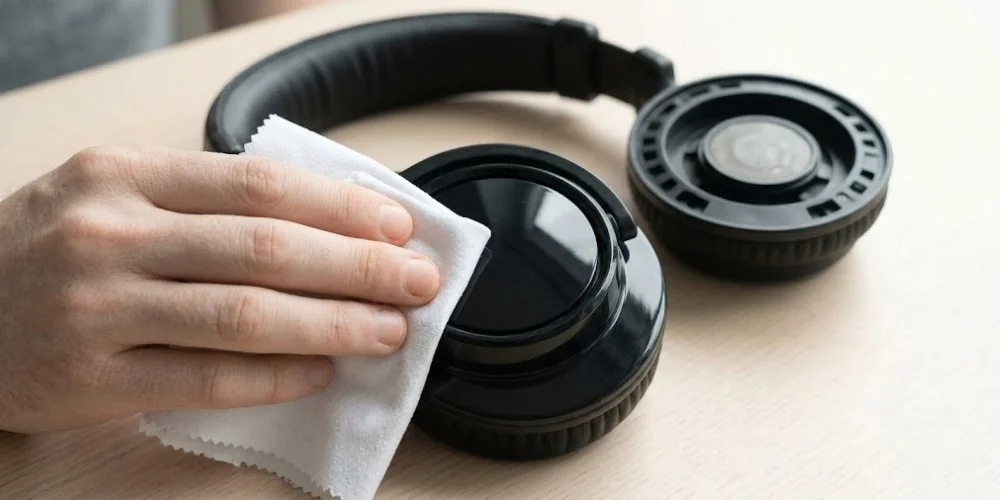
After cleaning all the parts, wipe down the whole headset. Wet a new microfiber cloth with 70% isopropyl alcohol. Clean all the external surfaces, such as the plastic shell, arms, sliders, and cable (if it has one).
Immediately wipe with a dry cloth. This last step sanitises all the surfaces you touch and makes the headset look new.
Step 8: Let Everything Dry Completely
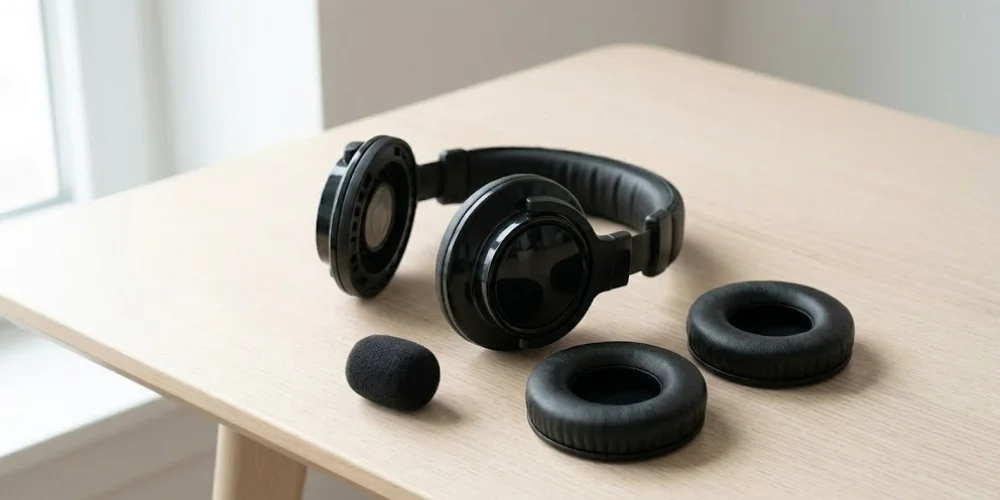
Before reattaching the ear pads, ensure everything is dry. If there is moisture left, it could ruin the electronics.
Let your headset dry in a well-ventilated, dry space for an hour. Don't use a hair dryer or put it in the sun. Allow it to dry naturally. That is the safest way.
How to Clean Different Types of Headsets
How to Clean a Gaming Headset
Gaming headsets are worn for hours a day. They absorb sweat and oil quicker than others. Clean the ear pads after each long game. Deep clean them once a week.
Pay close attention to the microphone. Gamers talk often during gameplay. Choose headsets with detachable ear pads. They are easier to clean. At Find Headsets.com, we have a selection of gaming headsets that are comfortable and easy to clean
How to Clean a Wireless Office Headset
We spend a lot of time using headsets in the office. Wipe the ear pads with an alcohol wipe every day. If you are sharing the headset, clean it before and after each use.
Wipe down the microphone once a week. It's in use all the time. Looking for a wireless headset for the office? Find Headsets has brands trusted by companies worldwide.
How to Clean In-Ear Headsets and Earbuds
In-ear headsets are worn in the ear. They are more likely to accumulate earwax and bacteria. Take out the silicone or foam ear tips. Clean them with warm water and soap. Make sure they are completely dry before reusing.
Clean the mesh nozzle (the part that fits in your ear) with a dry toothbrush. Don't use liquids near the mesh opening. This can ruin the tiny speaker.
How to Clean Over-Ear Headset Foam Pads
Some open-back headsets have foam pads. Foam pads can be hand washed. Remove from the headset. Use a small amount of soap and warm water.
Twist and squeeze to get the water out. Don't twist and wring as you may damage the foam. Rinse with clean water. Air dry for a couple of hours before using.
Simple Ways to Keep Your Headset Clean
It will be nicer if you keep it clean. Store properly when you don't use it. Don't put it on the floor or bed because it will get dirty. Use a stand or case if possible. Be sure to clean your hands before you use your headset.
If you use it for a long time, clean it with a cloth when you're done. This helps keep your headset clean and healthy. This makes it sound and feel better and last longer.
How Often Should You Clean Your Headset?
You should clean your headset as often as you use it. If you use it every day, clean it once a week. This will keep it clean and in good condition.
If you use it for lots of hours a day, clean it twice a week. It can get dirty and sweaty quickly.
If you share your headset with others at school or work, clean it every time you use it. This will prevent the spread of germs and make it safe. If you use your head set just on the weekend, clean it each month. That is usually enough.
If you do not use your headset very often and you keep it in a safe place, clean your headset before you put it away in a safe place and clean it before you use it again.
This will help keep it fresh. Cleaning your headset will help it last longer, sound better and feel more comfortable.
Common Mistakes People Make When Cleaning a Headset
The most common error is using too much water. This may leak into the electronics and ruin them. Wipe with a damp, not wet, cloth. The second mistake is not using a microphone. It's a bacteria magnet and distorts sound. Never skip it.
Some people dry with a hair dryer, but heat will distort plastics and damage foam. Another no-no is paper towels. They feel fluffy, but can be abrasive. Microfiber cloth is the preferred option.
When to Replace Instead of Clean
Cleaning will help your headset stay in good shape, but sometimes it needs to be replaced. If your ear pads are worn, torn or squashed, cleaning won't help.
If the foam is permanently discoloured or the headset still has an unpleasant odour after cleaning, it needs to be replaced. If the microphone is still muffled after cleaning, it could be damaged.
The good news is you can usually replace the ear cushions or microphone. This costs less than buying a new one. You can get new headsets at Find Headsets.
Conclusion
There's no need to be struggling cleaning your headset. In fact, a few minutes a week will keep them looking, smelling and sounding great.
In this How to Clean Headset guide, you'll read tips on how to clean your headset. Don't make the mistakes and follow our cleaning tips. Clean headsets sound better and are more comfortable.
Looking for a new headset? Check out Find Headsets for plenty of headsets to choose from.
No comments yet. Be the first to comment!
Leave a ReplyYour email address will not be published. Required fields are marked *