
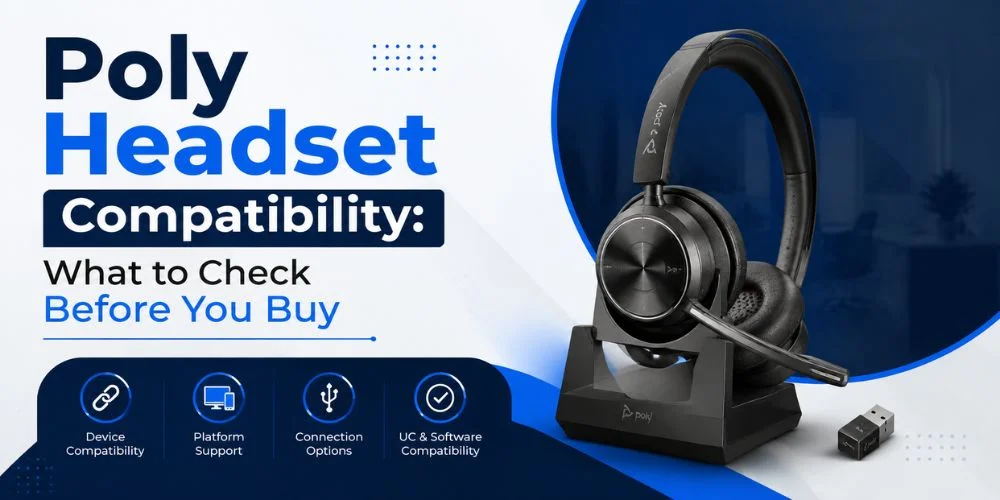
If you know about the devices and connections that the Poly headset supports, it will be easier to buy a Poly headset. A headset might be the ideal choice for the features you desire, but you may find yourself with a problem with the right cable, adapter, connector or software.
The Poly headset compatibility varies according to the particular headset model, the device being connected and the type of connection. Some Poly headsets are connected with a USB or Bluetooth, others are connected with a Quick Disconnect cable, USB adapter or wireless base.
When purchasing a headset, the name is not the only factor to take into account. In this guide, you will find out how to determine the model of your Poly headset, connect it to a computer, a phone, and desk phone, select the appropriate cable or adapter, check compatibility of Microsoft Teams and other platforms and prevent common compatibility issues.
What Does Poly Headset Compatibility Mean?
Compatibility means the headset is compatible with your device and provides you with the features you need.
It is recommended to use a Poly headset with:
- Either on a Windows or Mac computer
- iPhones or Android phones
- Desk phones
- Microsoft Teams
- Other calling apps such as Zoom.
- USB connections
- Bluetooth
- Wireless DECT bases
A headset can be used with one device, but require a cable or base to operate with another.
In addition, there is also a distinction between basic audio support and full feature support. You can use a headset to speak and listen during a phone call, but the headset might not support other functions such as call controls, mute sync or app controls.
This is why it is always essential to make sure you know exactly which model you are looking at and what you have in place before you buy it.
How to Check Your Headset Model
The first step is to find the right model number.
There are a number of models of poly headsets, and different models may require different accessories and connections. You may find the model number:
- On the headset
- While in the charging base
- The following information will be on the product label:
- On the original box
- In the user guide
- In the settings of your device
- On the product page no
Having a Poly Voyager headsets might not be sufficient. To determine compatibility information, the entire model name or number must be used.
Once the model number is confirmed, check the specifications, user manual, accessories that are compatible, and compatibility with the platform.
Compatibility With Windows and Mac
A few Poly headsets are compatible with computers; the setup will vary based on the type of connection.
USB Headsets
Usually, the USB headset is simple to set up. Plug the headset into your computer and see it as an audio device.
You might then have to choose it as your speaker and microphone in Windows, Mac or your calling app.
When purchasing, ask yourself if the headset has been created with:
- USB-A
- USB-C
- A USB adapter
- The other supported USB connection is shown.
In some cases, for instance, you may have to use an appropriate adapter if your laptop has only USB-C ports and the headset has USB-A ports.
Bluetooth Headsets
Bluetooth headsets can connect wirelessly to computers that support Bluetooth.
Use Bluetooth to connect the headset to the computer, turn the headset into pairing mode, and choose the headset from the computer's Bluetooth settings.
Some basic Bluetooth functionality may work even if the advanced features don't. For call controls, multipoint, mute sync or app controls, see the specs for your specific model.
Wired Headsets
Some Poly headsets are wired (e.g. 3.5mm, Quick Disconnect).
A wired headset might be a simple audio device and not give you the same control over software as a USB headset.
Compatibility With Phones
When selecting a headset, you should take into account your phone's model.
Bluetooth Phones
For many smartphones, Bluetooth may be a good choice.
When making calls, use the headset with your phone.
If you also wish to use the headset with your computer, see if it can be used with more than one device
USB-C Phones
A number of newer smartphones are equipped with USB-C.
When using a wired Poly headset with a USB-C phone, ensure that the headset and phone are compatible with the desired audio connection.
Not all USB-C cables and adapters will work for audio. The connector might appear identical, but could differ in its features.
iPhone Compatibility
With Bluetooth, you can enjoy a wireless connection with an iPhone without hassle.
If you are using wired, see the connector or adapter that is necessary for your particular iPhone model.
Android Compatibility
Android phones can have different connection possibilities.
Some support USB-C audio, others might be more convenient to use with Bluetooth.
Check connection options on your phone and compare with the supported connection options of the headset before purchase.
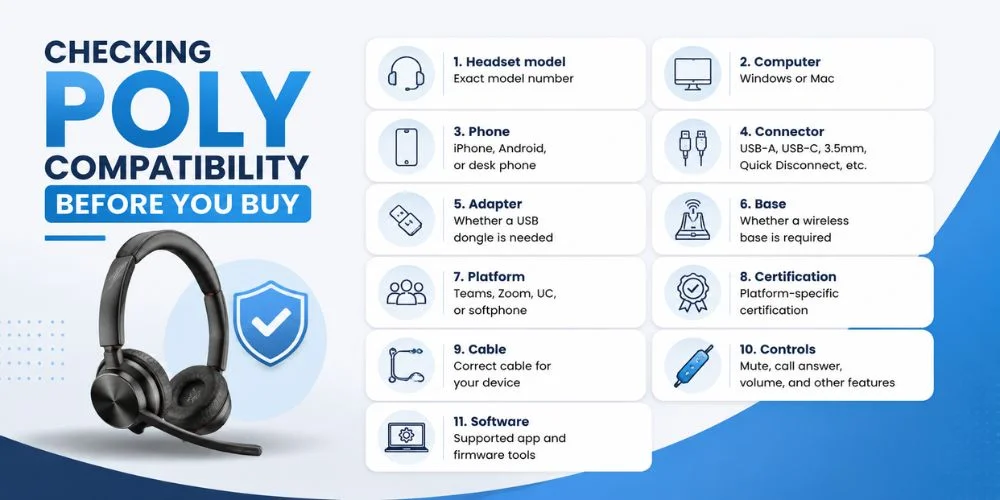
Checking Poly Compatibility Before You Buy
Before placing an order, check your complete setup. Begin at the actual model of the headset. Next, examine the device that you want to connect it to.
Then verify the type of connection and if it requires a cable, adapter, dongle or wireless base. If you're using a business platform like Microsoft Teams, review platform support and certification, too.
| Check | What to Verify |
|---|---|
| Headset model | Exact model number |
| Computer | Windows or Mac |
| Phone | iPhone, Android, or desk phone |
| Connector | USB-A, USB-C, 3.5mm, Quick Disconnect, etc. |
| Adapter | Whether a USB dongle is needed |
| Base | Whether a wireless base is required |
| Platform | Teams, Zoom, UC, or softphone |
| Certification | Platform-specific certification |
| Cable | Correct cable for your device |
| Controls | Mute, call answer, volume, and other features |
| Software | Supported app and firmware tools |
Avoid only checking out pictures of the product and the term "compatible". Please refer to the technical information for the precise model.
The Poly headset category can also be used to view the various types of headsets and connections available.
Can One Poly Headset Work With Multiple Devices?
Depending on the model, some Poly headsets are capable of connecting with multiple devices.
A headset could be plugged into a computer via a USB adapter, and could also be Bluetooth compatible with a smartphone for example.
This can be helpful when you receive work calls on your computer, but also get calls on your cell phone.
Before buying, check:
- The number of devices that the headset can handle.
- Whether it is multipoint or multiprocessor.
- Which connections are allowed to be used with each other
- If the device supports switching between devices
- Determine if all controls are functioning on each connection.
Not all wireless Poly headsets will be equipped with the same multi-device capabilities.
Compatibility by Use Case
The right headset will depend on the way you intend to use it.
For Office Computers
If you primarily call from a computer, use a headset that is compatible with your computer. A USB headset can be a straightforward solution for work in the office.
For Desk Phones
If you have a desk phone, consider the type of headset equipment and the phone model. A headset compatible with a computer might require an alternative configuration for a desk phone.
For Remote Work
Working at a distance, they tend to work with two devices, a computer and a smartphone. A model that works well with multiple devices may help to simplify the transition from work to mobile calls.
For Microsoft Teams
When Teams is the primary calling platform, verify the headset's Teams support and any certified features required.
For Shared Office Systems
When purchasing multiple units, make sure that the required cables, adapters, bases and software for the headsets are compatible across models.
Selecting a headset according to use case will prevent you from having to choose between features you don't need and compatibility issues after you purchase the headset.
Compatibility by Connection Type
The connection method determines the use and connection points of the headset.
| Connection | Common Use | What to Check |
|---|---|---|
| USB-A | Computers | Available USB-A port |
| USB-C | Newer computers and phones | USB audio support |
| Bluetooth | Phones and computers | Bluetooth support and features |
| 3.5mm | Wired devices | Compatible audio port |
| Quick Disconnect | Professional office setups | Correct cable or adapter |
| DECT | Office wireless systems | Compatible base |
| USB dongle | Wireless computer connection | Supported adapter |
Not all features are guaranteed to work even when using the connector. Always check the exact headset model.
Do You Need a Special Cable?
Certain Poly headsets require a particular cable.
Typically using a professional wired headset, or other connection.
If you are considering purchasing a replacement cable, then check:
- The particular model of the headset
- The headset connector
- How the device is connected to the computer.
- Microphone support
- Call control support
The cable that is recommended for the headset.
The wrong cable can cause no audio, problems with the microphone, one-way audio, or loss of audio controls.
How Desk Phone Ports Affect Poly Headset Compatibility
The type of headset gear required may be impacted by desk phone ports.
The phone's headset port can be used for another phone. Also available are phones that connect to the USB or other ports.
If you're looking for a headset for a desk phone, you should check:
- The exact model of the mobile phone.
- The headset port
- The required cable
- The need for an adapter
- If the phone can control its electronic calls.
Many pro-wired Poly headsets have Quick Disconnects and need the appropriate cable to connect to a desk phone.
If you are unsure about which cable to order, check the compatibility chart beforehand.
What Is an EHS Cable and When Do You Need One?
EHS stands for Electronic Hook Switch.
An EHS cable enables you to accept and place calls using a wireless headset compatible with the desk phone without a need to touch the phone.
It can come in handy when wanting to leave your desk during a call.
EHS is not compatible with all phones, however. The phone should have the capability of the feature and the correct EHS cable should be used with the phone and the headset. Depending on the system, further settings or programming might be necessary.
If remote call control is a must, look for EHS support prior to purchase.
Poly USB Dongles and Bluetooth Adapters
Wireless Poly headsets can be connected directly via Bluetooth. Some devices might need a supported USB adapter or dongle.
The features that a recommended adapter might include are:
- Call controls
- Mute sync
- App integration
- Device management
- Improvements in the way computer calls are supported.
A non-supported Bluetooth adaptor might offer basic sound capabilities but not all of the features available with a supported Bluetooth adaptor.
Before buying a dongle, ensure that your headset has dongles and the adapter is included.
Poly Wireless and DECT Base Compatibility
Wireless Poly professional headsets are based on DECT technology.
The base is mounted on the computer/phone system and the headset is wirelessly connected to the base.
This type of configuration may be beneficial in an office situation, as users can relocate from their desks without having to end the call.
The base is a crucial component of the setup. When replacing the headset or base, make sure they are compatible.
Check the type of computer/computer port and the type of phone line the base has.
Can You Mix Headsets With Other Brand Cables or Adapters?
Please note that if the connector is the same, the cable or adapter may not work.
There are some brands and models that can be developed into professional headset cables and adapters. Similar looking connectors do not necessarily indicate similar wiring or features.
When connecting to a third-party / other-brand accessory, please ensure that the accessory is officially supported for your headset.
If the setup is important, the recommended cable, adapter or base would be better to use.
Headsets With Desk Phones
The use of a Desk phone could be more complicated than that of a computer.
A USB computer headset might not be able to connect to a desk phone directly. You might need:
- A specific cable
- An adapter
- An amplifier
- A wireless base
- An EHS accessory
It's important to verify the exact model of your desk phone and its headset connection when buying.
Use the Polycom Phone Headset Compatibility Guide to verify Polycom phone configurations.
This can be especially useful for companies with a variety of desk phones.
Headsets With Microsoft Teams
Many Poly headsets can be used with Microsoft Teams, but are not Teams certified.
With a compatible headset, some speaker and microphone functions may be available.
Depending on the headset and connection method, a Microsoft Teams certified model might enable you to use more Teams features. These can include:
- Answering calls
- Ending calls
- Mute controls
- Volume controls
- Teams controls
When using teams frequently, check the certification and capabilities of the specific type of headset.
You can also read our Poly headsets for Microsoft Teams guide for more information.
Compatibility vs. Certification
There is a relationship between compatibility and certification but they are not the same.
Compatibility is the ability of the headset to link to a device or platform and operate on the support of a device or platform.
Certification is a test and approval process of the headset with regard to specific platform requirements.
For instance, a headset might support sound and microphone capabilities in Teams but not all Teams control.
If the features are important for your business, check the model's certification and supported features.
Headsets With UC Platforms
UC is an acronym for Unified Communications.
UC platforms incorporate tools like calls, meetings and messages.
Poly offers headsets for different UC environments, support is different depending on the model.
Some of the most common business platforms that could be utilized are Microsoft Teams, Zoom, Cisco Webex, and other softphone platforms.
When buying, you have to ensure that the headset could work with the software that your company is using.
For businesses that need a certified headset, please check the certification for the headset model, not the headset family.
Headset Compatibility With VoIP Softphones
Softphone is software that enables you to make calls via your computer rather than a desk phone.
Poly headsets are a common piece of hardware used with computer calling applications, and the support offered may differ.
Before choosing a headset for a softphone, check:
- If the app supports the headset then it will.
- Whether or not call controls will be effective.
- If mute controls are working or not.
- Determine if any software is needed
- Should the headset be plugged into a USB or adapter or not?
The simple sound audio may be functioning while the advanced controls aren't. Check the support if you are using a softphone on a daily basis for your application and headset model.
Software and Firmware Compatibility
It also may affect the operation of your Poly headset.
Some Poly headsets are supported by Poly software, such as Poly Lens. Depending on the model, this software can help you with device settings, firmware updates, and management.
Some of the connection or feature issues could be solved by keeping firmware and computer drivers updated. However, there can be differences in support for software across models.
Before you install software, make sure that it's compatible with your headset and operating system.
Where to Verify Poly Headset Compatibility
The only way to check for compatibility is to get information for the specific headset model.
Look for:
- Technical specifications
- Compatibility information
- User guides
- Setup guides
- Supported accessories
- Firmware information
- Platform certification
For older Poly products special attention must be paid to the model. Different cables or standards may be required for older headsets compared to newer ones.
If in doubt, do not use a headset that is incompatible with your system.
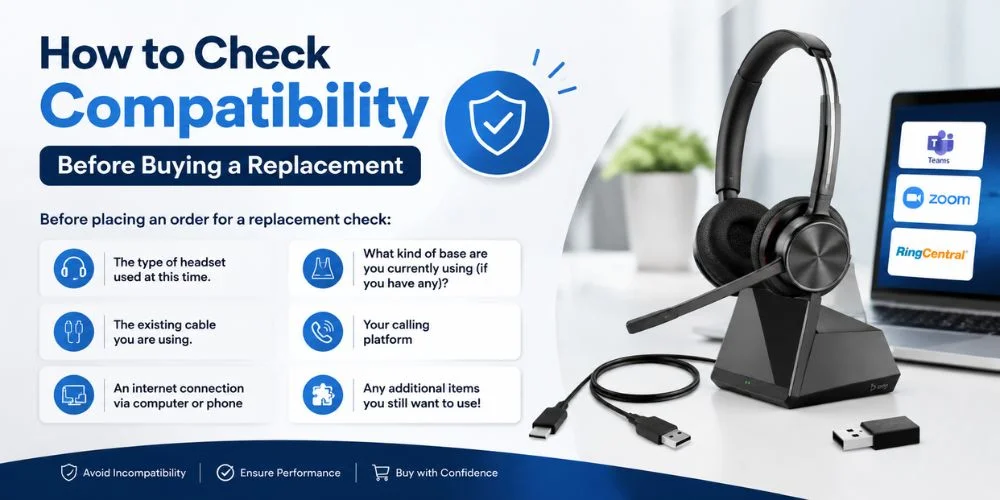
How to Check Compatibility Before Buying a Replacement
It's easier to replace the old headset if you already have a Poly system.
Remember that a new headset may not have the same accessories as the one you have.
Before placing an order for a replacement check:
- The type of headset used at this time.
- What kind of base are you currently using (if you have any)?
- The existing cable you are using.
- An internet connection via computer or phone
- Your calling platform
- Any additional items you still want to use!
When using a reused base, cable or adapter, ensure that the new headset is compatible with that accessory.
That way, you won't end up buying a headset which is pretty similar, but needs a completely different setup.
Common Poly Compatibility Problems
The Headset Connects but the Microphone Does Not Work
The computer may be picking up the headset for sound but it may be picking up another microphone.
Open your computer and your calling app, and select your Poly headset as the microphone.
The Headset Works on the Computer but Not the Phone
The computer may be looking for the headset to use for audio, but it may be looking for another microphone.
Open your computer, open the calling app and select the Poly headset as your microphone.
Bluetooth Works but Advanced Controls Do Not
Basic Bluetooth audio functions, but some call controls may not.
Certain features may need to be supported by a USB adaptor or software to operate.
A Replacement Cable Does Not Work
It may be another headset or device that is hooked to the cable.
Please check the model of the headset and use the cable suggested by the headset manufacturer.
The Wireless Headset Will Not Connect to the Base
The headset and base may not match or be plugged in. Check the base and model information on both devices prior to using another base.
Teams Detects the Headset but Buttons Do Not Work
The headset might have Teams audio, but no Teams controls that you require. Check the model's Teams certification and features.
The Computer Does Not Recognize the Headset
Try to connect via a different supported USB port, check the cable, restart the computer and make sure the drivers or headset software are up-to-date.
If this doesn't fix the problem, make sure the headset works with your operating system and computer.
What If a Poly Headset Is Not Compatible?
To begin with, discover what is the problem with the headset and your device.
At times, the necessary cable or adapter is all that's needed.
For instance, a business wired headset could require a cable for a specific desk telephone. A wireless headset might require the wireless adapter or base that it supports.
But not all compatibility issues can be resolved with an adapter.
In case the headset mentioned does not support the connection and platform you need, you may consider checking out the other headsets.
If you have identified the problem, you can save the bother of buying a second headset with the same problem.
Does Compatibility Mean Every Feature Will Work?
No. Some features may not be available when using a headset with a device.
You might have, for instance:
- If the speaker is using the microphone, the speaker's voice will be heard, but the microphone will be silent.
- No call controls, but microphone support.
- A simple Bluetooth audio system lacking any advanced features of the apps.
- No support available for desk phones, but there is computer support available.
- Teams Audio, without any Teams controls.
Always check which functions the headset and connection involve.
Final Thoughts
The first step in selecting a Poly headset is to know what you're looking for. The model of the headset, computer or phone, connector, cable, wireless base, software and communication platform can all affect the functioning of the headset. Please check the model and the devices and accessories that are compatible prior to purchase.
If you need features such as call controls, remote answering, or the integration with Microsoft Teams, make sure the features are available in the connection method you plan to use.
You can save yourself from connection issues, unneeded accessories, and the expense of purchasing the wrong headset by checking the Poly headset compatibility before making a purchase.
Find the Right Poly Headphone for Your Setup
Not certain which Poly headset will work with your computer, cell phone, desk phone or Microsoft Teams system? See our Poly headsets and learn about the models, connections and features.
Consider the types and fit of headset to your devices and work requirements, and make sure that they are compatible before placing your order.
Frequently Asked Questions
How do I know if my Poly headset will work with my computer?
Determine the exact model number and see what it supports. Then compare it to the ports or wireless that are in your computer.
Can a Poly Bluetooth headset work with a phone and computer?
Some Poly headsets allow for multiple devices to connect. Verify this feature on the particular model's specifications.
Do Poly headsets work with USB-C?
Some Poly headsets have built-in USB-C connectivity or can be plugged into via an appropriate adapter. Make sure to verify the actual product details before purchasing an adapter.
Can I use any cable with a Poly Quick Disconnect headset?
No. Be sure to use a cable that is compatible with your headset and target device. The features of different cables may vary.
Do I always need a USB dongle?
No. Some headsets are wired in with built-in Bluetooth. Some models or features might require a dongle.
What is an EHS cable?
An EHS cable is a wireless headset compatible cable that can be used to answer and terminate desk phone calls electronically. The phone and headset system must be capable of EHS in order to function.
Can a Poly headset work with Teams without certification?
Yes. Simple audio might be possible even though the headset isn't Teams certified. When you require features and controls for Teams that are supported, certification becomes more vital.
Why does my headset work for audio but not call controls?
The headset might not support those controls or the connection method might not support them.
How do I find the right replacement cable?
Always use the same headset type and model, and verify any recommended accessories for the type and model.
Can Poly headsets work with desk phones?
Most Poly headsets are compatible with desk phones, but you might need the right cable, adapter, or base. Verify the type of the desk phone model before purchasing.
Can I use a Poly USB headset with my phone?
It depends on the headset & cellphone. A compatible USB adaptor might be required, and the phone should have USB audio support. When it comes to mobile use, Bluetooth models are frequently easier to use.
What should I check before buying a Poly headset?
Before buying a Poly headset, pay attention to the exact model, target device, connector, cable, adapter, wireless base, operating system, communication platform, software support, and functions required.
No comments yet. Be the first to comment!
Leave a ReplyYour email address will not be published. Required fields are marked *