
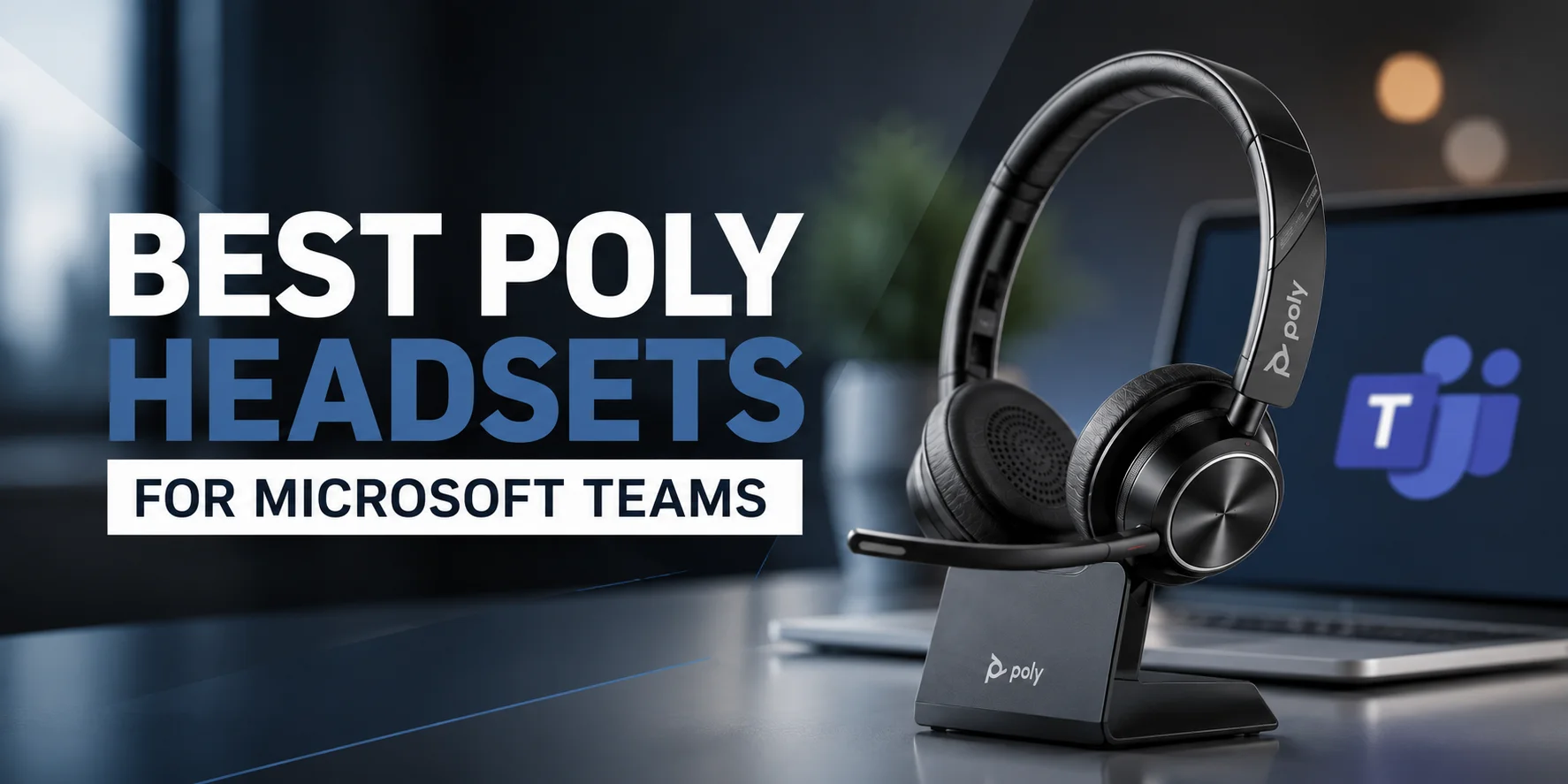
Microsoft Teams is a communication powerhouse that is essential for businesses. Whether you participate in virtual meetings, communicate with clients or work with your team, the right headset can enhance the quality of your calls and boost productivity.
There are a number of different business headsets that can be used with Microsoft Teams from Poly. Connecting a wired USB headset at your desk or a wireless Bluetooth or DECT headset at your office, there's a solution for every professional.
Also, lots of Poly headsets can be purchased in the Microsoft Teams Certified and UC (Unified Communications) versions, to ensure you are able to choose the right headset for the work environment.
Not all headsets provide the same Microsoft Teams experience. We've focused on attributes that professionals need every day - clear audio, microphone quality, long-lasting comfort, reliable connectivity, and Microsoft Teams compatibility and value. For all the Poly models, we have selected the headsets that offer the best collaboration, meetings and calls experience.
We have reviewed and compared some of the best Poly headsets for Microsoft Teams regarding the audio quality, microphone performance, comfort, connectivity, Teams integration, and value offered. We'll also explain the differences between Teams Certified and UC versions, how the Microsoft Teams button works and whether you need to use a USB Bluetooth dongle.
Why Teams Certification Matters
For organizations that have to communicate using Microsoft Teams on a daily basis, selecting a Teams Certified headset can enhance your overall experience. These headsets will be tested to ensure they work with Microsoft Teams and provide features that enhance meetings and calls.
A Teams Certified headset provides you with more predictable controls for calls, faster access to meetings and compatibility with Microsoft Teams features.
For businesses that have Microsoft Teams as their main line of communication, they will employ certified versions, with the possibility of UC versions being used alongside Teams as well.
The 5 Best Poly Headsets for Microsoft Teams
1. Poly Voyager Focus 2 – Best Overall Poly Headset for Microsoft Teams
Overall Rating: 9.8/10
For enterprise users who are on Microsoft Teams on the job 98% of the day, the Poly Voyager Focus 2 is a good choice. This headset has a clear sound and a reliable performance throughout the day whether you are in a meeting, talking to a client or working with remote colleagues.
Easy to use, and the noise canceling microphone can be helpful on noisy working occasions. Plus, with Microsoft Teams certification, you'll be able to enjoy a better meeting and calling experience.
Key Features
- Microsoft Teams Certified
- Bluetooth wireless connectivity
- Active Noise Cancellation (ANC)
- Noise-canceling microphone
- Long battery life
- Comfortable over-the-head design
Pros
- Great audio for video calls and conference calls.
- Easy to operate for extended periods of time.
- Reliable Bluetooth connection.
- Clear microphone performance.
- Easy integration with Microsoft Teams.
Cons
- Can be more costly than lower-priced models.
- Requires regular charging.
- May have more functionality than average users require.
Why It Stands Out
The Voyager Focus 2 is loaded with the best of audio, comfort, and Microsoft Teams integration. It is an excellent headset for business and virtual meeting professionals who spend a significant amount of time on the phone.
Ideal for: Hybrid workers, remote professionals, managers and business users.
Overall: The bottom line is that this is one of the best wireless headsets for Microsoft Teams in the Poly range and a high quality headset to boot.
2. Poly Blackwire 8225 – Best Wired Poly Headset for Microsoft Teams
Overall Rating: 9.7/10
The Poly Blackwire 8225 proves to be one of the best wired headsets for Microsoft Teams. The USB port ensures a stable and reliable user experience. It's perfect for anyone who spends the majority of the day at a desk for work.
There's also Active Noise Cancellation, which can help keep the background noise muted when meeting. This, combined with its class-leading microphone and convenience design, makes it a dependable enhancement to business communication.
Key Features
- Microsoft Teams Certified
- USB-A and USB-C connection
- Active Noise Cancellation
- Noise-canceling microphone
- Plug-and-play setup
Stereo audio
Pros
- Stable USB connection.
- Good audio quality conferencing.
- Comfortable for extended periods of working time.
- Simple to set up and operate.
- Very good compatibility to Microsoft teams.
Cons
- The movement is limited with a wired connection.
- Not as easy to maneuver as a wireless system.
- Most often used in a desk setting.
Why It Stands Out
The Blackwire 8225 is designed for professional users who don't need to take battery life into account when operating. It is a good option for the office due to its USB connectivity, high quality audio and Teams certification.
Ideal for : Work desk users, customer service and Office employees.
Overall: Good audio quality with quality wired headset and good Microsoft Teams performance.
3. Poly Voyager 5200 UC – Best Poly Headset for Mobile Microsoft Teams Users
Overall Rating: 9.6/10
The Poly Voyager 5200 UC is suitable for on-site use. Because of its light-weight Bluetooth design, you can use it at work, at home and on the go without ever being without Microsoft Teams. It can also be used with other prominent communication tools, which is great for those who have to use multiple tools.
Key Features
- UC version for multiple platforms
- Bluetooth wireless connectivity
- Portable single-ear design
- Noise-canceling microphones
- Long battery life
- Follows verbal and/or gestures directions
Pros
- Move and transport easily.
- Clear voice quality when on calls.
- It is compatible with PC and smartphone.
- Excellent daily-life battery life.
- Can use multiple media to communicate.
Cons
- The single ear design isn't suitable for everyone.
- Not Microsoft Teams Certified.
- Not as effective as over-the-head headsets for long periods of meetings.
Why It Stands Out
The Voyager 5200 UC is built for professionals that demand flexibility. It ensures a stable connection even if you're frequently moving between devices or locations.
Great for: Sales people, consultants, business travel and remote workers. Portable, Bluetooth headset that will ensure consistent performance at any job.
4. Poly Savi 8220 – Best Wireless Poly Headset for Microsoft Teams
Overall Rating: 6/10
Poly Savi 8220 is made to suit the needs of the professional who needs to be mobile when working. It provides a reliable connection with longer wireless range than conventional Bluetooth headsets, thanks to its DECT wireless technology.
It's an excellent choice for managers, supervisors, and those who work in a hybrid position, as it allows them to move throughout the office all day long.
Key Features
- Microsoft Teams Certified
- DECT wireless technology
- Active Noise Cancellation (ANC)
- Long wireless range
- Multi-device connectivity
- Comfortable over-the-head design
Pros
- Wireless long-range connection that is reliable.
- Easy to work for long periods of time.
- Provides for multiple business connections.
- Audible meetings and calls.
- Very good integration with Microsoft Teams.
Cons
- Wireless headsets are more costly than wired headsets.
- Requires charging.
- Mainly for office & hybrid.
Why It Stands Out
The Savi® 8220 is engineered to ensure that professionals are connected, wirelessly, around the job-site, with business-class audio performance.
Best suited for: Managers, supervisors, trainers, hybrid teams. Professional grade call quality wireless headset, overall.
5. Poly Blackwire 5220 – Best Value Poly Headset for Microsoft Teams
Overall Rating: 9.4/10
If you're looking for reliable performance at an affordable cost, the Poly Blackwire 5220 is an excellent choice. It features good audio quality, ergonomic design and USB connectivity, making it perfect for standard Microsoft Teams calls and meetings.
Key Features
- 2 USB-A + 2 USB-C ports
- Noise-canceling microphone
- Lightweight design
- Wideband audio
- Plug-and-play setup
Pros
- Great for business users.
- Easy to wear for extended periods of time.
- Easy USB connection.
- Reliable call quality.
- Easy to install and operate.
Cons
- Wired connection hinders mobility.
- No ANC (Active Noise Cancellation)
- Lighter offering of premium features than the Blackwire 8225.
Why It Stands Out
The Blackwire 5220 is designed with the features that are most important to professionals every day. Likely to be as reliable, as effective at communicating and as comfortable as the more expensive versions, but at a lower price.
Best suited for: Companies with small size or budget, office teams.
Overall Score: A great value Poly headset for MS Teams users.
Quick Comparison of the Best Poly Headsets for Microsoft Teams
| Headset | Best For | Connection | Version |
|---|---|---|---|
| Poly Voyager Focus 2 | Best Overall | Bluetooth | Teams Certified |
| Poly Blackwire 8225 | Office Professionals | USB-A / USB-C | Teams Certified |
| Poly Voyager 5200 UC | Mobile Workers | Bluetooth | UC |
| Poly Savi 8220 | Managers & Hybrid Teams | DECT Wireless | Teams Certified |
| Poly Blackwire 5220 | Best Value | USB-A / USB-C | UC |
Teams Certified vs UC: What's the Difference?
The Microsoft Teams Certified and UC (Unified Communications) versions of the Poly headsets will be seen as the norm. They use Microsoft Teams, but are designed to work for various ways of working.
A Microsoft Teams Certified headset is designed with the user of Microsoft Teams in mind. It contains a particular Microsoft Teams button and provides a smoother experience while conversing, notifying and handling calls.
The UC headset is intended to be used by individuals who utilize more than one communication platform. Seamlessly connects with Microsoft Teams, Zoom, Google Meet, Cisco Webex, RingCentral, and more business applications.
| Microsoft Teams Certified | UC Version |
|---|---|
| Built for Microsoft Teams | Supports multiple communication platforms |
| Includes a dedicated Teams button | No dedicated Teams button |
| Faster access to Teams meetings and notifications | Flexible for different business apps |
| Best for organizations that mainly use Teams | Best for mixed work environments |
Which Version Should You Choose?
If you primarily use Microsoft Teams to meet, make calls and collaborate with colleagues, use a Microsoft Teams Certified headset for your company.
If you frequently switch to Microsoft Teams and other communication applications, select a UC version.
Why Poly Headsets Are a Great Choice for Microsoft Teams
The Poly headsets are engineered to ensure professionals can communicate and work effectively with Microsoft Teams. Poly offers a range of headsets that can be used in different ways to fit everyone's work style and business needs, whether at meetings, to attend to customers, or to connect with colleagues.
There are many Poly models that are available in Microsoft Teams Certified versions, giving teams instant access to the features of Teams and assured call controls. As well you can opt for wired USB, Bluetooth or DECT wireless headsets depending on your environment of work.
A great advantage of the Poly headsets is that it sees everyday comfort and communication as a priority. Noise-canceling microphones, clear sound systems and comfortable designs minimise distractions and make meetings with a long duration more pleasant.
From remote workers to office professionals, managers to hybrid, Poly has a Microsoft Teams headset that will meet your workplace, device and communication needs.
There's a choice of lightweight headsets such as the Voyager series, reliable headsets such as the Blackwire series and the Savi series, so it's easier to find a headset you'll need that fits you.
What Does the Microsoft Teams Button Do?
Some Microsoft Teams Certified Poly headsets even feature their own Microsoft Teams button. This button will give you instant access to Teams, allowing for better management of the work without switching between headset and computer.
Depending on different headsets, the Teams button can be used to:
- Open a single click of the button, Microsoft Teams.
- Enhance attendance at scheduled meetings.
- View Teams notifications.
- Answer incoming Team calls.
- Bring the Teams window to the foreground while on a call.
If you have to spend all day long on Microsoft Teams, this can save you time and help to streamline meetings.
Do You Need a USB Bluetooth Dongle?
A USB bluetooth dongle is better than the laptop's Bluetooth adapter for people who are using a Bluetooth Poly headset and a laptop. Many Poly wireless headsets or an optional accessory for some come with the BT700 USB adaptor.
BT700 USB adapter can help you with the following:
- Connect via a wireless connection that has an established connection to the internet.
- Improve the quality of group calls for meetings.
- Reduce audio delays.
- Quickly pair up your headset.
This type of connectivity is useful when moving around your work area.
With the BT700 adapter, you can enjoy smoother and consistent meetings on Microsoft Teams, if you are using it daily.
Why Call Controls Matter
Workday is made more efficient by simple call controls. Once calls come in, you don't have to lift your keyboard again, and do everyday tasks with your headset.
With most Poly Microsoft Teams Headsets, you can:
- Answer and hang up telephones.
- Mute/unmute microphone.
- Increase or decrease the volume.
- Allowing others to play and stop media on supported models.
- Quick access to Microsoft Teams on certified headsets.
Built-in controls help you stay in focus during meetings, and reduce the distractions on hectic working days.
Which Poly Headset Should You Choose?
The ideal type of headset to use for your position will depend on the type of job you have. Here are our suggestions for different business needs.
| If You Need... | Recommended Headset |
|---|---|
| The best overall Microsoft Teams headset | Poly Voyager Focus 2 |
| A reliable wired headset for office work | Poly Blackwire 8225 |
| A headset for travel and mobile work | Poly Voyager 5200 UC |
| Wireless freedom around the office | Poly Savi 8220 |
| A budget-friendly headset for daily meetings | Poly Blackwire 5220 |
You'll have more productive meetings and better calls in Microsoft Teams, with a clearer meeting when you're using a proper headset, and you'll have a better experience.
Explore More Poly Headsets at FindHeadsets
Searching for the best possible Microsoft Teams headset? Visit FindHeadsets to discover a variety of Poly series like Voyager, Blackwire and Savi office, remote and hybrid work headsets.
It's easier to compare features, connectivity options, Microsoft Teams compatibility and comfort before you buy, thanks to our detailed product pages and product buying guides. FindHeadsets makes it easy to get the confidence to make the right choice, whether it's for you or your whole team.
Final Thoughts
The Best Poly Headset for Microsoft Teams is dependent on your daily working style. The Poly Voyager Focus 2 is the best overall with its superb sound, wireless and Teams support.
If wired headsets are more your style, the Poly Blackwire 8225 is a reliable wired USB headset that's ideal for regular meetings. The Poly Savi 8220 is perfect for those who need mobility, while the Poly Voyager 5200 UC is perfect for anyone who needs mobility at all the time.
You can make it easier to communicate, control meetings, and have better calls with a headset that's designed to fit your work style, devices, and requirements for Microsoft Teams.
Frequently Asked Questions
What are the best Poly headsets for Microsoft Teams?
The best Poly headsets for Microsoft Teams is Poly Voyager Focus 2 offers a better sound, better comfort and is certified by Microsoft Teams, which makes it perfect for business calls and everyday meetings.
Will all Poly headsets work with Microsoft Teams?
Most of the Poly headsets work with Microsoft Teams, but not all Poly headsets are Microsoft Teams Certified. There are certified models with further Teams functionality and UC models that are designed to be used on different communication channels.
What is the difference between Teams Certified and UC headsets?
A Teams Certified headset is one of the headsets that has a dedicated Teams button with it and was created specifically for Microsoft Teams. A UC headset can be used in Microsoft Teams and other applications, such as Zoom, Google Meet, Cisco Webex, and RingCentral.
Need a USB Bluetooth dongle?
Not always. The headset can connect through the computer's Bluetooth, but if you are calling into Microsoft Teams using the computer then you are likely to get a much better connection with a USB adaptor like the Poly BT700 which provides a more stable connection and better call quality.
Will I be able to use a Teams Certified headset with Zoom?
Yes. Poly certified headsets will also be compatible with Zoom and other communications platforms on most teams. Some features, such as dedicated Teams button, however, are developed specifically for the Microsoft Teams context.
What are the best Poly headsets for remote work?
The Poly Voyager Focus 2 is ideal for remote and hybrid teams due to its wireless mobility, outstanding microphone performance, and comfort.
No comments yet. Be the first to comment!
Leave a ReplyYour email address will not be published. Required fields are marked *