
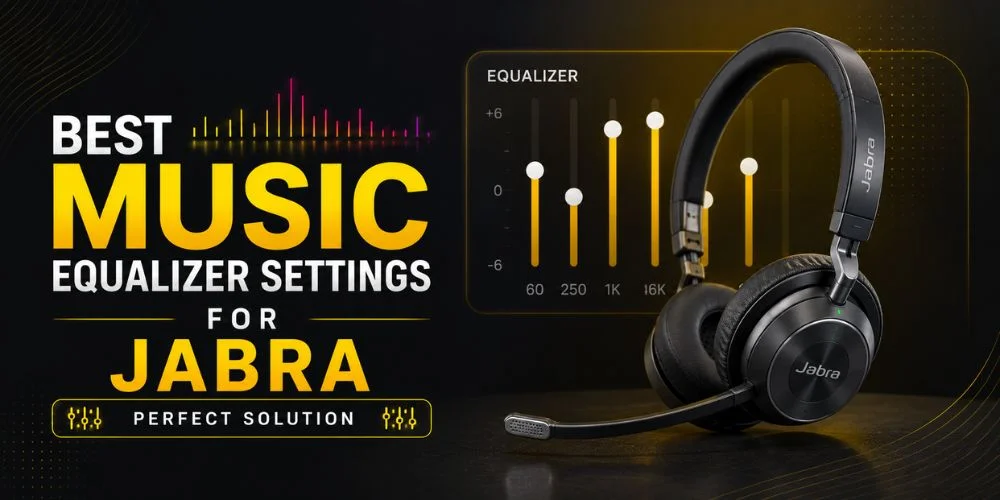
If you have Jabra earbuds, you must know that they give great sound quality. Therefore, most of the users do not know that real magic happens when you make the EQ (Equalizer Settings). Adjusting the equalizer settings, you can automatically improve your listening experience by enhancing the bass and improving the vocals' clarity. It also helps to balance the highs and mids according to your choice.
It doesn’t matter whether you are using “ Jabra earbuds like the Elite series or other Jabra headphones. The built-in equalizer in the “ Jabra Sound+apps” allows you to make a perfectly tuned sound profile. Instead of depending on the default sound settings, you can adjust frequencies to match the music you love a headphones
In this guide, you will learn the best music equalizer settings for Jabra. And how EQ works, and which settings work best for the different music genres.
Why This Guide is Reliable
You can trust this guide because it is totally based on practical experience, “After testing EQ profiles on Jabra Elite 7 Pro and Elite 85t across multiple genres,” with Jabra earbuds and headphones. In addition, the settings were tested in real-world EQ adjustments across multiple music genres to attain balanced sound. All the suggested settings follow the basic audio principles. It helps you to know how bass, midrange, and treble frequencies have different effects on the music's sound clarity and overall listening quality, which totally depends on your taste.
The Jabra brand is known as a famous brand on the basis of its built-in equalizer controls through the Jabra Sound+ app. It helps users to personalize the sound profiles for multiple listening environments. All the EQ suggestions that are discussed in this guide are based on the use of moderate adjustments designed. It will support you to enhance the sound quality without any disturbance from noise, and users can safely improve their listening experience.
Let’s Understand the Jabra Equalizer
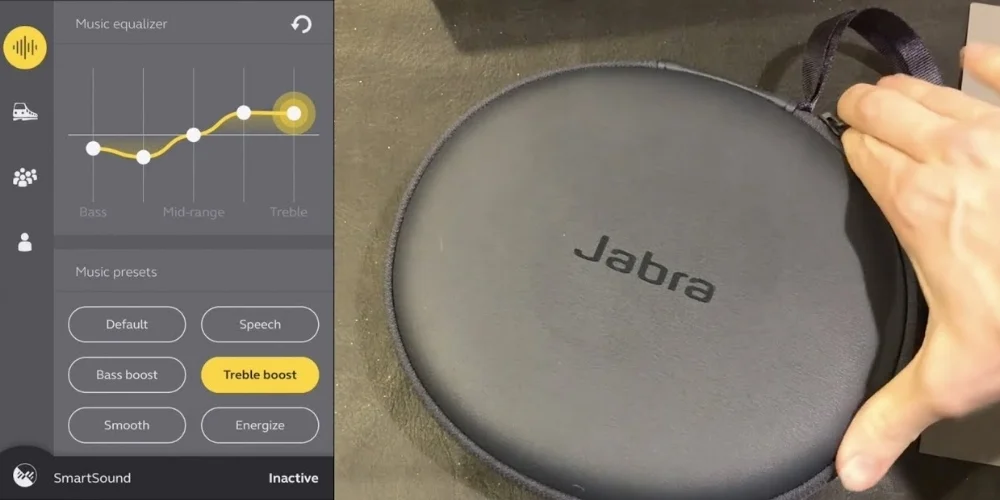
Before making the adjustments to the EQ, are you excited to know what each frequency band controls? The Jabra Sound+ app commonly provides a 5-band equalizer that will help you adjust the following sound ranges.
Bass, 60 Hz: This helps to control the deep bass and the vibration that you hear in hip-hop, EDM beats, or electronic music.
Low Midrange at 250 Hz: It affects the overall fullness and warmth of musical instruments such as drums and guitars.
Midrange at 1 kHz: This frequency is responsible for most of the instruments and the vocals that you listen to in a song.
Upper Midrange at 4 kHz: It helps to improve definition and clarity, which is particularly helpful for vocals.
Treble 7.6 kHz: It supports increasing the sound with brightness, detail, and sparkle.
So, above, we have understood the different frequency bands. Now it totally depends on your listening preferences that suit your taste, and you can modify the sound profile according to it by adjusting these bands.
The Best Jabra EQ Settings for Music in General
A balanced equalizer setting profile works best if you listen to different types of music like pop, rock, hip-hop, or electronic.
Recommended Settings
Below are some recommended EQ settings for music in general.
| Frequency | Adjustment |
|---|---|
| 60 Hz | +3 |
| 250 Hz | +1 |
| 1 kHz | 0 |
| 4 kHz | +2 |
| 7.6 kHz | +3 |
Why this Setting Helps
When you make these settings, it will give you a balanced V-shaped sound profile. That means the mids remain neutral, and the bass and vibration are a little boosted. This setting will provide a punchy and deep bass, clear vocals, and it gives high crisps without disturbance. It is the most widely used EQ curve for daily music listening.
Jabra's Best Bass Boost EQ Settings
The Jabra bass boost EQ settings help to increase low frequencies. It helps to make sound clearer and more engaging while listening to EDM, hip-hop, and bass-heavy music.
Suggested Adjustments
Here are some recommended settings that are given below in a tabular form to give you the best bass boost EQ settings.
| Frequency | Adjustment |
|---|---|
| 60 Hz | +5 |
| 250 Hz | +2 |
| 1 kHz | 0 |
| 4 kHz | +1 |
| 7.6 kHz | +2 |
Advantages of Bass Boost
These EQ settings work well to balance mids and highs while emphasizing low frequencies. You will observe that: It increases bass impact, creates more impact during drops and beats,s and it helps to add energy to electronic music. But do not turn up the bass too much, as this could overpower the instruments and vocals.
Clear Vocals With The Best Jabra EQ Settings
Clarity becomes more important over the bassif your priority is listening to podcasts,s vocal-focused songs, or acoustic music.
Suggested Settings
Here are some suggested settings that are given below to give you clear vocals with the best Jabra EQ settings.
| Frequency | Adjustment |
|---|---|
| 60 Hz | +1 |
| 250 Hz | 0 |
| 1 kHz | +3 |
| 4 kHz | +3 |
| 7.6 kHz | +2 |
Why This Setting Is Ideal
After making this setting, you will observe that the audibility and vocal clarity are increased. Raising the midrange and upper midrange frequencies is an ideal choice for podcasts and audiobooks. This setting is perfect for: The podcasts and audiobooks, songs by the singers and the songwriters, and the acoustic music. It helps to make the sound without becoming overly bass-heavy, and it becomes clearer and more detailed.
Greatest Jabra EQ Settings for Instrumental & Classical Music
The classical and instrumental music need more natural and balanced sound frequencies.
Recommended Settings
Below are the recommended settings to give more natural sound to instrumental and classical music they are:
| Frequency | Adjustment |
|---|---|
| 60 Hz | +1 |
| 250 Hz | 0 |
| 1 kHz | +3 |
| 4 kHz | +3 |
| 7.6 kHz | +2 |
What This Improves
This EQ profile increases the detail and instrument separation, giving a clear sound to hear. Applying this setting, you will get: It gives clear violins and strings, you can listen to neutral piano tones, and it will give detailed orchestral layers. The treble is gently increased to give more brightness and a sense of realism to the sound.
Best Jabra EQ Settings for Bass Lovers
The people who love to enjoy heavy-bass music like hip-hop or electronic pop. They usually want more powerful low-end sound by increasing the frequencies that are low and keeping the midrange balanced. You can make a higher and more energetic listening experience.
Recommended Settings
Below, there are some frequency settings that will help the EQ settings for the bass lovers.
| Frequency | Adjustment |
|---|---|
| 60 Hz | +5 |
| 250 Hz | +2 |
| 1 kHz | 0 |
| 4 kHz | +1 |
| 7.6 kHz | +2 |
Why This Works
By making these settings, you can emphasize deep bass frequencies, keeping in mind that you have to keep the vocals and instruments clear. It will give a fuller sound, especially during the drum beats and bass drops. This setting works well for music like hip-hop, EDM, and electronic dance music.
Therefore, it is essential that you do not boost the bass so high. It is because if the bass is too high, it can reduce the overall clarity of vocals.
Jabra EQ Settings Comparison Table
As we have discussed above with the multiple EQ profiles, you are now able to adjust the frequencies for various music genres. To help you choose the best EQ profile, below is a comparison table that shows the best Jabra EQ settings for different listening styles. This makes it easier to select the perfect sound profile that is based on your listening style.
Quick Comparison of the Best Jabra EQ Settings
| Listening Type | 60 Hz (Bass) |
250 Hz (Low-Mid) |
1 kHz (Mid) |
4 kHz (Upper-Mid) |
7.6 kHz (Treble) |
Best For |
|---|---|---|---|---|---|---|
| Balanced Music | +3 | +1 | 0 | +2 | +3 | Daily listening |
| Bass Boost | +5 | +2 | 0 | +1 | +2 | EDM, Hip Hop |
| Clear Vocals | +1 | 0 | +3 | +3 | +2 | Podcasts, vocals |
| Classical/Instrumental | +1 | +1 | +2 | +2 | +3 | Orchestra, Piano |
| Spotify Streaming | +3 | +1 | +1 | +2 | +3 | Streaming music |
| Bass Lovers | +5 | +2 | 0 | +1 | +2 | Heavy bass tracks |
How to Change Equalizer Settings on Jabra
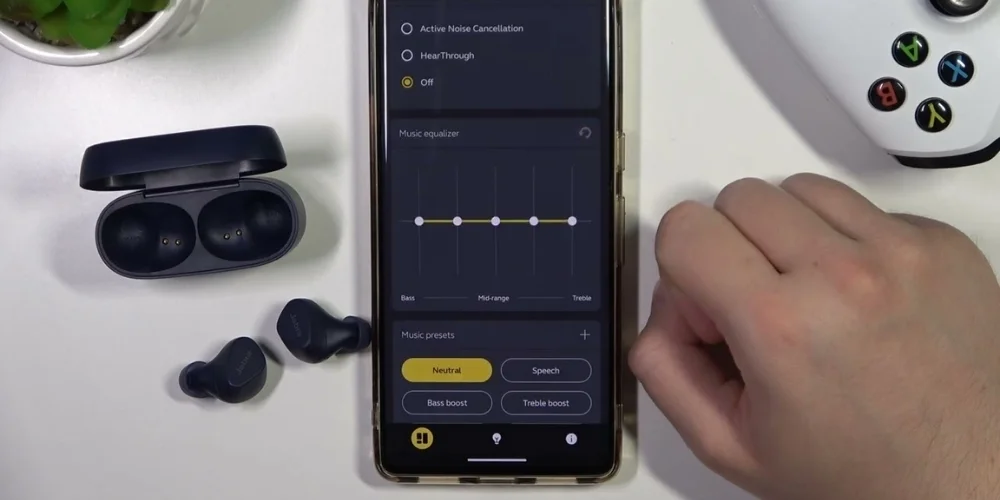
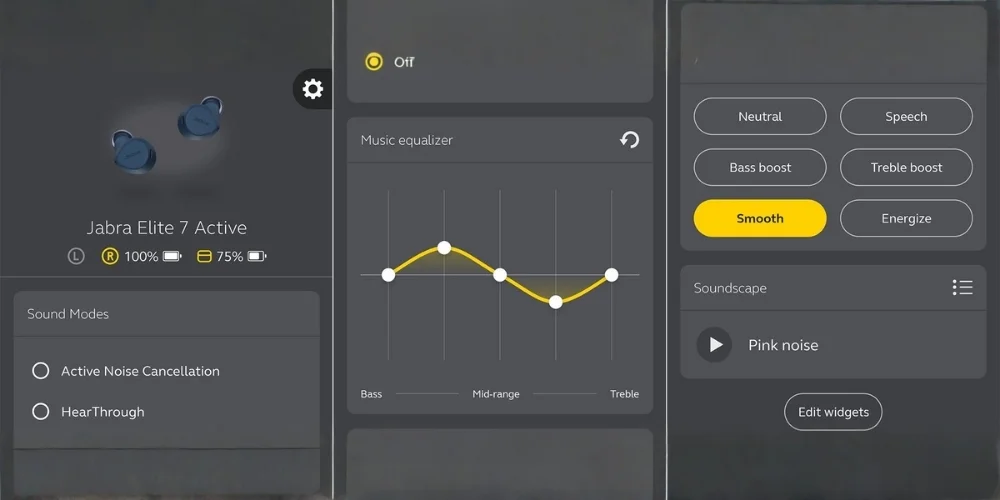
To make changes in the EQ settings on Jabra headphones or earbuds, you have to follow some steps by using the companion app. From there you can select, edit, or make custom settings, that includes the adjustments Bass, Mid-range, and Treble sliders. Below are the steps that will help you guide how you can make these changes:
Steps To Change Equalizer Settings
Step 1: Install and open the Sound+App
Step 2: Connect your Jabra headphones
Step 3: Go to the Music Equalizer in sound settings
Step 4: Adjust the five frequency sliders
Step 5: Now save your custom settings
By following these steps, you can adjust your EQ. The app also includes ready-to-use presets like the Bass Boost, Smooth, and Energize, but manual adjustments usually give better results.
Tips To Get The Best Sound From Jabra Earbuds
If the best EQ settings do not work perfectly without proper setup. You can follow these tips to increase the audio quality.
Choose the Right Ear Tips
A complete ear seal improves the bass response and sound separation. Make sure that the ear gels fit properly but comfortably.
Avoid Extreme EQ Adjustments
If the level of sound frequency is too high, then it can cause distortion and affect the overall sound quality. This is a good choice to make small progressive adjustments. It helps to give a more perfect and natural listening experience.
Adjust Based on Music Genre
The different music styles need different EQ profiles, like EDM needs stronger bass, the podcasts require boosted mids, and the classical music desires balanced highs.
Test with High Quality Music
Try listening to music in high-quality or lossless sound formats to truly hear the difference that is made by your EQ settings. The high-quality sound makes your equalizer adjustments easier to notice. It gives you a fuller and more enjoyable listening experience.
Why Optimizing Your Jabra Equalizer Is Worth It
Most people purchase premium audio devices, but they do not customize their sound. However, simply adjusting your Jabra EQ settings, you can improve the sound clarity, increase the bass depth, make the vocal sound more natural, and you can also enjoy a more immersive music experience.
Instead of using the standard settings, take a few seconds to fix the EQ. It will help you get the most out of your headphones. After making these changes, you will feel like you have purchased a brand-new set of headphones.
Frequently Asked Questions
Wrap Up
Loking for the best music equalizer settings for Jabra headphones mostly based on the personal preference, such as the music style, and listening environment. However, usually starting with a balanced V-shaped EQ profile is a good choice if you want to enjoy high bass, clearer vocals, and sparkling highs.
Once you will experiment with the Jabra Sound+ equalizer, I can garentee you will quickly discover the sound profile that makes your favorite songs come alive.
No comments yet. Be the first to comment!
Leave a ReplyYour email address will not be published. Required fields are marked *