
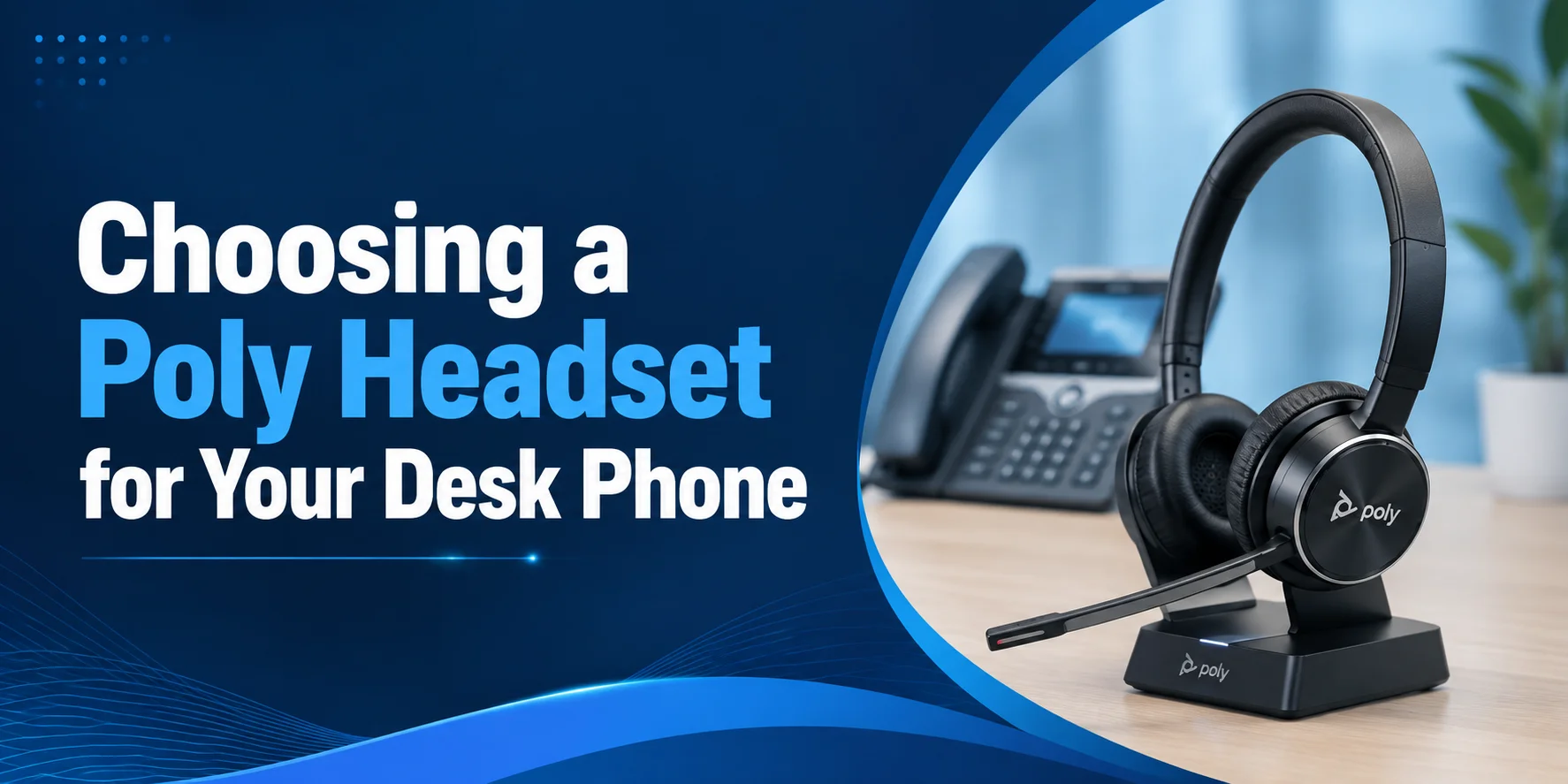
A reliable desk phone headset can help everyday. Whether you work the front line answering calls, control the communications in your office, or run your schedule with long calls, a comfortable and efficient headset can help you stay productive.
Finding the right Poly Headset for Desk Phone can be difficult. Some desk phones have different connection options and headsets can have additional accessories. These add-ons include EHS cables and handset lifters. You also need to decide between the Poly Savi and Poly CS Series headsets based on your preferred work style and the equipment you use most.
This guide provides all of the information that you need to assist with your purchase. You will gain understanding of how Poly desk phone headsets connect, how to verify compatibility, how DECT technology functions, and which Poly choices would be best for differing office layouts.
Once you complete this guide you will have enough know-how to purchase a device which matches your specific phone system and personal call usage needs.
Which Poly Headset is Best for your Desk Phone?
The answer to which Poly headset is best depends on your individual needs for the day. For example, you may choose a particular Poly headset over another based on certain features, like how it connects and how comfortable it is.
If your workplace only provides desk phones, the Poly CS Series offers wireless simplicity. If you use multiple devices (mobile, desk phone, computer) the Poly Savi Series provides greater device flexibility.
While shopping, note that certain desk phones require a headset, an EHS cable, or a handset lifter for remote call controls.
Benefits of Using a Poly Desk Phone Headset
The average office professional spends the work day taking multiple calls. Many handsets may seem comfortable when holding and talking, but will affect productivity and staff comfort due to constant use.
The Poly headset is the answer to hands free talking to allow staff to manage e-mails and or work on reports hassle free.
The Poly headsets offer:
- Time savings with wire free technology
- Long call friendly comfort
- Ease of work and conversations
- Dependable and clear voice transmissions
Major advantages displayed in an office environment are effective communication and ease of work or jobs completed.
Recommended Poly Headsets for Different Desk Phone Setups
After familiarizing yourself with Poly's Savi and CS Series, we can take a deeper look into the headsets themselves.
The models we'll look at are all designed for different users based on their office use case. Instead of buying the most expensive headset, consider how you work, which devices you use, and how long you spend on calls each day.
1. Poly Savi 8245 Office - Best for Hybrid Professionals
For those of you whose day extends beyond the confines of your desk phone, the Poly Savi 8245 Office is a great headset system that helps navigate the various communication devices modern offices present us with.
Equipped with this headset helps you manage desk phone calls and the meetings you’ll need to join throughout the day.
Key Features
- Compatibility with desk phone and PC and mobile
- DECT wireless technology
- Active Noise Cancellation (ANC)
- Noise-Canceling mic
- Wide wireless signal range
- Talk Time: 13 hours
Why We Picked It
This headset is perfect for employees that use multiple communication devices as it provides a convenient solution for hassle-free communication combined with comfort, flexibility and call quality.
Pros
- Compatibility with multiple devices
- Excellent wireless performance
- Perfect for hybrid work
Cons
- Expensive
- More features than needed for desk phone-only users
Best For: Managers, executives, hybrid professionals and growing businesses
2. Poly CS540 - Best Lightweight Wireless Desk Phone Headset
Some professionals simply need a comfortable headset for everyday calls. The Poly CS540 has this specifically in mind.
A wireless connection and a lightweight design, ensure that this headset is comfortable to wear all day, allowing you to be fully active in your workspace while on calls throughout the workday.
Key Features
- DECT wireless connection
- Different wearing styles
- Charging base with a small profile
- Very lightweight headset
- Good desk phone compatibility
- Talk Time: 7 hours
Why We Picked It
This model is an excellent choice for users of desk phones as it combines comfort and reliability.
Pros
- Very lightweight
- Easy to install
- Comfortable for daily use
- Good wireless connection
Cons
- Desk phone connectivity only
- No multi-device support
Best For: Front desk employees, receptionists, office assistants and administrative staff.
3. Poly Savi 8220 Office - Best for Busy Office Environments
Conversations in a shared workspace can be very distracting. The Poly Savi 8220 Office employs Active Noise Cancellation to reduce distractions, while its stereo speakers allow you to hear your calls with more clarity.
For those trying to stay focused during important calls, the Poly Savi 8220 Office is a great option.
Key Features
- Active Noise Cancellation (ANC)
- Stereo speakers
- DECT wireless technology
- Multi-device connectivity
- Noise-canceling microphone
- 13 hours of talk time
Why We Picked It
The Savi 8220 balances background noise reduction and clarity in conversation well, making it a great option for most office use.
Pros
- Strong call clarity
- Improves focus
- Comfortably designed
- Supports multiple devices
Cons
- Sits at a higher price point
- Stereo design isn’t for everyone
Best For: Managers, members of finance, HR, and any other employee in an open office.
4. Poly CS520 - Best for High Call Office Teams
If you’re always taking one call after the other, you want comfort and consistency over all other features, and the Poly CS520 was designed for exactly that.
Its dual-ear design helps you focus on the conversations you want to hear, and a completely wireless design brings you the freedom you need to easily move between tasks at your desk.
Key Features
- DECT wireless technology
- Dual-ear design
- Noise-canceling microphone
- Comfortably padded headband
- Wide desk phone compatibility
- 9 hours of talk time
Why We Picked It
The CS520 is a strong option for anyone who has a job that is customer-facing and may need to work long hours.
Pros
- Helps improve focus during calls
- Comfortable throughout long shifts
- Clear microphone performance
- Reliable wireless connectivity
Cons
- Designed only for desk phone use
- No support for connecting multiple devices
Best For: Customer service teams, help desks, call-intensive office roles, and reception staff.
Quick Comparison of Our Recommendations
| Office Requirement | Recommended Headset |
|---|---|
| Use a desk phone, PC, and mobile | Poly Savi 8245 Office |
| Need a lightweight headset | Poly CS540 |
| Work in a shared office | Poly Savi 8220 Office |
| Spend most of the day on desk phone calls | Poly CS520 |
The selection of a headset is more likely to be based on your daily work routine than on the specifications. Consider your communication methods, the phone you use, and the time you spend on phone calls before you come to your final judgment.
How We Review Poly Headsets
In FindHeadsets, we test Poly headsets with regard to the features that are most important in the real business settings. Rather than just considering the technical specifications, we judge the performance of each headset in a normal work environment.
We review how well the desk phones work, the quality of calls, comfort, and ease of installation, wireless capability, and functionality that enhances everyday communication. This pragmatic method enables the professionals, IT departments and companies to make comparisons of Poly headsets more decisively and select a model to suit their working environment demands.
How Remote Call Control Works
Remote call control enables you to answer or hang-up on calls without using your desk phone; you use your headset. This is particularly useful when you spend a lot of time in the office but still need to be in touch with customers or colleagues and so on.
Remote call control is either by an EHS (Electronic Hook Switch) cable or handset lifter depending on the model you have on your desk phone. After installation, you can control calls by pressing a headset button and your work process becomes quicker and easier.
How to Identify Your Desk Phone Connection
Typically, customers make buying errors and purchase a headset and then realize the desk phone connection is wrong. Since different office phone systems exist, identifying connection types saves time and activity issues.
You have to choose from a few connection options for most desk phones. Here are some common ones:
RJ9: This is the connection used on traditional office desk phones.
USB: More modern IP phones will have USB connections.
EHS (Electronic Hook Switch): Allows remote call control on select models.
Handset Port: Used on old desk phones that require a handset lifter.
If you’re not sure what your connection is at your desk, refer to your phone’s model number or check the manufacturer’s website.
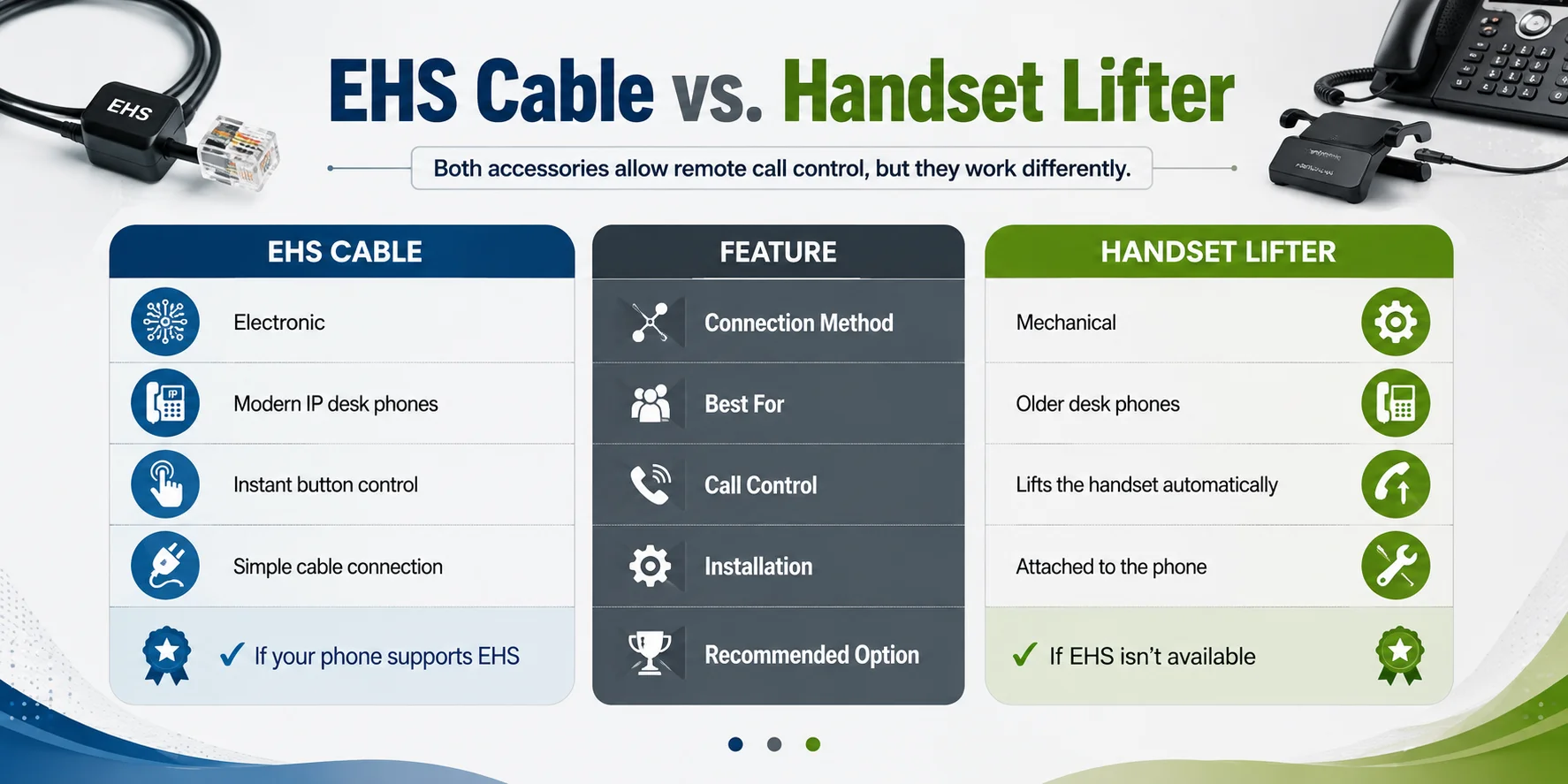
EHS Cable vs. Handset Lifter
Both accessories allow remote call control, but they work differently.
| Feature | EHS Cable | Handset Lifter |
|---|---|---|
| Connection Method | Electronic | Mechanical |
| Best For | Modern IP desk phones | Older desk phones |
| Call Control | Instant button control | Lifts the handset automatically |
| Installation | Simple cable connection | Attached to the phone |
| Recommended Option | ✔ If your phone supports EHS | ✔ If EHS isn't available |
Assuming that your desk telephone can accept an EHS cable, then that is typically the superior choice as it offers faster and smoother control over the telephone. An office handset lifter is still a good solution to older office phone systems.
Can You Use One Poly Headset with Multiple Devices?
Yes, but it will depend what Poly series you select. Poly Savi Series targets users that use more than one communication device. Most Savi designs have the capability to be linked to a desk phone, computer and a mobile phone and thus one can easily move around devices throughout the day.
Poly CS Series is designed to use in communication over desk phones. In the event that your work revolves around office phone calls, it provides an easy and reliable solution without any additional connectivity features.
By using a multi-device headset, you can simplify your everyday routine, in case you are constantly switching between devices.
Questions to Ask Before Buying a Poly Desk Phone Headset
The first step in selecting the appropriate headset is to know what you need in the office. Pre-purchase questions can ensure that you will not have compatibility issues and will get the correct model the first time.
Ask yourself:
- What desk phone model do I have?
- Would I simply use a desk phone or do I also need to have computer or mobile connectivity?
- Does my phone have an EHS cable?
- Will a mono or stereo headset be more appropriate?
- Should I have remote call control?
- What number of hours a day will I have the headset on?
These responses will assist you in shortlisting and selecting a Poly headset that would be compatible with your phone system as well as your everyday workflow.
Check Compatibility Before You Buy
Always ensure that the Poly headset that you are buying is compatible with your desk phone. This is one of the simplest steps that can assist you in avoiding set up issues and extra accessories.
Check the following:
- Brand and model of your desk phone.
- The type of connection that is employed by your phone.
- Provided your phone is EHS cable-friendly.
- A handset lifter is needed.
- The Poly headset that is compatible with your phone.
Clearance of these details prior to purchase will assist in making sure that there is a smooth set up and good performance.
Popular Desk Phone Systems That Work with Poly Headsets
Poly desk phone headsets are compatible with numerous business phone systems. The support, however, can differ, depending on the phone model and connection method.
Popular systems include:
- Cisco
- Avaya
- Poly Edge
- Yealink
- Grandstream
Before ordering, always verify your particular model of phone to ensure the headset and any other accessories needed are compatible.
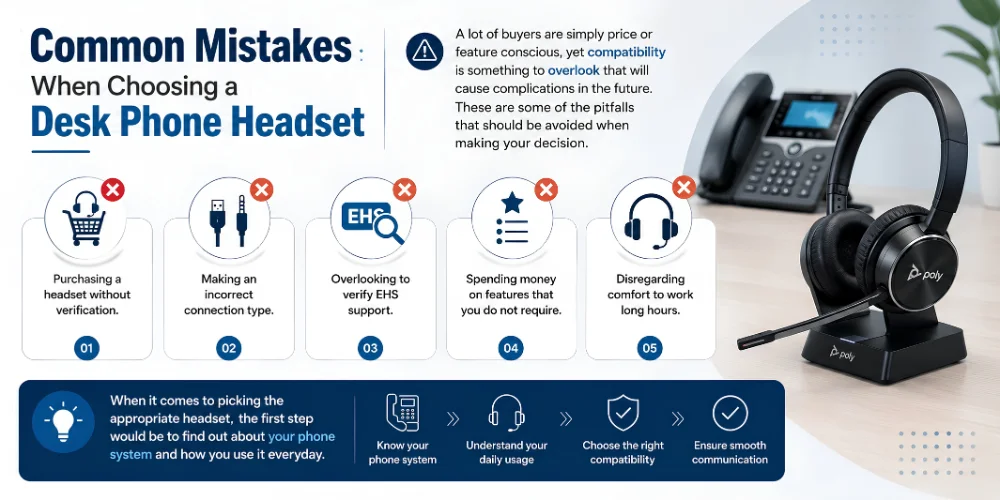
Common Mistakes When Choosing a Desk Phone Headset
A lot of buyers are simply price or feature conscious, yet compatibility is something to overlook that will cause complications in the future. These are some of the pitfalls that should be avoided when making your decision.
- Purchasing a headset without verification.
- Making an incorrect connection type.
- Overlooking to verify EHS support.
- Spending money on features that you do not require.
- Disregarding comfort to work long hours.
When it comes to picking the appropriate headset, the first step would be to find out about your phone system and how you use it everyday.
How Does a Poly Desk Phone Headset Connect?
Poly desk phone headsets are mostly attached to the phone, for example, via a base station rather than the phone itself. The base station is the connection that provides your desk phone with your headset, making sure you have a stable and reliable connection.
The arrangement is simple:
Desk Phone → Base Station → Poly Headset
Once you have connected the base station to your desk phone, all you have to do is to pair the headset and test your first call. You might also require an EHS cable or a handset lifter to allow you to control your phone remotely depending on your phone model.
An appropriate connection will make your working days enjoyable with pleasant conversations and stable performance.
Why Wireless Desk Phone Headsets Are Popular
Wireless desk phone headsets allow professionals to enjoy more freedom in their work without being confined to their desks. You can walk to a printer, talk to a colleague or pick up some documents and continue your conversation.
They also assist in the formation of a cleaner workspace, by minimizing cable clutter and make it easier to remain productive during the day.
At the offices where flexibility and mobility are the elements of daily routine, wireless models are a feasible option.
What Is DECT?
DECT (Digital Enhanced Cordless Telecommunications) is a wireless technology that is used in professional office communications. A lot of Poly desk phone headsets are using DECT as it offers a secure and reliable connection.
Some of the key benefits include:
- Stable wireless performance
- Clear voice quality
- Long operating range
- Trustworthy communication in offices with a lot of traffic.
- Connection with less interference.
DECT is a reliable wireless experience to businesses that require the use of desk phones on a daily basis.
Mono vs. Stereo: Which Wearing Style Is Right?
Monos and stereo Poly desk phone headsets are offered. It is up to you and your work setting to decide what is the right decision.
Select a Mono Headset when You:
- Have to listen to others.
- Work at reception desk.
- Call and talk with colleagues.
- Prefer a lightweight headset
Choose a Stereo Headset if You:
- Office work in a busy office.
- Desire improved concentration when calling.
- Take a couple of hours with a headset.
- Loves to have sound in both ears.
The wearing style may be selected to enhance the comfort and productivity at work.
Poly Savi vs. Poly CS Series
The Poly Savi and Poly CS Series are both focused on business communication, though the users targeted by the two series are different.
| Feature | Poly Savi Series | Poly CS Series |
|---|---|---|
| Device Support | Desk phone, PC, and mobile (selected models) | Desk phone only |
| Wireless Technology | DECT | DECT |
| Multi-Device Connectivity | Yes | No |
| Best For | Hybrid professionals | Dedicated desk phone users |
| Flexibility | High | Simple and focused |
The Savi Series is more flexible in the event that your office has more than a single communication device. In case you just require a headset to call your desk phone, the CS Series can provide a simple, yet effective solution.
Choose Savi or CS?
Still deciding? This is a fast guide which can assist.
Select Poly Savi Series when you:
- Use a computer and desk phone.
- Have to alternate devices.
- Work in a hybrid office
- Want greater flexibility
Choose the Poly CS Series if you:
- Only use a desk phone
- Favor a minimalist design.
- Requirement of a headset that should be used in office calls.
- No need to have multi-device connectivity.
The right series that you select depending on your work routine will ensure that you have the best of your headset.
Who Should Choose a Poly Desk Phone Headset?
Poly desk phone headset will be suitable for individuals who use phones in the office to communicate on a daily basis.
It is an excellent option in case of:
- Receptionists
- Customer service teams
- Office administrators
- Managers and supervisors
- Healthcare professionals
- Financial and law offices.
- Companies with a dedicated desk phone system.
Regardless of whether you are working alone or you have to supervise a bigger team, the right choice in headset can help to become more comfortable and make day-to-day communication more effective.
Compare Poly Desk Phone Headsets with Confidence
The communication requirements vary in every workplace, and to select the appropriate headset, it is best to begin first by establishing a headset that fits your desk phone service and everyday routine. FindHeadsets will help you find the correct answer to your business with the Poly Savi, Poly CS, and other professional headset series.
Most of the businesses also utilize computers in meetings as well as day to day communication using the desk phones. When your office operates like that, some of the models listed in our Best Poly Headsets for Work Calls comparison, which allows it to be easier to consider headsets in various workplace configurations.
Final Thoughts
When you know the arrangement of your office and what you need to communicate, it is easier to choose the appropriate Poly Headset for Desk Phone. Through compatibility, choosing the correct Poly series, and the appropriate accessories, you will be able to invest in a headset that provides reliable performance on a daily basis.
Regardless of whether you need to replace an older headset or furnish a new office, you will be able to find a solution by taking the time to compare your choices and find a solution that will enable you to communicate effectively, enjoy long-lasting comfort, and work more productively.
Frequently Asked Questions
What is the best Poly Headset for a desk phone?
The Poly 8245 Office is the most desirable Poly Headset for Desk Phone users who require flexibility and high quality features. It serves not only desk phones but also supports those that are compatible with computers and mobile phones, which is why it is a very good option in a modern office.
Will all Poly headsets work with a desk phone?
No. Other Poly headsets only serve computers or mobiles. Never buy a model that does not have the ability to support desk phone connectivity.
Which is superior to desk phones between Poly Savi and Poly CS?
Poly Savi Series is more appropriate when you are using more than one device. The Poly CS Series is specifically designed to suit those professionals who do not require a headset other than to communicate with a desk phone.
Should I have an EHS cable?
No. Only when your desk phone has EHS cable support and you desire to have remote call control is an EHS cable needed. Otherwise, a handset lifter that is compatible might be necessary.
What is the work of a handset lifter?
A handset lifter The handset lifter is an automatic lifter that picks up and replaces your desk phone handset, enabling you to make/ receive phone calls even when you are not at your desk.
Is DECT superior to Bluetooth with desk phones?
In the majority of office settings, DECT offers a more reliable connection and greater range of wireless connectivity compared to Bluetooth and thus is a better solution to use with desk phones.
What is the method to verify the compatibility of my desk phone?
Identify your desk phone model, type of connection, and whether your phone has an EHS cable or handset lifter. It is also possible to check compatibility details of the headset manufacturer prior to making a purchase.
No comments yet. Be the first to comment!
Leave a ReplyYour email address will not be published. Required fields are marked *