
 By
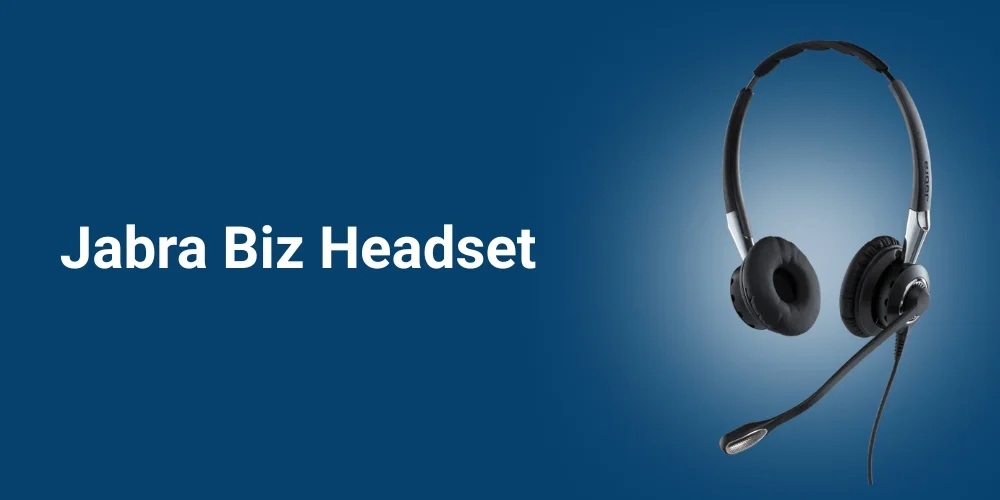
By Jabra is one of the leading manufacturers of professional-grade headsets because of its future-proof technology. If you are looking for Jabra wired headsets, the Jabra Biz series is the recommended corded series for you. This series offers you noise-cancelling microphones, inline call controls, and multiple connectivity options, all needed for call center headsets.
In this Jabra Biz headset guide, we will discover in detail about this corded series, its top models, and the key features. Let’s get started!
What is the Jabra Biz Headset Series?
Jabra Biz Series is the corded series designed for call center professionals. This series provides two ways of connectivity: USB or quick disconnect (QD). Noise-cancelling microphones, inline call controls, and a comfortable design in these headsets ensure crystal clear communication. They are designed keeping in mind the call center and BPO agents so that their comfort is not compromised while the productivity increases.
Top Jabra Biz Headset Models
The Jabra Biz headset series primarily consists of three headset models, each designed for different purposes. The primary Biz series models include:
Jabra Biz 2400 II
The Jabra Biz 2400 II duo is the wired headsets available in mono (3-in-1 wearing style) and duo variants. They are designed for noise-free communication in noisy and busy environments. This headset is 40% lightweight as compared to the competitor’s headset, which makes it a preferred choice for agents.
The prominent features of this headset include the ultra noise cancellation and “Air Shock” protection. Air shock protection reduces popping sounds and breathing sounds. On the other hand, noise cancellation removes the unwanted background noise.
Jabra Biz 2300 QD
If you are looking for a reliable headset, the Jabra Biz 2300 QD Mono is the best headset for you. This headset has an HD wideband audio with a break-proof arm. This headset offers USB-A, USB-C, and QD versions so you can get it in 12 models.
Jabra Biz 1500
If you are in search of a professional-grade headset at an affordable price, the Jabra Biz 1500 Mono and Biz 1500 Duo are recommended for you. This will not make you compromise on the noise cancellation, as it has a 270-degree spinning boom arm and foam ear cushions.
With this noise cancellation technology, you experience basic noise cancellation and Air Shock protection that protects your ears. The thing that makes it a prominent choice among the Jabra Biz headset series is its low price.
Key Features Of Jabra Biz Headsets
As the Biz headset series is designed for professional contact center and call center agents, they are designed with the following features:
USB and Quick Disconnect Connectivity

These headsets offer flexible connectivity options such as USB and Quick Disconnect. Quick disconnect lets you connect and disconnect instantly by detaching the cables.
The USB A/C offers plug-and-play functionality that ensures there is no need for any manual driver installation. If you are using the Jabra Biz 2400 II, you can enjoy Bluetooth connectivity as well. Hold the center button on the controller until the lights flash blue, which turns on the Bluetooth pairing mode.
Noise Cancelling Microphones

Noise cancellation is one of the primary needs if you are a call center agent. These headsets have noise cancellation microphones that filter out the background noise so that you can have crystal clear calls with customers. Your customer will not be annoyed by the unwanted clatter behind your back.
With this headset series, you can experience basic to ultra noise cancellation, depending on the type of model you choose. For better noise cancellation, position your microphone in such a way that it is 1 to 2 finger widths away from your mouth.
In-line Call Controls

The headsets have inline call controls, which include answer/end calls, volume adjustment buttons, and mute functionality. The call controls enhance productivity as you don’t need to rush towards the computer or PC. As a call center agent, what’s better than managing call operations directly from your headset rather than the PC?
Comfortable Design for Extended Use

The call center agents have to wear the headset most of the time during their 8-hour shift. Therefore, Jabra Biz headsets are made lightweight and durable to withstand rough use. They have soft foam ear cushions and an adjustable boom arm that does not make you sacrifice your comfort. The best thing is that you can replace the ear cushions once they wear out.
Compatibility with Multiple Devices

The corded headsets are no less than wireless headsets, as they can also be used across multiple platforms. No matter what type of device you are using, this headset is compatible. Feel free to use this headset with a softphone, deskphone, PC, or a mobile device.
How to Set Up Jabra Biz Headsets?
The Jabra Biz headsets are available in two connectivity options: USB and Quick Disconnect. So for each connectivity option, the setup is a little different.
Set Up Using USB
If you want to use a USB Biz headset, it features plug-and-play functionality. Just follow these steps, and your device will be automatically configured:
- Plug the USB cable directly into the USB port of your computer.
- Once your headset is automatically detected, open the softphone application. Head to the settings and select the headset as your input device.
- Customize the settings and update firmware in the Jabra Direct software.
Set Up Using Quick Disconnect (QD)
If you want to connect a Jabra Biz QD headset with your device, you will need an additional adapter. Follow these steps to set up your Jabra headset:
- Put your headset’s QD connector into the device-specific adapter cable.
Note: RJ9 for desk phones, USB for computers, or 3.5mm for mobile.
- Insert the other end of the cable into the headset’s port or your device.
How to Troubleshoot Common Issues for Jabra Biz Headsets?
Problem: Headset Not Detected
Solution no. 1
Inspect the connector or USB port for any physical damage.
Solution no.2:
Try any other USB port available on your device.
Solution no. 3:
Restart the headset. This usually solves the problem if the port is not damaged.
Problem 2: Poor Audio Quality
Solution 1
Try to update firmware and drivers
Solution 2
You can check and adjust audio settings on your device.
Problem 3: Connectivity Problems
Solution 1
You recheck Bluetooth pairing, if possible, reconnect the headset.
Solution 2
If the above solution does not work, you can restart the headset and the connected device.
Recommendation: Which Jabra Biz Model Should You Choose?
If you are interested in investing in an entry-level corded call center headset, you can choose Biz 1500. If you want a mid-range option, Biz 2300 is recommended. The premium option from the primary headsets is the Biz 2400 II. Before choosing, you need to understand your needs while working.
Conclusion
Jabra Biz Headset series is a wired headset series specifically designed for call and contact centers. In these offices, crystal clear communication without any disturbing background noise is necessary. These contact center headsets have been designed with adjustable noise-cancelling microphones, inline call controls, and a durable build to meet call center agent needs.
This guide was all about the Jabra Biz series, its primary models, and the key features. Its primary three models are designed to meet different call center needs and ensure the agent’s comfort during an 8-hour shift.
No comments yet. Be the first to comment!
Leave a ReplyYour email address will not be published. Required fields are marked *