
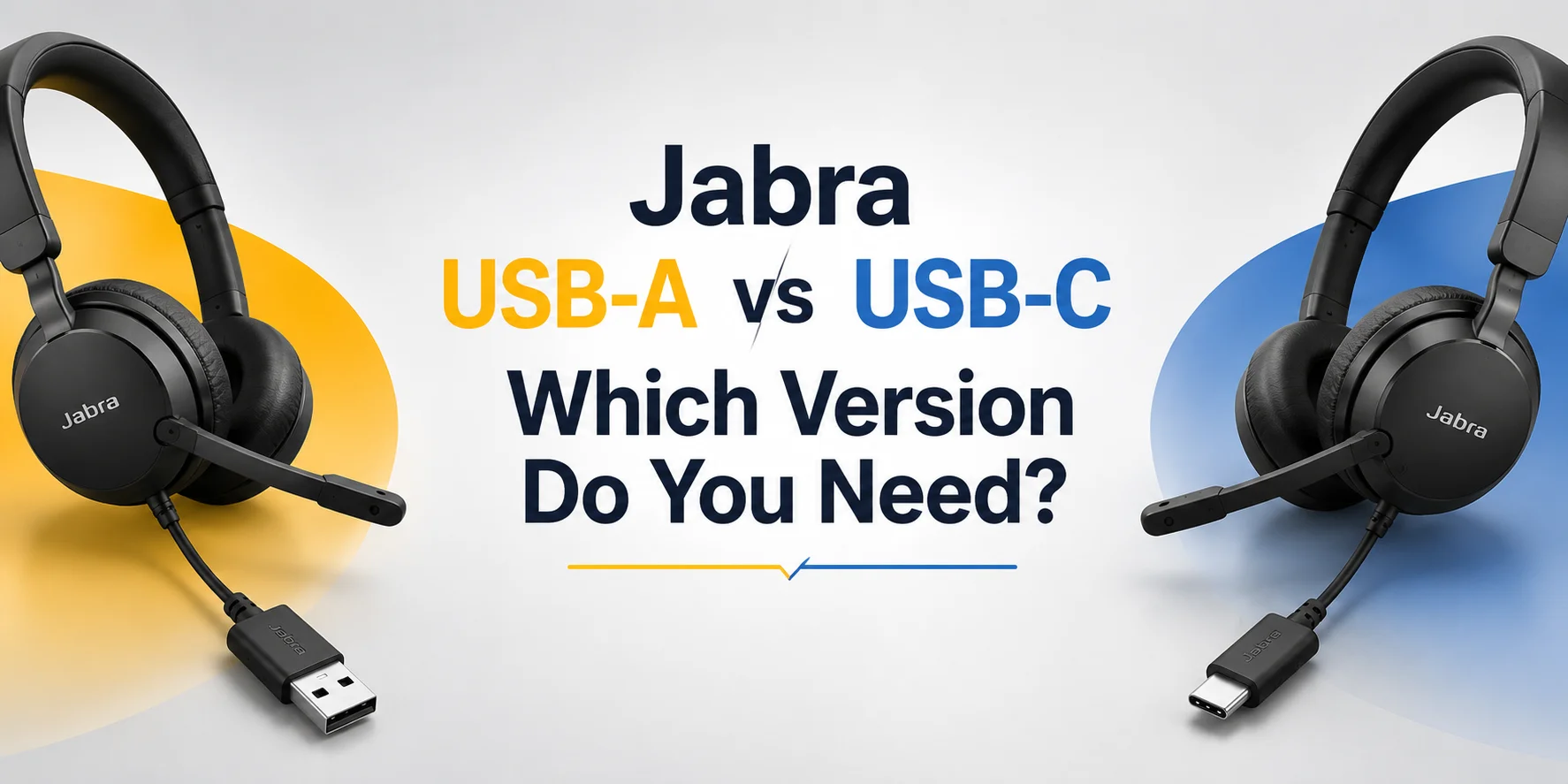
When you’re looking at Jabra's wireless or Jabra wired headsets, you will generally notice there are different versions of the same headset. The question that comes to every user's mind is: Should I buy the USB-A version or the USB-C version?
Series like the Jabra Evolve2 ( such as Jabra Evolve2 65 Stereo and Jabra Evolve2 75) or wired headphones like the Evolve2 40 SE Stereo are the gold standard in professional audio. They give you the option for a USB-A or USB-C adapter connection. You also get a choice between a UC version and a Microsoft Teams version. But let's stick to the real question of the difference between USB-A and USB-C and which to choose.
Before looking at specific models, it helps to review how the physical connections and design specifications compare directly within Jabra’s hardware ecosystem.
Technical Specification and Overview of Jabra USB Hardware
| Feature Specs | Jabra USB-A Variant (Link 380a / Wired) | Jabra USB-C Variant (Link 380c / Wired) | Practical Impact & Real-World Reality |
|---|---|---|---|
| Connector Profile | Rectangular, single-oriented plug | Oval, symmetrical, reversible design | USB-C eliminates plugging friction and reduces physical wear over time. |
| Adapter Dimensions | 21.3 ✕ 16.1 ✕ 4.6mm | 16.8 ✕ 12.7 ✕ 9.5mm | USB-C dongles offer a more compact physical footprint on modern port-limited laptops. |
| Weight | 4.3 g | 4 g | Negligible weight difference; both are lightweight and travel-friendly. |
| Wireless Range | Up to 30 meters / 100 feet | Up to 30 meters / 100 feet | Identical wireless roaming capability for office or remote environments. |
| Audio Performance | Identical HD Voice and HiFi output | Identical HD Voice and HiFi output | Port choice does not change internal speaker drivers or mic clarity. |
| Ecosystem Support | Fully compatible with Jabra Direct | Fully compatible with Jabra Direct | Both variants support seamless over-the-air firmware updates and platform options (Teams or UC). |
The Core Truth: What Changes (and What Doesn’t)
Let’s answer the most important question immediately. Does choosing USB-C over USB-A change your audio quality, mic performance or noise cancelling capabilities?
No, it does not.
If you take a specific model such as Jabra Evolve2 65 Mono or a wired headset like Evolve2 40 Mono SE, the internal components remain completely the same. Whether you click USB-A or USB-C at checkout, both versions feature.
- The exact same 40mm custom speakers.
- The same digital chipset and chipset firmware architecture.
- Similar noise cancelling memory foam ear cushions.
- Invariable multi-microphone call technology.
The only structural difference is the physical terminal plug on the end of a wired cable. In the case of wireless models, the physical layout of the Jabra Link Bluetooth adapter that plugs into your computer. The difference is only about physical compatibility and port availability on your computer.
Deep Dive Scenarios: When to Choose USB-A
Despite the tech industry’s aggressive shift toward USB-C, there are structural scenarios where buying a USB-A Jabra headset (wired or wireless) is not just an option but it's a smarter choice.
Scenario A: Fixed Enterprise Structure
If you are someone who manages an office where agents or employees sit at permanent desks with older desktop PCs or legacy docking stations, USB-A is king. For wired models (like Evolve2 40), plugging directly into a legacy desktop port avoids third-party adapters. For wireless models the Link 380a plugs cleanly into a tower port without occupying scarce modern adapters.
Scenario B: Avoiding Hub Bottleneck
Many professionals use older multi-port USB connections to expand their desktop setup. Some low cost legacy connections do not pass power cleanly or handle data merging efficiently when covering high end audio streams. Plugging a native USB-A wired or wireless Jabra headset directly into a native USB-A port prevents possible connection or communication problems caused by low quality protocol converters.
Deep Dive Scenarios: When to Choose USB-C
For the vast majority of modern remote workers, freelancers and hybrid corporate employees the USB-C is the definitive winner.
Scenario A: The Modern Laptop Standard
If your daily routine is a modern MacBook Pro, a Dell XPS, or a Microsoft Surface, there are not many physical port options available. These machines often feature only two or four Thunderbolt/USB-C ports. Occupying one with a slim USB-C wired headset or plugging in a wired USB-C variant (like the Evolve2 40 USB-C model) fits perfectly without blocking adjacent ports.
Scenario B: Cross-Device Versatility (Wired Models)
If you purchase a wired USB-C headset such as a Jabra Evolve2 variant with a direct USB-C terminal, you gain an unexpected superpower: direct mobile and tablet connectivity.
You can plug the headset from your laptop at the end of the workday and plug it directly into a modern iPad Pro, Android smartphone, or a USB-C compatible iPhone for mobile calls or media consumption without the need for an intermediary adapter.
How Connectivity Depends on Wireless or Wired Headsets
Here is how connectivity works depends on whether the headset is wireless or wired.
Wireless Models
These models rely on a pre-paired and dedicated Bluetooth adapter (Jabra Link 380a or 380c) rather than native computer Bluetooth to maintain the stability and native UC call control features. The choice determines which physical port houses this hardware bridge.
Wired Models
The cable runs directly from the headset into the computer’s port, establishing an uncompressed digital audio link.
Wireless Models and the “Dongle Dilemma”
A common point of confusion arises when buyers look at wireless headsets like the Jabra Evolve2 65, 75 or Evolve2 85. Users often ask: why does it matter what the shape of the plug is when the headset connects to my computer via Bluetooth?
Here is how the architecture works under the hood.
1- When your Jabra headset can technically pair directly to a computer’s built-in Bluetooth chip, built-in computer Bluetooth is unreliable for use in business. It often lacks native support for advanced US call control features like muting via the boom arm or answering calls directly from the ear cup buttons. It can suffer from interference, uneven performance or audio lag.
2- To solve this, Jabra includes a pre-paired and dedicated Bluetooth adapter in the box.
3- This tiny USB dongle plugs into your computer and creates a closed, highly optimised wireless bridge between your PC and the headset.
Therefore, when choosing between the Link 380c (USB-C) versions of a wireless headset, you are choosing the physical port that contains this critical hardware connection. Choosing wrong means your dedicated wireless dongle literally will not fit into your computer without an external adapter.
Software Management, UC Certification and Ecosystem Control
No matter whether you choose USB-A or USB-C, Jabra manages both types of hardware through its central management software, Jabra Direct and Jabra Xpress.
Firmware Update
IT administrators can push silent and over-the-air firmware updates to thousands of business headsets at the same time. Regardless of whether individual users are plugging into USB-A docks or USB-C laptops.
Platform Optimization
Both variants are available in two software subvariants.
Microsoft Teams Certified: It features dedicated plug-and-play integration, an LED light indicator that signals Teams notifications and a physical button designed to bring the Teams window to the foreground.
Unified Communication (UC) Certified: It is optimised for broad compatibility with Zoom, Google Meet, Cisco Webex, Avaya and other softphone platforms without hardcoded Microsoft hooks.
The port type (A vs. C) has zero impact on whether your headset plays nicely with your preferred meeting software.
Quick Comparison & Decision Guide
| Your Hardware Setup | Recommended Jabra Version | Why Choose This Version |
|---|---|---|
| Modern Laptop (MacBook, Dell XPS, ThinkPad X1) | USB-C (wired or wireless) | Fits flush into slim USB-C/ Thunderbolt ports without blocking adjacent slots or requiring adapters. |
| Legacy Desktop Tower or Older Office Dock | USB-A (wired or wireless) | Provides native plug-and-play connection into traditional rectangular ports without adapter failure risks. |
| Hybrid Worker (Switches between old office dock & new laptop) | USB-C + Adapter (or check dock ports) | Go with USB-C for your primary modern machine and use a reliable certified adapter for legacy ports if needed. |
| Mobile & Tablet Power User (Wired models only) | USB-C | Allows direct plug-and-play into modern iPads. Android and USB-C iPhones at the end of the workday. |
Final Verdict: Which One Should You Buy?
To make your final purchasing decision right, run through this quick physical audit of your workspace.
Check your primary computer right now. Look at the open ports on the sides or back of the machine you use for your work.
If your device has the older, wide rectangular slots and you rarely plug the headset into anything else, buy the USB-A version. You will instantly get solid plug-and-play connectivity without the need for adapters.
If your laptop is sleek, modern and features only oval-shaped ports or if you plan on upgrading your hardware within the next couple of years, buy the USB-C version.
Match the physical connectors to your hardware interface. Make sure the audio quality and active noise cancellation remain the same, and you will have a seamless professional audio experience.
For further assistance, contact the FindHeadset team which is available for you 24/7. Just share your workspace model with us and we will suggest the best headset according to your needs.
Frequently Asked Questions
Why do wireless Jabra models require me to choose a USB type if they use Bluetooth?
While wireless headsets pair to computers via Bluetooth, enterprise environments rely on a pre-paired dedicated USB adapter rather than built in computer Bluetooth. This dongle guarantees stable connectivity, a wireless range of up to 30 meters nd native call control integration with platforms like Microsoft Teams. The USB-A or USB-C designation determines which physical port style fits this adapter.
Can I use an adapter if I buy the wrong USB type?
Yes, you can third party adapters such as a USB-C to USB-A converter or vice versa. However, introducing an external adapter into an office or remote setup creates extra points of physical wear, potentially loose connections or audio dropouts during important calls. It is always best to match the native connector directly to your computer’s available ports.
Does the USB type affect compatibility with software platforms like Zoom or Microsoft Teams?
No, both USB-A and USB-C variants are available in the same software configuration. Microsoft Teams Certified includes dedicated plug-and-play features, a status LED and a physical button. Unified Communications Certified is optimised for broad softphone compatibility across Zoom, Google Meet and Avaya.
Does choosing a USB-C instead of a USB-A improve audio quality or noise cancellation?
No. The internal components remain the same whether you select the USB-A or USB-C version for either wired or wireless models. The choice impacts only the physical connection type.
Which version should I choose if I use a modern laptop?
If your laptop features slim, oval-shaped ports then choose the USB-C version for both wired and wireless headsets. If your computer relies on traditional rectangular ports or legacy office docking stations then stick with the USB-A version.
No comments yet. Be the first to comment!
Leave a ReplyYour email address will not be published. Required fields are marked *