
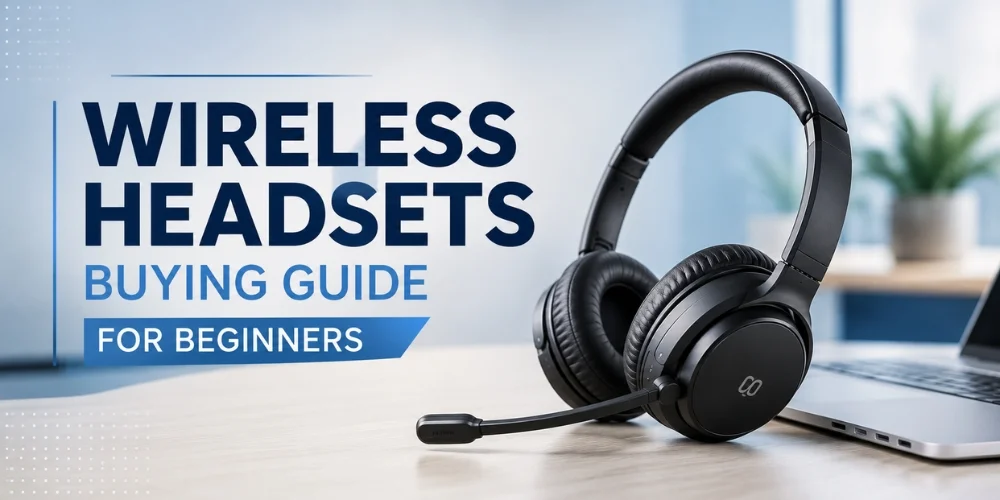
It can quickly get a bit confusing and stressful to purchase your first wireless headset. There are numerous brands, features and connection types to choose from, making it sometimes difficult to begin.
Maybe you are not sure if you need a wireless headset for your daily tasks or are considering purchasing a DECT headset instead for your workplace, or what aspects of these headsets warrant paying for.
These are questions that are common so if you are not buying a wireless headset for the first time then you will have these questions in mind.
Fortunately, the search for the perfect headset doesn't require a ton of effort. With a basic knowledge of some of the main headsets, you will be able to select the right headset for your work style, devices and budget.
That's why in this Wireless Headsets Buying Guide for Beginners, we are going to explain it in the simplest of terms, ranging from connection types to battery life, comfort, microphone quality, and compatibility.
We'll also provide you with some neat tricks on avoiding common pitfalls when buying the headset and selecting a product that you'll be excited to wear daily.
If you are a remote working employee going to virtual meetings, a customer service agent taking calls, or a business organization in need of dependable communication options, it is possible to assist you in making the right choice.
Why Choose a Wireless Headset?
The great thing about wireless headsets is their versatility. They're appropriate for use in various workplaces, and are a valuable investment for anyone and any company.
You can use a wireless headset for:
- Video meetings on Microsoft Teams or Zoom
- Customer service and call centers
- Working from home
- Office communication
- Online training sessions
- Accepting music when doing tasks
- Taking calls on your smart phone or laptop
When purchasing headset, consider how you typically use them the most. This will help you to have a better idea about which is the right model for you.
You may have specific features in mind, and in this case, you can browse our range of Wireless Headsets guide and compare the models from top brands before you settle.
Things to Consider Before Buying a Wireless Headset
Not all wireless headsets are created equal. There are some that are meant for occasional use, and some that are meant for the professionals that have to spend many hours on calls all day.
These are the top tips you need to keep in mind before you buy.
1. Make Sure It Works with Your Devices
Check if they are compatible.
When the time comes to make your decision, reflect on these simple questions:
- Will I use it with a laptop?
- Is it required for my cell phone?
- Is my office one that has office phones?
- Will I be Using More Than One Device?
A lot of the modern headsets can pair with different gadgets, which means they can be a wonderful option for persons working in a hybrid work environment.
If you already know the features you're looking for, you can also explore our Best Wireless Headsets for Work and Communication to compare models from leading brands before making your final choice.
2. Understand the Different Connection Types
Wireless headsets don't all connect in the same way.
These three types of connections are most common:
- Bluetooth
- DECT
- USB Wireless
They are all targeted for specific users.
This is where Bluetooth headsets make an ideal choice for users of smartphones, tablets and laptops. They're easy to pair and are ideal for remote workers and professionals who travel.
DECT headsets are commonly found in offices and call centers. They also offer longer wireless range and more reliable wireless connections, which is ideal for a busy work environment.
These wireless microphones require a small USB adaptor for wireless transmission and are easy to install with any desktop computer and business laptop.
If you're not sure, check out our guide on Types of Wireless Headsets, which can help you decide on the right technology for your work environment.
3. Comfort Is More Important Than You Think
Comfort may not be a big deal if you're only using a headset for a few minutes a day.
However, if you are on calls for a long period of time, a comfortable headset will make a huge difference.
See if the game includes:
- A lightweight design
- Soft ear cushions
- An adjustable headband
- A flexible microphone boom
These attributes will aid you in keeping within the pressure over your head and ears while wearing the headset inside the day.
There are lots of occupational headsets available from various brands which are created to provide all day comfort and are an enjoyable choice for customer care staff and office professionals.
4. Check the Battery Life
Another important factor is battery life, particularly if you're spending most of your day on phone calls.
Consider recharge time of the headset for extended use.
With a longer lasting headset battery, interruptions are reduced and productivity is increased.
Many business headsets can also fast charge, meaning that even during a fast charge you can get a couple hours of hours of voice.
For full-time home and office workers, a headset with long battery life is essential to get through the day.
5. Don't Ignore Microphone Quality
The right headset is not only for you to hear clearly, it's for others to hear as well!
Hence the importance of good microphone quality as well.
If you need a headphone for use in a noisy office, or at home if there is background noise, check for a headset with noise cancelling microphones.
It filters out any distracting sounds, making your voice easily understood even during conference calls and meetings.
Business headsets come with advanced microphones that ensure better vocal clarity, perfect for customer support, sales force and remote workers.
6. Look for Noise Cancellation
Background noise in the office or at home can make it hard to hear what the person on the other end of the conversation is saying. It can also cause difficulties for those in the room to hear you.
This is where noise cancellation comes into play.
Many modern wireless headsets feature noise-canceling microphones, which minimize ambient noise from outside the environment including your colleagues, traffic noise and your keyboard typing.
Others have Active Noise Cancellation (ANC) capabilities for blocking out ambient noise and concentrate better during phone calls or meetings.
For people who find themselves in noisy environments frequently, it is worth the buy to invest in a Bluetooth headset that provides high noise cancellation.
7. Check the Wireless Range
Wireless range indicates the distance from the connected device in which you can move away and remain connected.
If you're one of those who work at a desk most of the time, just about any wireless headset will be suitable.
If you enjoy walking around the office while communicating with customers or while in meetings, then you'll need a longer range office headset.
For example:
Bluetooth headsets are ideal for work at the desk or home office.
For larger offices, where users need to move around more, DECT headsets are designed.
The right one will be determined by your working environment and how mobile you are during the day.
8. Choose Between Single-Ear and Dual-Ear Headsets
Another important decision is whether you need a single-ear (monaural) or dual-ear (binaural) headset.
One-ear headset fits in one ear, leaving the other free. If you frequently talk with coworkers and receive calls, it's a good choice.
A dual-ear headset blocks out external noise so that you can hear conversations better. It is sometimes favored for remote workers, customer support departments, and those that have to spend long sessions on online meeting.
Think about your work environment before deciding which style suits you best.
9. Make Sure It Works with Your Communication Platform
There are several platforms that many businesses use, such as:
- Microsoft Teams
- Zoom
- Google Meet
- Cisco Webex
Before buying a wireless headset, check that it's compatible with the communication tools you use every day.
There are a number of brands that provide headsets certified for widely-used meeting platforms. This helps to support quality and effortless call controls in meetings.
Common Mistakes Beginners Make
While purchasing the first wireless headset may be easier than people think, there are a few pitfalls to avoid.
Buying Based Only on Price
It may be tempting to get a decent headset for less money, but it may not be as comfortable, long-lasting or clear as you'll want for regular use.
Rather than measuring everything based on the price, consider the features that are most important to your business.
Ignoring Compatibility
Not all headsets are compatible with all devices.
Always ask if the headset will work with your laptop, smartphone, desk phone or communications platform before ordering.
Choosing the Wrong Connection Type
Often, the beginner will purchase a Bluetooth headset if they would be better pleased with a DECT headset, or so the beginner will purchase a DECT headset when only Bluetooth is required for an office.
If you still aren't sure which type is best for you, our Bluetooth vs. DECT Wireless Headsets guide explains the differences and can help you decide which one to choose.
Forgetting About Comfort
If you wear your headset for several hours every day, comfort should never be overlooked.
Soft ear cushions with a lightweight headset for extended meetings or customer calls can be a difference maker.
Best Wireless Headsets for Zoom Meetings
For those who participate in virtual meetings on a daily basis, selecting the appropriate Zoom Meeting Headset can enhance their audio quality and comfort. To have a reliable Zoom call every time, search for a wireless headset with a noise-canceling microphone, a long battery life, and a strong Bluetooth and/or USB connection.
Best Microsoft Teams Headsets for Business Users
Microsoft Teams Headsets with Teams certification provide easy integration and control for professionals who use Microsoft Teams on a regular basis. These headsets provide outstanding voice quality, perfect for business meetings, collaboration and hybrid workplaces.
Wireless Headsets for Remote Work
Whether you are working from home or a shared workspace, a dependable Wireless Headset for Remote Work can enable you to stay productive. The characteristics of all-day comfort, long battery life and fine microphone functions make it easier to work with a remote.
Best Call Center Wireless Headsets
Call Center Wireless Headsets for customer support team members are engineered for crystal clear sound, advanced noise cancellation and all-day comfort. They enable agents to communicate effectively while minimizing background noise from calls when they are busy.
Wireless Headsets for Office Phones
For those companies that still use desk phones, Wireless Headsets for Office Phones can enhance mobility and productivity. Professional headsets can be used for an office phone system, and can also be plugged into PC or mobile devices, providing increased flexibility.
Bluetooth vs DECT Wireless Headsets
There are ultimately two kinds of wireless headsets to choose from: Bluetooth and DECT.You can have either Bluetooth or DECT Wireless Headsets depending on your work environment. Bluetooth headsets are ideal for laptops and smartphones, as well as for remote work, whereas DECT headsets can be used in offices and call centers and offer a longer wireless range and more stable connection.
Wireless Headsets for Laptops and PCs
Wireless Headsets for Laptops and PCs are a great option for people who work on a computer on a regular basis, for meetings, video calls and online training. Invest in a USB or Bluetooth-compatible headset for hassle-free installation and reliable audio output.
Noise Cancelling Wireless Headsets for Office
A Noise Cancelling Wireless Headset can help to reduce background noise so that you can concentrate on the conversation. Noise cancellation enhances call quality and productivity, whether in a busy office or at home.
Which Wireless Headset Is Right for You?
With that knowledge, you can now select a headset to match your working style.
The right headset for you will depend on your workplace and how you work.
For those who work from home or attend online meetings daily, Bluetooth devices, such as the Jabra Evolve2 65 Stereo, Logitech Zone Wireless, and EPOS ADAPT 60 are comfortable, easy to use and ideal for everyday calls.
For a high-volume office or call center, you might want to invest in DECT phones like the Poly Voyager 4300, Yealink WH68 or the Cisco Headset 562. These headsets provide an dependable link and enable you to stroll without losing call quality.
For mobile professionals who must have a lightweight headset, the Plantronics Voyager 5200 is a popular option. The BlueParrott M300-XT SE is designed to ensure communication remains clear even in noisy environments, making it ideal for drivers and workers in such conditions.
Do some comparison for features, such as comfort, battery life, microphone quality, wireless range and compatibility with your devices before you purchase.
You can also explore our Wireless Headsets collection to compare models from trusted brands and find the one that best fits your needs.
A little extra time spent comparing options today can help you select a headset that provides clear communication, comfort and performance, day after day.
Conclusion
We hope that the Wireless Headsets Buying Guide for Beginners helps to increase your knowledge of what you should be looking out for before taking the plunge into buying your first headset. There is no need to look for the right wireless headset.
With the understanding of the most important factors to look for, like comfort, battery life, microphone quality, wireless range and device compatibility, finding a model that will fit your needs will be significantly easier.
If you're self-employed, in a dynamic office, or a call center employee, it's worth taking a bit of time to do some research before going ahead with the purchase so you can make a more informed decision. The right headset for the job will offer you greater comfort, improved communication and reliable performance all day long.
Need assistance with selecting the best headset for your business or workspace? We can help you make the decision! Feel free to contact us for expert advice, and we'll help you find the best solution for your needs.
Frequently Asked Questions
What is the best wireless headset for the new beginnings?
The most suitable headset will vary according to your requirements. If you typically use a laptop or cell phone, a Bluetooth headset is generally the most convenient choice. In an office environment or call center, you might prefer to use a DECT headset as it has a greater range and is more stable.
Which is better, Bluetooth or DECT?
For personal, remote and mobile applications, Bluetooth is the perfect solution. DECT is for professional office applications where there is a need for more coverage and better voice quality on the wireless connection.
What is the battery life of a wireless headset?
The duration of the battery life depends on the type of headset, but you can often find a wireless headset with a long enough battery life for the day's work. There are also some business models that facilitate fast charging for convenience.
Is it possible to have one or more wireless headsets connected to several devices?
Yes. Some Bluetooth headsets will let you make two connections simultaneously between two devices that are compatible with one another.
What are some good brands for business wireless headsets?
Some of the more trusted brands include Jabra, Poly, Yealink, EPOS, Logitech and Plantronics. Both have a variety of wireless headsets suitable for various work settings and communication demands
No comments yet. Be the first to comment!
Leave a ReplyYour email address will not be published. Required fields are marked *