
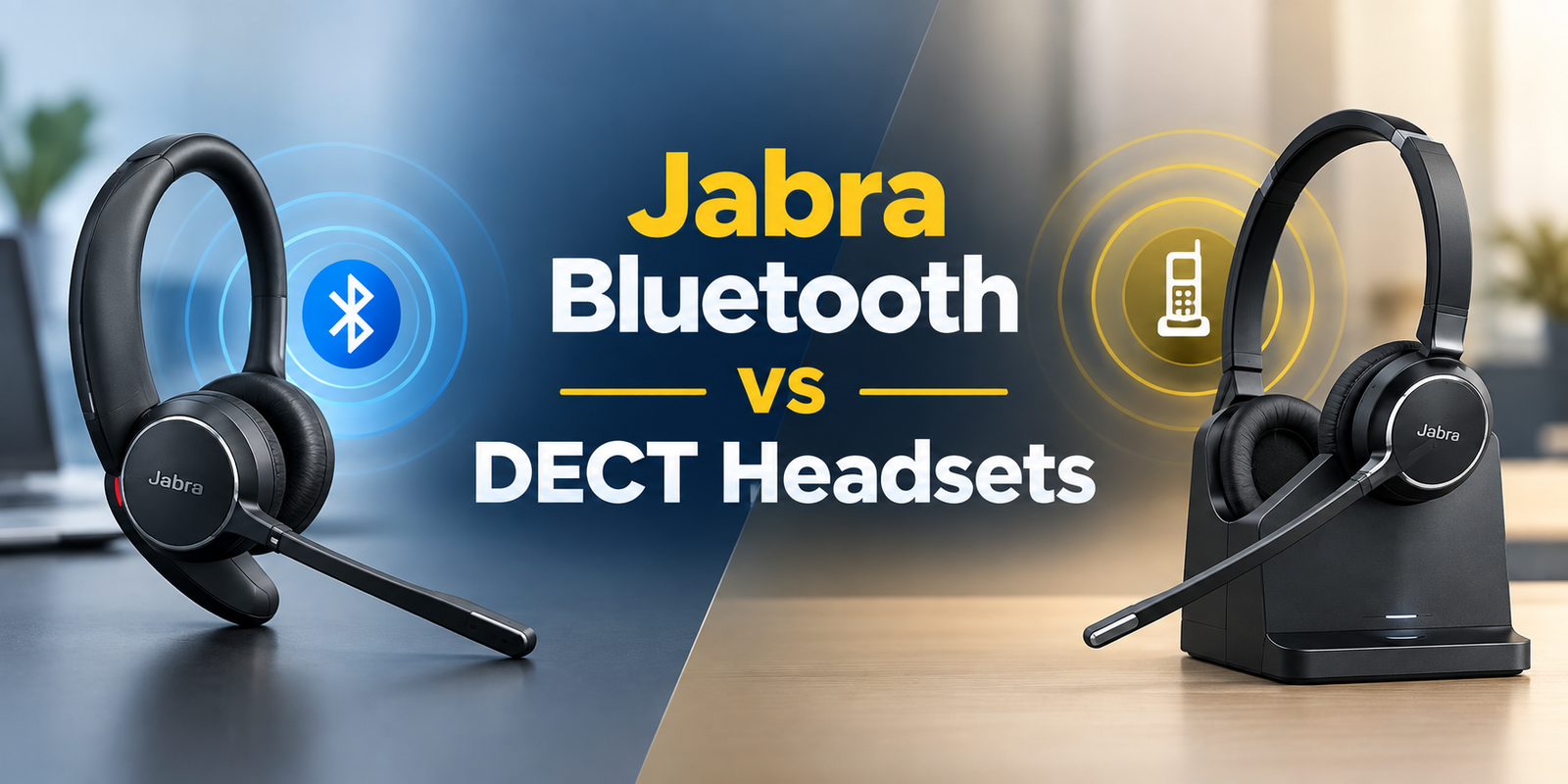
Jabra Bluetooth vs DECT headsets can be a confusing choice due to their wireless options, but they were designed for various communication needs! DECT technology has been in use for cordless business and telecommunications for years and is ideal for professional office applications.
Further, Bluetooth eventually became commonplace for bringing personal gadgets together, including iPads, tablets, and cell phones, allowing wireless headsets to be more versatile in today's workplace.
Today, both connections are offered in professional Jabra headsets, with their own pros. Bluetooth is a good option when you need to move from one compatible device to another and DECT is appropriate for professionals who need to know their call is reliable, have their own base station and need a longer range of wireless links.
It all depends on the devices being used, work area, wireless range requirements, and what you are doing during the day to receive calls. In this guide, we'll take a closer look at Jabra Bluetooth vs DECT headsets, explain the main differences, and assist you in determining which type of connection is best for your work setup.
What Is the Difference Between Bluetooth and DECT?
Both Bluetooth and DECT are wireless technologies and they employ different approaches.
A typical use of Bluetooth is to have a headset link directly to a compatible device like a laptop, phone, tablet or computer. It's handy for people who move around between devices or work from various places.
DECT (Digital Enhanced Cordless Telecommunications) typically requires a separate base station. The base is connected to supported communication equipment and communicates with the headset via wireless means.
This is especially convenient for the professional setting where staff members may need to get away from their desk while remaining connected to calls, as with DECT.
Jabra Bluetooth Headsets: When Are They the Better Choice?
If you are more likely to communicate with others via a laptop, cell phone, or tablet, a Jabra Bluetooth headset can be a helpful solution.
The headset can also connect directly to other compatible devices via Bluetooth for remote and hybrid workers, who otherwise would need to use a conventional DECT base.
For instance, the Jabra Evolve2 65 Mono supports Bluetooth and has a range of up to 30 m /100 ft. It also supports up to two devices to connect via Bluetooth at the same time and can store up to 8 devices in its pairing list.
Bluetooth can be a strong choice if you:
- Switch to a hybrid or work remotely.
- Take calls from both a laptop and smartphone
- Shuttle from workstation to workstation
- Want to read on the go?
- Don't require deep penetration of the office-wide wireless signal
- When to Use a Jabra DECT Headset?
Jabra DECT Headsets: When Are They the Better Choice?
DECT aims at professional cordless communication and is especially suitable in offices, reception areas, customer service and call centers.
The Jabra Engage 75 SE is a professional DECT headset system with a wireless range of up to 150 m / 490 ft in different settings and environments. It comes in Stereo, Mono and Convertible formats and connects up to 5 devices.
The Jabra Engage 75 SE also provides up to 150 m / 490 ft of wireless range and supports up to five devices in supported configurations.
DECT might be a better choice if you:
- Gain work experience in a professional office environment
- When using a desk phone or a business communication system, you should use it in the same manner as a normal telephone.
- Want to get up and get away from your desk during meetings?
- Work in a call center
- Need a dedicated wireless base station.
- Want greater wireless coverage than a typical Bluetooth office headset
Bluetooth vs DECT: Which Has Better Wireless Range?
Overall, professional DECT headsets have longer wireless range than normal Bluetooth office headsets.
But the range is not the same for all headsets. It is based on the model, the equipment connected, obstructions, the building structure and the wireless environment.
For example, the Jabra Engage 75 is rated for up to 150 m / 490 ft, while the Jabra Evolve2 65 Stereo is rated for up to 30 m / 100 ft.
This difference can make a difference in a big workplace. For those who have to move around only within their home office or small workspace, Bluetooth might be sufficient. DECT may be a better choice if you're in a larger office and receive phone calls regularly while walking across the building.
A better comparison is that of the published range of the exact model of the headset being compared rather than that of assuming that all DECT headsets have the same range.
What Frequency Does Bluetooth Use?
Bluetooth works in the ISM (2.4 GHz) band, and the Bluetooth radio is in the frequency range of about 2400 to 2483.5 MHz. The range is determined by many factors, including radio implementation, PHY, receiver sensitivity and environment, says Bluetooth SIG.
This is the reason that there is no universal Bluetooth range for all headsets.
For instance, the Jabra Evolve2 65's operating range is up to 30 m / 100 ft, whereas another Bluetooth headset might be different.
What Frequency Does DECT Use?
The frequencies for DECT are allocated differently, depending on the region.
In the case of Jabra professional DECT products, the regional bands are:
- North America/Japan: 2.0 GHz to 2.4 GHz
- Philippines: 1880–1890 MHz
- Taiwan: 1880–1895 MHz
- Japan: 1893–1906 MHz
- Most of Latin America: 1910–1930 MHz
- Brazil: 1910–1920 MHz
In the USA and Canada, it is used in the frequency range 1920 to 1930 MHz, known as US DECT 6.0.
Therefore, it is correct to say that DECT is a technology that operates in the 1.9 GHz frequency band, but the DECT frequency band varies according to country or region.
For customers, region-specific specifications are relevant as DECT products are not necessarily certified for all markets. For its Engage products, Jabra also offers regional DECT frequency details.
Does DECT Have Less Interference Than Bluetooth?
DECT and Bluetooth are on different frequencies.
The bandwidth for Bluetooth is the ISM band at 2.4 GHz while many DECT deployments are in the frequency bands around 1.9 GHz. This separation is key because it ensures that DECT isn't using the same frequency band as common 2.4 GHz wireless and Bluetooth networks.
It is not possible to state that DECT is totally interference free, however. Environment, equipment, distance, building materials, and other radio systems can still affect wireless performance.
DECT can be appealing in professional offices where there is a need for dedicated cordless communication and extended wireless range.
Which Is More Secure: Bluetooth or DECT?
There are security mechanisms in both Bluetooth and DECT technologies, but the security offered will vary depending on the implementation of the technology and the particular headset.
Bluetooth specifications contain security features to ensure protection of communications between Bluetooth devices.
Professional DECT systems can also offer robust security as well. For instance, Jabra's Engage 75 SE has DECT Security Step C and has security options that are designed for pro communication.
When using the headset for business purposes, verify the security features of the specific headset you are considering, and do not assume that all Bluetooth and DECT devices have the same security features.
How Do Bluetooth and DECT Headsets Connect to Your Devices?
The only real difference in connections is how the headset interfaces with the equipment.
Once paired via Bluetooth, a Bluetooth headset typically connects directly to a compatible laptop, smartphone, tablet or computer. This will make it easier when you frequently move between locations and/or personal devices.
Usually, a DECT headset is connected via a base station. A desk phone and/or computer can be connected to the base, and the headset will send and receive audio wirelessly.
This typically indicates that Bluetooth systems are easier to set up portably, and DECT systems give a more structured setup for workstations.
Make sure that you know precisely how to connect the headset and the devices that you will be connecting to it before purchasing it.
Do DECT Headsets Need a Base Station?
The typical professional DECT headset is made up of a stand alone base station.
The base is where the headset is connected to the devices to which it will be attached for communication. It can be used to connect to various equipment like desk phones, computers and any other supported communication sources depending on the model.
One of the primary differences is Bluetooth. A Bluetooth headset can easily connect directly to a compatible device, and a DECT system is typically constructed around its base.
For a basic headset that can be taken from place to place, Bluetooth could work better. If you require a professional setting where you need to move the desk wirelessly, you might want to get a DECT system.
Can a DECT Headset Connect to Multiple Devices?
Yes. Certain professional DECT systems are made with a number of communication sources. Up to 5 devices are supported (depending on configuration).
In supported configurations, the Jabra Engage 75 can connect up to 5 devices. This can be a desk phone, a computer with a USB connection or a Bluetooth device.
This may be helpful for staff that receive multiple communications calls throughout their shift.
Bluetooth vs DECT for Multiple Devices
When you're using a laptop, tablet and smartphone as your primary devices, Bluetooth is handy. But the number of devices that the Bluetooth headset can remember and connect with at the same time varies from one device to the other.
For instance, the Jabra Evolve2 65 Stereo allows for a maximum of two separate Bluetooth connections and can hold up to 8 devices in the pairing list.
An advantage of DECT is that it can also carry multiple devices via its base station. A professional DECT system offers the benefit of having multiple sources of communication supported by one dedicated base.
Just looking at the number of headsets supported is not enough when comparing headsets. Determine supported devices and connections.
Bluetooth vs DECT for Microsoft Teams and UC Platforms
While generally either Bluetooth or DECT headsets are good options for Microsoft Teams and other unified communications platforms, the compatibility depends on the specific headset and connection type.
For Teams users who primarily place calls using a laptop, Bluetooth can be handy. The headset can be directly connected to a compatible computer, without needing a standard DECT system.
DECT may be helpful when working in a work setting that requires Teams to be used in conjunction with a desk phone or other communications devices. In these setups, the base station can provide the connection between the headset and supported devices.
If the Teams platform or another UC platform is critical to your business, research the exact model's compatibility and supported call-control features before purchasing.
Bluetooth vs DECT: Which Is Better for Desk Phones?
In traditional desk-phone use, DECT is sometimes the more viable option since professional DECT systems are based on dedicated bases and business communication equipment.
A DECT headset can enable an employee to work away from their desk and receive and place calls.
Bluetooth is compatible with certain desk-phone configurations, depending on the phone and headset and the type of connection required.
So if the primary need is a wireless headset for a desk phone, you should look at what types of phones the headset supports, not just Bluetooth or DECT.
Bluetooth vs DECT: Quick Comparison
| Feature | Bluetooth | DECT |
|---|---|---|
| Main use | Remote, hybrid, and mobile work | Professional offices and call centers |
| Frequency | 2.4 GHz ISM band | Regional DECT bands, often around 1.9 GHz |
| Connection | Direct Bluetooth pairing | Dedicated base station |
| Typical professional range | Model dependent | Often longer than Bluetooth office headsets |
| Smartphones | Excellent compatibility | Depends on model/base |
| Laptops | Excellent compatibility | Supported through compatible base/setup |
| Desk phones | Model/setup dependent | Strong professional use case |
| Portability | Excellent | Good within the supported range |
| Multi-device use | Model dependent | Model/base dependent |
| Best for | Flexible workers | Professional office environments |
Which Is Better for a Call Center?
In many traditional call center settings, DECT is likely a better option for those with a desk phone or professional communication system and who are required to move around the workplace.
A wireless call center headset ought to provide the agents enough freedom to stand, walk, or pick up some paperwork without being stuck to their desks.
The Jabra Engage family is made for the office or call centre and features a long range from the transmitter and the ability to connect with multiple devices.
But for teams that for the most part use laptops, softphones, and mobile devices, Bluetooth can be appropriate.
To select the appropriate call centre headset, one should take into account the genuine communication setting, wireless range, microphone performance, comfort, battery life and compatibility.
When Is a Bluetooth Call Center Headset a Better Choice?
When employees start using computers, softphones and mobile devices as their primary means of communication instead of desk phones, a Bluetooth call center headset makes sense.
For instance, a customer support team operating with a laptop or cloud-based calling software can benefit from the direct connection between devices that Bluetooth offers.
When employees are in different locations, it can be helpful to use Bluetooth. They are not locked into a specific desk configuration, but can connect their laptop or smart phone with a compatible headset.
Maximum wireless range may be of less importance to a flexible customer support team than portability and compatibility with various devices.
Which Is Better for Remote and Hybrid Work?
Most remote employees and hybrid employees prefer using Bluetooth.
A Bluetooth headset can easily be plugged into compatible personal electronics, allowing the user to work from a home office, coworking space, or other location.
A home office can still benefit from DECT, but you will require a compatible desk phone or if you need to move far from the base unit. But it's typically a more niche solution.
As long as you spend the majority of the day on your laptop and sometimes use your mobile phone, Bluetooth should be the easier choice.
Bluetooth vs DECT: Which Is Better for Large Offices?
The type of wireless technology that is more suitable may depend on the size and layout of your work area.
If your office is small, a home office or a small area, Bluetooth might be sufficient for normal movement.
DECT may be more appropriate in a larger office where the workers are farther away from their desks and still need to have access to calls.
But don't just select the size of the office because of that. The real world performance may be influenced by building materials, walls, equipment or the published range of the particular headset.
What Are the Limitations of Bluetooth and DECT Headsets?
Both technologies are not the ideal solution for all situations.
Bluetooth is very portable and convenient, but requires the range of wireless communication and the type of devices supported by your headset and other devices. It could not be the most suitable solution if employees have to traverse an extensive professional area.
DECT is ideal for workplaces but generally requires a special base station. This can be less convenient for those who move often between other locations.
The ideal option, then, depends on your need for portability, wireless range, connectivity and device compatibility.
Jabra Engage 75 vs Jabra Evolve2 65
It is easier to understand when you see two real Jabra models.
| Feature | Jabra Engage 75 | Jabra Evolve2 65 |
|---|---|---|
| Wireless technology | DECT | Bluetooth |
| Maximum published range | Up to 150 m / 490 ft | Up to 30 m / 100 ft |
| Dedicated base | Yes | No DECT base |
| Multi-device support | Up to 5 devices | Up to 2 simultaneous Bluetooth connections |
| Pairing/storage | Base-supported configuration | Up to 8 Bluetooth devices |
| Best suited for | Professional offices and call centers | Remote, hybrid, and mobile work |
| Mobile connectivity | Supported through base/Bluetooth setup | Direct Bluetooth |
| Wearing options | Stereo, Mono, Convertible | Stereo and Mono |
The big difference is clearly visible in the published specifications: The Engage 75 is focused on a professional DECT system, the Evolve2 65 on Bluetooth connectivity.
Which Jabra Connection Should You Choose?
Use DECT if your work requires a professional office environment, desk phone, extended wireless mobility or a dedicated base station. Use Bluetooth for primarily laptop, smartphone, tablet and flexible workstations.
A receptionist who must move from one area to another in a large office might find a better reception system to use is a Jabra Engage system. If you work with a laptop or if you're mobile with a smartphone, you might prefer the Jabra Evolve2 Bluetooth headset.
In simple terms: DECT will be a better solution for professional desk-based calling, for long distances and for flexibility and multiple devices, Bluetooth will be a better option.
What Should You Check Before Buying?
When selecting a wireless headset, take into account your full work setup.
Start with the devices you need to connect. These can be a desk phone, computer, smartphone, tablet, softphone or unified communications platform.
Next, think about how much you have to move from your desk. If you have a small workspace, Bluetooth might be sufficient. Where you require more office space, DECT might be a better option.
Also check:
- Wireless range
- Device compatibility
- Microphone performance
- Battery life
- Wearing style
- Monaural or Stereo sound.
- Security features
- Multi-device support
- Call-control features
- Warranty and support
It's also worth considering if the same model can be easily deployed and supported throughout the team for businesses that order multiple headsets.
Is DECT Always Better Than Bluetooth?
No. DECT is not always better, nor is Bluetooth always better. The advantage of DECT is when extended range wireless connectivity and connectivity to the professional office are crucial. Where mobility and personal device connectivity are paramount,
Bluetooth has a leg up. It depends on your work habits, the devices you use and how much wireless movement you require.
Final Verdict: Bluetooth or DECT?
It depends upon your work environment to make the choice between Jabra Bluetooth vs DECT headsets.
Use a desk phone or dedicated communication system and need long range wireless in a professional office or call center environment, utilize DECT. For instance, the Jabra Engage 75 has up to 150 m / 490 ft of wireless range.
If you work remotely, with a laptop and smartphone, or you want a headset that you can easily take with you to different work areas, you should go with Bluetooth. The Jabra Evolve2 65, for instance, can be used for up to 30 m / 100 ft and offers a two-way connection to Bluetooth.
The overall winner is not determined. The connection you choose should depend on your devices, workspace, required wireless range and your daily calls.
Need Help Choosing the Right Headset?
When it comes to choosing a headset, you may be unsure which one is the most suitable for your particular phone, computer, desk or everyday work. Find Headsets is here to help you select with confidence. We can help you understand compatibility, connection type, wearing style, features, and other key factors to help you choose a headset that suits your needs.
Find high-quality headsets from reputable brands like Jabra, Poly, Yealink, Logitech, Sennheiser and SteelSeries for office, call centre, remote, online meeting, gaming and communication use.
You will also receive 24/7 support from customer service, secure payments, swift delivery and hassle-free returns. Warranty coverage is available as per the specific brand and model details provided on a per product page.
Our support team is here to assist you in making an informed decision before and after your purchase whether it be a single headset or an entire team.
Get the perfect headset fit for your setup, and receive assistance from real people.
Frequently Asked Questions
Is DECT better than Bluetooth for office headsets?
DECT may be more suitable for the professional office where a longer wireless range and dedicated base station are required. When employees are primarily using laptops and smartphones, Bluetooth can be more convenient.
What has a longer range, DECT or Bluetooth?
Professional DECT headsets typically have more of a range than standard Bluetooth office headsets. For instance, the Jabra Engage 75 can go up to 150 m / 490 ft, whereas the Jabra Evolve2 65 has a range of up to 30 m / 100 ft.
What frequency does DECT use?
The frequency of DECT is region specific. Jabra specifies 1880-1900 MHz in Europe and a few other markets and 1920-1930 MHz for the USA and Canada, which are both for US DECT 6.0. The other areas have their own allocations.
What frequency does Bluetooth use?
The Bluetooth radio runs in the 2400-2483.5 MHz range, which falls in the ISM band (2.4 GHz).
Is Bluetooth good for call center headsets?
Yes. The use of Bluetooth may be effective for call centers where the main devices are laptops, softphones, and mobile devices. DECT could be a better option for traditional desk-phone users who require more wireless range.
Can Jabra Engage 75 connect to Bluetooth devices?
Yes. In supported configurations, the Jabra Engage 75 can connect with up to five devices using Bluetooth and features a base that can be upgraded to support Bluetooth.
How many devices can Jabra Evolve2 65 connect to?
It provides up to two-way simultaneous Bluetooth® connectivity and supports eight devices in its pairing list, the Jabra Evolve2 65.
Should I choose Mono or Stereo for a call center?
Mono can be helpful in a work environment where employees must be able to hear what is going on, and stereo can give them a more immersive experience. The one you have selected is the better choice, depending on the job, workplace and employee's personal choice.
No comments yet. Be the first to comment!
Leave a ReplyYour email address will not be published. Required fields are marked *