
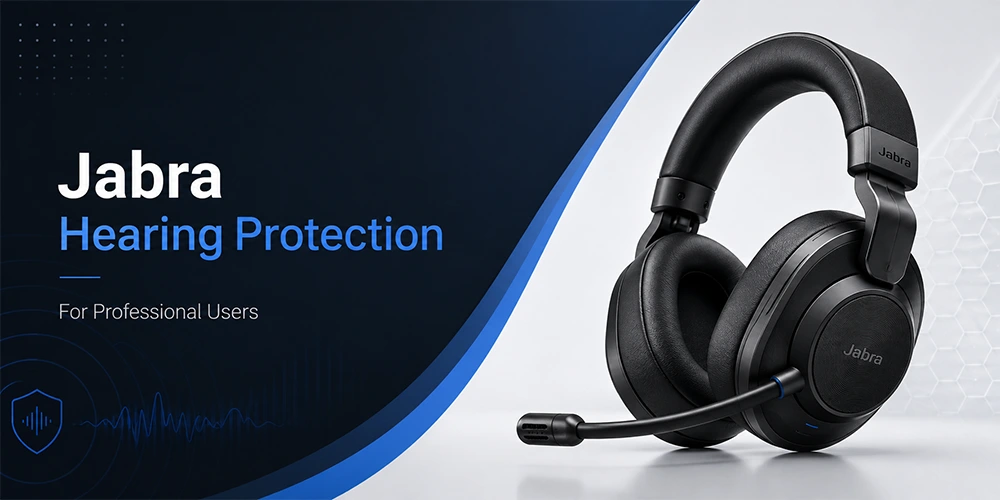
The work headsets provide special hearing protection features with Jabra. All of them include features like PeakStop, IntelliTone, SafeTone, SafeTone 2.0 and G616. It's easy for them to do their work. They block out loud noises that may cause damage to your ears, and will help to prevent hearing damage while you are calling for long periods of time.
If you wear your Jabra headset every day, comfort is especially important. Even if you don't realize it at the time, a hectic day of calls and meetings can take its toll on your ears. Another shock could be a random line pop or a loud noise while on a call.
There may be some features missing on some Jabra models. The protection that a corded desk headset provides may not be the same as a Jabra wireless headset. Here, we'll tell you what each of the Jabra hearing protection features is, which models use them and how to choose the right headset for your job.
Why Hearing Protection Matters for Professional Headset Users
There are two different types of hearing problems that can affect agents, receptionists, and remote workers who are on calls for long periods of time throughout the day.
The first one is when there is a disconnection or there is a technical issue, and then the sound is heard immediately. The second is the buildup of exposure to listening to a consistent sound at a high volume for extended periods of time.
There are reasons for having regulatory limits. The EU Noise at Work Directive prescribes an 8 hour exposure limit of 87 dB(A) for noise and Australia's G616 guideline puts in place a more stringent exposure limit of 87 dB(A) for telecom headsets. Various Jabra technologies are designed to tackle various risks.
Here are the potential problems that could occur with overuse of the headset if they don't deal with them:
1. Acoustic shock is the term used to describe any loud sound that may suddenly appear, such as a line pop or static burst, that will immediately catch your ear off guard and cause immediate discomfort.
2. Hearing fatigue occurs after a few hours of steady moderate noise and can make it more difficult to focus or feel exhausted at the end of a shift.
3. This is because permanent hearing strain may develop after long term exposure (weeks/months/years) and this is why daily exposure limits (such as those in the EU Noise at Work Directive) exist.
Jabra's layered protection technologies have been designed to address ALL three of these risks.
What Is Acoustic Shock and Why Does It Matter
Acoustic shock is a loud, unexpected sound that reaches the listener's ears who is wearing a headset, and is sometimes caused by a processing error by the caller. It is not long term exposure as it occurs without warning.
Jabra's Peakstop technology provides control of these peaks and IntelliTone controls average exposure over time. Headsets that have just one of these features are not as well protected as a headset that has both.
How Jabra Hearing Protection Works
Jabra incorporates multiple technologies to solve one of the many components of hearing protection. There's sudden peak control, there is better speech clarity, there is average exposure control and there's constant volume between callers control. These do not all work together, but are used individually by different types of headsets.
Jabra Hearing Protection Technologies at a Glance
| Technology | Main Purpose | Why It Matters |
|---|---|---|
| PeakStop | Controls sudden loud sound peaks | Reduces the impact of unexpected audio spikes |
| IntelliTone | Manages average sound exposure | Controls listening exposure over a working day |
| SafeTone | Combines PeakStop and IntelliTone | Covers both sudden peaks and average exposure |
| SafeTone 2.0 | Advanced protection system | Adds newer protection and audio processing on supported models |
| BalancedVoice | Improves incoming speech clarity | Makes voices easier to understand without raising volume |
| Speech Level Normalization | Keeps voice levels consistent | Reduces volume differences between callers |
| G616 | Telecom hearing protection guideline | Relevant to Australian regulatory requirements |
What Is Jabra PeakStop
PeakStop cuts down loud sound peaks before they hit the peak level of the user's ear. For voices and media, the typical implementation caps are set to 118 dB RMS regularly. IntelliTone is for the occasional peak and PeakStop is for the peaks.
What Is Jabra IntelliTone
IntelliTone Control is not meant to control individual loud noises, but the average sound exposure. Jabra's SafeTone application is based on an average of 85 dB per day, as recommended by the EU Noise at Work Directive. It becomes relevant for users who wear a headset for the duration of the shift, whether the sound of the one person they are with is loud or not.
What Is Jabra SafeTone
SafeTone is composed of PeakStop and IntelliTone so it covers both peak/exposure and chronic exposure. To put it simply: PeakStop is used with rapid exposures and IntelliTone is for regular exposures. Another feature SafeTone offers is speech level normalization, which applies to the volume levels of all incoming calls that are set to a comfortable and consistent volume level without letting the user adjust the volume between quiet and loud callers.
What Is Jabra SafeTone 2.0
SafeTone 2.0 is the latest release of Jabra's protection app for all of its enterprise headsets, mainly the Engage series. It may contain:
Intelligent Acoustic Shock Protection that detects and cuts back on any sudden noises that may be harmful to the baby but won't interrupt the call.
24-hour monitoring throughout the day on average exposure management with IntelliTone 2.0.
Another feature is BalancedVoice, which can help people hear better when listening to people, but doesn't require them to raise their volume.
Speech Level Normalization, where incoming calls are all played at the same, or more or less the same, volume allowing the user to hear all calls without having to increase or decrease the volume for individual calls.
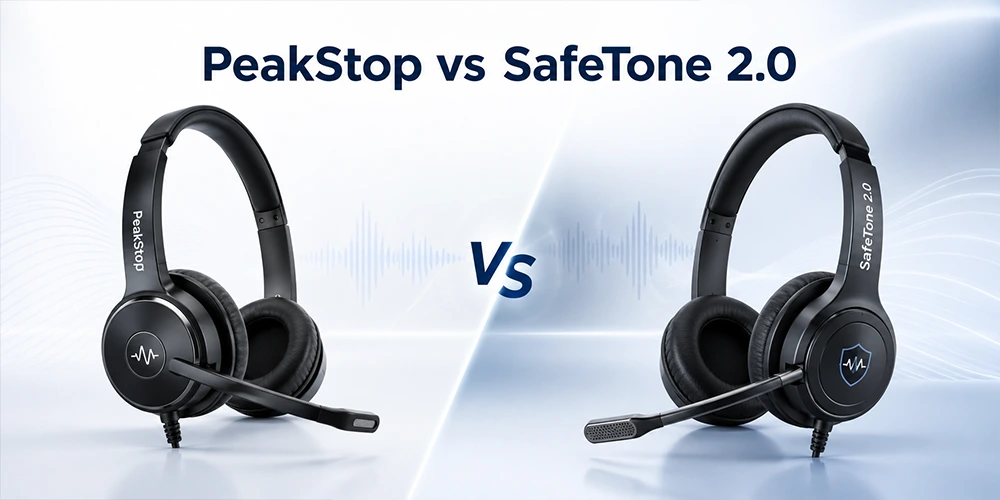
PeakStop vs SafeTone 2.0 PeakStop
The PeakStop used in SafeTone 2.0 is stricter than the regular version.
| Version | Peak Limit | Application |
|---|---|---|
| Regular PeakStop | 118 dB RMS | Consumer and enterprise models |
| SafeTone 2.0 PeakStop | 105 dB RMS | Selected enterprise models, mainly the Engage line |
Not all Jabra headsets with hearing protection feature the more stringent SafeTone 2.0 protection limit, so verify the model's exact specification, don't take a chance.
Jabra Comparison Chart: Hearing Protection by Headset Family
Features are identical across all of Jabra's ranges, but some products in a range may be different and features may be added subsequently via firmware upgrades. This is a comparison chart which can then be used as a starting point and then refer to the model tables below.
| Headset Family | PeakStop | SafeTone | SafeTone 2.0 | G616 |
|---|---|---|---|---|
| Engage (40, 50, 50 II, 55, 65, 75 and SE variants) | Yes | Yes | Yes | Yes |
| Evolve2 (30 SE, 40 SE, 50, 55, 65, 75, 85, Buds) | Yes | Yes | Selected models only | Yes |
| Evolve and Evolve3 | Yes | Yes | No | Yes |
| Perform | Yes | No | No | No |
For example, PeakStop and SafeTone and G616 support are available for the Jabra Evolve2 75, but only for the Engage line is SafeTone 2.0 support available. Before purchasing, check to see if the pattern is similar from headset to headset and what the specific model/firmware version is.
Comparison of Hearing Protection in Jabra Wireless Headsets
| Headset | PeakStop | SafeTone | SafeTone 2.0 | G616 |
|---|---|---|---|---|
| Jabra Engage 45 SE | Yes | Yes | Yes | Yes |
| Jabra Engage 55 / 55 SE | Yes | Yes | Yes | Yes |
| Jabra Engage 65 / 65 SE | Yes | Yes | Yes | Yes |
| Jabra Engage 75 / 75 SE | Yes | Yes | Yes | Yes |
| Jabra Evolve2 55 | Yes | Yes | No | Yes |
| Jabra Evolve2 65 | Yes | Yes | No | Yes |
| Jabra Evolve2 75 | Yes | Yes | No | Yes |
| Jabra Evolve2 85 | Yes | Yes | No | Yes |
| Jabra Evolve2 Buds | Yes | Yes | No | Yes |
| Jabra Evolve 65 / 65 SE | Yes | Yes | No | Yes |
| Jabra Evolve 75 / 75 SE | Yes | Yes | No | Yes |
| Jabra Perform 45 | Yes | No | No | No |
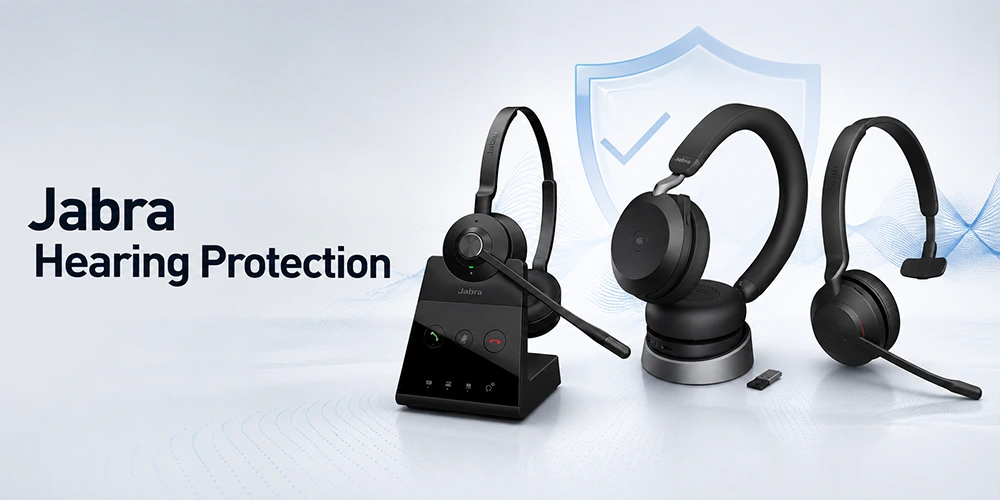
Firmware updates are only for those headsets that are on the latest available firmware; an older headset may not have all the features listed here until it has been updated via Jabra Direct.
Comparison of Hearing Protection in Jabra Corded Headsets
| Headset | PeakStop | SafeTone | SafeTone 2.0 | G616 |
|---|---|---|---|---|
| Jabra Engage 40 | Yes | Yes | Yes | Yes |
| Jabra Engage 50 | Yes | Yes | Yes | Yes |
| Jabra Engage 50 II | Yes | Yes | Yes | Yes |
| Jabra Evolve2 30 / 30 SE | Yes | Yes | Yes | Yes |
| Jabra Evolve2 40 / 40 SE | Yes | Yes | Yes | Yes |
| Jabra Evolve2 50 | Yes | Yes | No | Yes |
| Jabra Evolve 20 / 30 / 40 / 80 | Yes | Yes | No | Yes |
| Jabra Biz 2400 II USB | Yes | Yes | No | Yes |
| Jabra Biz 2400 II QD | Yes | No | No | No |
| Jabra Biz 2300 QD | Yes | No | No | No |
Some of the features listed here may not be seen by an older headset until it is updated via Jabra Direct.
Top Jabra Headsets for Hearing Protection
Wireless: Jabra Engage 75 SE
Engage 75 SE is a DECT wireless headset that provides intensive professional calling and will operate up to 150 metres away from the desk.
Why it stands out:
- Experience full hearing protection with the support of PeakStop, SafeTone, SafeTone 2.0 and G616.
- Clear calls even in noisy work environments with an advanced noise cancelling microphone.
- Busy light technology integrated into the phone to alert co-workers when you're on a conference call.
- Fast charging for back to back shifts, up to 13 hours talk time.
- Works with desktop phones, computers and mobile devices and can connect multiple devices.
- It's an excellent option for contact center agents and heavy callers that require mobility and complete hearing protection.
Corded: Jabra Engage 50 II
The Engage 50 II Stereo is a wired USB headset for teams that require the most powerful hearing protection when working at a desk at a set location.
Why it stands out:
- It has three built-in noise canceling microphones, two of which cancel background noise and the third which gives the user clear voice.
- SafeTone 2.0, IntelliTone 2.0 and PeakStop at 105 dB for full sudden peak and daily exposure protection.
- BalancedVoice technology to improve intelligibility in speech with enhanced voice quality, without increasing volume.
- Designed to comply with OSHA, G616 and Noise at Work guidelines.
- Ideal for Desk agents and administrative staff who are on the phone for the majority of the day.
How Jabra Hearing Protection Differs From a Basic Volume Limiter
A simple volume limiter only limits the volume to the maximum level. Jabra's solution is more than just to stop unexpected noises from interfering with the sound of the audio, it also stops the sound from penetrating an entire shift and keeps the volume of speech the same in calls.
Volume cap is not enough to quiet a caller, as the user may simply increase the volume again, so voice clarity features are important, in addition to hard cap.
What Is G616 Hearing Protection
The Australian Hearing Protection Guideline G616 is applicable to telecom. It's not another name for PeakStop and SafeTone, but rather its own standard. If the workplace needs G616 compliance, check with the technical documentation for your specific model as other Jabra protection features are not a guarantee of G616 compliance.
Hearing Protection vs Noise Cancellation
Noise cancellation reduces unwanted sounds and enhances intelligibility of speech. Hearing protection is a function of the headset itself, and deals with sudden peaks and overall exposure.
Understand that a headset can provide good noise cancellation, but may not have any of the features mentioned in this guide to protect the device.
The noise reduction also has an indirect impact on hearing protection goals because it lowers the possibility of increasing the noise level of the system to compensate for the noise reduction.
A Typical Workday: How the Layers Work Together
Most calls remain at a normal level during an 8 hour shift. Peak protection reacts if an unexpected loud sound occurs. Exposure Management is not a single exposure it's about the listening time. With speech consistency features, the calls that happen more often will be easier to understand since they are not all the same volume. These combine to provide various aspects of the day and do not depend on any one specification for them.
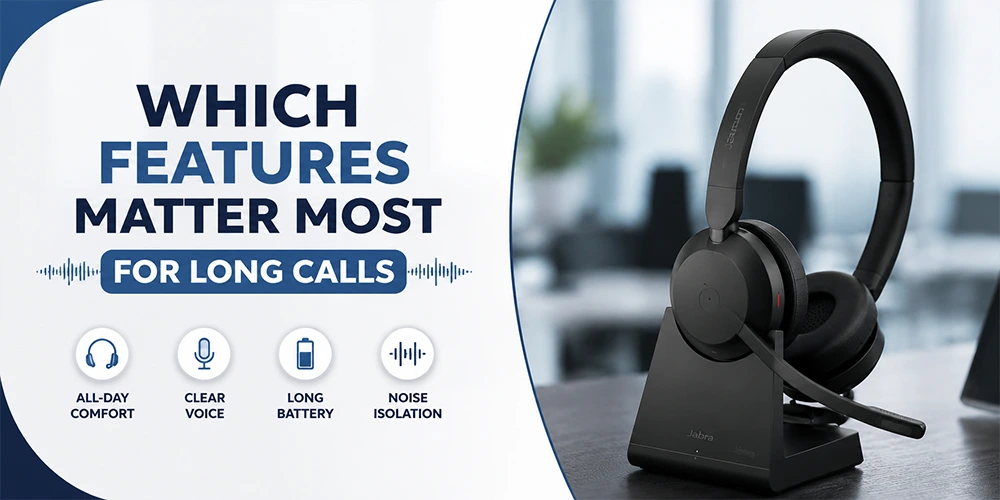
Which Features Matter Most for Long Calls
| Your Working Pattern | Features Worth Checking |
|---|---|
| Occasional calls | Peak protection, comfort, basic audio controls |
| Several hours of calls | Average exposure management and peak protection |
| Full shift contact center work | Comprehensive protection and speech processing features |
| Busy office | Speech clarity, background noise handling, protection |
| Mixed calls and meetings | Protection, comfort, microphone quality, connectivity |
| Compliance driven workplace | Exact certifications and documented requirements |
How to Check Hearing Protection on a Specific Model
Do not use the product family, use the full model number. After that look at the protection technologies that are specifically mentioned for that model (e.g. PeakStop, SafeTone, SafeTone 2.0, IntelliTone, G616).
Some features do need a particular version of the firmware, so reference the latest documentation, not an old spec sheet. If it is a business order, do this check for each model considered.
Simple, step by step procedure:
1. Don't use the family name alone it's important to use variants.
2. Check connection type: USB, desk phone, Bluetooth, wireless base or all of these.
3. Make sure to look at the details of protection on that model.
4. Check to see if there is anything that needs firmware updating.
5. Test with your calling platform, computer/phone system.
6. Check all business and/or local regulations that may apply to your business.
Hearing Protection for Different Work Environments
Contact centers and customer service teams are receiving both rapid protection and average exposure management and comfort, for longer shifts.
Ideal for open offices: clear voice reproduction and background noise handling make it less likely that users will need to increase the volume of the sound to compensate for background noise.
When it comes to video calls that last long hours during a day, remote workers should consider protection, comfort, microphone quality and even compatibility of the devices they are using.
Tasks at the front desk/reception may generate calls, and a wireless design can assist, but the protection level will depend on the specification of the wireless model.
There is a compromise for most professional office and administrative teams in terms of protecting, comfort, microphone performance and connectivity, depending on the amount of time spent on calls.
Are Jabra Hearing Protection Features the Same as Workplace Compliance
Not necessarily. Not all hearing-related requirements for a specific workplace, country or industry apply to a headset. There is no definitive indication that a headset is appropriate for all workplace conditions, from G616. An employer's assessment of risk and the setting of listening practices are still required built-in protection is an additional measure of protection. Before ordering a large team, be sure you know exactly what it is you're ordering.
Using Volume Responsibly
Do not increase the volume above what you need there is no reason to do so for the built-in protection. Begin at a level comfortable for you and only increase as needed. When the volume needs to be turned up a lot, verify the cause, it may be background noise, microphone quality, quiet caller, etc., and not the volume. Also, breaks throughout the day from the headset can be beneficial. Do not only use headset technology, if you experience discomfort, muffled hearing or ringing, seek advice from a qualified health care professional.
Does Hearing Protection Reduce Call Quality
Not necessarily. Jabra's protection features, including BalancedVoice and Speech Level Normalization, can help ensure clear, consistent speech, and may even make manual volume control unnecessary. However, besides the microphone/speakers, the connection, background noise and calling platform, hearing protection is only a part of the whole audio experience.
How to Choose a Jabra Headset With the Right Hearing Protection
The first is to determine how much you use your headsets each day: the more you listen to your headsets, the more critical it becomes to manage your exposure levels and keep them comfortable. Then consider your devices (computer, desk telephone, smartphone etc) and if you require more than one. Your Workspace, whether home or a busy Contact Center, will also play a role in your needs.
Things to take into account when purchasing:
1. Those of exposure management and comfort will depend on the amount of time spent listening to music.
2. Continuous calls or meetings will be important depending on the type of work.
3. The connection must be USB, Bluetooth, DECT wireless, desk phone or multi device.
4. The sound of the work environment may impact the volume you use.
5. It is important to check the protection technology of the individual model and not by brand.
6. For longer daily use, comfort and wearing style are most important.
7. In cases of tools like Microsoft Teams, it is necessary to verify which platforms it can be compatible with.
What Businesses Should Check When Ordering for a Team
Divide the staff into groups by type of work; an agent working in a contact center will need different things from someone who attends meetings occasionally.
Then, check the exact models being considered for hearing protection technologies, the certification requirements, the necessary firmware/software, the connection options, the calling platform compatibility, the microphone performance, wearing style, comfort, wireless coverage and device compatibility and management requirements for larger deployments.
If the model is standardized, training could be easier but only if it is appropriate for most users. But when teams are blended, several models (based on real job needs) can be more successful than a single model (one size fits all).
Conclusion
For Jabra hearing protection, there is one rule: never assume, always check the model. PeakStop and IntelliTone target the current threat and day-to-day threat; SafeTone and SafeTone 2.0 extend that to the enterprise level with further processing; and G616 is a regional guideline and not a blanket guarantee.
This is the correct action to take. You should not miss out on hearing quality with calls and the quality. The hearing protection technology alone isn't of much use unless the headset behind it is as good. Jabra's professional line is covered with either a one-year or two-year manufacturer’s warranty depending on the model and region and this warranty is extended for a longer time for some enterprise models.
If you are buying for a large group, or simply just to confirm, a valid Jabra warranty means that you will not have any manufacturing problems or hardware issues, so be sure to read the terms of the guarantee for the specific model you've selected before buying.
Find Headsets gives a clear guarantee for all the Jabra models listed here. We have stock of all genuine products and we will help you if you have any issues after purchase. If you need one Engage 75 SE in the field, or an entire rollout of Evolve2 headsets for the office, we can help you determine which model and hearing protection devices you need and which coverage you need under warranty! We have a variety of Jabra products on offer; call us and we can advise you on what products are suitable for you before you place your order.
Frequently Asked Questions
What is Jabra PeakStop?
PeakStop controls sudden loud sound peaks during headset use, reducing the impact of unexpected audio spikes.
What is Jabra SafeTone?
SafeTone is a combined PeakStop and IntelliTone solution to accommodate unexpected peaks and average exposure over longer periods of time.
What is Jabra SafeTone 2.0?
SafeTone 2.0 is the latest level of protection for certain enterprise headsets, primarily the Engage model range. Depending on the model, it can contain smart audio shock protection technology, IntelliTone 2.0, BalancedVoice, and Speech Level Normalization.
What is IntelliTone?
IntelliTone controls the average sound exposure over a period of time, not just loud noises.
Does every Jabra headset have SafeTone 2.0?
No. It's offered only for the Engage family and in some Evolve2 models; see the specific headset's specs before purchase.
Is BalancedVoice a hearing protection feature?
BalancedVoice primarily enhances the clarity of speech. It can be used with dedicated protection technologies and is not a substitute for them.
What is G616 on a Jabra headset?
G616 is an Australian Telecom Hearing Protection Guideline. It varies based on product and your organization's needs.
Can hearing protection affect voice clarity?
Not necessarily. Jabra technologies are used to control exposure, but quality of calls still varies with the environment, connection and headsets.
Is noise cancellation the same as hearing protection?
No. Noise cancellation means less noise (background noise), while audio protection controls the noise sent to the headset.
Which Jabra headset is best for professional users?
Actually, there's no best model. It will vary based on their usage, the nature of their work, workplace noise, their connection with others, their comfort and the protection features they have on the specific model they are using. Engage 75 SE is designed for mobile contact centers and Engage 50 II is designed for desk based teams requiring the most powerful protection on a wired connection.
How can I check which protection features a Jabra headset has?
Use the complete model number, and read through the model's specifications as they are currently. Review and confirm any firmware, certification or workplace requirements that apply.
Is hearing protection enough for safe headset use?
While hearing protection technology offers an extra level of protection, there is still an importance to proper volume levels, breaks and a properly managed work environment. If hearing symptoms last for a long time, consult a medical expert.
No comments yet. Be the first to comment!
Leave a ReplyYour email address will not be published. Required fields are marked *