
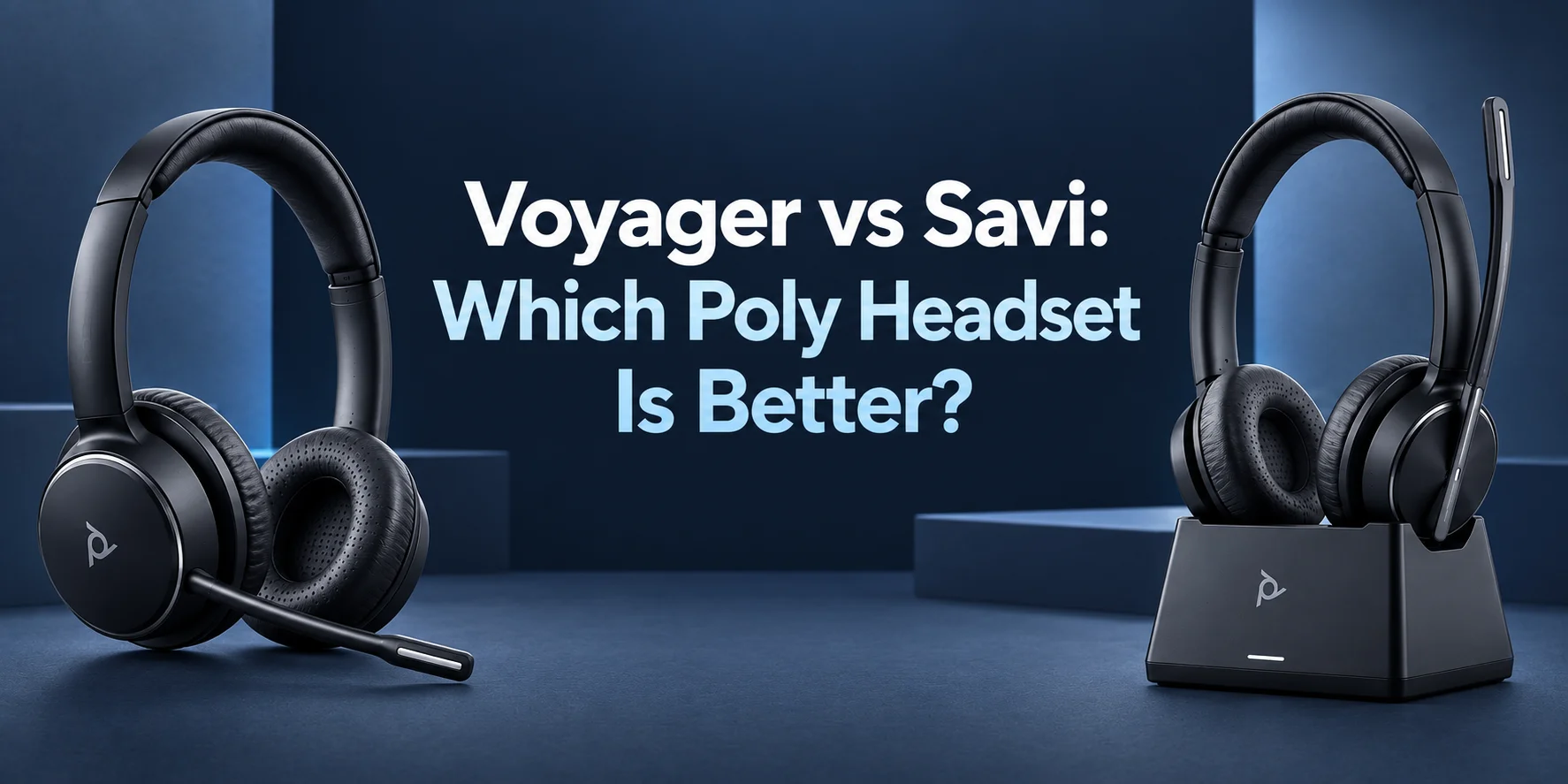
Selecting between Poly Voyager and Poly Savi models seems to be more complicated than expected. Both options provide wireless calling as well as excellent voice quality and functionality meant for professionals. However, the main issue is about the way and conditions in which the headset will be used.
Do you tend to switch from a laptop to a cell phone on a regular basis? Are you an at-home worker? Then, Poly Voyager would be a good choice. However, if you work at a certain desk, have a desk phone and need to make movements within an office without disconnecting, then Poly Savi is preferable.
But which should you get?
That’s not just a question of price or battery life. Other important factors include wireless distance, connectivity options, wear style, mic quality, and even the type of work environment you find yourself in every day. Here’s what you need to know about the differences between these two Poly headsets.
Voyager vs Savi Overview
To start with, here’s how the two Poly lines stack up against each other:
| Feature | Poly Voyager | Poly Savi |
|---|---|---|
| Primary Purpose | Flexible working and mobility | Professional office communications |
| Wireless Technology | Many models use Bluetooth | DECT for compatible Savi Office models |
| Connection to PC | Depends on model | Depends on model |
| Connection to Mobile Phone | Depends on model | Depends on model |
| Support for Desk Phone | Depends on model and accessories | Has strong emphasis on desk phones |
| Wireless Range | Depends on model | Up to 590 ft for some models |
| Talk Time | Up to 24 hours for some models | Up to 13 hours for some models |
| Available Wearing Styles | Mono & stereo | Mono, stereo and convertible |
| Best Suitable For | Remote, hybrid and mobile users | Office, desk phone and long-range users |
As you can see from the table above, the answer is clear. Voyager is typically more flexible for users who switch between devices. Savi works better for office users with desk phone support and larger wireless range.
Nevertheless, the precise set of features differs depending on the model. A Voyager 5200 headset will not have the same set of options as a Voyager Focus 2 one. It goes the same way for Savi headsets like the Savi 8420 and Savi 8445. It explains why the sections below move beyond the product lines themselves to outline their special purposes.
Voyager vs Savi: What Is the Difference?
The main distinction between these two product families from Poly is that they differ significantly when it comes to wireless productivity. While Poly Voyager emphasizes mobility, most of the Voyager products utilize Bluetooth technology and are designed to meet the needs of computer users.
Poly Savi uses an old-school office headset design. Savi Office headset models use a dedicated base along with DECT wireless technology. The base of some models can connect to a desk phone, computer, and mobile device.
The differences are bigger than one might think. While a worker who spends most of their time at work on a laptop and smartphone may not benefit from all of the office-specific features of Savi, someone who needs to work at a desk phone and often needs to leave the office can find Savi much more useful.
What Is the Poly Voyager Series?
Poly Voyager series is a big range of professional headsets designed for various work styles.
There are models with a single earpiece and those with double earpieces. There are also travel, hybrid and noise-canceling models.
Poly Voyager 4320 UC is one of those headsets that represent flexibility. This model is compatible with both desktop computers and mobile devices. Moreover, users get the option of a traditional stereo over-the-head headset.
Another model from Poly Headsets that should be considered is Poly Voyager 5200. In contrast with the Poly Voyager 4320, it has a mono earpiece that makes it perfect for people who need to be on phone calls all day but still need to listen to other sounds.
The next option is the Poly Voyager Focus 2, which combines a stereo earpiece and an active noise cancellation system. When comparing the Voyager series to Savi, remember that Voyager headsets are not just one headset. There are many options within the Voyager family.
What is the Poly Savi Series?
The Poly Savi Series is designed with office communication in mind. Most models of Savi Office come with a base station. It allows for more than one device and enables the user to work independently away from the desk.
The Savi series also comes in different wearability styles. Poly Savi 8420 features a stereo wear style while the Poly Savi 8445 model features a convertible wear style.
Poly Savi 8420 also allows for three-way connectivity from its base station that connects with a computer, desk phone, and mobile phone. It comes with up to 13 hours of talk time and up to 590 feet/180 meters wireless range in ideal situations.
If an office is still using desk phones, Savi would suit such an office well since it features both old and new technology in office phones.
Poly Voyager vs Savi Connectivity
Connectivity can have a tremendous impact on your daily life. A number of Voyager headsets rely on Bluetooth technology to be connected to compatible devices. Some also come with a USB adapter to connect to the computer. This approach serves you perfectly fine if you spend your day switching between laptop, smartphone, and virtual meeting applications.
The Savi Office headsets are somewhat different. They connect their base stations to several devices depending on the particular model. These may include a desk phone, a computer, and a mobile phone. This makes the Savi a good choice for those working at the office who need multiple communication channels at once.
The workflow that starts from a laptop or mobile device is where Voyager might work better for you. When talking about a desk office environment, Savi comes with more targeted connectivity options.
Voyager vs Savi for Desk Phones
Compatibility with desk phones is among the key arguments in favor of Savi. Some models of the Voyager line could be connected to desk phones provided you have a proper office base or accessories that go with it. But here again, this depends on the particular model of your headset.
The headsets of the Savi Office line are created keeping in mind just this type of use. The base is there to enable the connection of your headset with an office phone and computer.
And this may come in handy if you are a receptionist, customer support employee, or spend much time on business calls during the day. If you mostly communicate through Microsoft Teams, Zoom and your mobile device, such a set of connectivity options would be redundant. And then, it is better to choose a Voyager model. Find more wireless headsets for office phones at FindHeadsets.
Wireless Range: Voyager vs Savi
Wireless range is yet another aspect where the two series might differ drastically. The wireless range in the Voyager series varies according to model and connectivity type. For instance, specific Voyager series feature a wireless range of 50 meters, which is approximately 164 feet.
The wireless range in some selected Savi Office series is a lot higher. Some selected models have a wireless range of up to 590 feet under the right circumstances.
Such an extended wireless range can come in handy in a big office space. Imagine receiving calls while sitting at your desk and having to move to print something or attend a meeting at some other place within the office.
For more options, explore FindHeadsets' wireless headsets for office phones.
Difference between Advertised Range and Effective Range
Typically, ranges quoted are the maximum range figures, which are determined by way of tests.
However, real offices contain many concrete walls, doors, furniture, and other equipment. Concrete walls may interfere with wireless signals. Performance may be affected by metallic structures too.
Thus, do not use the advertised range as the actual range figure. It is the best-case range figure. If you require assured movement in large offices, the DECT system of Savi should be taken seriously.
Talk Time and Battery Life
When talk time is the issue, then it is important to consider the battery life. Voyager offers some of the best battery life among its models. The Voyager 4320 UC model can give you up to 24 hours of talk time depending on your usage.
The Savi headsets, on the other hand, will offer adequate battery life for the entire day. The Savi 8420 model can offer up to 13 hours of talk time. From the above information, it looks like the obvious choice is the Voyager. However, this is not always the case. It is normal that the Savi headset will be placed back at its base once you finish with the call. This makes battery charging a normal activity.
Comfortable Wearing Styles
It is possible to have a wireless headset that has all of the features on your list but is uncomfortable after wearing for just two hours. The Voyager headset range has both stereo and mono options. There are some versions that have light construction and a smaller size and there are also some bigger ones that are equipped with large ear cushions.
There are several wearing options offered by the Savi series as well. The Savi 8445 model has a convertible construction, which can be handy if you want to change the way you wear it throughout the day.
Think about how you usually behave when you take calls. If you need to be aware of your colleagues, then a mono version would be a good choice. If you need to concentrate during lengthy conferences, then you might like stereo headphones.
You can also read the mono vs stereo wireless headset guide before making a decision.
Sound Quality and Call Clarity
The two Poly families share the common attribute of focusing on business communication. But still, there are some differences among particular devices. The Voyager line is dedicated to maintaining sound quality while making calls and some models feature Poly Acoustic Fence a solution that helps filter out background noise from the surroundings.
Savi family devices pay special attention to voice clarity as well. They are created for use in offices where it's likely to hear some conversations and noises around. Both families of devices will perform well under ordinary conditions for business calls. It all depends not on the family but on the environment and device itself. If besides calls the headset is used for playing music or watching videos, the stereo Voyager will probably satisfy your needs better.
Performance of Microphones and Background Noise
Just as important as what you hear are the microphones you have. The Poly Voyager 5200 is geared towards users who might take calls in varied settings. Its microphone system reduces background noise so your voice can be clearer.
Another good choice in a busy environment is the Voyager Focus 2. Its stereo system incorporates noise-cancelling with a microphone suited for professional calls. Noise-cancelling microphone technology also features in Savi models. Some of the models include elements that can assist in handling nearby conversations.
For a busy home office, the Voyager range provides a few viable options. In an open office setting where desk phone communication is the priority, Savi should work well.
Comparing Voyager with Savi for Remote and Hybrid Work
The expectations from business headsets have been changing due to remote work. You may begin your day at home but work in a coffee shop or at your office later. You want a headset that will keep up with you. And Voyager is there to satisfy your needs.
Thanks to Bluetooth technology, it becomes possible to connect many Voyager devices to laptops and smartphones. Moreover, its portable design allows moving around easily. Though Savi is also capable of providing high-quality service to remote employees, its base and DECT technology are more suitable in case of office-based work.
If you do not use office phones often and travel a lot, it would be better to choose Voyager. Voyager vs Savi for Microsoft Teams and Zoom. With online conferences becoming an integral part of business life, your headset should support the platforms you prefer to use.
Voyager vs Savi for Microsoft Teams and Zoom
There are many Voyager devices developed specifically for Unified Communications and meeting platforms. It is possible to use them for Microsoft Teams, Zoom and other communication services depending on the particular model.
Savi headsets also come in Teams and Microsoft UC versions. But the feature set varies depending on the specific headset. The Teams version might have its own controls that the regular UC version won't have.
Remember to find out the exact model before buying. Just because all the headsets in a line are from the same brand doesn't mean they'll have the same certifications. If you primarily use Teams, then check out Microsoft Teams headsets available at FindHeadsets.
Poly Lens and Device Management
For an individual, managing headsets isn't that big of an issue. For companies with multiple employees using headsets, it can become a daily chore. Poly Lens provides businesses with tools for configuring devices, updating firmware, and handling other management tasks. If you need help with the update process, our guide on how to update your headset with Poly Lens covers the steps.
Both Voyager and Savi lines have models compatible with Poly Lens. So, either line can be used by businesses that want to manage headsets across their teams. The right choice will depend on the models and equipment already in use.
DECT and Office Deployment
DECT technology by Savi is one of their major advantages. DECT has been developed for wireless communication purposes and is commonly used in corporate telephone systems. DECT provides the possibility of having a wireless connection that suits office communication.
In addition, the Poly Savi 8420 has DECT Security certification, according to HP's current standards. This device allows having three-way connectivity of computer, a desk phone and a mobile phone, which makes it appropriate for business offices. On the contrary, Voyager uses more advanced Bluetooth technology. This makes Voyager easier for personal use and for mobile employees.
If your company uses a stationary office with desk phones and several workstations, then Savi can be a good choice for you. Otherwise, if your employees work in several locations, then Voyager can suit you better.
Voyager vs Savi: Which of Them Is Best for Your Working Style?
It is very easy to pick one depending on the nature of your working routine.
Select Poly Voyager If You…
Work from home and/or the office. Use both laptop and smartphone daily. Frequently travel. Love Bluetooth. Or just want a headset that is portable. Poly Voyager offers various models to choose from. You can select either a portable mono headset such as Voyager 5200 or a stereo one like Voyager 4320.
Select Poly Savi If You…
Primarily work from a static office space. Use the desk phone every day. Have to roam around the office during a call. Or require a specific office desk base. Savi may be particularly suitable for people such as receptionists, customer care executives, and others who have to deal with a lot of calls throughout their shift.
Pick Voyager For Mobility And Savi For Office Roaming
This might be the easiest way to remember the distinction.
Voyager = mobility and flexibility.
Savi = office communication and roaming.
It does not imply that the former will always be superior to the latter. This is just a reflection of the fact that both families have distinct roles.
Best Poly Voyager Series To Buy
The Voyager series includes many models designed for specific user profiles. The Voyager 4300 Poly headset is a good choice for your average day-to-day calls. It comes in many configurations and is suitable for users who require wireless flexibility but do not need any complex configuration.
The Voyager 4320 Poly UC is a great headset to go with if you are a hybrid worker who prefers the stereo sound experience. It is suitable for making calls, joining conferences and even working on your computer. The Voyager 5200 Poly headset is suitable for those who like using headsets with a lightweight single ear cup.
Finally, the Poly Voyager Focus 2 is a good choice if you prefer stereo audio and active noise cancellation in a busier environment.
Voyager vs Savi: Whose Poly Headset Is More Valuable?
Value is not always found in the cheaper model. The Voyager headset might be more valuable for those who only need a single headset for their laptop, mobile phone, and hybrid work environment. They may not necessarily need the additional capabilities offered by the office-based Savi solution.
The Savi headset might also prove to be more valuable in case of companies using desk phones that require long-range wireless mobility. The combination of base and DECT in such a case justifies its higher price tag.
The right question here is not "Which one is cheaper?"
Ask yourself, "Which headset will meet my needs every day?"
Common Mistakes When Choosing Between Poly Voyager and Savi
A common error is purchasing Bluetooth headsets without considering their compatibility with desk phones. If you need a desk phone at work, ensure that your selected headset and accessories are compatible with it.
The next mistake is looking at the wireless range without taking into account your workplace environment. Having a big number on a webpage doesn’t mean that this range will work in your case through all the walls.
In addition, battery life needs to be considered in a particular situation. Your headset with a longer battery can be inferior because you can charge it in your charging dock between calls. Another important point is comfort. Try to consider the number of hours that you spend wearing the device daily. Wearing comfort matters more than some additional options which you may not need. The last point is not considering exact models of headsets when comparing the series.
FAQs
Which one is better Poly Voyager or Savi?
Neither line suits everyone. Voyager headsets are a better choice for remote, hybrid and mobile work. While Poly Savi headsets are more suitable for those working from an office and needing a connection to a desk phone.
How does Voyager differ from Savi?
While Voyager concentrates on flexible Bluetooth connectivity and mobile usage, Savi is all about working in an office with DECT wireless technology and base station available in compatible models.
Which Poly headset has the greatest wireless range?
Some Savi headphones have greater wireless ranges compared to most Voyager headsets. Certain Savi Office headsets can reach up to 590 feet under proper conditions.
Is it possible to use Poly Voyager with a desk phone?
Yes, but not all the Voyager headsets allow this. Certain models are able to connect to a desk phone when using appropriate accessories.
Is Poly Savi suitable for remote work?
Yes. Savi is a great choice for remote workers who use a dedicated desk. Still, Voyager would suit your needs better if you travel or work on a laptop/mobile phone.
Final Words
Therefore, whose side should you be on in the Voyager VS Savi debate? That depends on the nature of your working day!
For flexibility purposes, Poly Voyager is the way to go. It would fit the needs of remote workers, hybrid employees, travelers, and anyone who switches between laptop and mobile devices often. This range has mono and stereo headsets designed to handle noisy conditions.
Poly Savi is perfect for office communication purposes and works best for those using desk phones and requiring a base unit while moving across a bigger workspace without breaking the connection.
If you work across different locations, begin with Voyager; but if your day involves working at the desk phone, then begin with Savi. Before making any purchases, do not forget to consider the specifications of the particular model in terms of connectivity, range, battery life, and wearing styles.
Find The Perfect Poly Headset At FindHeadsets
A business headset that is right for you should help you with your workday, not complicate it even more. If you require the versatility of the Voyager headset or the dedicated solution offered by Savi, FindHeadsets offers you the possibility to compare multiple Poly headsets.
Look through the selection of Poly wireless headset collection to find Voyager, Savi or any other wireless headsets. Or you could also take a look at the full Poly headset collection. Take into consideration your devices, the environment where you work and how you manage calls on a daily basis. Having in mind all these details makes it easier to find the perfect Poly headset. Find Poly headsets at FindHeadsets.
No comments yet. Be the first to comment!
Leave a ReplyYour email address will not be published. Required fields are marked *